1B TerminalSSH client for Android
Type less. Say the command.
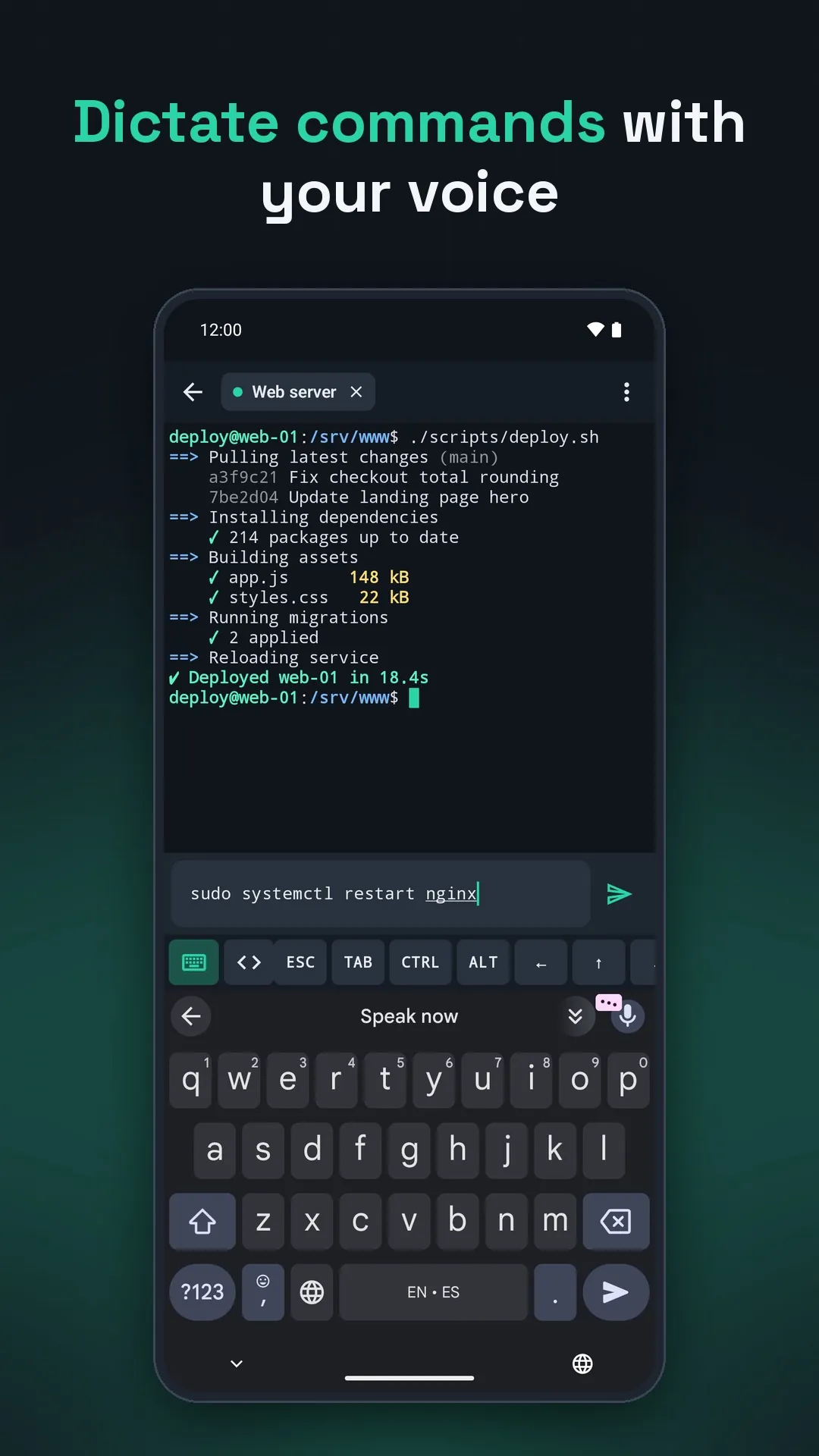
1B Terminal is a fast, good-looking SSH client: your servers in groups, Ed25519 keys, tabs, snippets and a key bar made for thumbs. And when typing on glass gets old, dictate with your keyboard's microphone — 1B Terminal tidies up what you say, so “Ls.” reaches the server as ls.
- Dictate commands
- Ed25519 & RSA keys
- Tabs & snippets
- 5 colour themes
- No account, no cloud
Early accessClosed testing on Google Play
The test page works once your Google account is on our tester list.
Say it. It types it — properly.
Voice typing is made for messages, not for shells: it capitalises the first word and adds a full stop. 1B Terminal fixes both before anything reaches your server.
Ls.
lowercaseno full stop$ lsSudo systemctl restart nginx.
lowercaseno full stop$ sudo systemctl restart nginxGit status.
lowercaseno full stop$ git statusDocker ps -a.
lowercaseno full stop$ docker ps -a
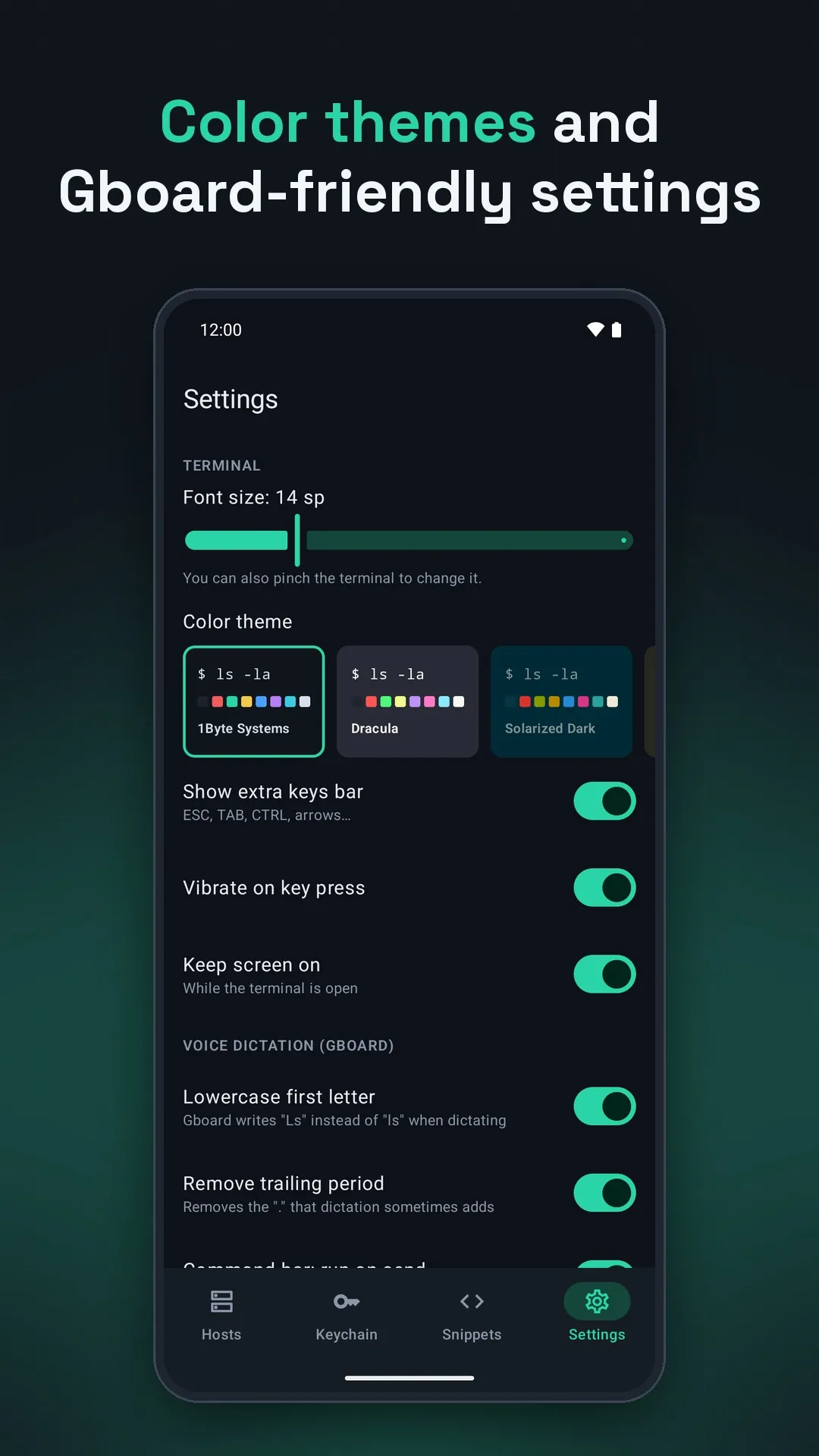
Lowercase first letter
“Ls” becomes ls. Acronyms such as AWS are left alone.
No trailing full stop
The “.” that dictation likes to add at the end is removed.
Enter by itself
Send from the dictation bar and the command runs — or turn it off and press Enter yourself.
Your keyboard does the listening
Speech recognition is done by your keyboard app, such as Gboard. 1B Terminal never asks for the microphone — it doesn't even have the permission. All three fixes are on by default and can be switched off in Settings.
- 5.6 MBthe whole app (APK)
- 29extra keys, F1 to F12 included
- 5colour themes
- 5,000lines of scrollback
Size of the version 0.2.3 APK; the download from Google Play can differ slightly depending on your phone.
From zero to connected in a minute
Add your server
Fill in the host — or just type user@host:port in the search box and connect straight away.
Check who answers
The first time, you see the server's fingerprint. If it ever changes, you get a clear warning before anything else.
Sign in with a key
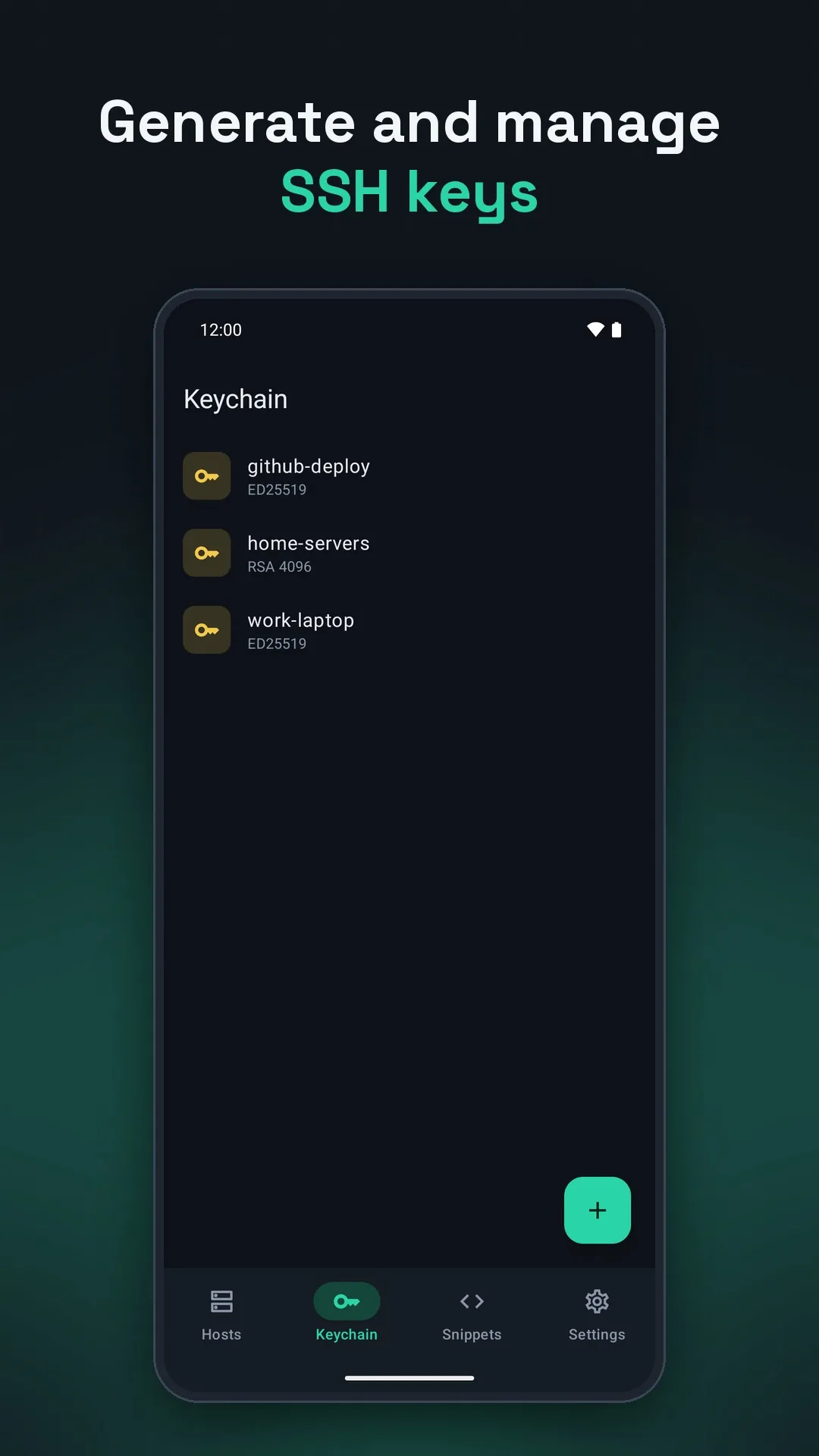
Generate an Ed25519 or RSA 4096 key on your phone and share the public part to paste into authorized_keys.
Work in tabs
Keep several sessions open; they stay connected in the background, with “Disconnect all” in the notification.
A key bar made for thumbs
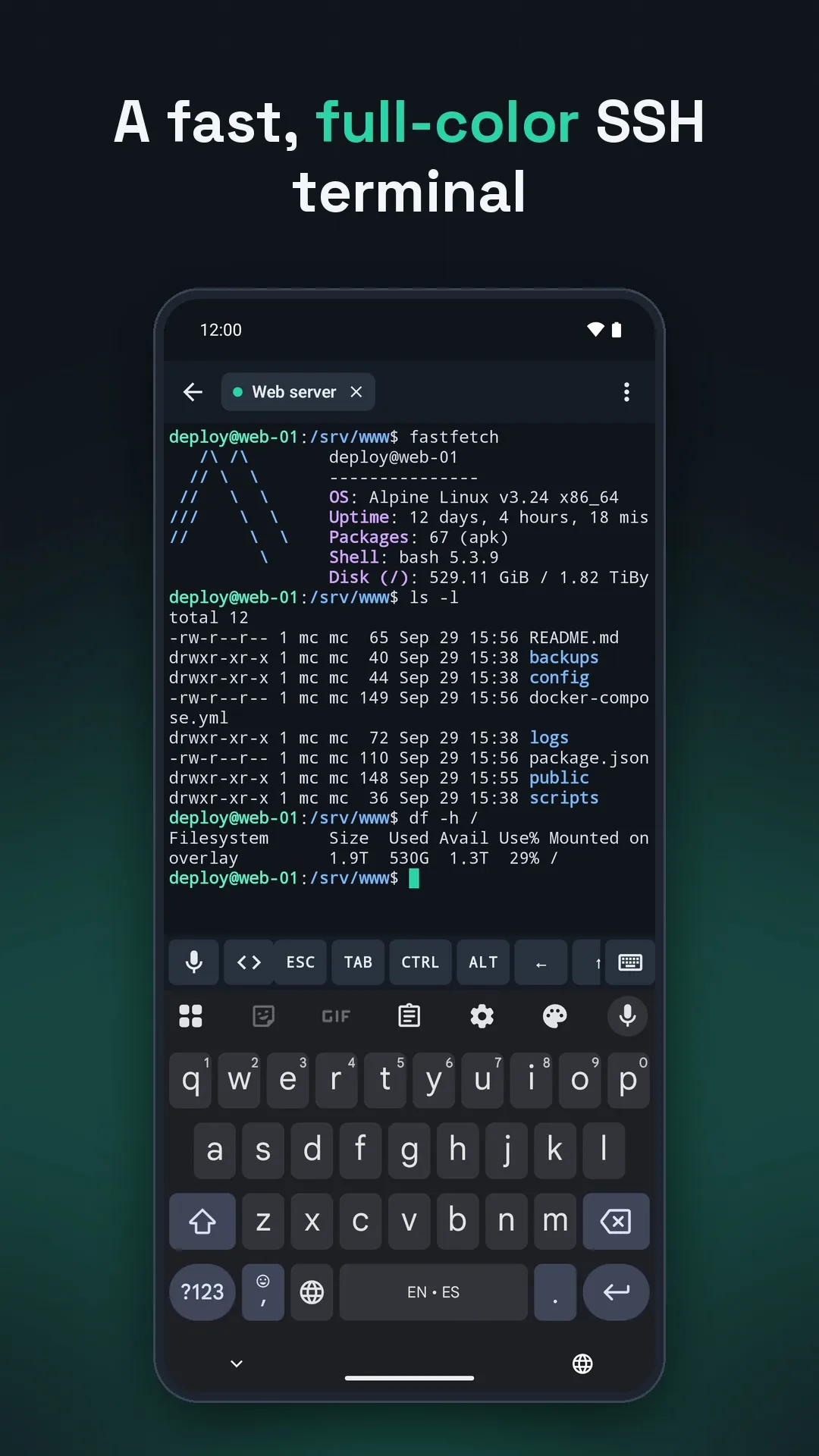
Everything a terminal needs and a phone keyboard forgets, one tap above your keyboard.
- ESC, TAB, CTRL, ALT, arrows, | / - ~, HOME, END, PGUP, PGDN, DEL and F1 to F12
- Long-press CTRL or ALT to lock it for a whole key combination
- Pinch to zoom the text from 8 to 32 sp, swipe to scroll back
- Your snippets on the <> key, sent with Enter or left for you to edit
- Keeps the screen on while you work; key vibration if you like it
Sign in with
- Password
- Public key
- Key + password
- Keyboard-interactive
Keys
- Ed25519
- RSA 4096
- ECDSA (import)
Themes
- 1Byte Systems
- Dracula
- Solarized Dark
- Monokai
- Light
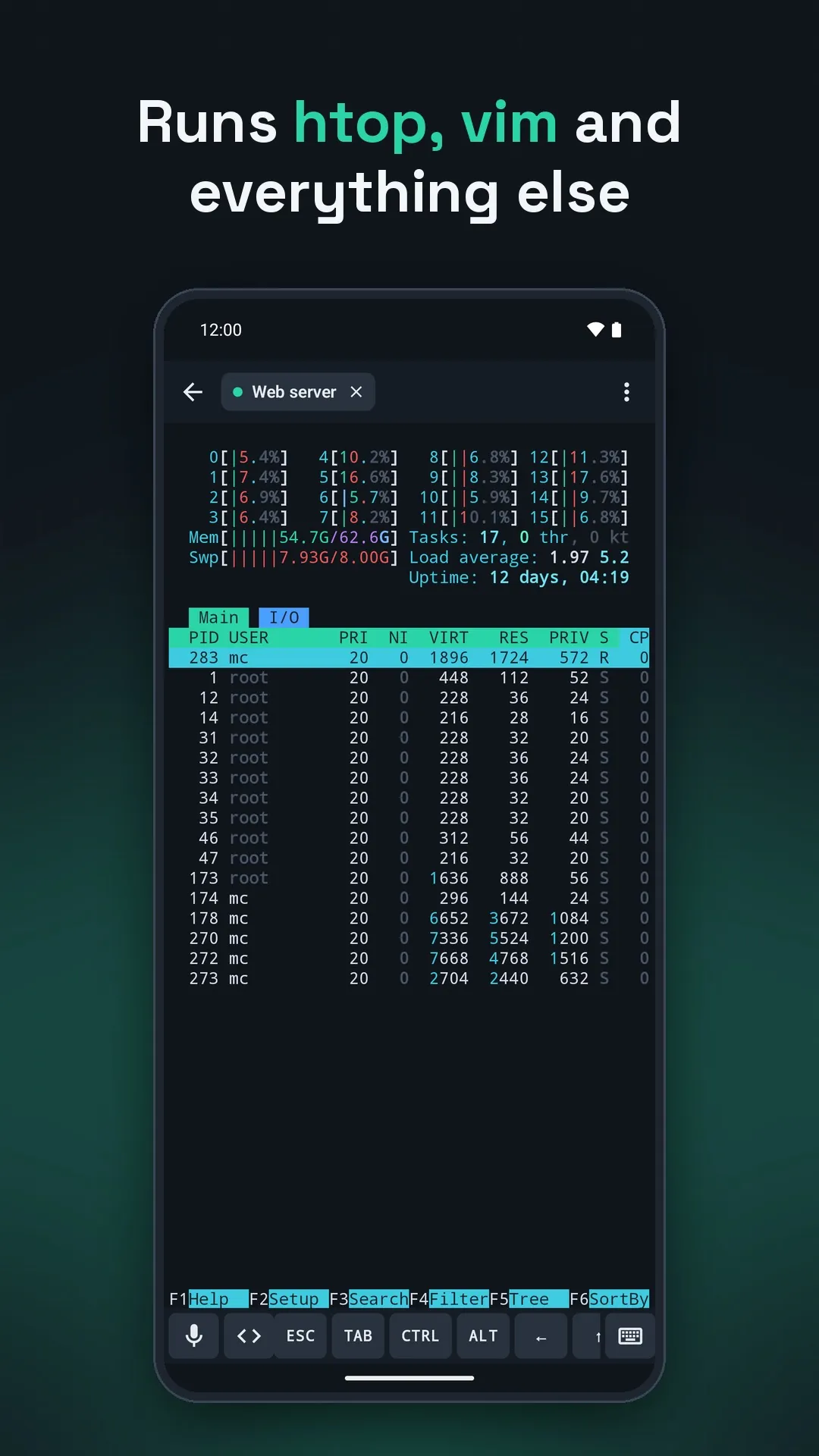
Runs
- htop
- vim
- nano
- tmux
- xterm-256color
Everything else a server deserves
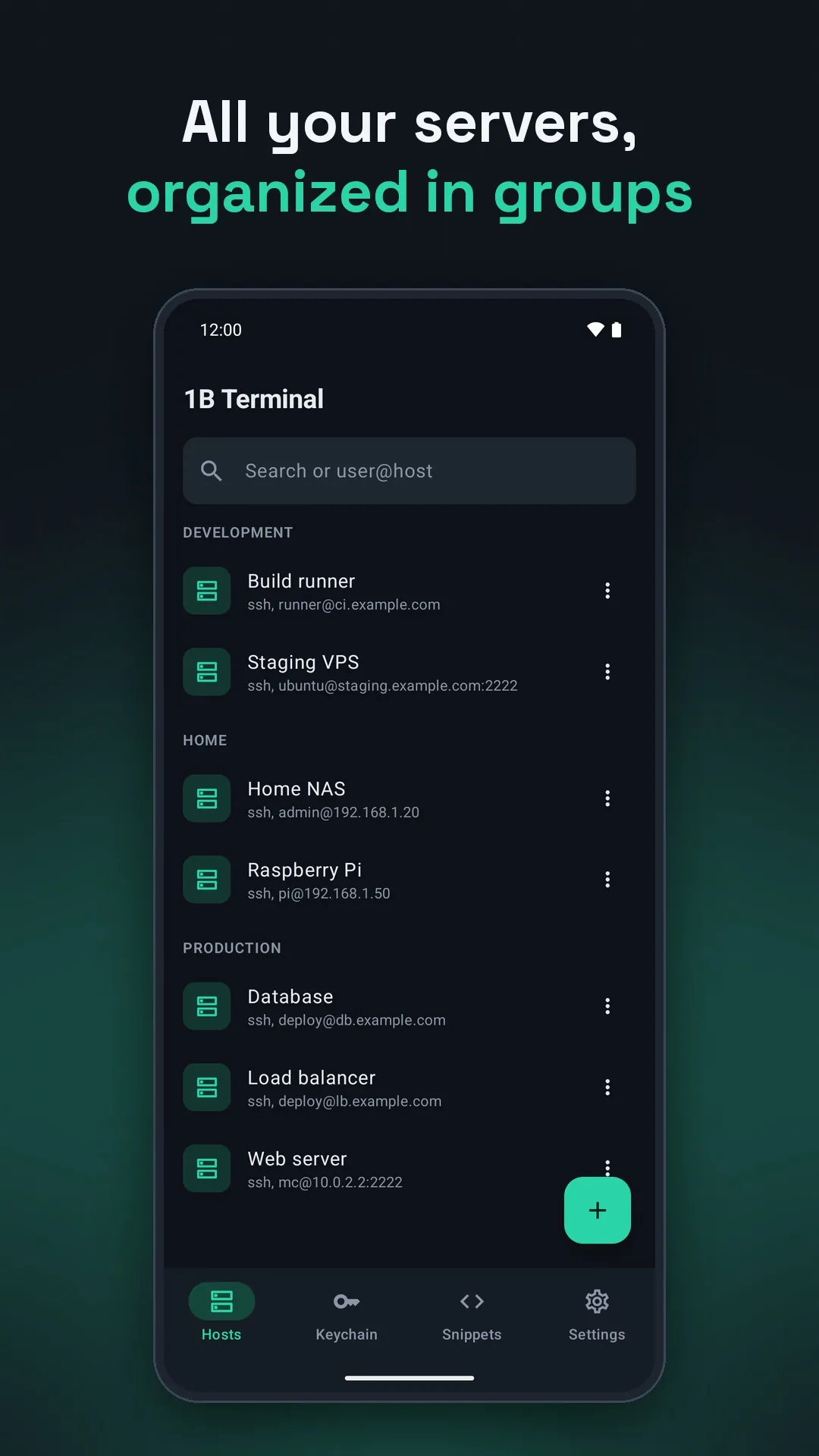
Servers in groups
Label, group and colour tag for every host, with search — and duplicate any host in a tap.
A command on connect
Run something as soon as you're in — tmux attach, for instance.
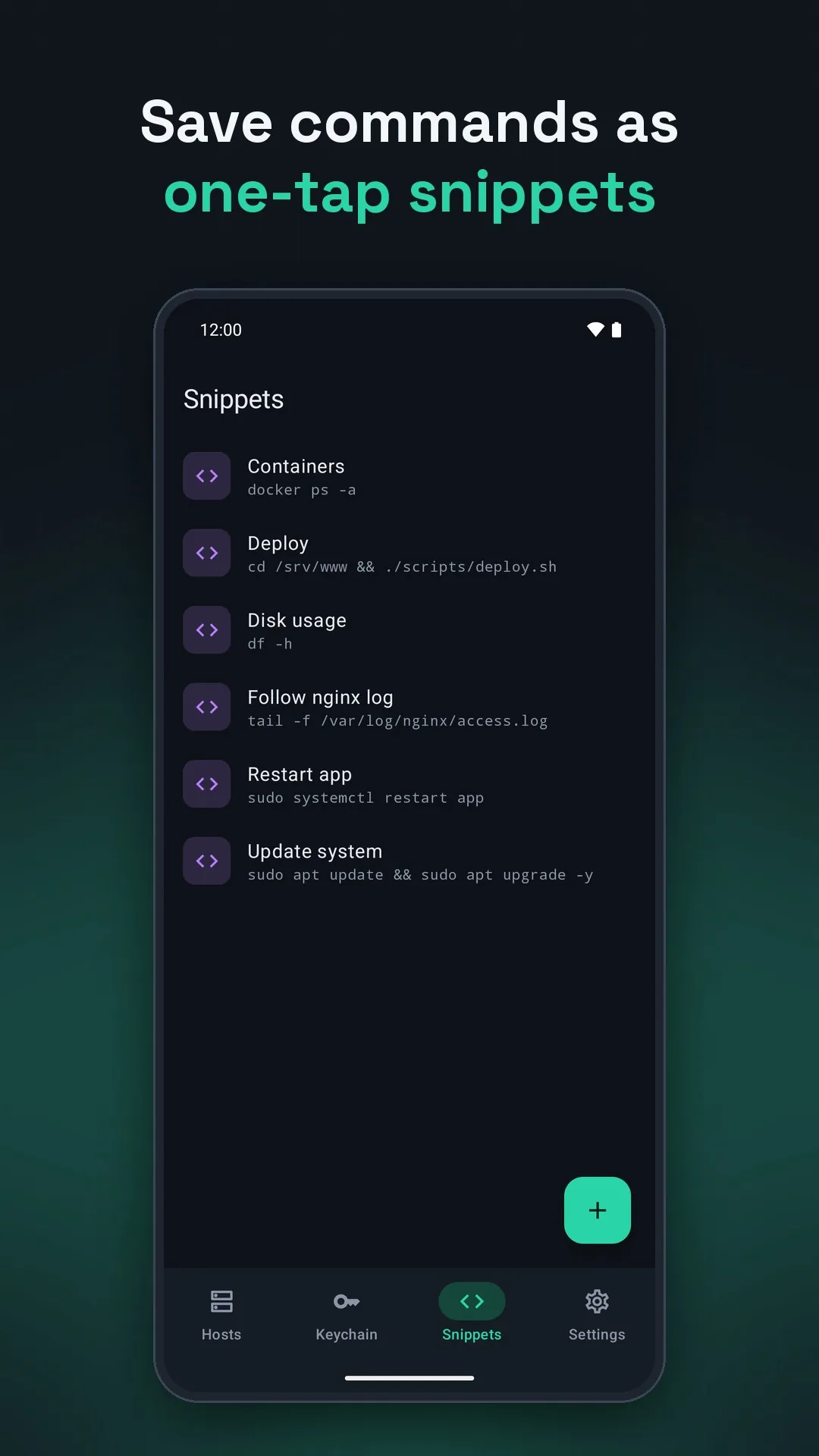
One-tap snippets
Save the commands you always type and send them with a single tap.
Known hosts
Fingerprints are remembered, changes are flagged, and you can forget any entry.
Your keychain
Generate keys or import Ed25519, RSA and ECDSA keys, passphrase included.
Tabs that stay alive
Sessions keep running in the background while you check something else.
Your theme, your size
Five colour themes and pinch-to-zoom text, on phones, tablets and foldables.
No account. No cloud. No ads.
Hosts, passwords and keys stay on your phone, encrypted with the Android Keystore.
See it in action
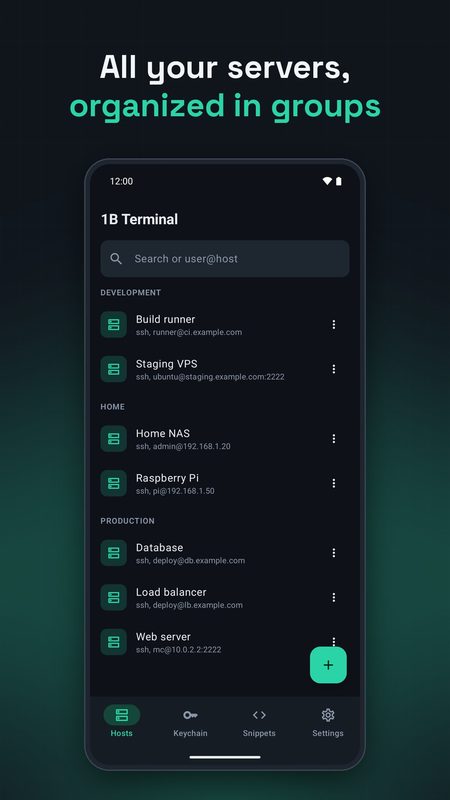
Your servers, organized in groups
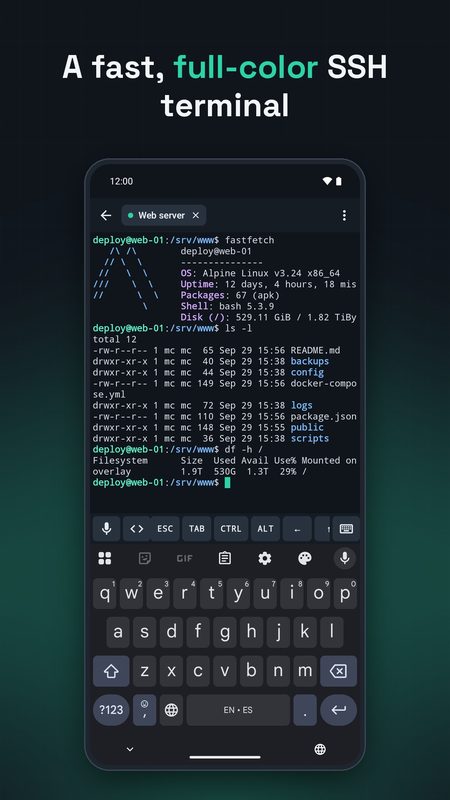
A fast, full-color SSH terminal
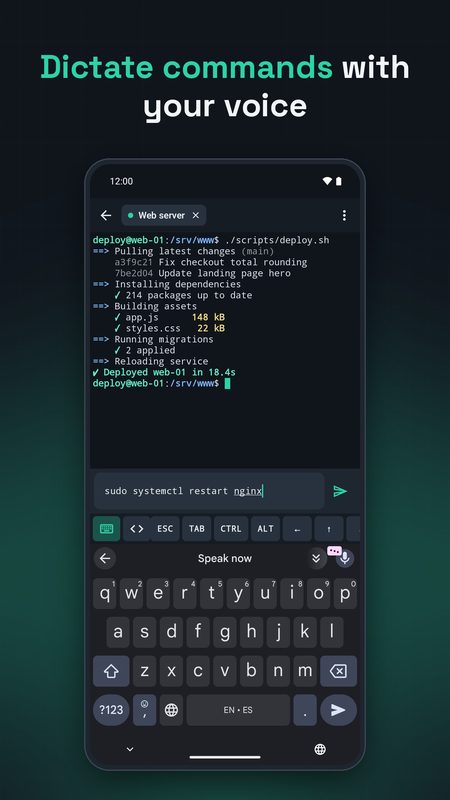
Dictate commands with your voice
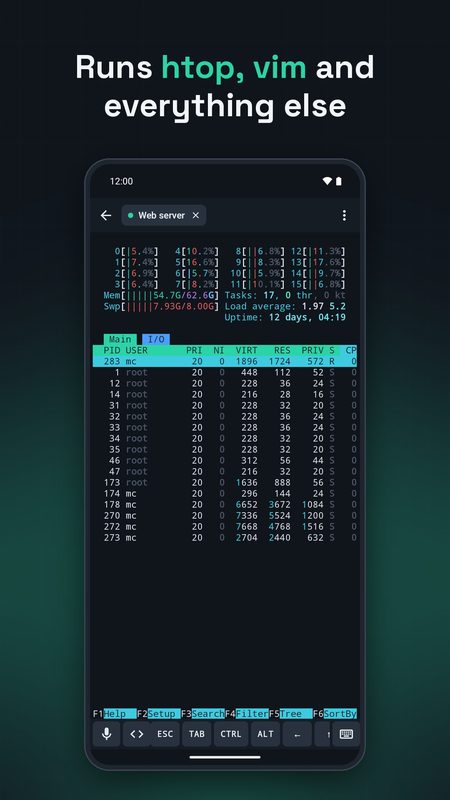
htop, vim, tmux and everything else
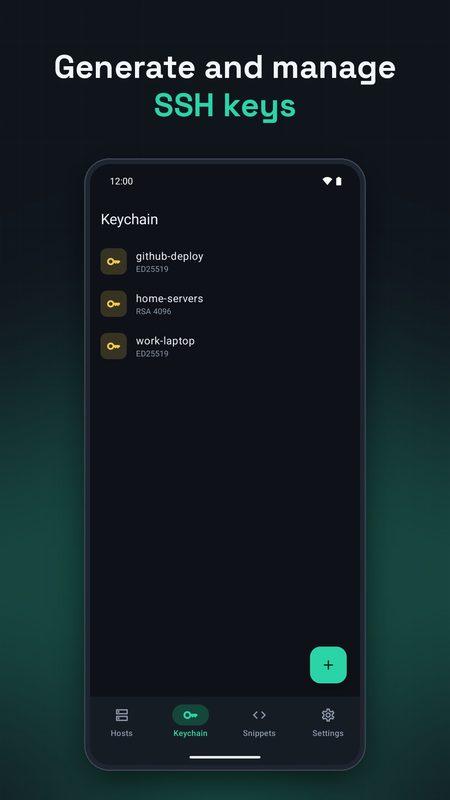
Ed25519 and RSA keychain
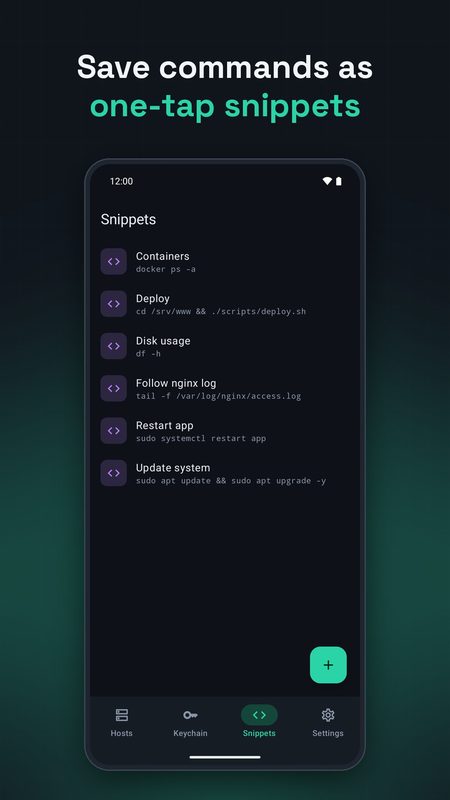
One-tap snippets
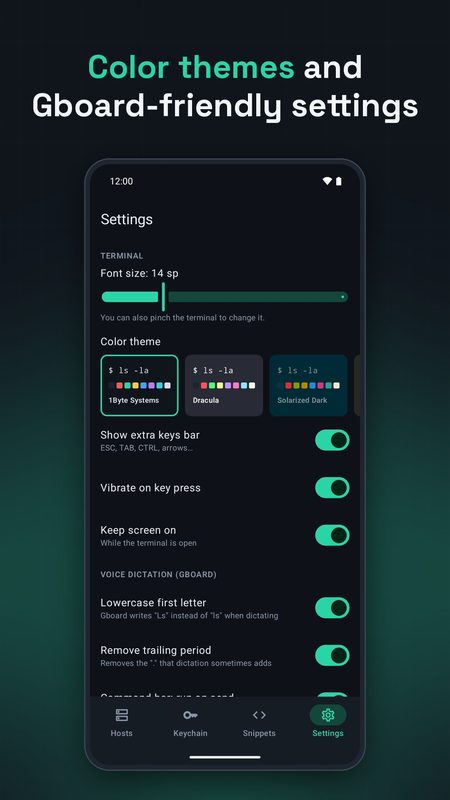
Themes and settings
Your servers are waiting
1B Terminal is in closed testing on Google Play. Ask for an invite, then install it from the test page.
The test page works once your Google account is on our tester list.
Public release on Google Play: coming soon
Privacy at a glance
- Hosts, passwords and keys stay on your device; passwords and private keys are encrypted with the Android Keystore.
- Connects only to the SSH servers you add.
- Doesn't use the microphone: dictation is handled by your keyboard app.
Details
- Early access
- Closed testing on Google Play
- Requires
- Android 8.0 or later
- Languages
- 21 languages
- Price
- Free download
- Package
com.onebytesystems.terminal


