
1B CalendarDesktop calendar for Windows and Linux
Version 0.1.3Available for Windows and Linux
All your calendars, in one place. With nobody in between.
1B Calendar puts Google Calendar, Microsoft 365 and Outlook, iCloud and any CalDAV server side by side, and lets you edit them from one window: changes go straight back to each service. Answer invitations with the overlap in plain sight, repeat events however you like, and get back anything you delete for 30 days. Each account talks directly to its provider from your computer.
- Google · Microsoft 365 · iCloud · CalDAV
- Invitations with overlaps
- Trash and Undo
- No 1Byte server
- Updates itself
AvailableVersion 0.1.3 · Windows and Linux
No ads and no account. Your calendars stay with their providers and on your computer.
Download 1B Calendar
The same version for Windows and Linux. Nothing to sign up for.
Windows
Windows 10 and 11, 64-bit. Installs for your user only, with no administrator rights. The installer isn't signed yet: if SmartScreen warns you, choose More info › Run anyway.
Download .exe · 5.3 MBLinux
x86-64. RPM for Fedora and openSUSE, DEB for Ubuntu, Debian and Linux Mint, or the AppImage for other distributions (it runs without installing). New versions install from the app itself.
.rpm · 6.1 MB.deb · 5.6 MBAppImage · 85.8 MBmacOS and Android
Not available yet.
A closer look
Real screenshots of 1B Calendar 0.1 on Linux, filled with sample accounts and events (all invented).
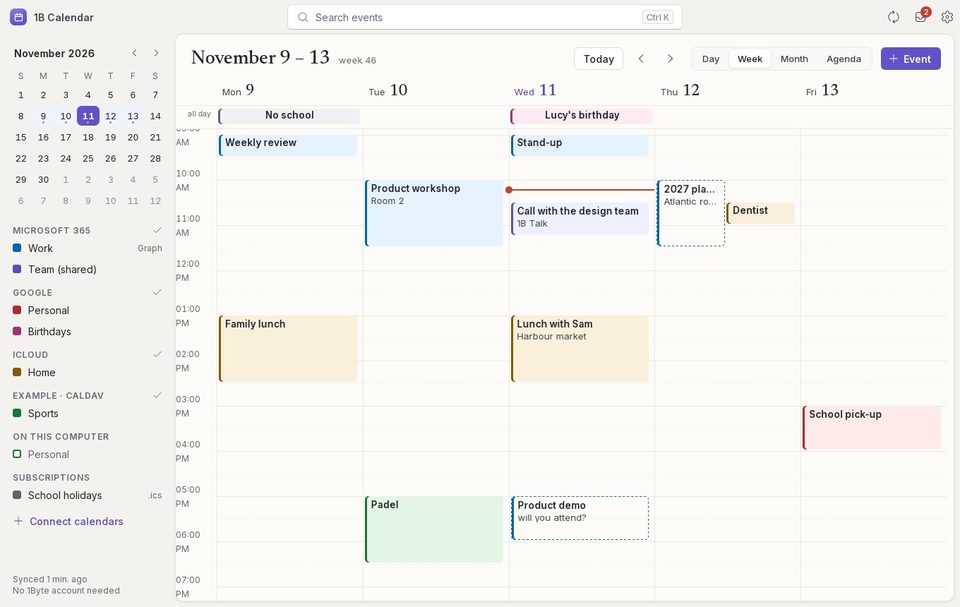
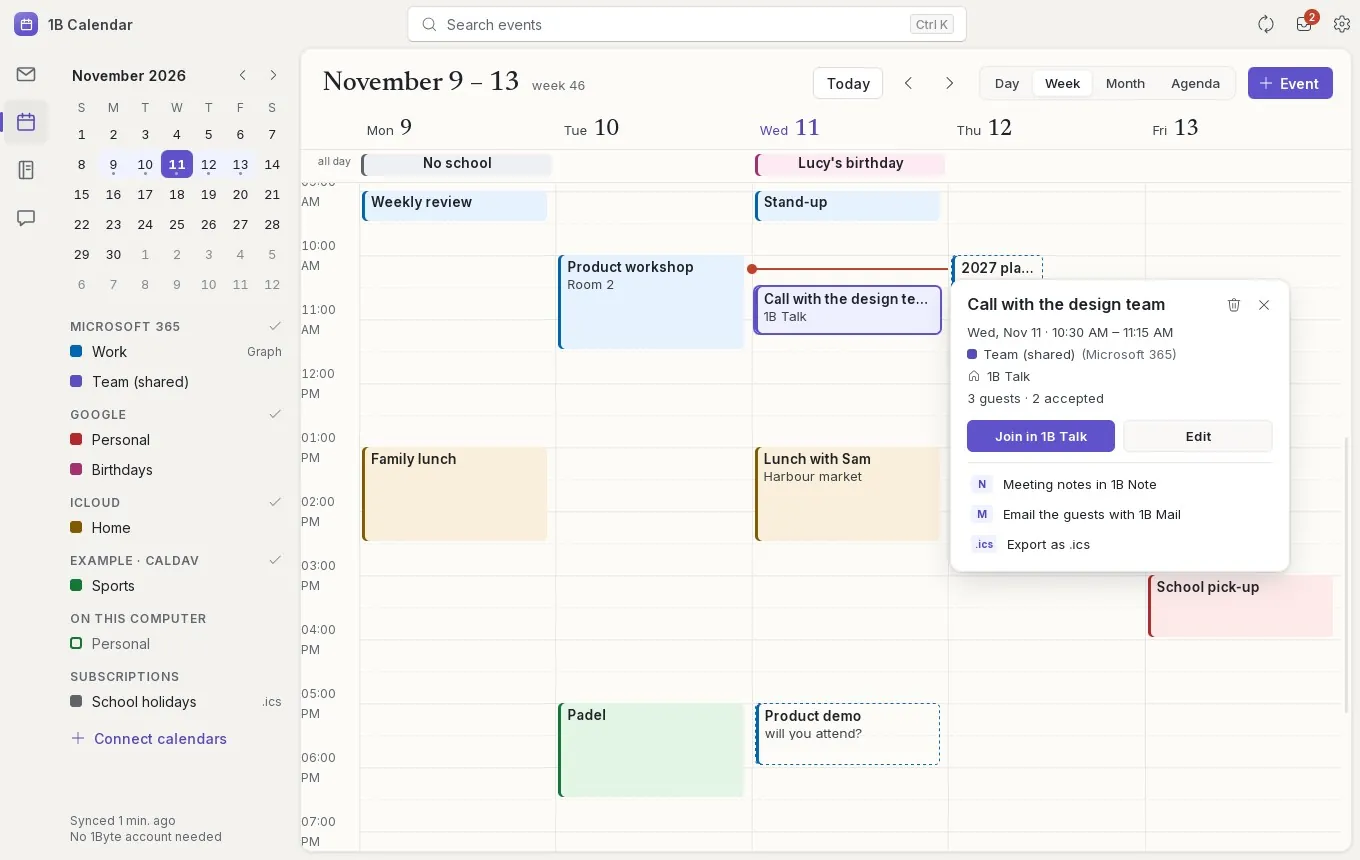
Every account in one week
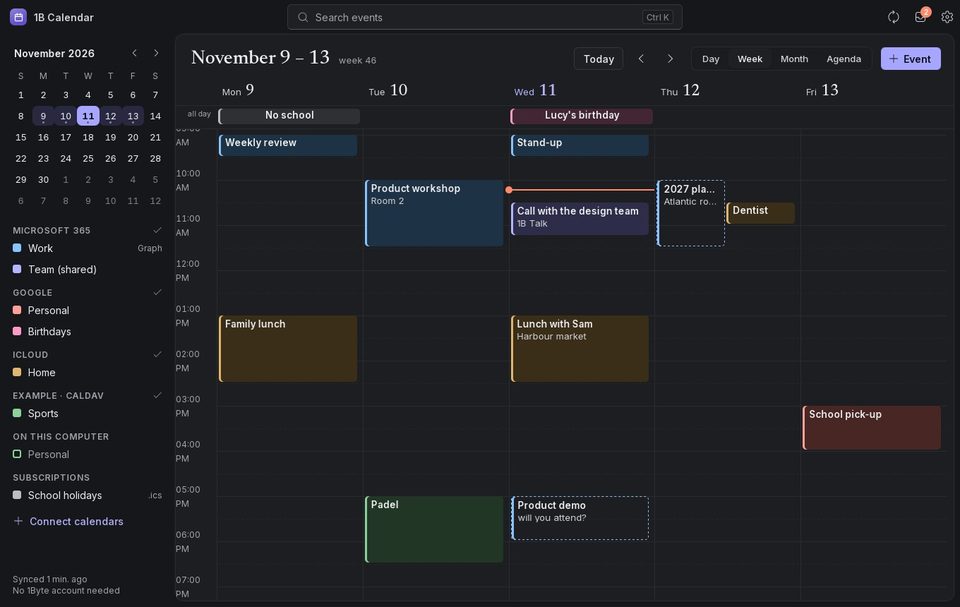
Each account has its own ink, shown on the edge of its events, so you can tell work from home at a glance. The red line is now. Drag on the grid to create an event, drag an event to move it, pull its edge to make it longer.
Everything about an event, one click away
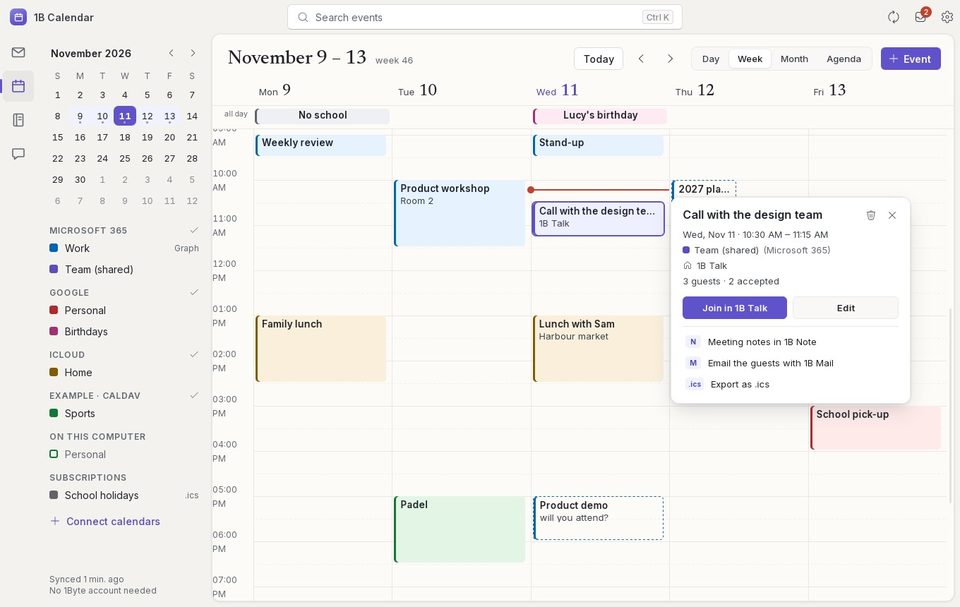
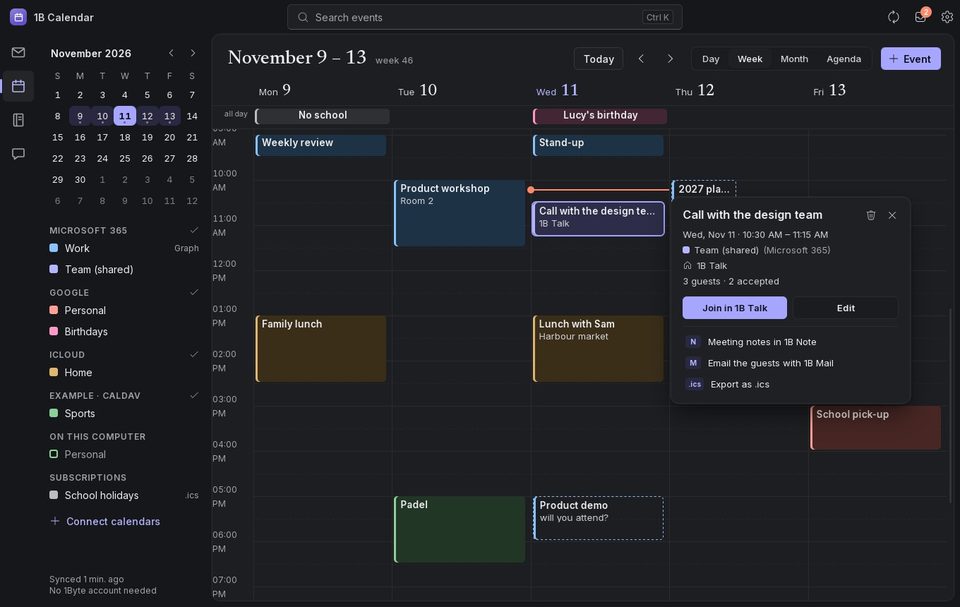
Click an event to see when it is, which calendar it's in, who's invited and how many accepted. Join the call in 1B Talk, Teams, Meet or Zoom, edit it, or — if you have them — take notes in 1B Note and write to the guests with 1B Mail.
What needs an answer, first
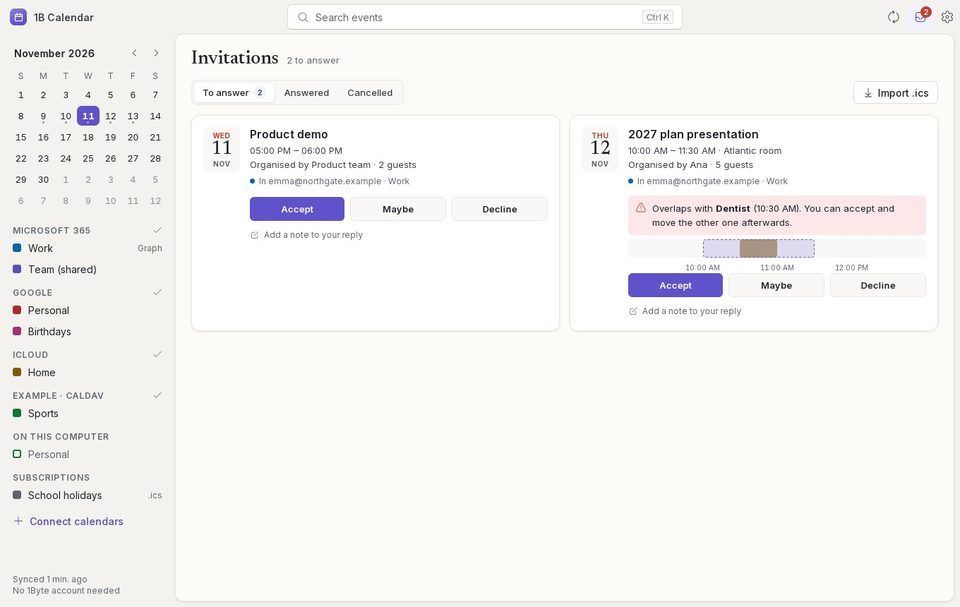
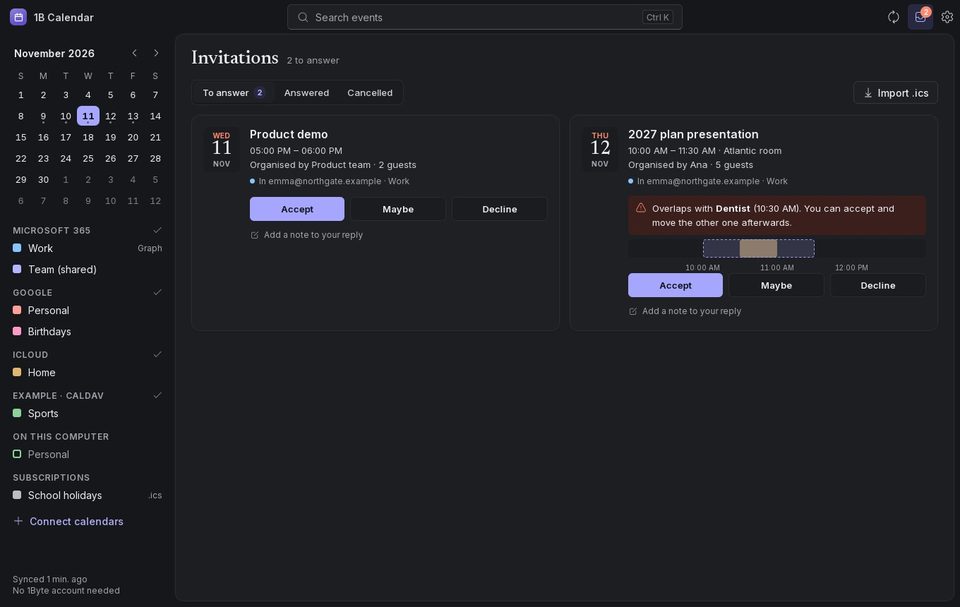
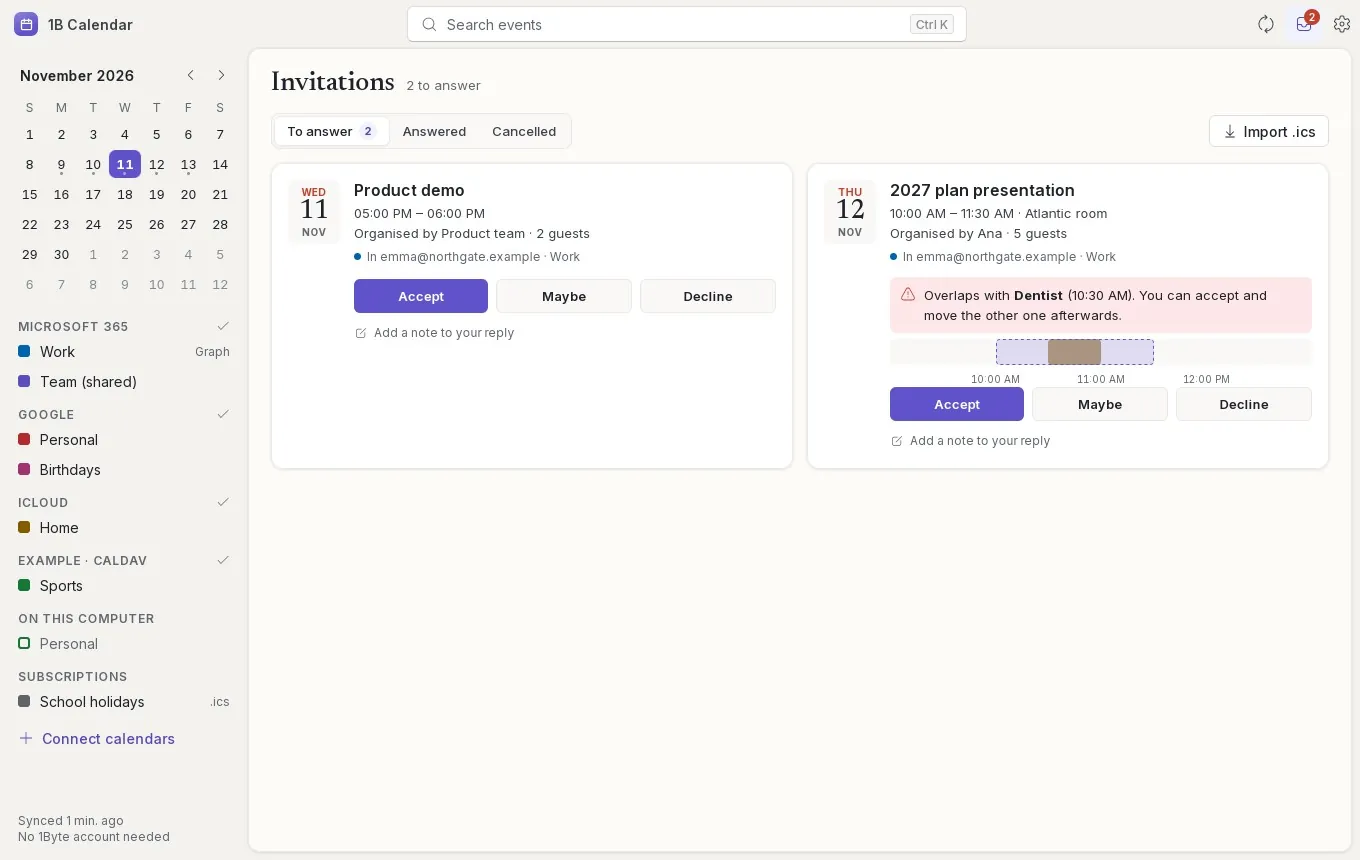
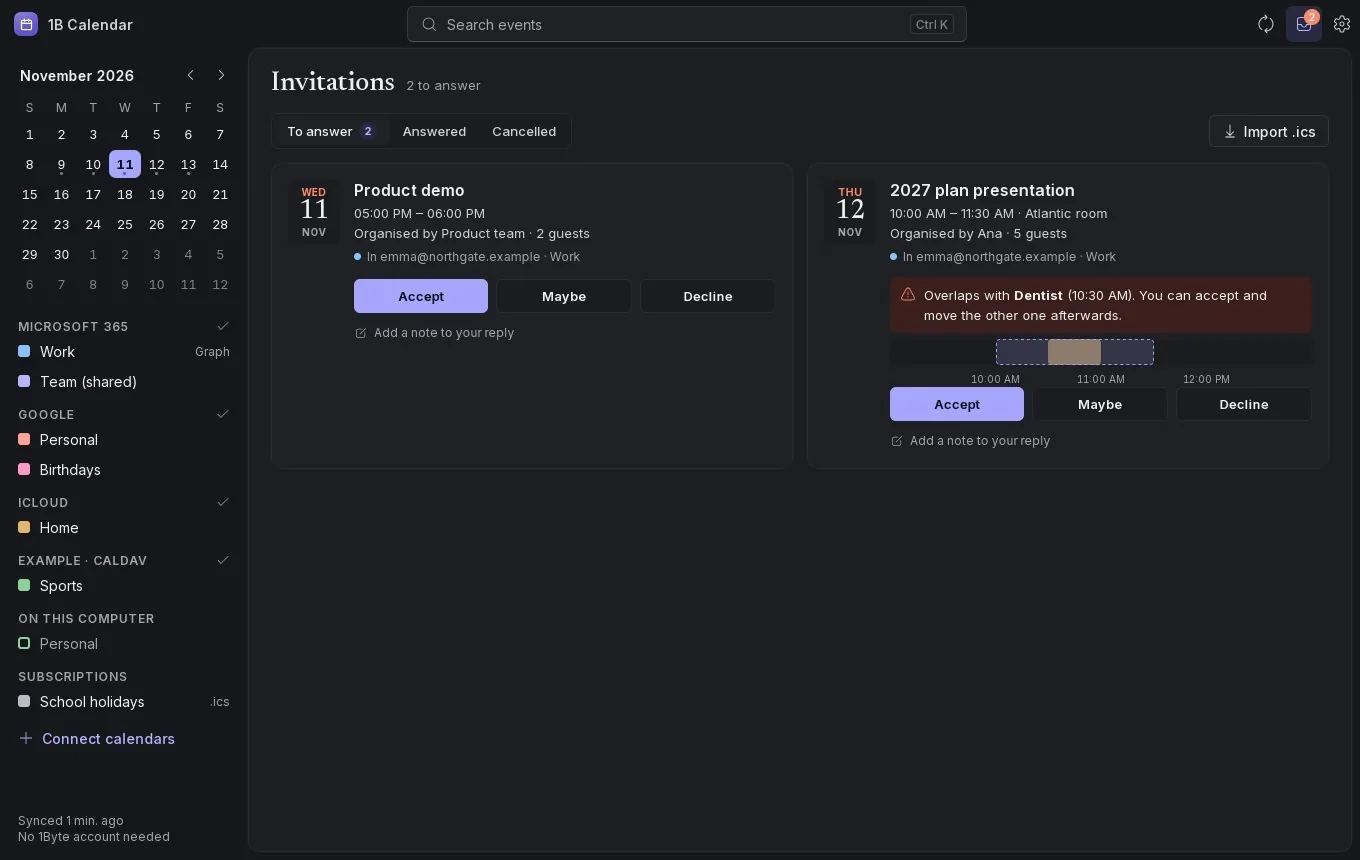
Invitations from every account wait in one tray, with the number on the title bar. Each one shows where it came from and whether it overlaps with something you already have, on a small timeline. Accept, Maybe or Decline, with an optional note for the organiser.
Repeat it however you need
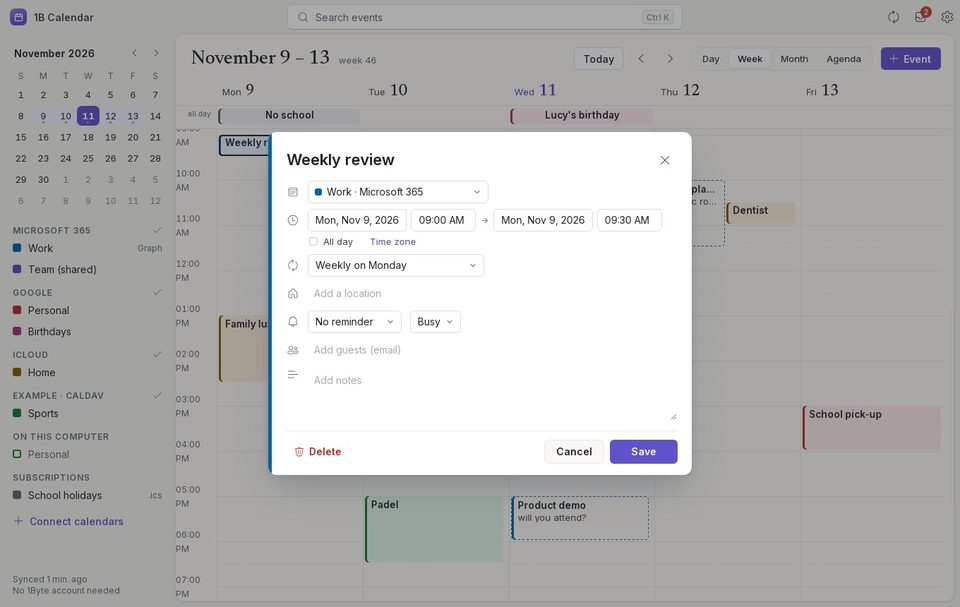
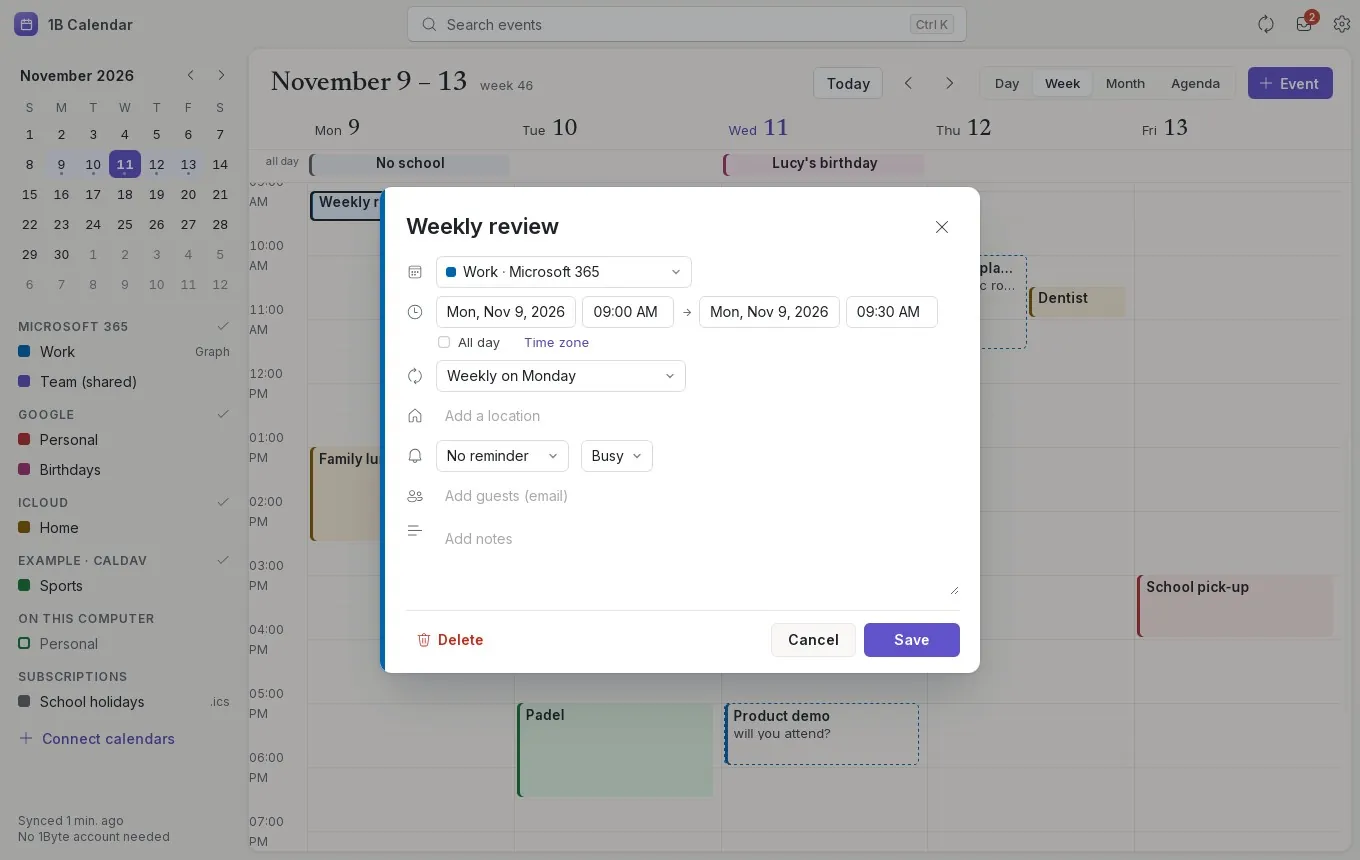
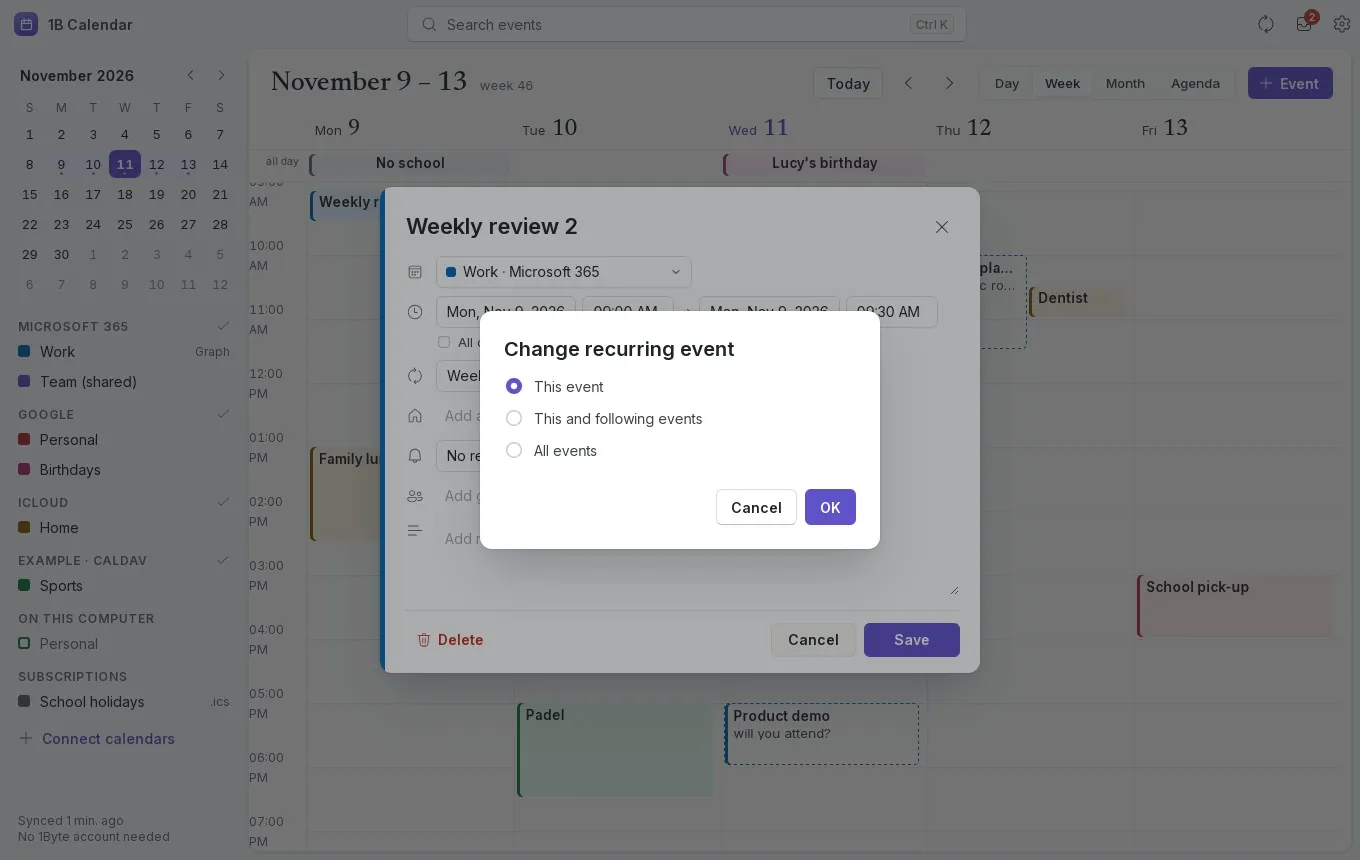
Every day, every weekday, weekly on several days, monthly on day 15 or on the first Monday, yearly — ending never, on a date or after a number of times. When you change one event of a series, choose This event, This and following events, or All events.
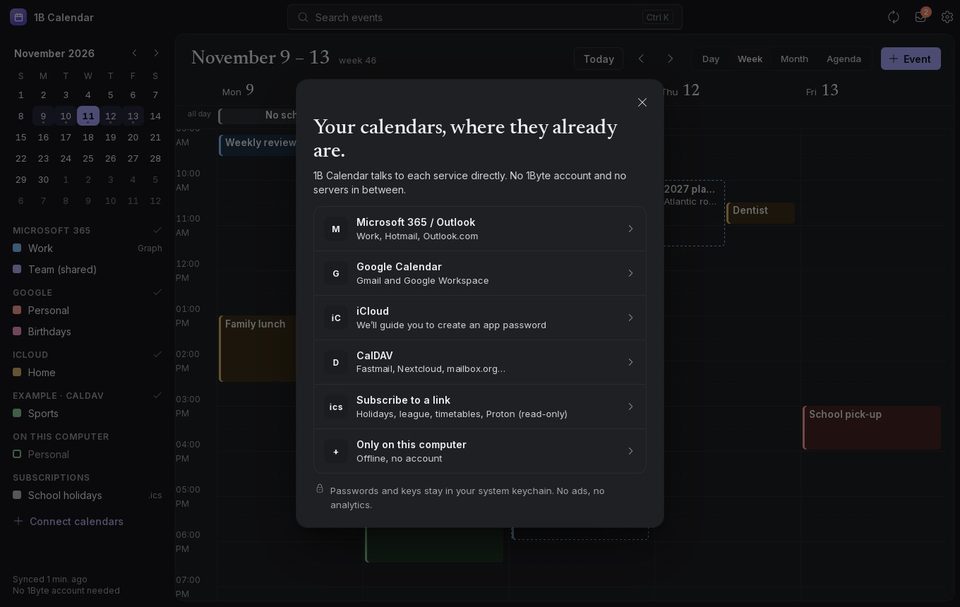
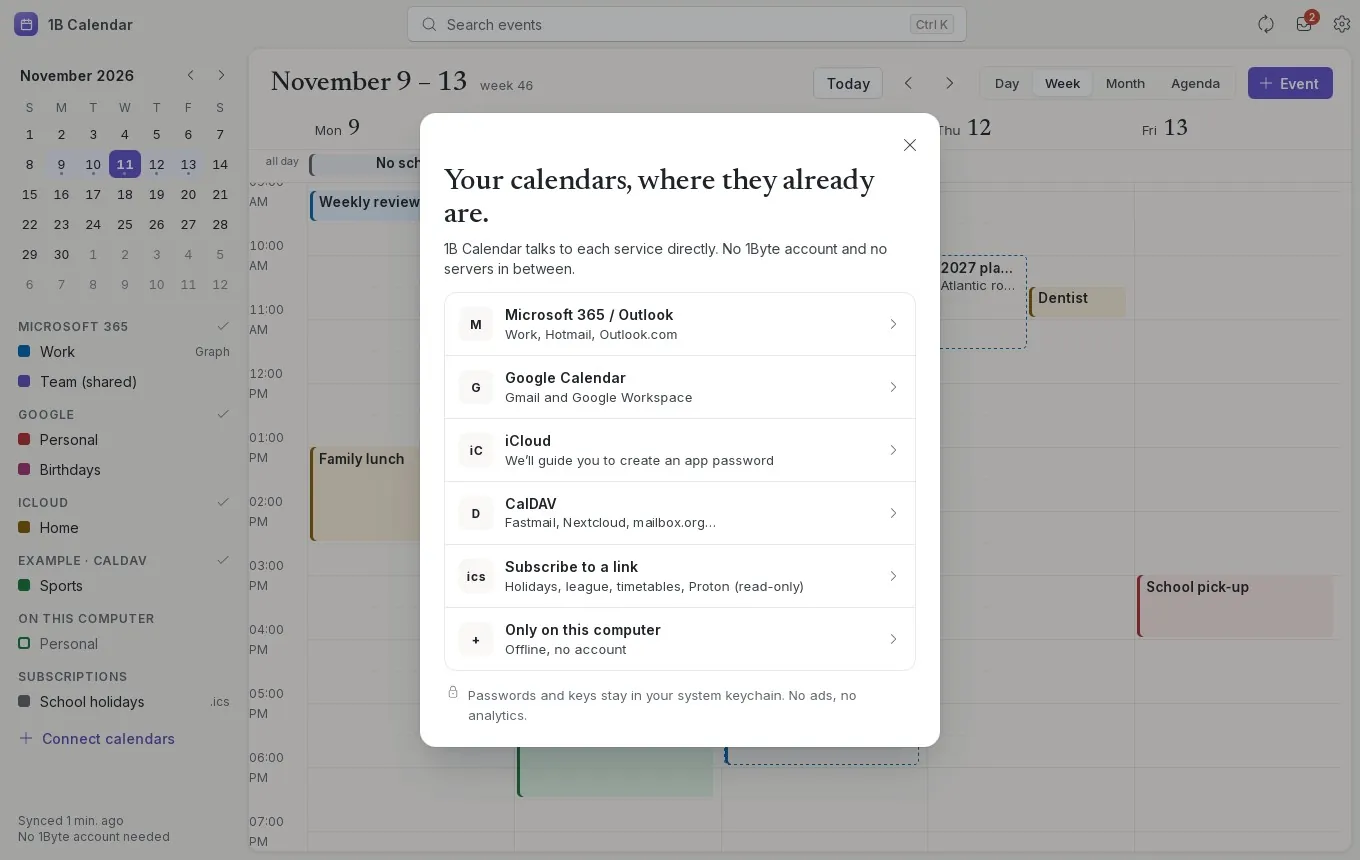
Your calendars, where they already are
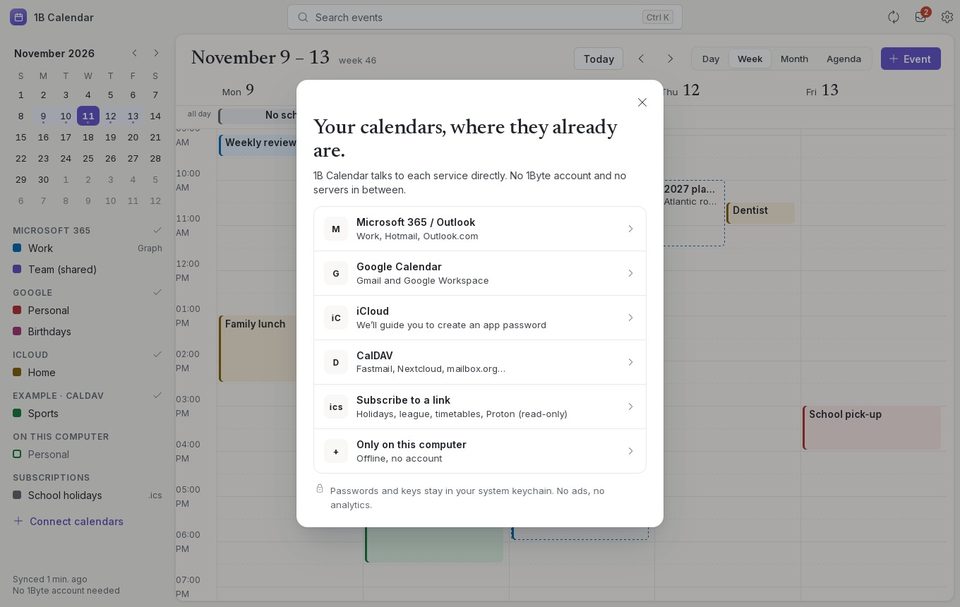
Sign in to Google or Microsoft on their own page in your browser, connect iCloud with an app-specific password, add any CalDAV server with its address, or subscribe to an .ics link. Or keep a calendar only on this computer.
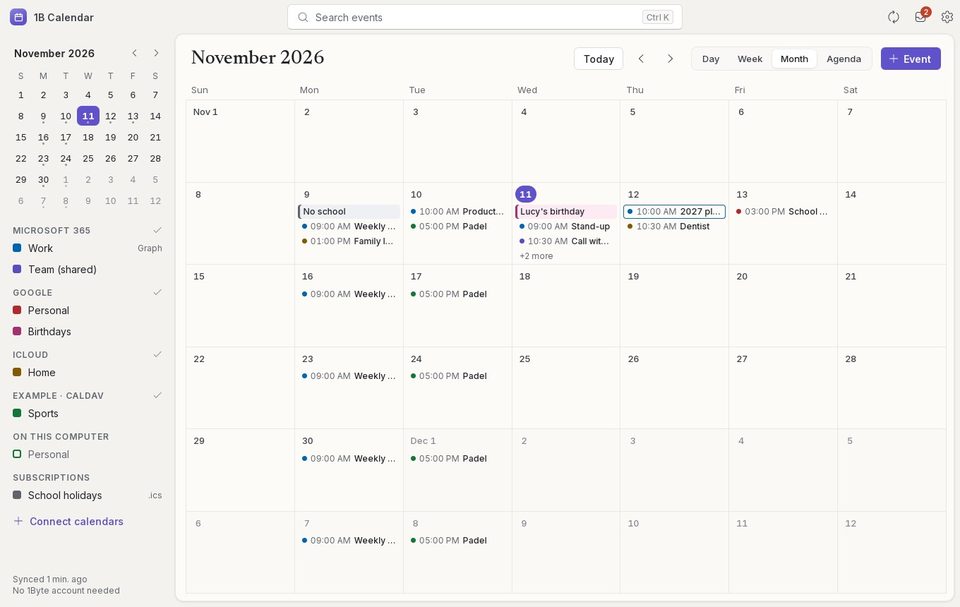
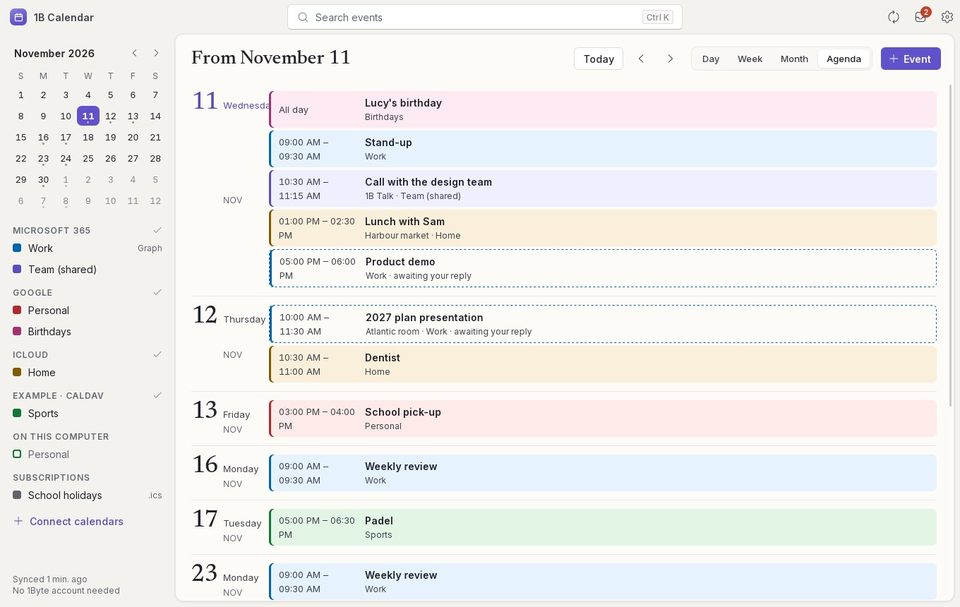
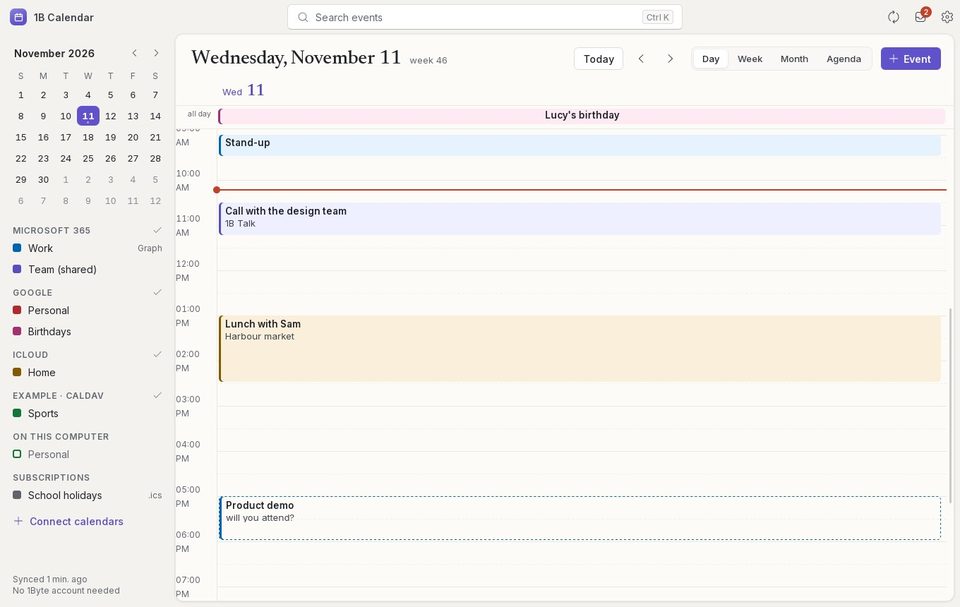
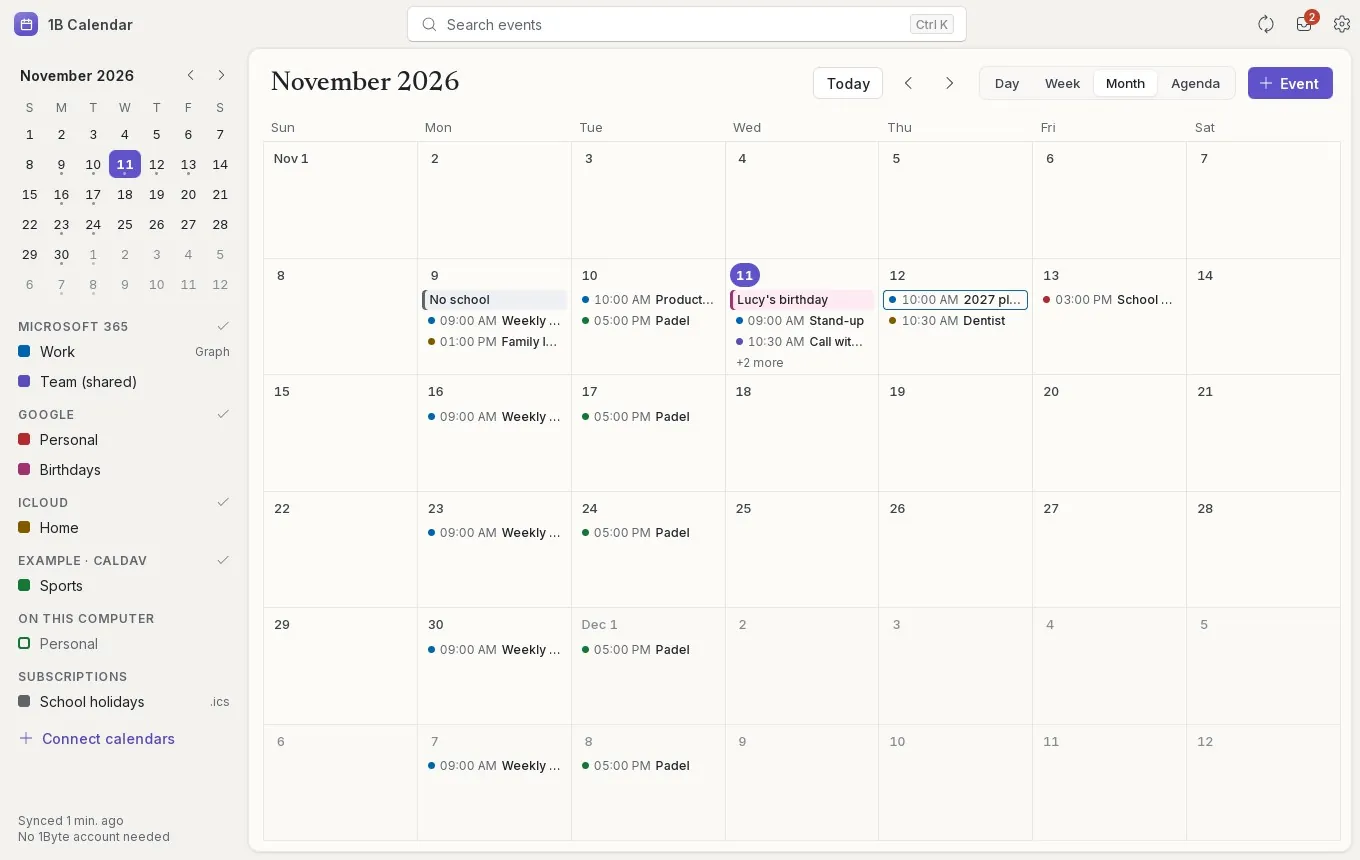
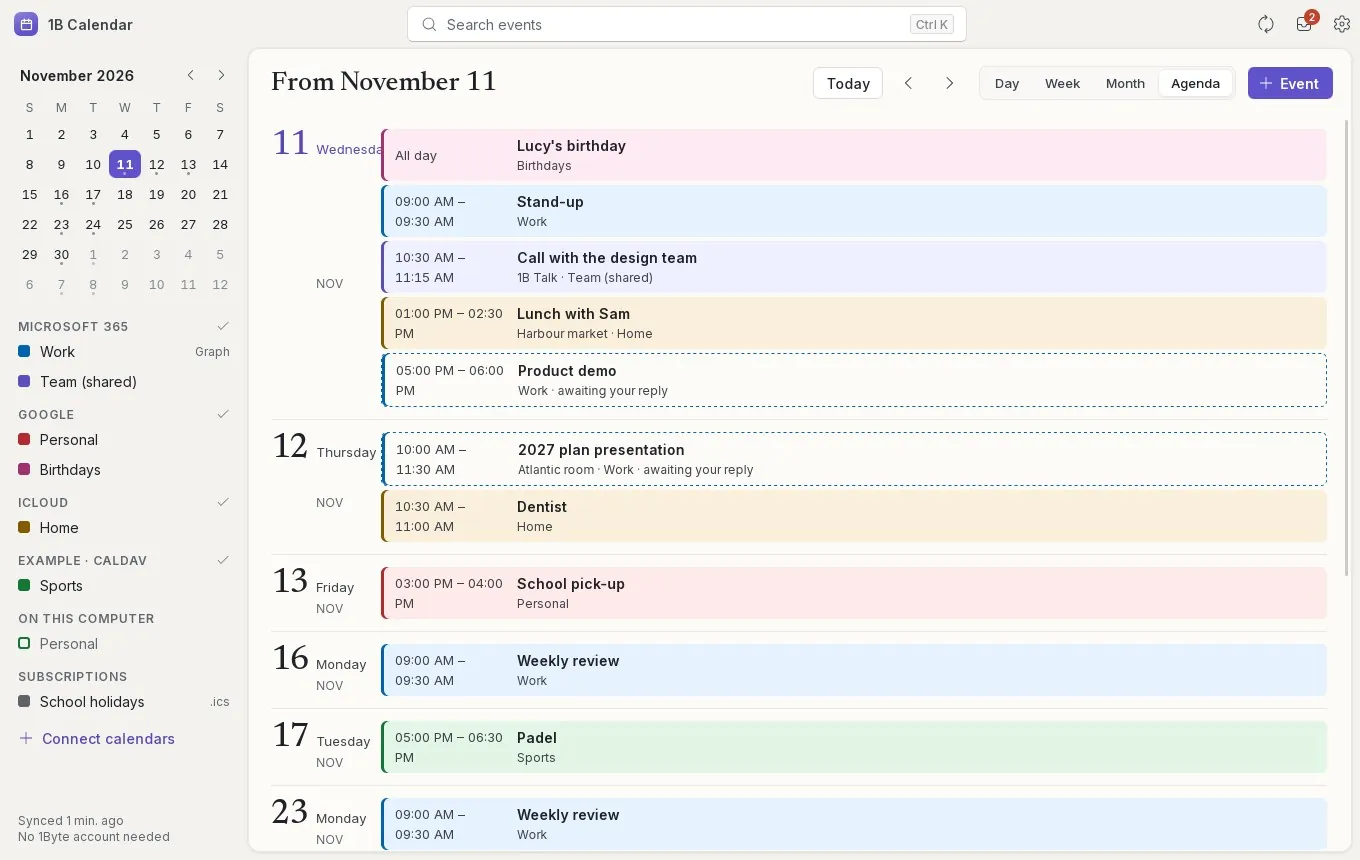
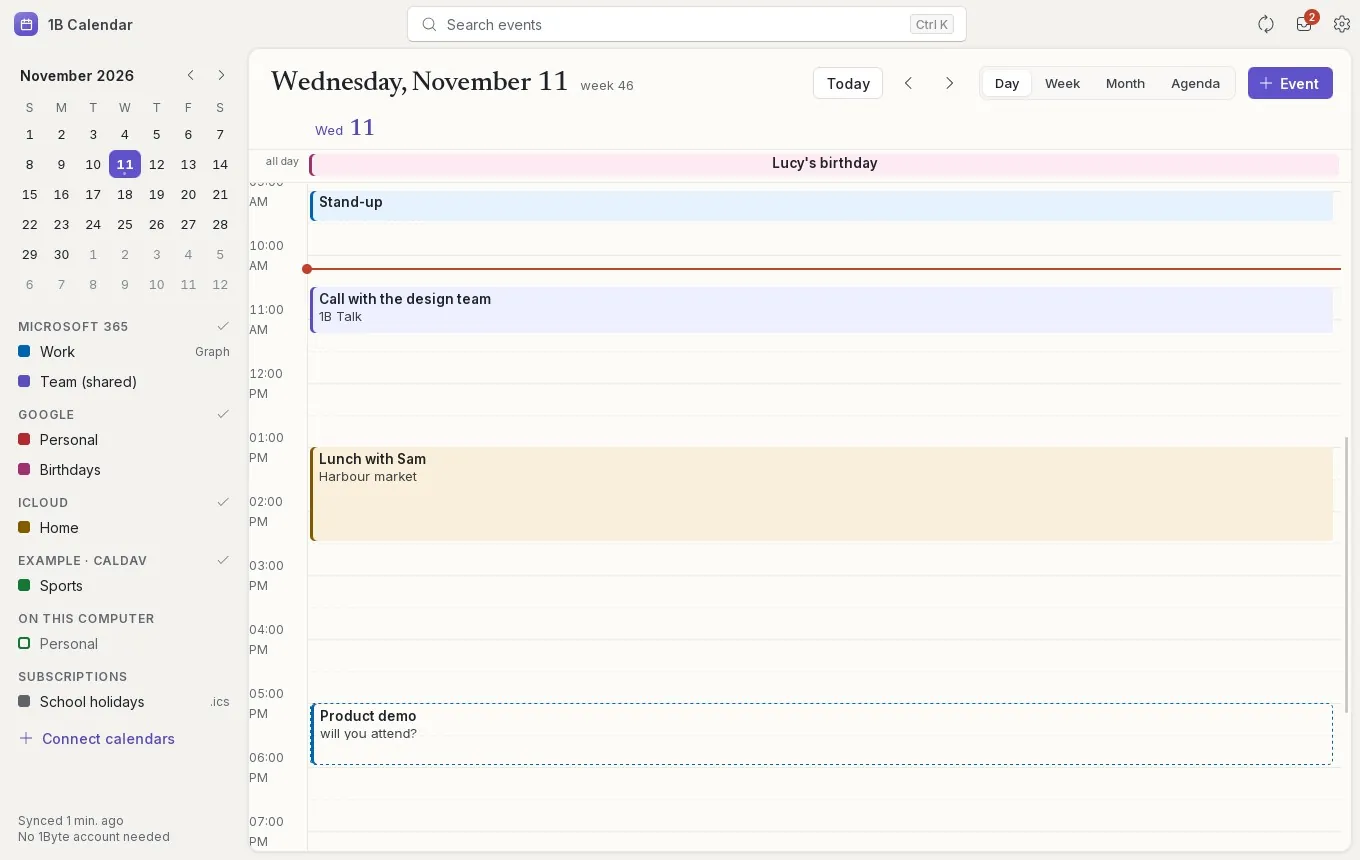
The month, the agenda and the day
Six weeks at a glance, with all-day events as bars and timed ones as dots; the next 30 days as a printed-style agenda; or a single day hour by hour. Search everything with Ctrl K.
- 01Byte servers between you and your calendars
- 30 daysin the trash for anything deleted or overwritten
- 5ways to connect: Google, Microsoft, iCloud, CalDAV and .ics
- 21languages, settings included
Counted in the code of 1B Calendar 0.1: the accounts, the trash (30 days) and the five kinds of connection. The app syncs every 5 minutes and right after every change you make. The Linux packages were installed and opened on Ubuntu 22.04 and 24.04, Debian 12 and 13, Linux Mint 22, Fedora 43 and 44, openSUSE Tumbleweed and Arch.
How it keeps your calendars safe
A calendar is where your week lives. 1B Calendar is built so that nothing gets lost and nobody else gets in the way.
Straight to each provider
Google, Microsoft, Apple and your CalDAV server are reached directly from your computer, over HTTPS. There's no 1Byte server in the middle and no 1Byte account to create.
Your change first, then the sync
What you do is saved on your computer at once and sent to the service right after, before anything is downloaded. If the same event changed elsewhere at the same time, the service's version wins and yours is kept in the trash.
Nothing disappears for good
Anything you delete, or that's overwritten by a conflict, stays in the trash for 30 days. Right after creating, moving, changing or deleting, Undo puts it back.
Your calendars talk to their providers. Not to us.
Every account connects from your computer straight to its own service. 1Byte never sees your events, your contacts or your passwords.
- No 1Byte account: open it and add your calendars
- Passwords and sign-in keys encrypted on your computer, with the key in your system keychain
- No ads, no analytics, no telemetry
- Only the update check reads one file from 1bytesystems.com — and you can turn it off
Works with
- Google Calendar
- Microsoft 365
- Outlook.com · Hotmail
- iCloud
- Fastmail
- Nextcloud
- mailbox.org
- Any CalDAV server
- .ics and webcal links
Views
- Day
- Week
- Work week
- Month
- Agenda
The details you'd miss
Undo
Created, moved, changed or deleted something by mistake? Press Undo in the notice that appears.
Trash for 30 days
Deleted events, and your version when there's a conflict, wait in Settings › Trash with a Restore button.
Search with Ctrl K
Find any event by its title, place or notes, across every account.
Reminders
System notifications for your reminders while 1B Calendar is open, with a default reminder for new events.
Time zones
Each event keeps its own time zone, and repeats stay right when the clocks change.
Inks and themes
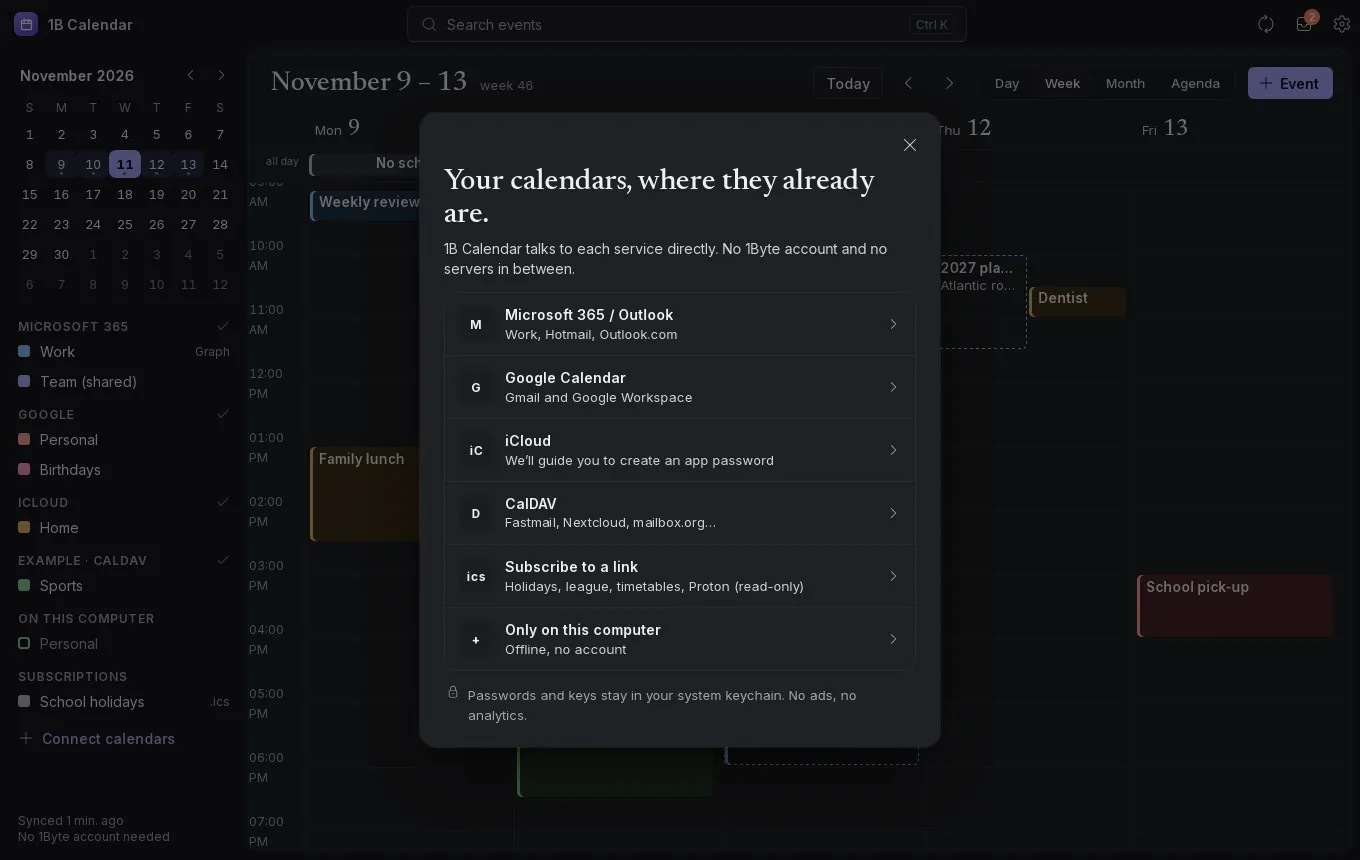
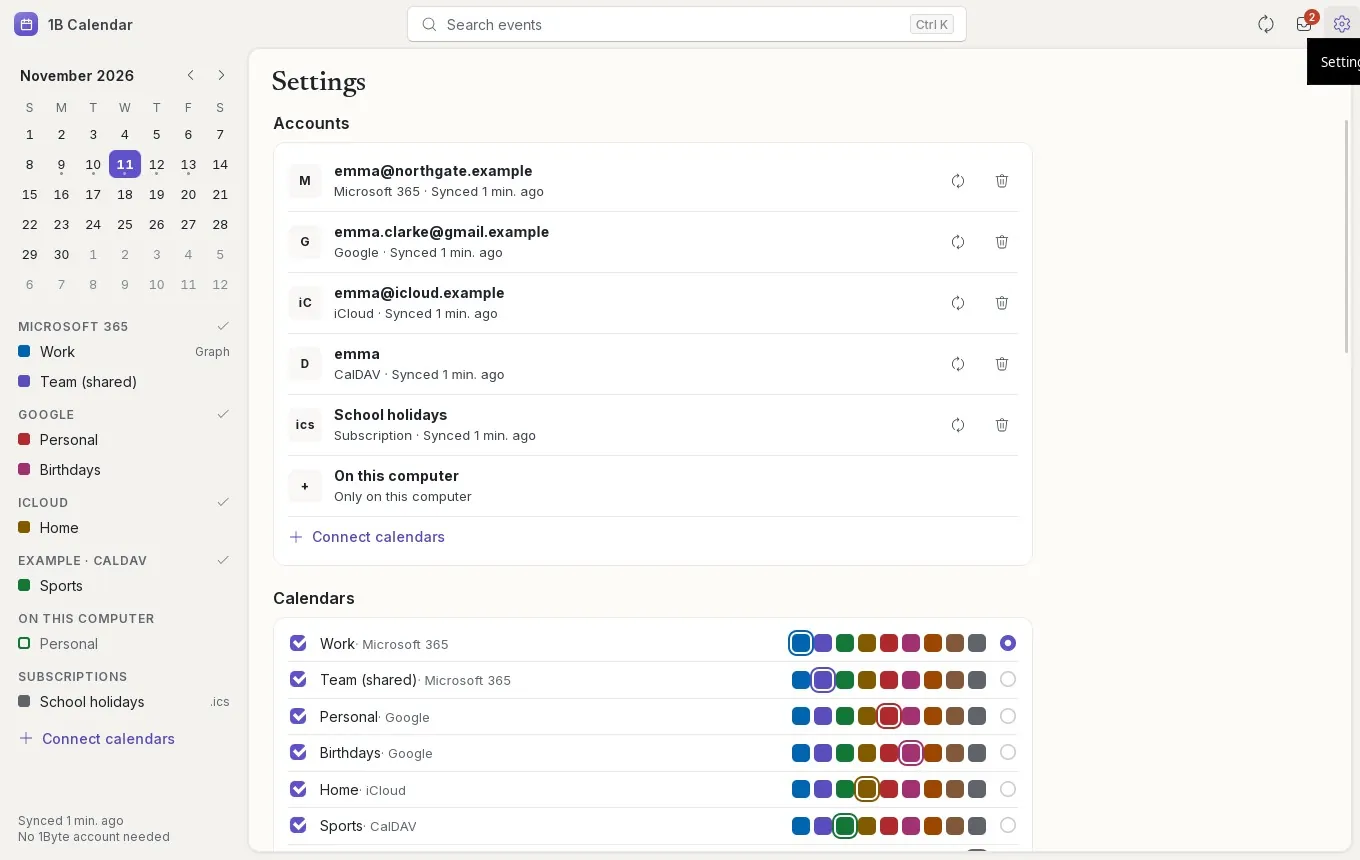
Pick an ink for each calendar, hide the ones you don't need and choose light, dark or the system's theme.
Keyboard shortcuts
N new event, T today, D, W, M and A for the views, I for invitations, the arrows to move.
.ics files
Open an .ics file with 1B Calendar to add its events or answer the invitation inside; export any event as .ics.
Works with 1B apps
Shares your agenda with 1B Dock and 1B Mail on this computer, sends invitation replies through 1B Mail and takes meeting notes in 1B Note.
Signed updates
Every new version is signed by 1Byte Systems and checked before it installs, when you say so.
Your week, your way
Work week or full week, the day your week starts, 12- or 24-hour time, the view it opens in and week numbers.
Windows and Linux
The same app for Windows 10 and 11 and for Linux, in 21 languages.
Real screenshots
The week with five accounts, each in its own ink
The same week in the dark theme
An event's panel: Join, Edit, notes in 1B Note and email with 1B Mail
Month view
Agenda: the next 30 days
Day view
Invitations, with the overlap on a timeline
Invitations in the dark theme
Editing a weekly event
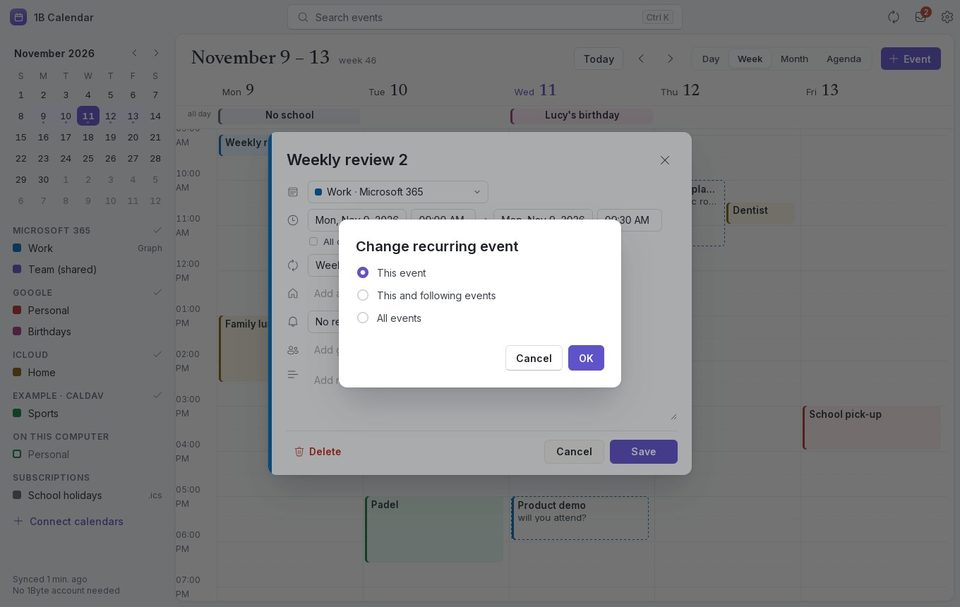
Changing a repeating event: this one, this and following, or all
Connect calendars
Connect calendars, dark theme
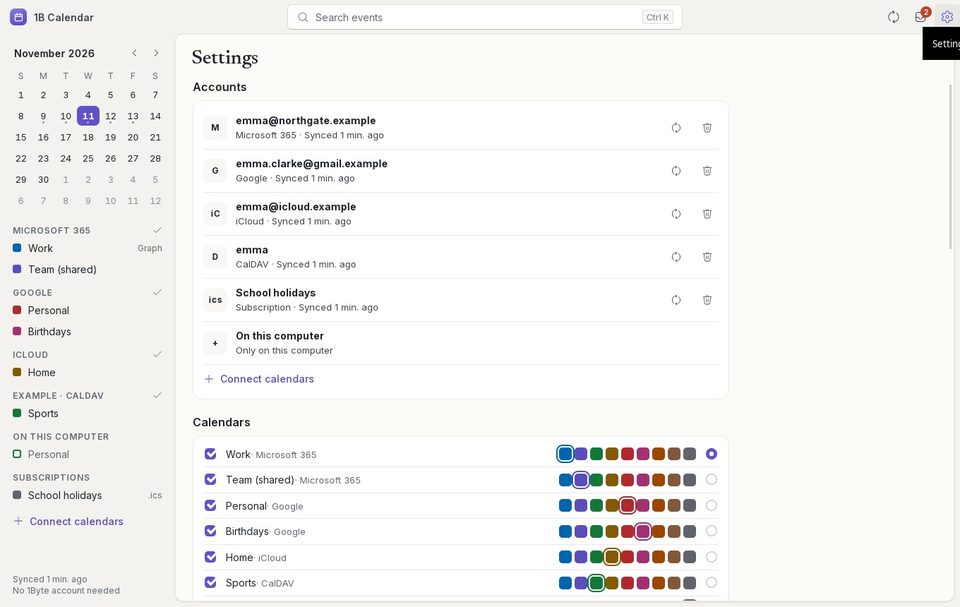
Settings: accounts, calendars and their inks
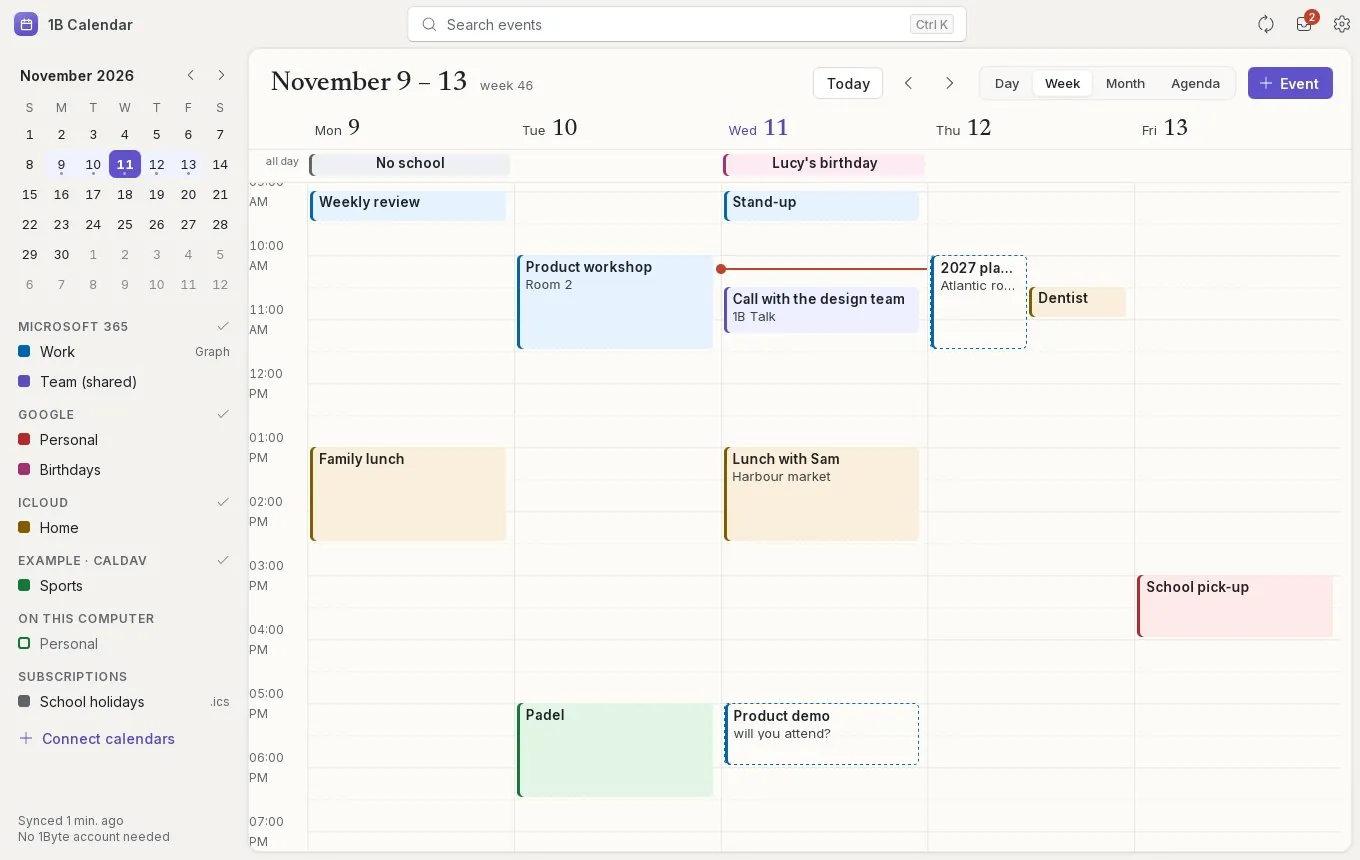
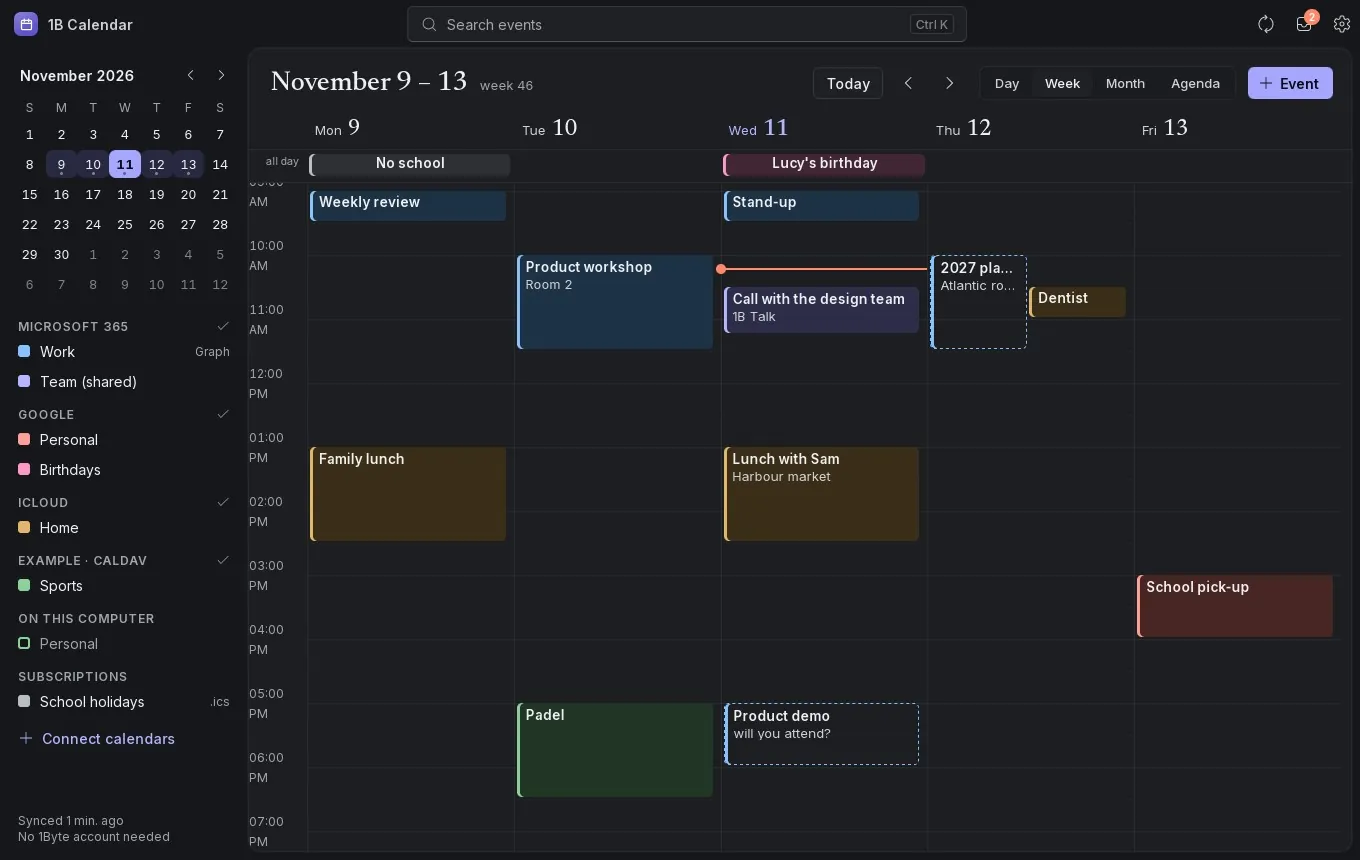
Real screenshots of our current builds, filled with sample data.

Download 1B Calendar
Install it in a minute, connect your accounts and see your whole week in one place.
- LinuxRPM · DEB · AppImage
- WindowsEXE
Privacy at a glance
- No ads, no analytics, no telemetry and no account
- Each account connects directly from your computer to its provider
- Events, passwords and sign-in keys stay on your computer; passwords and keys are encrypted
- Updates come from the signed 1bytesystems.com channel; you can turn the checks off
Details
- Status
- Version 0.1.3
- Platforms
- Windows 10 and 11 (64-bit) · Linux (x86-64)
- Download
- EXE · RPM · DEB · AppImage
- Languages
- 21 languages
- App ID
com.onebytesystems.calendar
Good to know
- Google and Microsoft sign-in needs each company's approval of 1B Calendar. If the button says it isn't available in this version, it will arrive in an update; iCloud, CalDAV, .ics links and local calendars work today.
- Microsoft 365 work or school accounts may need your IT administrator to approve 1B Calendar first: the app gives you a link to send them.
- Reminders appear while 1B Calendar is open. Reminders with the window closed, from the system tray, are on their way.
- In Microsoft 365 accounts, changing a whole repeating series changes its title, place, notes and reminder; its times and repeat rule are edited from Outlook for now.
- CalDAV servers that only accept Digest sign-in (Baïkal's default) aren't supported yet.
- Windows 10 and 11, 64-bit. The installer isn't signed yet, so SmartScreen or your antivirus may warn you the first time.
- No version for macOS or Android yet.


