
1B ScanDocument scanner with on-device OCR
Scan it, find it. It never leaves your phone.
1B Scan turns contracts, IDs, receipts and books into clean, searchable PDFs. The edges, the cleanup and the text recognition in 21 languages all happen on the phone: the app has no Internet permission at all.
- No Internet permission
- Text in 21 languages
- Search every scan
- No ads, no account
- Phone, foldable, tablet
Coming soonIn development — closed testing on Google Play opens soon
Write to us and we will invite you as soon as the closed test opens. No Google Play link yet.
Inside the app
From paper to PDF, step by step
Real screens of 1B Scan: what each step does, how, and who it's for.
 01
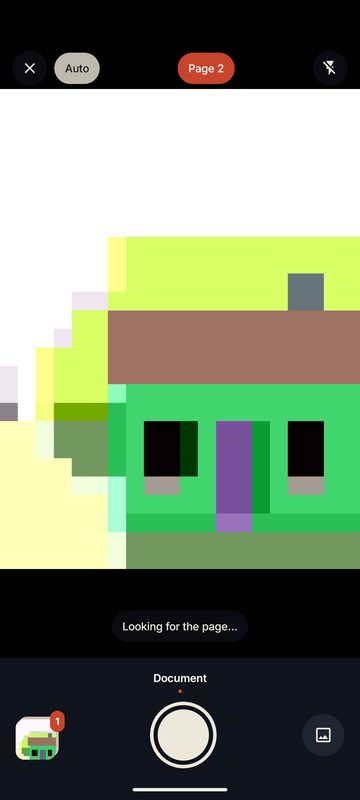
Point and hold still
The edges of the page are found live. Hold still for a second and the photo is taken once — then the app waits for the next page, so you can scan a whole contract without touching the screen. The shutter is always there if you prefer to tap.
Made for anyone who has ever scanned the same page five times.
- Live edge detection
- One photo per page
- Import photos and PDF files too
 02
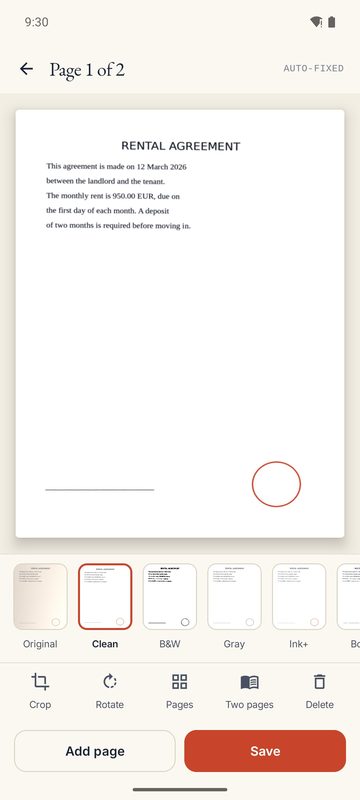
Check, fix, clean
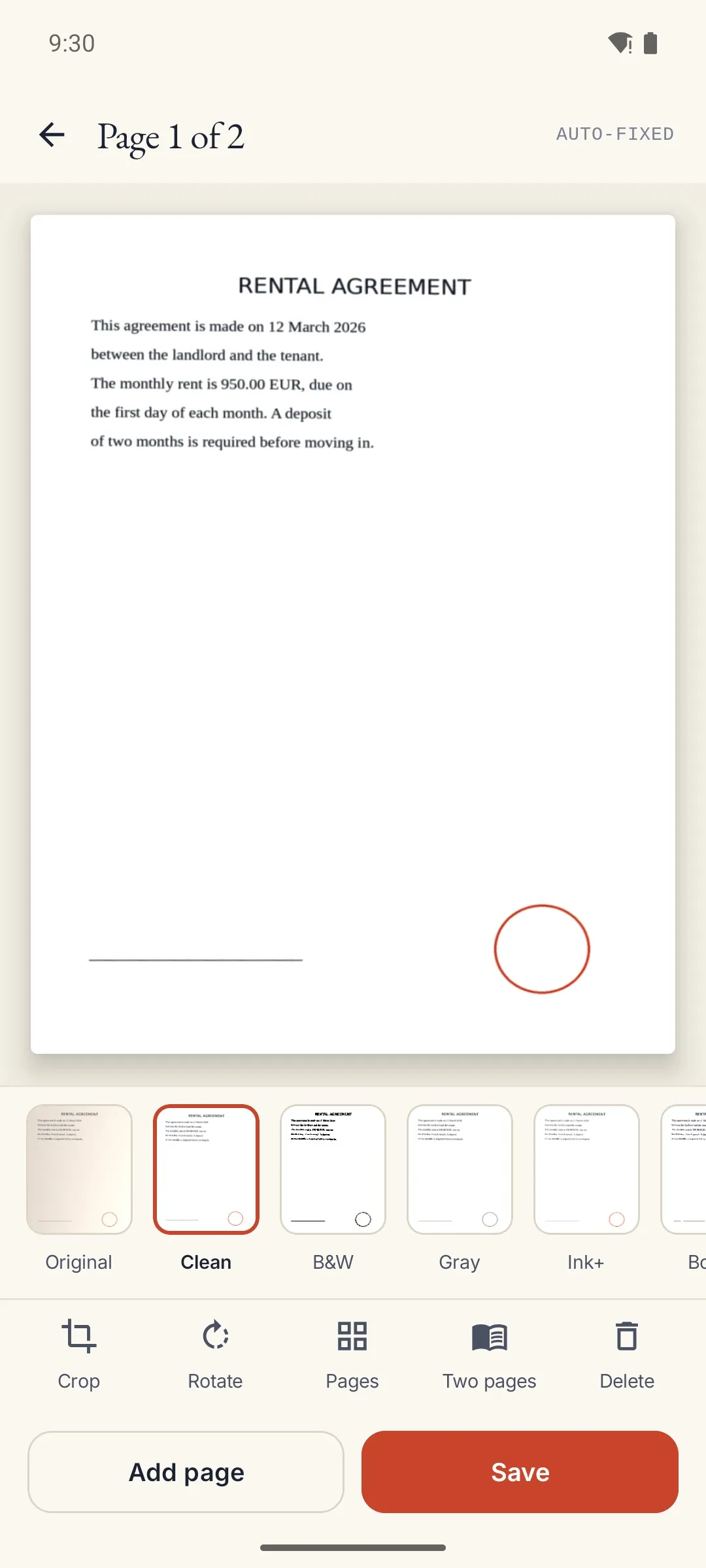
Drag the corners with a magnifier, straighten the perspective and pick a filter: Clean removes shadows and yellowing, and there are black and white, grey, ink and whiteboard. Reorder, rotate or delete pages; the original photo is always kept.
Made for people who need a scan that reads like the original — or better.
- Six filters
- Magnifier for the corners
- Reorder and split documents
 03
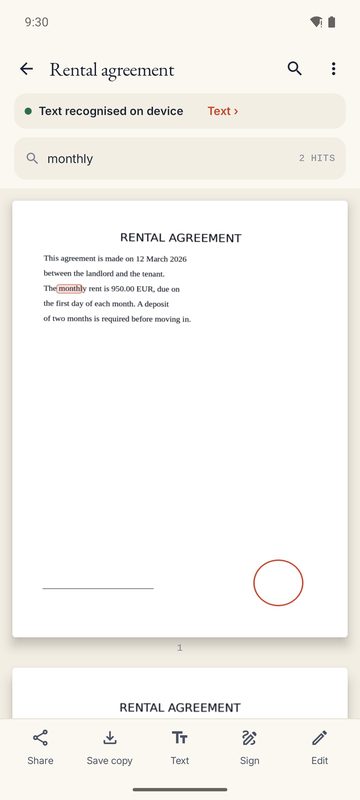
Every word, findable
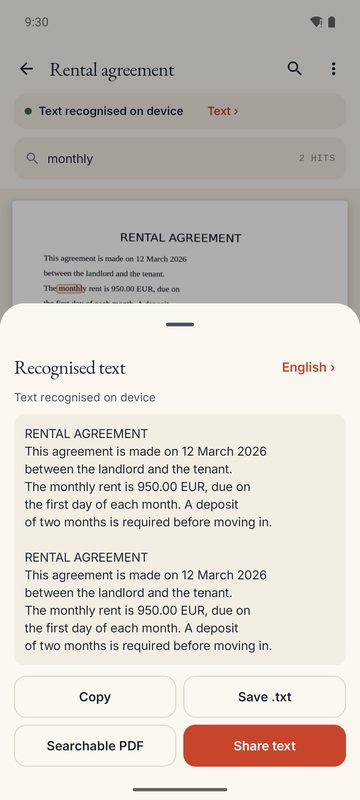
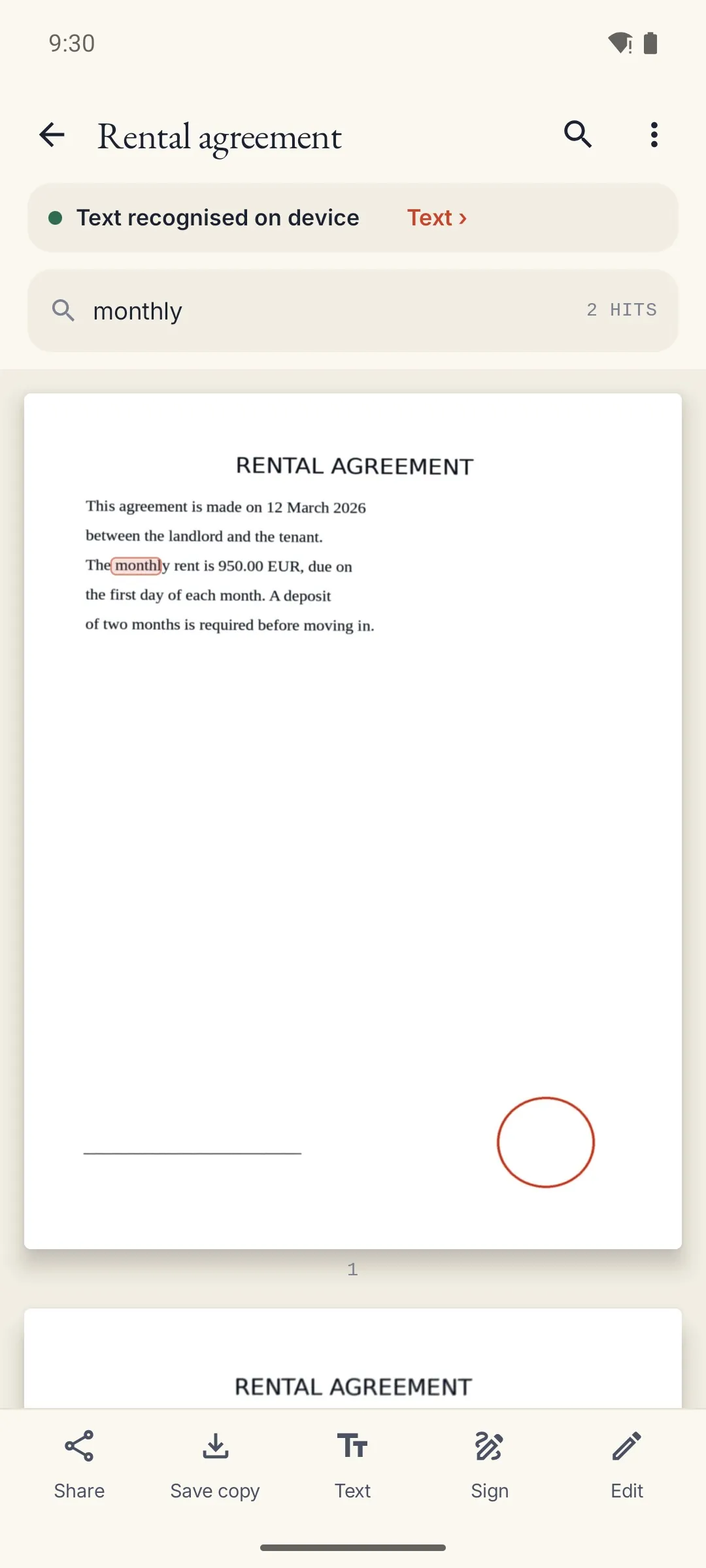
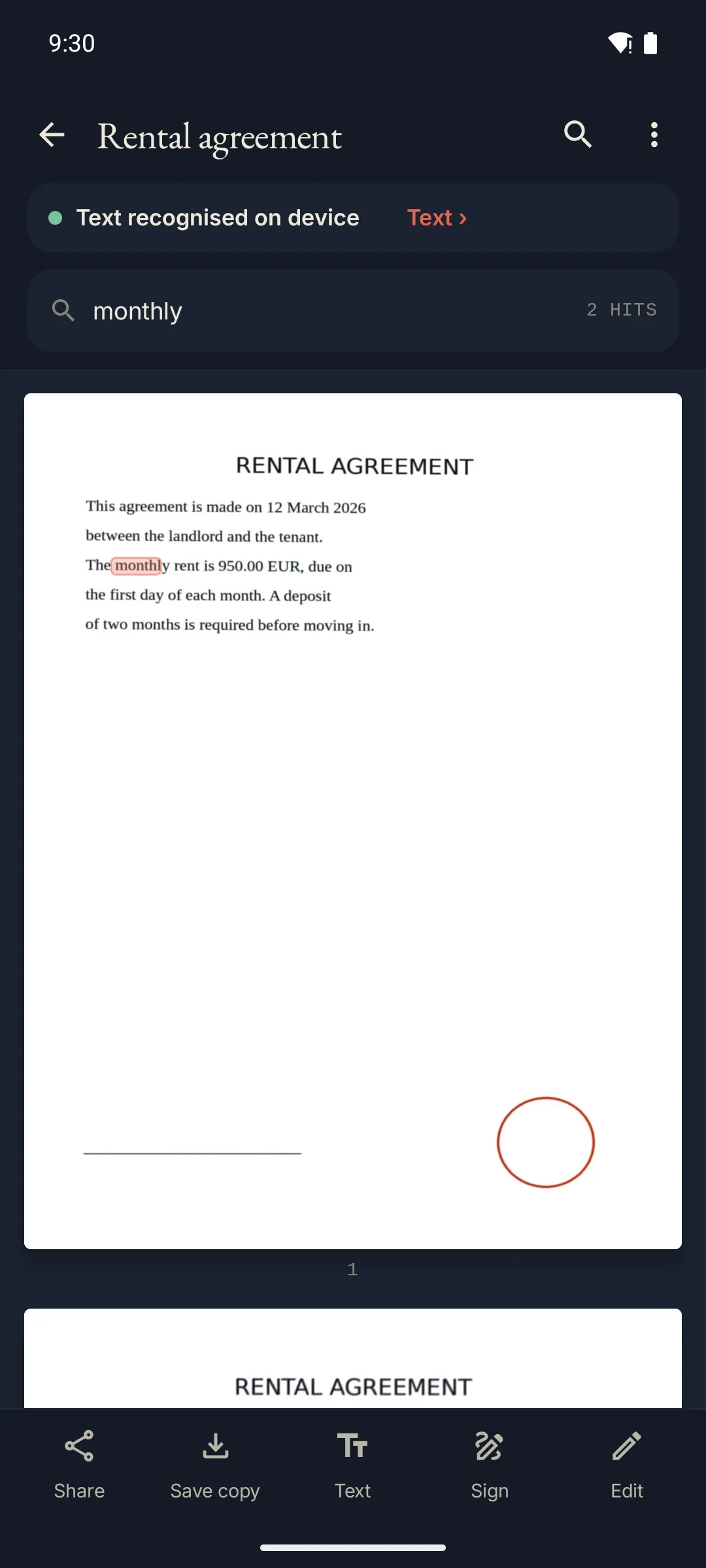
Text is read on the phone in 21 languages, and pages lying sideways are turned upright by themselves. One search covers your whole library and highlights the matches on the page.
Made for offices, students and anyone who keeps paperwork.
- Chinese, Japanese, Korean, Hindi, Russian…
- One search across all scans
- Copy the text or save it as a file
 04
Sign and fill in
Draw your signature and initials once, then place them with the date and any text. Real PDF forms are filled in field by field, and a highlighter and pen are there for notes.
Made for rental contracts, delivery notes and forms that come back signed.
- Signature and initials
- Real PDF form fields
- Highlighter and pen
 05
ID cards and receipts
Both sides of an ID card go onto one A4 page at real size, and long receipts are joined into a single strip. Before sending a copy, cover numbers you don't want to share: covered areas are erased from the image and from the text that leaves the phone, and you can add your own watermark.
Made for anyone who sends copies of documents to banks, landlords or schools.
- ID card on A4 at real size
- Long receipts in one strip
- Cover and watermark before sharing
 06
Organised, on any screen
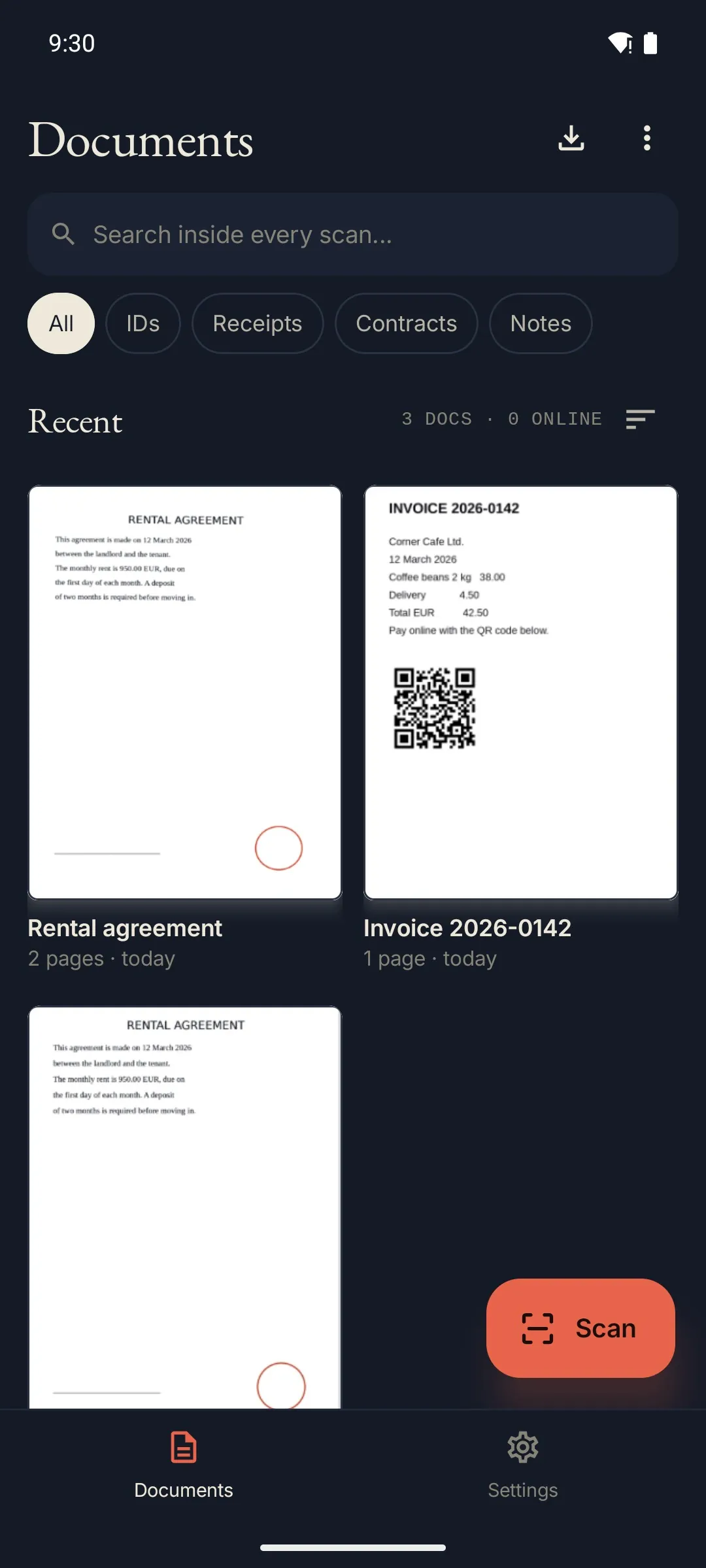
Folders, document types, sorting, suggested names and a 30-day trash with undo. Unfold your phone or use a tablet and the library and the document sit side by side, two pages at a time. A Quick Settings tile, a widget and shortcuts start a scan in one tap.
Made for foldable and tablet users, and people who scan every day.
- Library and document side by side
- Quick Settings tile and widget
- Open in 1B Docs, import from 1B Files
From paper to a word you can find
Point the camera and 1B Scan does the rest: one photo per page, straightened and cleaned, and the text read in the background, so every word becomes searchable.
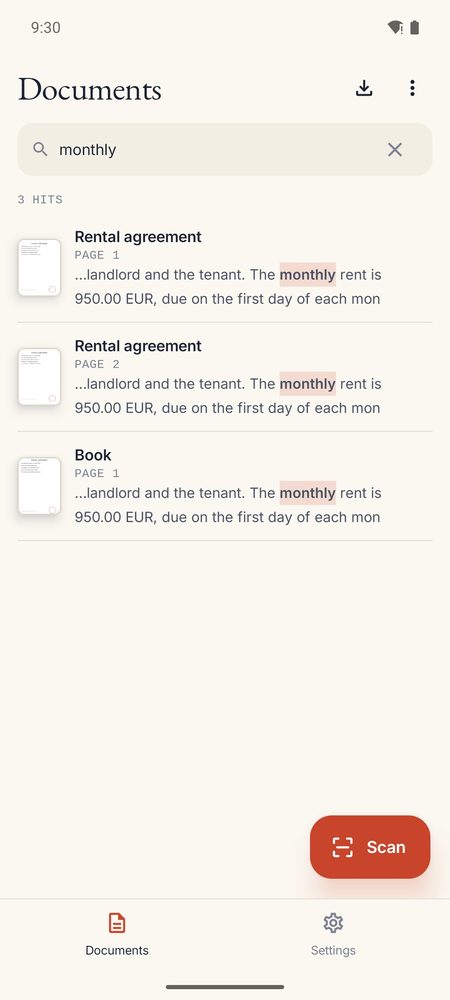
Search inside every scan
Type a word and see every page that contains it, with the match highlighted. In Chinese, Hindi or Russian too.
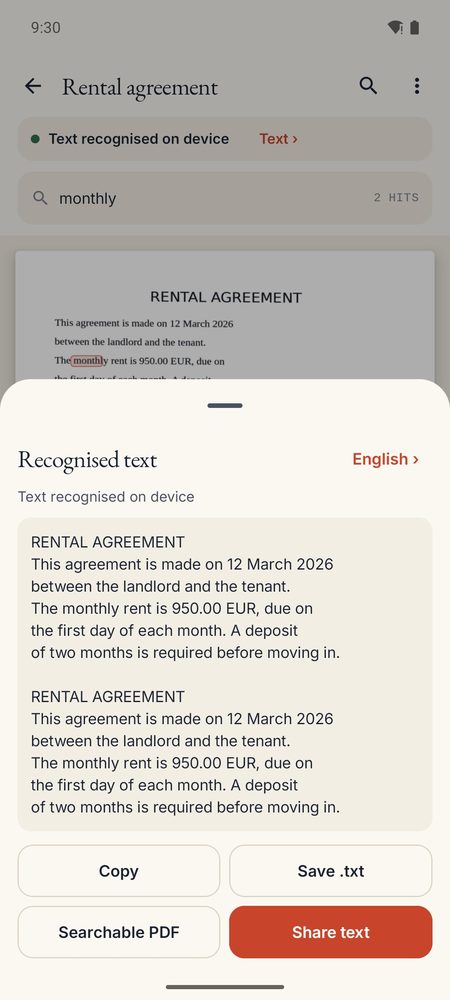
The text, ready to use
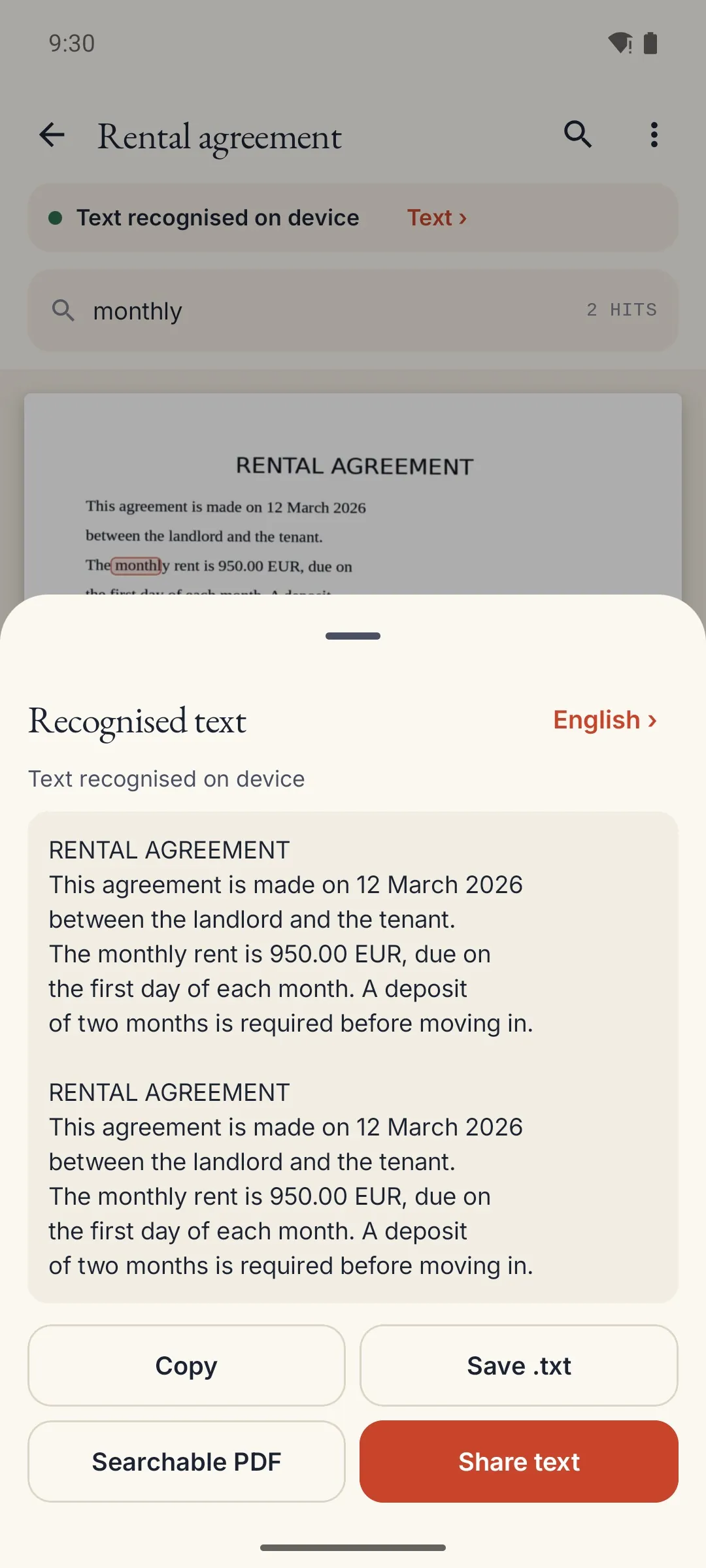
Copy it, share it or save it as a text file. If a page cannot be read, the app says so and lets you retry.
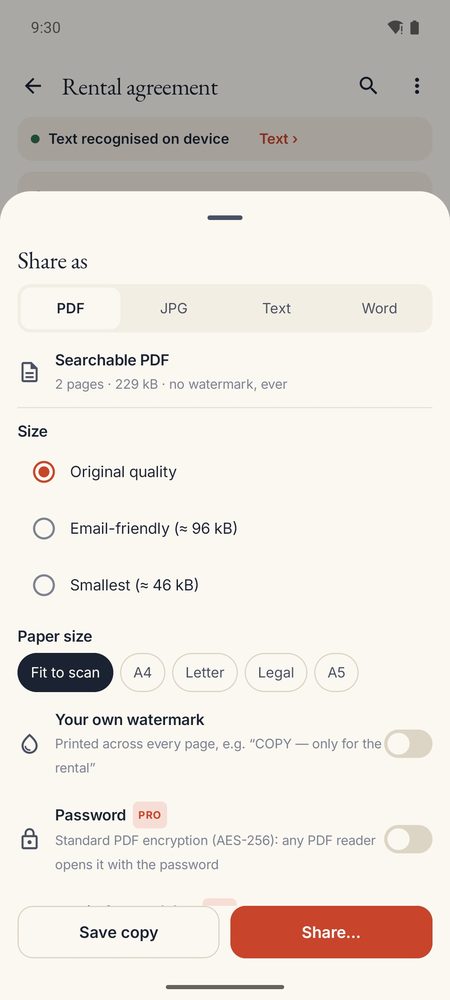
Share it your way
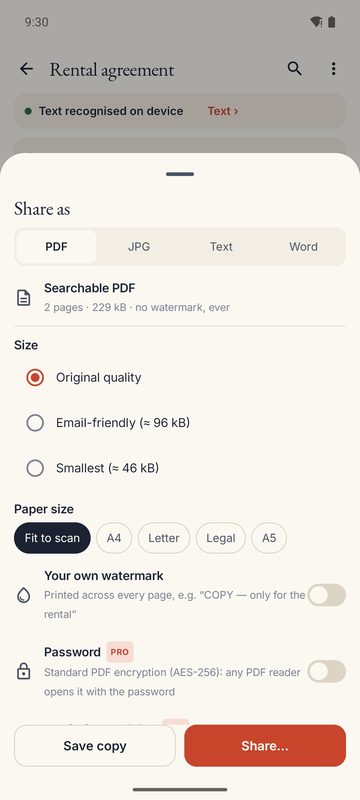
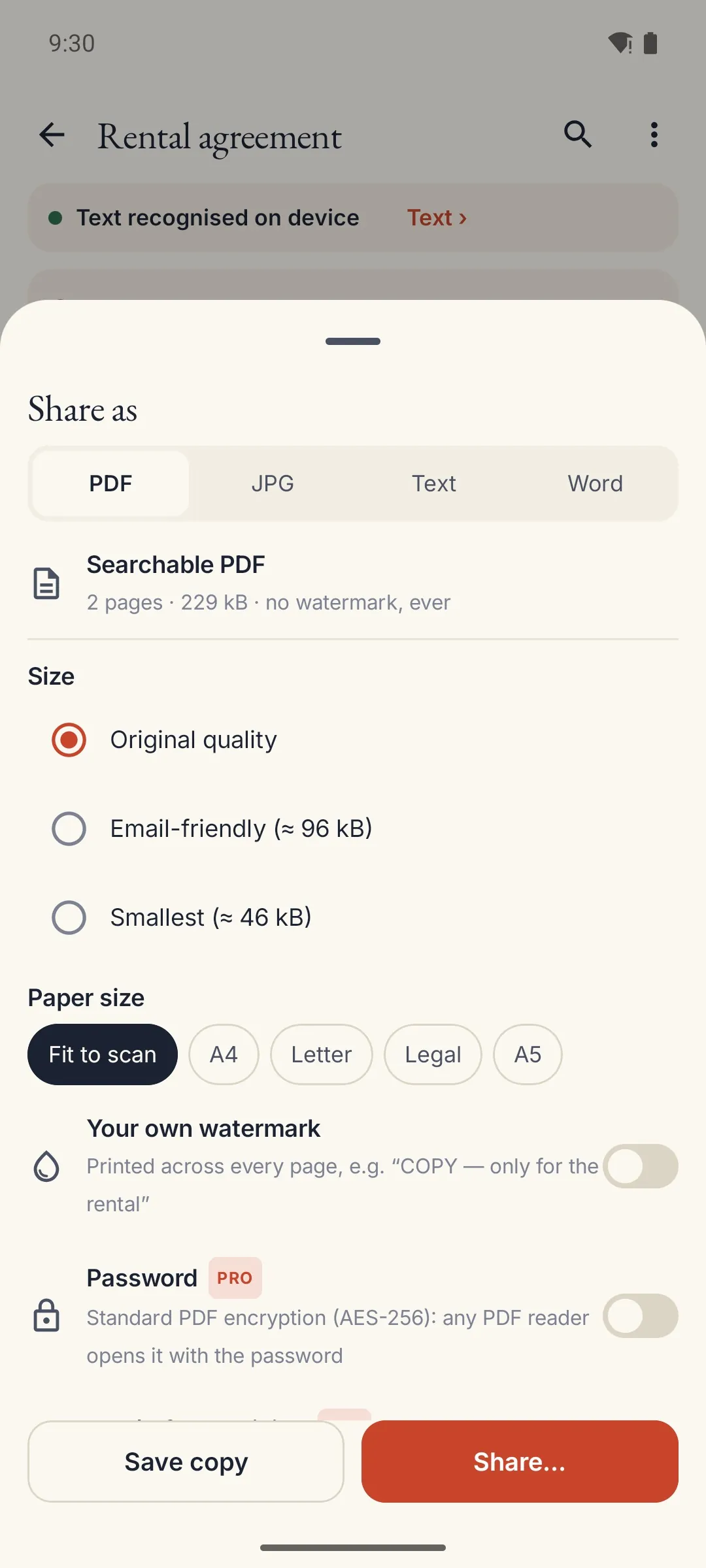
Searchable PDF, JPG or text; three sizes, A4, Letter or Legal, and your own watermark on ID copies.
- 21languages read on the phone, with no connection
- 1permission: the camera. No Internet
- 6filters, from shadow removal to whiteboard
- 0ads, accounts or trackers
Four steps, no account
Nothing to sign up for and nothing to configure: the language of your phone is the language the text is read in, and you can change it per document.
Point at the page
The edges are found live. Hold still for a second and the photo is taken once; then it waits for the next page.
Check and fix
Drag the corners with a magnifier, pick a filter, reorder or delete pages. The original photo is always kept.
Let it read
The text is recognised on the phone and pages lying sideways are turned upright by themselves.
Find and share
Search across all your scans, copy the text, sign, and send a PDF to any app.
Private by design: no Internet at all
Most scanners send your pages to a server to read them. 1B Scan doesn't even have permission to connect.
- The app declares no Internet permission: it is visible in the Play listing and in Android settings.
- Edge detection, perspective, filters and text recognition run on the phone's processor.
- Scans, text and signatures are kept in the app's private storage and deleted when you delete them.
- Sharing only happens when you tap Share and choose an app. Covered areas are erased from what you send.
- No ads, no analytics, no crash reporting and no account.
Scan
- Auto edges
- One photo per page
- Perspective
- Magnifier crop
- 6 filters
- ID card on A4
- Long receipts
- Import images and PDF
Read and find
- 21 languages
- Chinese, Japanese, Korean
- Hindi, Russian, Vietnamese
- Search every scan
- Copy text
- QR and barcodes
Share and sign
- Searchable PDF
- JPG and text
- A4 · Letter · Legal
- Own watermark
- Signature and initials
- PDF forms
- Highlighter and pen
Everything a scanner needs, every day
Edges and auto capture
Live edge detection; one photo per page, then it waits for the next one. Manual shutter whenever you want.
Filters that read better
Clean removes shadows and yellowing; black and white, gray, ink and whiteboard for marker boards.
ID card and receipts
Both sides of a card on one A4 page at real size, and long receipts joined into a single strip.
Search every word
Text recognition in 21 languages and one search across the whole library, with the matches highlighted.
Searchable PDF
An invisible text layer in any script, three file sizes and paper size A4, Letter, Legal or A5.
Sign and fill in
Your signature and initials, the date and text, and real PDF forms; highlighter and pen for notes.
Cover before sharing
Hide numbers on an ID: covered areas are erased from the image and the text that leaves the phone.
QR codes and barcodes
Codes printed on your pages are read on the phone: copy them or open the link.
Folders and trash
Folders, document types, sorting, suggested names and a 30-day trash with undo.
One tap away
Quick Settings tile, home screen widget and shortcuts to scan a document, an ID card or a receipt.
Phone, foldable, tablet
Library and document side by side when unfolded, two pages at a time; light and dark theme.
Works with 1B Docs and 1B Files
Open the PDF or the text in 1B Docs, and import PDFs straight from 1B Files.
Good to know
- Android 8 or later. Text recognition works in 21 languages; handwriting is read only when it is neat.
- A Pro version with book mode, password-protected PDF, PDF/A, Word export and receipts to a spreadsheet will come later as a one-time purchase. Everything in this page stays included.
- Without the camera permission you can still import photos, images and PDF files.
See it on the phone
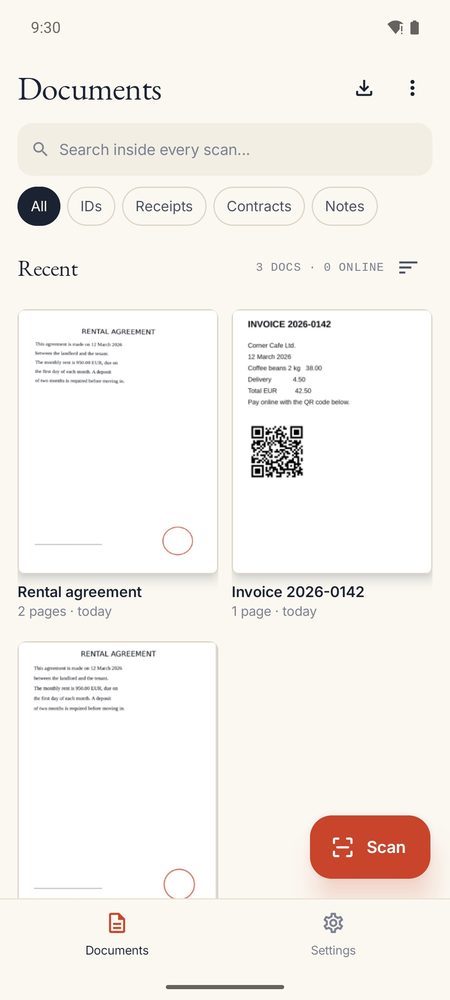
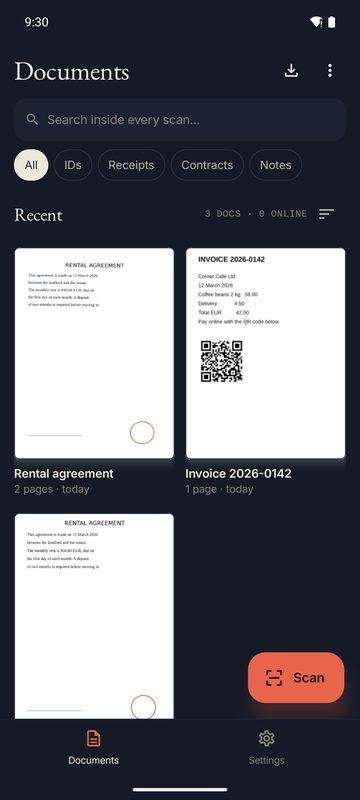
Your scans, with the type and folder filters
One search across every scan
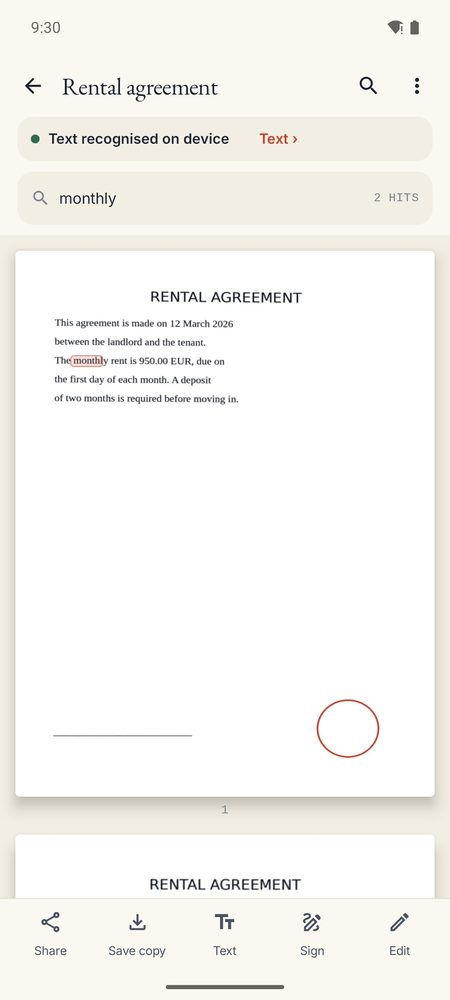
The page with the matches highlighted
The recognised text, ready to copy or share
PDF, JPG or text, with size, paper and watermark
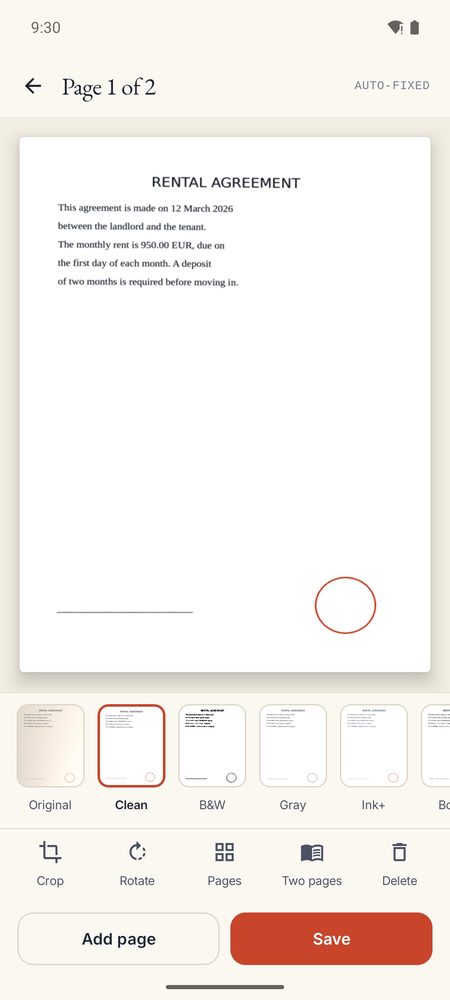
Filters, crop and pages before saving
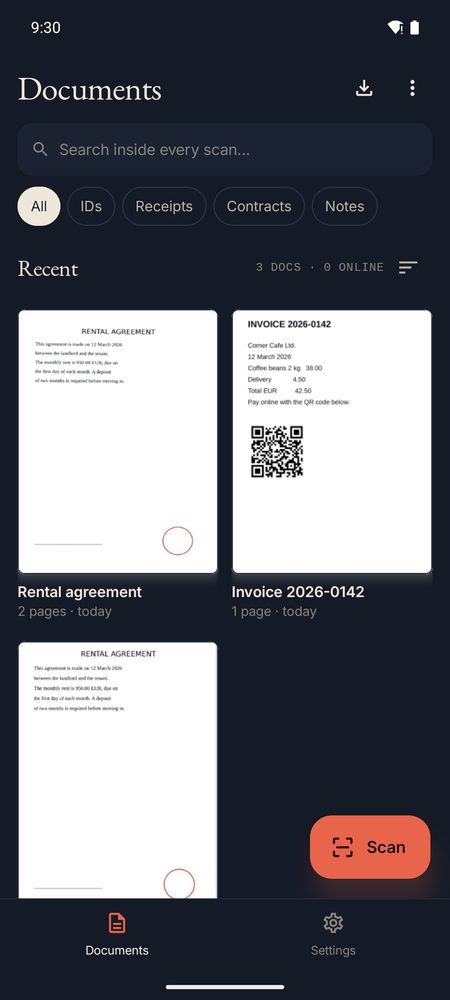
Dark theme
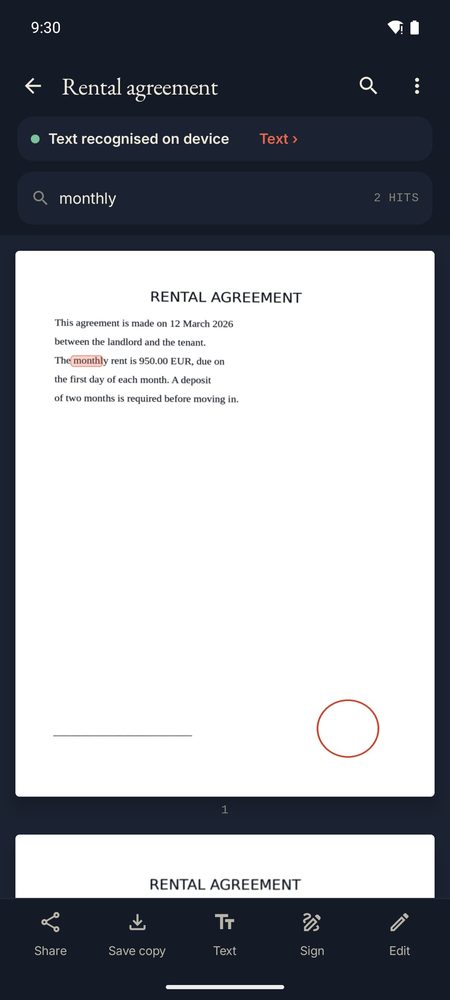
A document in the dark theme
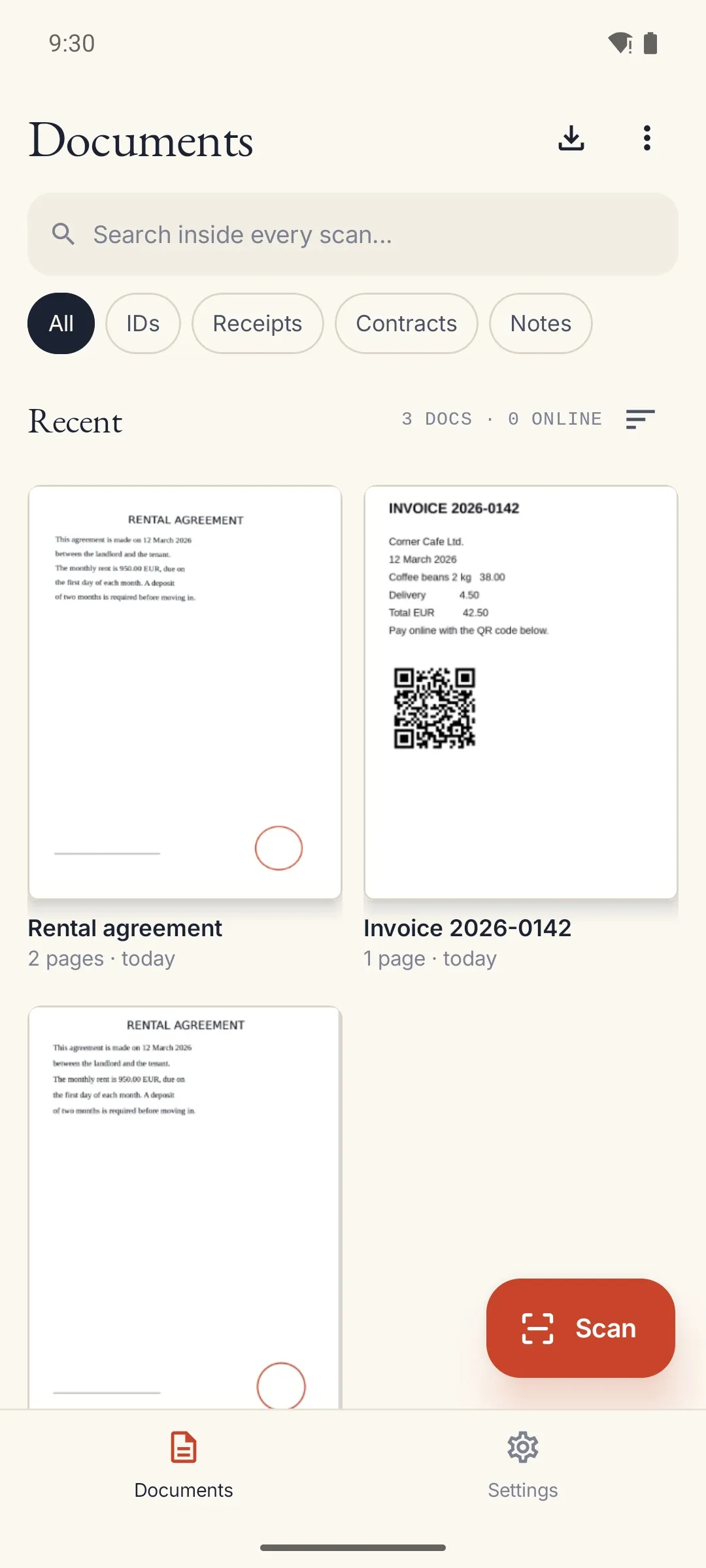
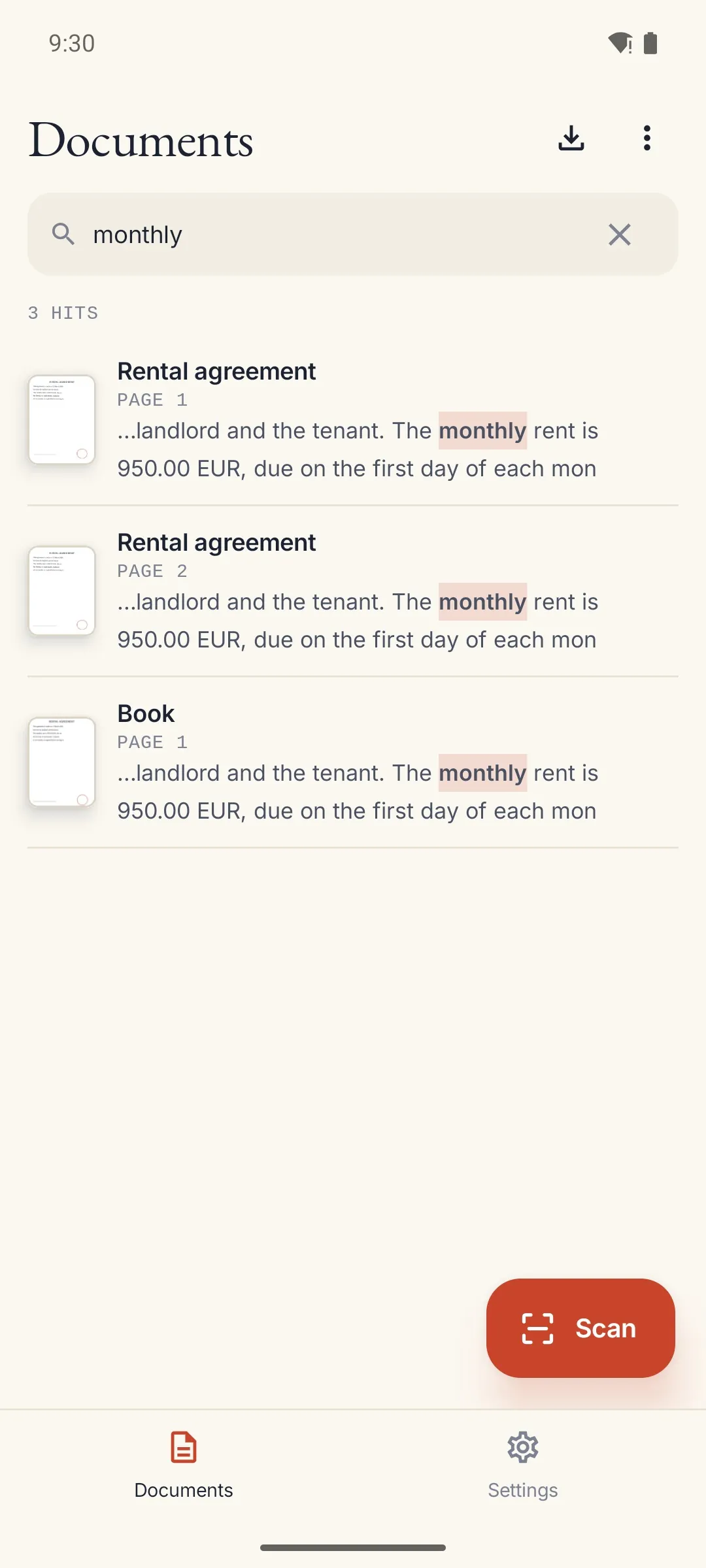
Questions and answers
How can it read text with no Internet permission?
Text recognition runs on the phone's processor. The app doesn't declare the Internet permission at all — you can check it in the Play listing and in Android's settings.
Which languages does it read?
21, including Chinese, Japanese, Korean, Hindi, Russian and Vietnamese. The language of your phone is used by default, and you can change it per document. Handwriting is read only when it is neat.
Can I scan without giving camera access?
Yes. Without the camera permission you can still import photos, images and PDF files.
Where are my scans kept?
In the app's private storage on your phone. They leave only when you tap Share and choose an app, and they are deleted when you delete them.
Will there be a paid version?
A Pro version with book mode, password-protected PDF, PDF/A, Word export and receipts to a spreadsheet will come later as a one-time purchase. Everything on this page stays included.
How can I get it?
1B Scan is getting ready for its closed test on Google Play. Write to us and we'll invite you as soon as it opens. It needs Android 8 or later.
Be one of the first to try it
1B Scan is getting ready for its closed test on Google Play. Write to us and we'll invite you as soon as it opens.
Write to us and we will invite you as soon as the closed test opens. No Google Play link yet.
Privacy at a glance
- No Internet permission: 1B Scan cannot send anything anywhere, and you can check it in Android settings.
- Edges, filters and text recognition run on the phone. Your scans stay in the app's private storage.
- No ads, no analytics, no account. The only permission is the camera.
Details
- Coming soon
- In development — closed testing on Google Play opens soon
- Requires
- Android 8.0 or later
- Languages
- 21 languages
- Price
- No ads · optional Pro later as a one-time purchase
- Package
com.onebytesystems.scan


