1B DockAnimated dock and top bar for KDE Plasma and Windows
Version 0.5.7New: desktop widgets
The dock your desktop was missing. Smooth, light and yours.
1B Dock puts your apps in a floating dock that grows as you glide over it, bounces when an app opens and shows a live preview of every window. Version 0.5 brings widgets to your KDE Plasma desktop — clock, weather, notes, CPU & memory and sound — alongside the thin top bar like on macOS, with the active app's menu, Wi-Fi, sound, a Control Centre and a calendar. Updates install when you say so. It's native code, so when you're not touching it, it uses almost no processor at all.
- Smooth magnification
- Top bar like macOS
- Live window previews
- Calendar and Control Centre
- Updates itself
AvailableVersion 0.5.7 · Linux and Windows
No ads and no account. Installs for your user only, and uninstalling leaves your desktop as it was.
Download 1B Dock
The same version for Windows and Linux. Nothing to sign up for.
Windows
Windows 10 and 11, 64-bit. Installs for your user only, with no administrator rights. If 1B Dock is already installed, the installer offers Update. It asks before hiding the taskbar, and uninstalling restores it.
Download .exe · 6.0 MBLinux · KDE Plasma 6
KDE Plasma 6 in a Wayland session, x86-64. RPM for Fedora and derivatives. Open 1B Dock from your app menu: the first time, it copies the apps from your bottom panel. From 0.4 on, new versions install from the dock itself.
Download .rpm · 9.8 MBOther desktops
GNOME, X11 sessions and macOS aren't supported.
A closer look
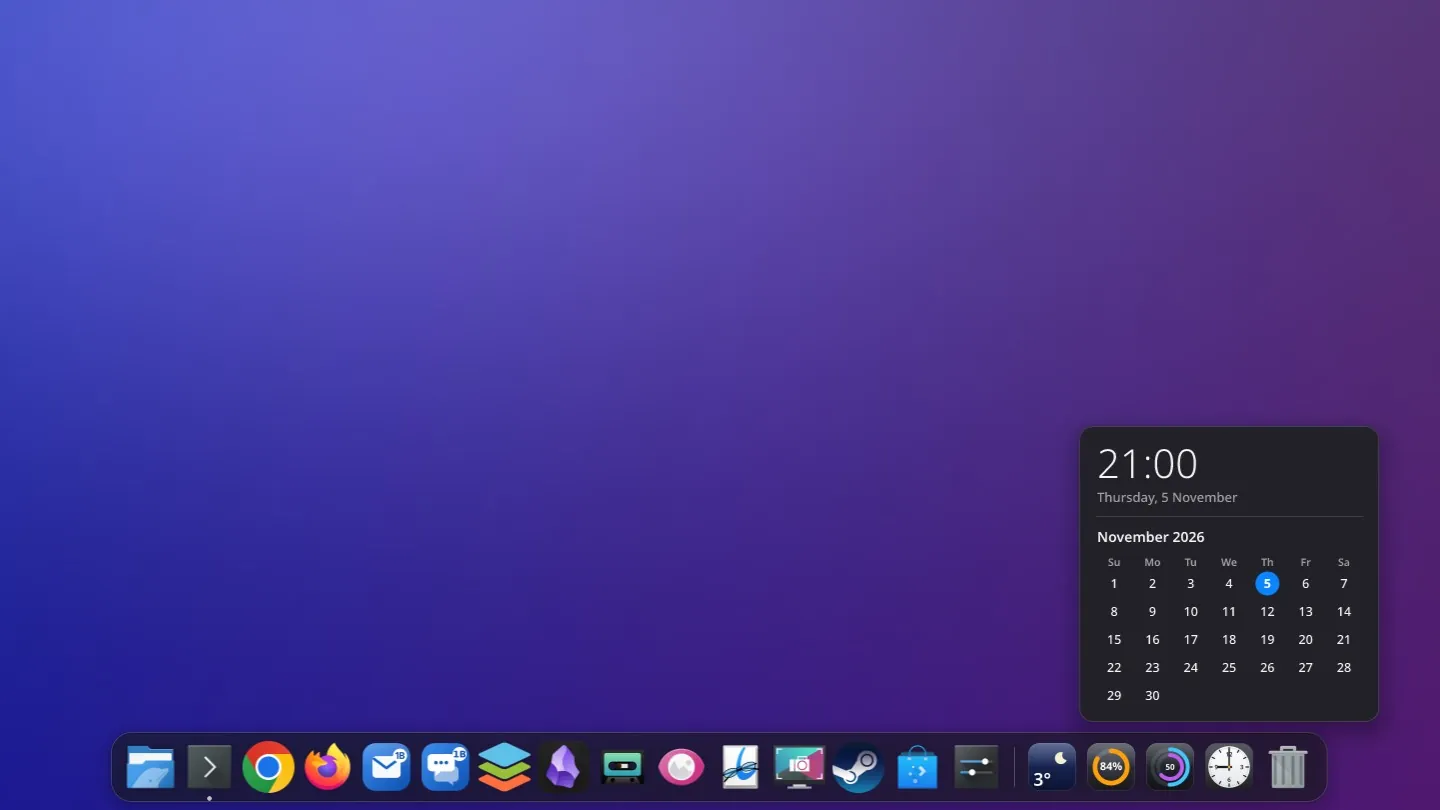
Real screenshots of 1B Dock 0.4 on KDE Plasma 6 (in a test session, with sample data in the top bar) and on Windows 11, with ordinary apps pinned.
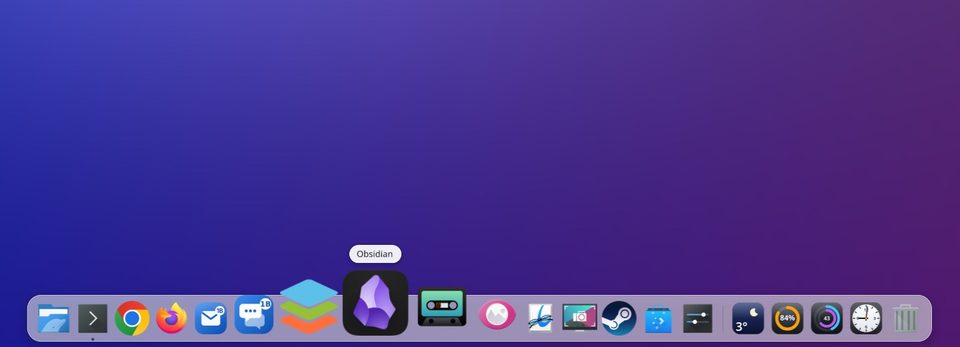
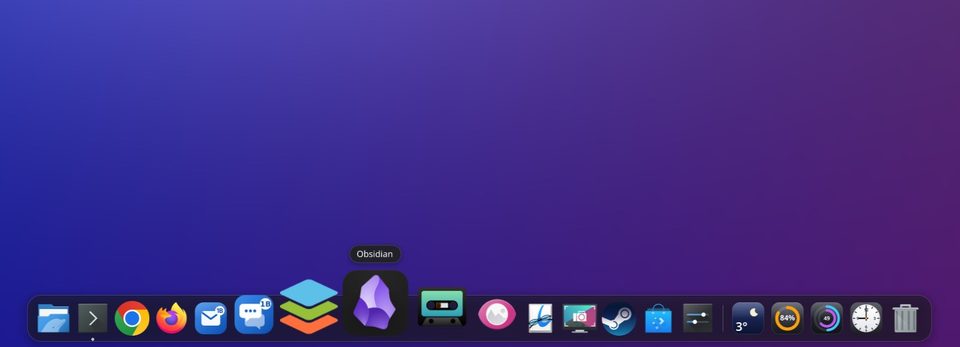
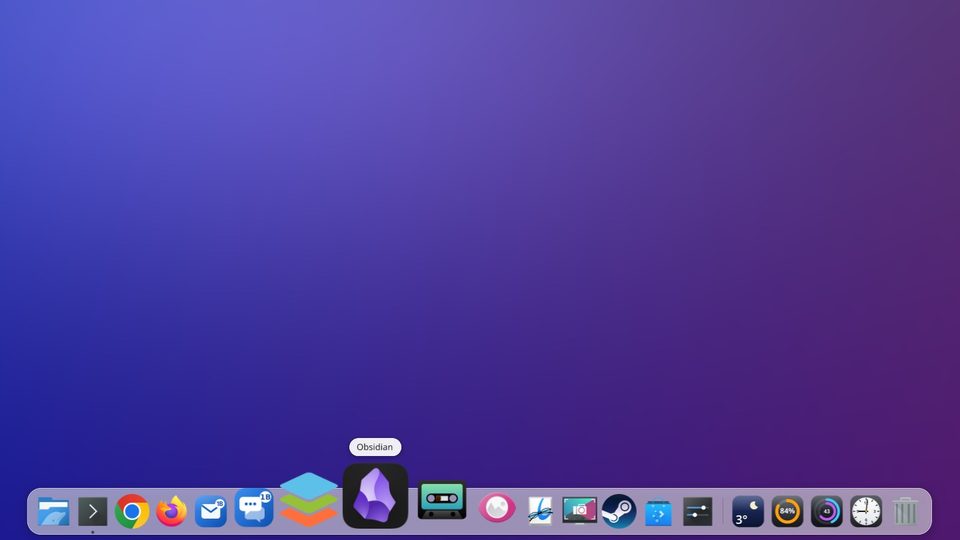
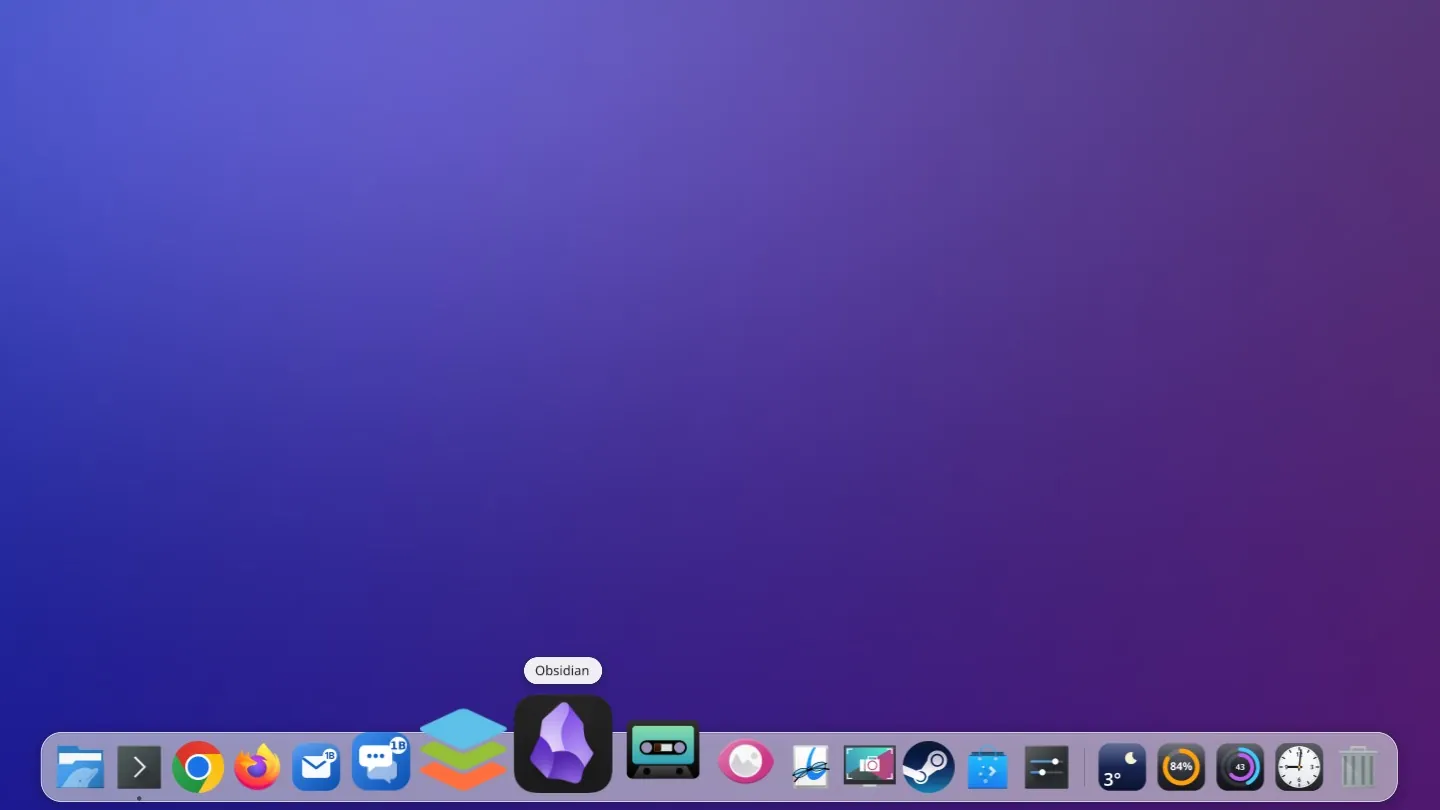
Glide over it and watch it grow
Icons swell smoothly under the pointer and settle back as you leave, with the app's name above. Click and the icon bounces until its window appears; a dot marks every app that's open.
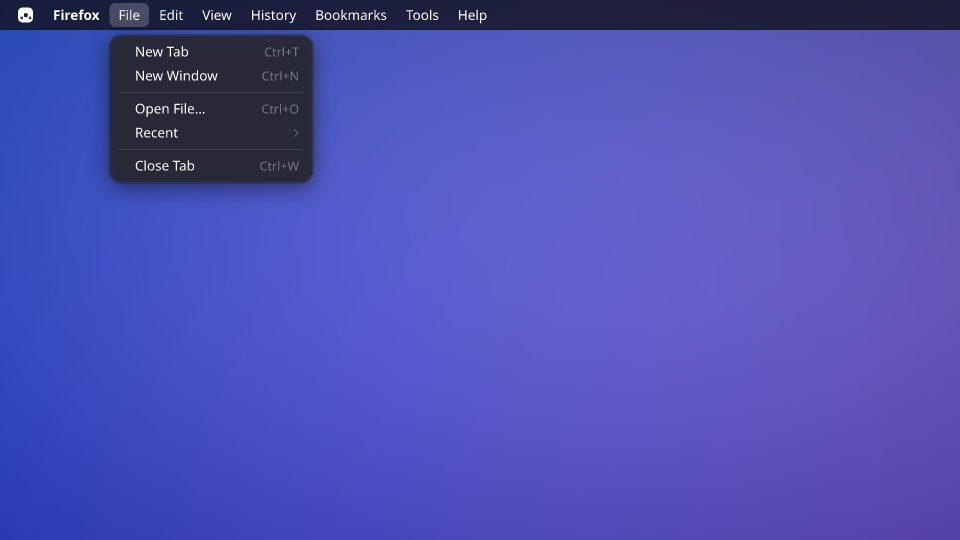
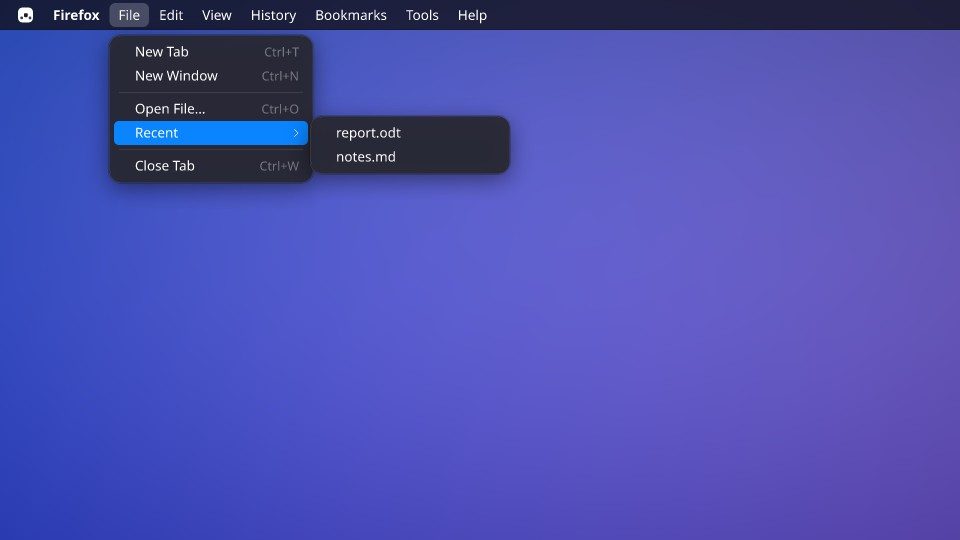
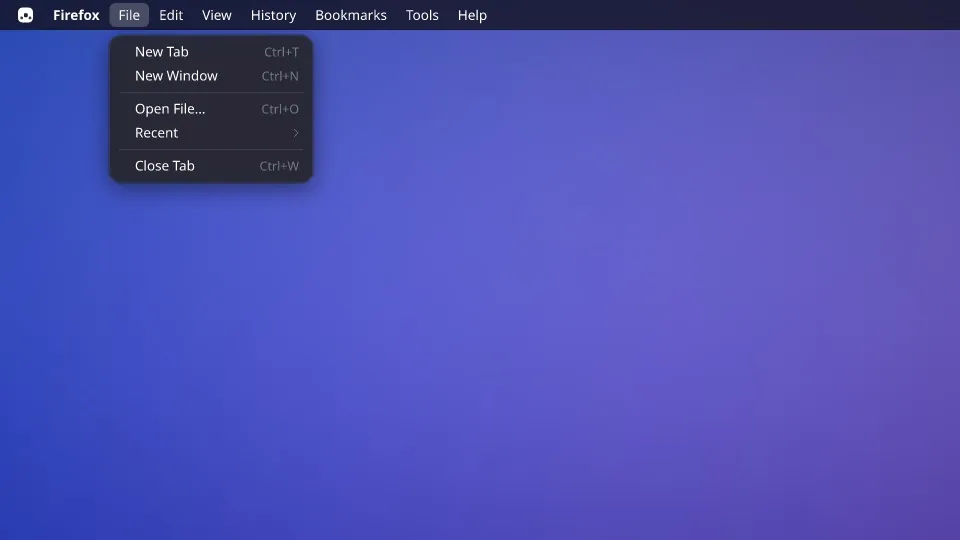
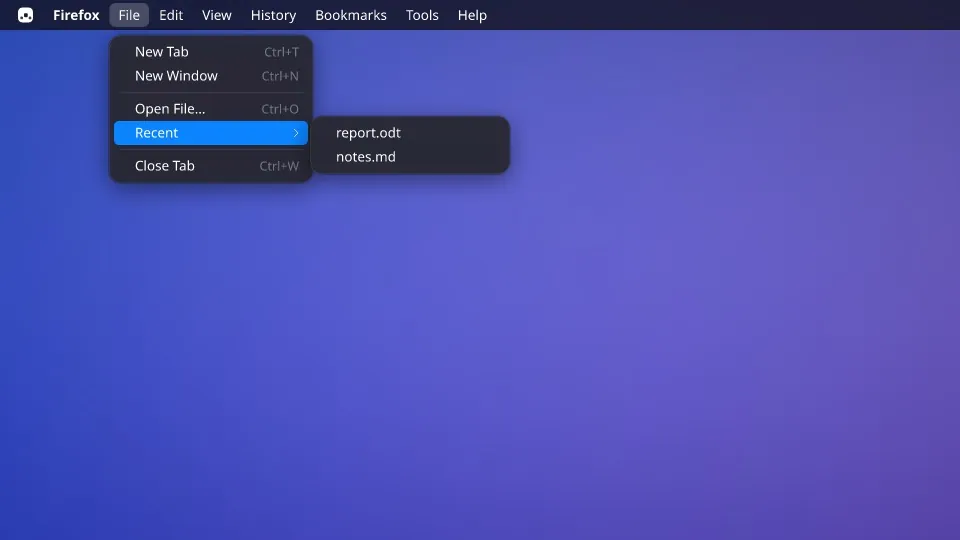
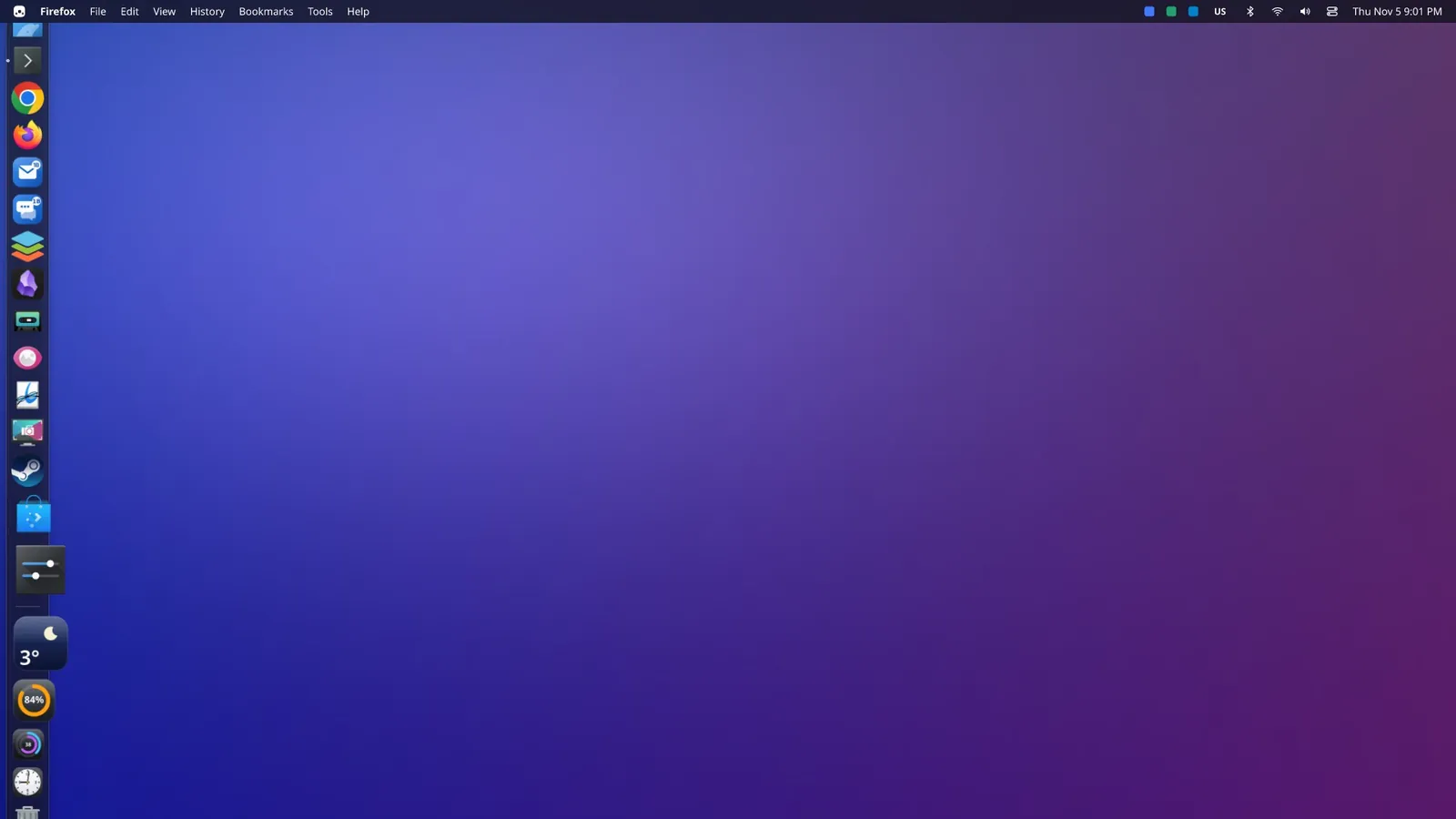
The menu of the app you're using, at the top
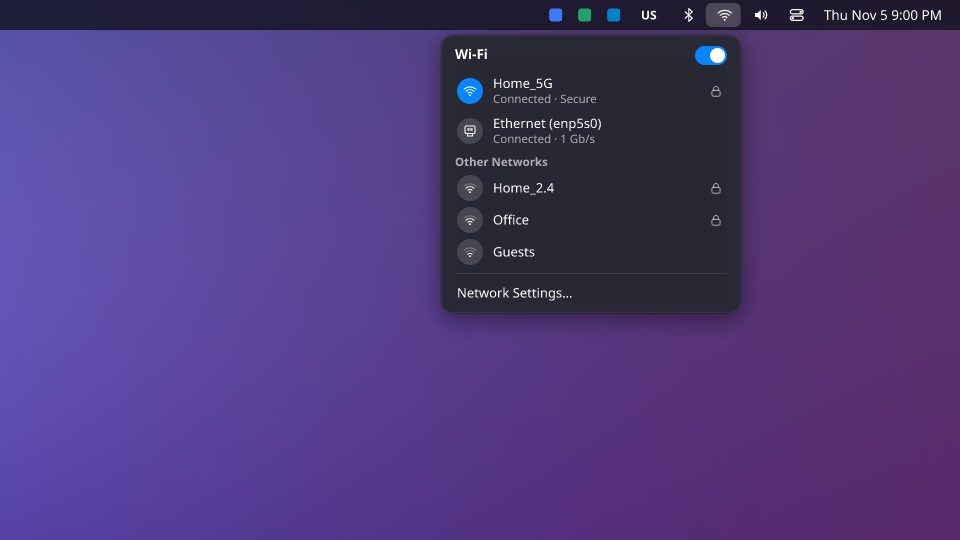
A thin translucent bar across the screen: the 1B menu, the name of the active app and, on KDE, its own menu (File, Edit, View…), so every window keeps all its space. On the right: the app tray, keyboard, battery, Bluetooth, network, sound, the Control Centre and the clock.
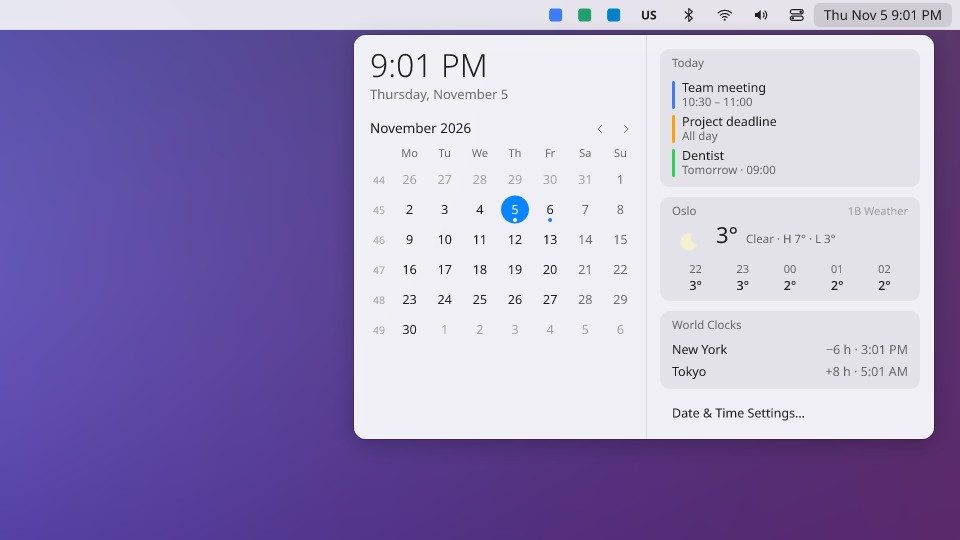
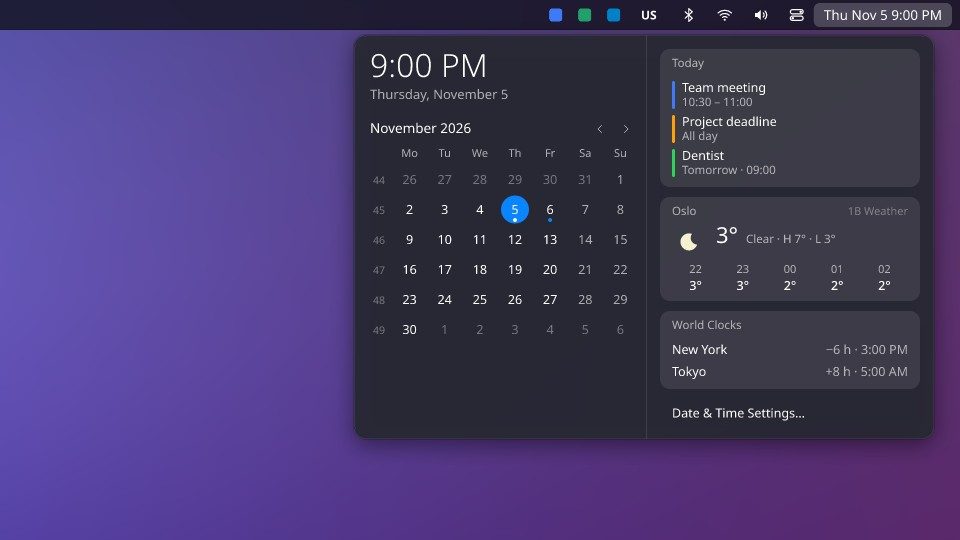
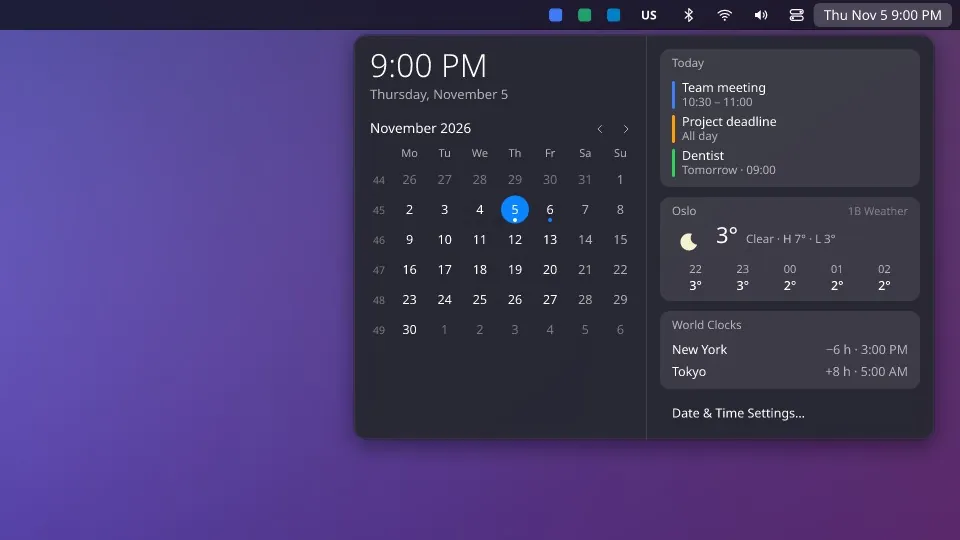
Your day at a glance
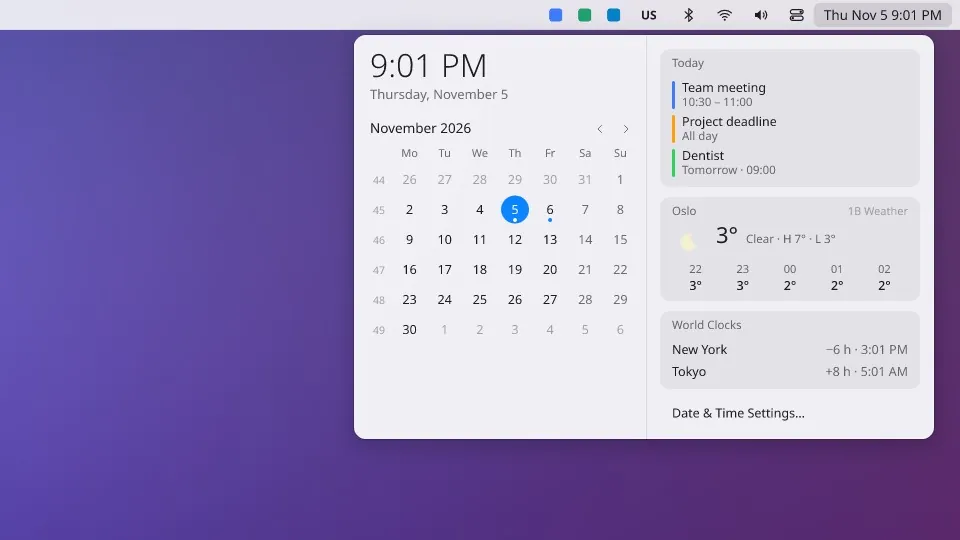
Click the clock for a wide calendar: the month with week numbers, today's and tomorrow's events from your own iCal calendars (Google Calendar, Outlook or Nextcloud), the weather hour by hour and clocks for other cities.
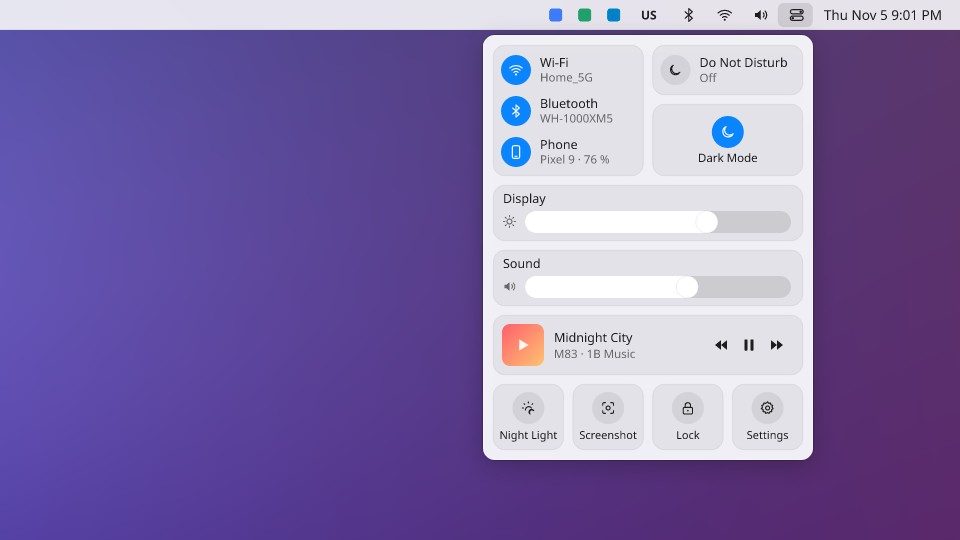
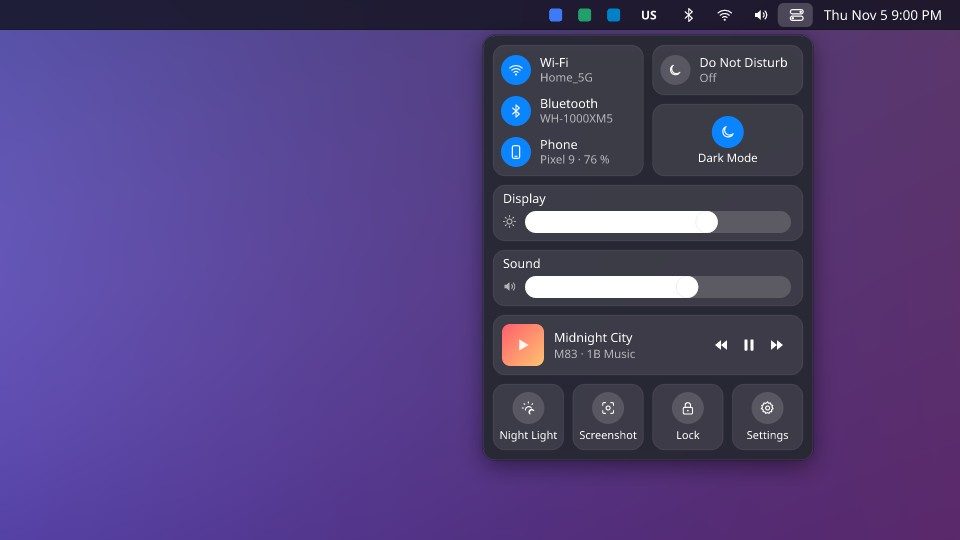
Everyday switches in one place
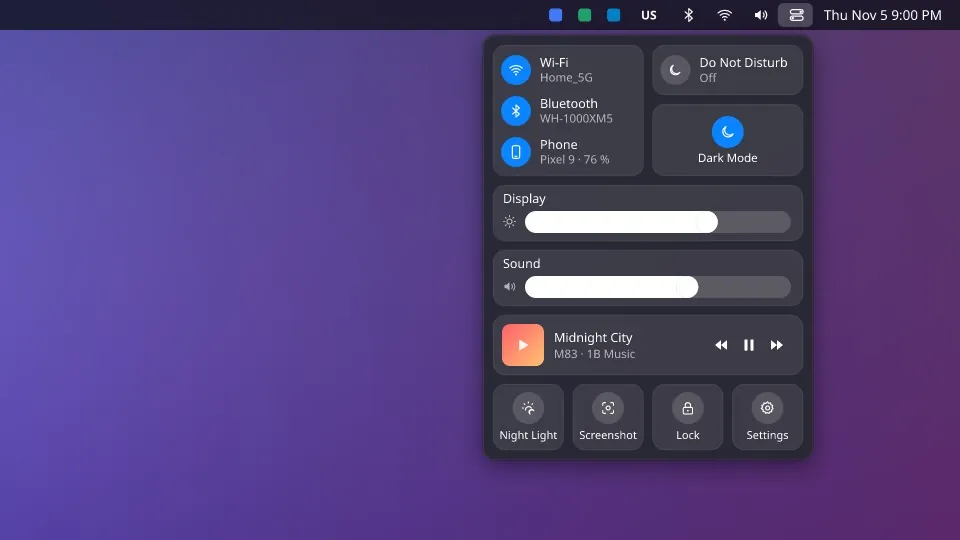
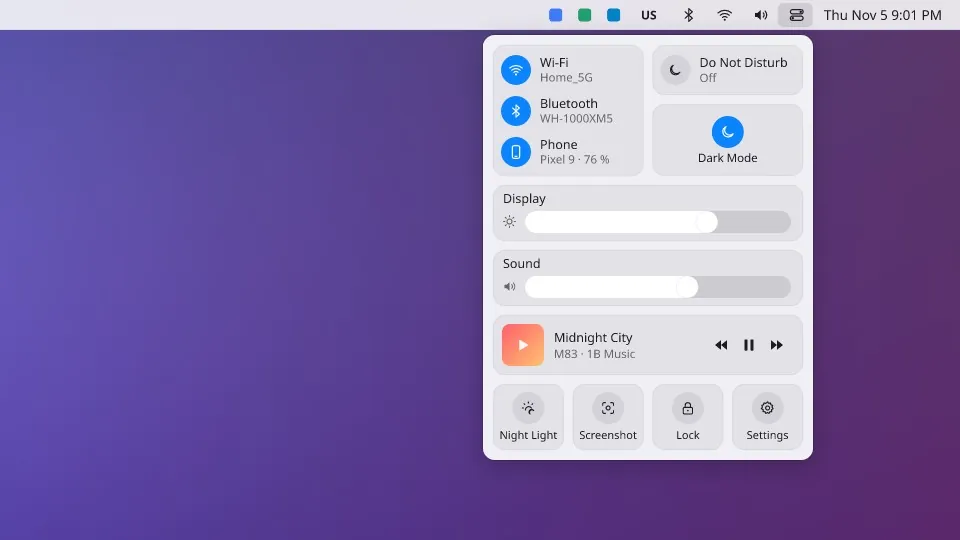
Wi-Fi, Bluetooth and your phone through KDE Connect, Do Not Disturb, dark mode, the brightness of each screen, the volume, what's playing, and quick buttons for night light, screenshots and locking.
See every window before you click
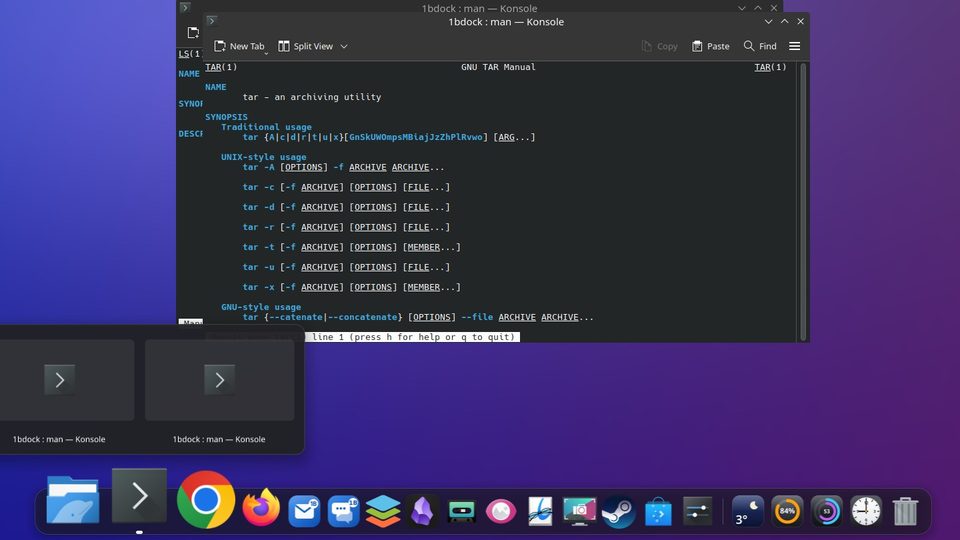
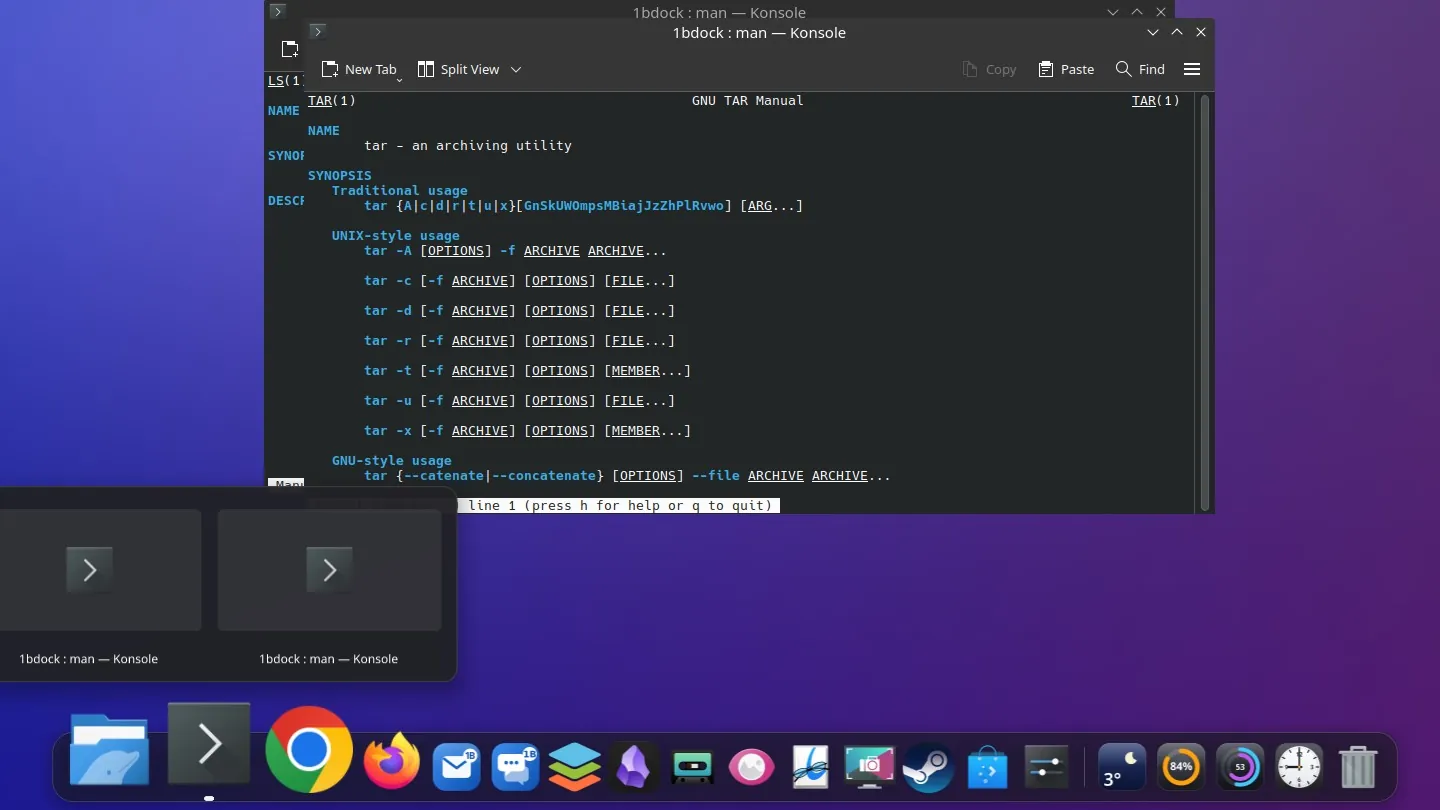
Rest on an app for half a second and its windows appear as live thumbnails. Click one to bring it to the front, or close it with its ×.
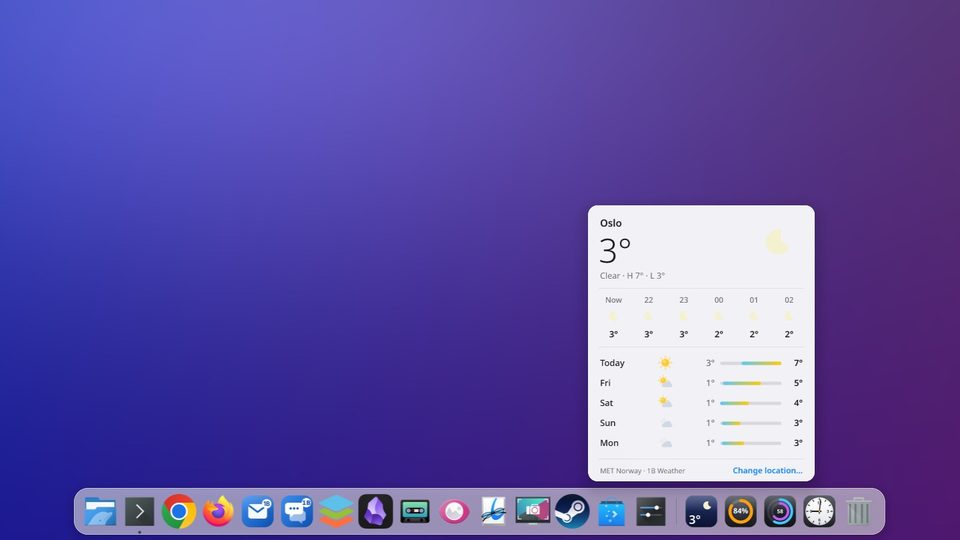
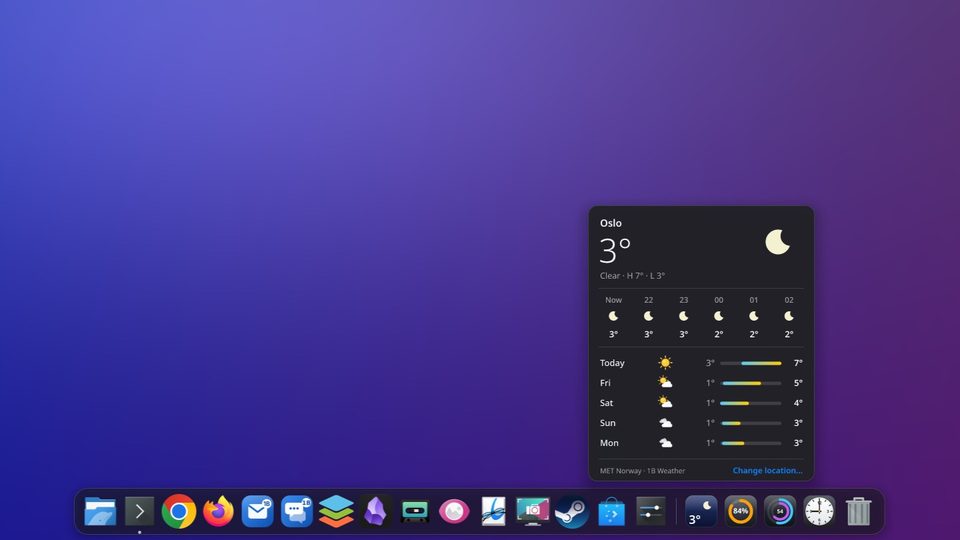
The weather, your disks, the CPU and a clock
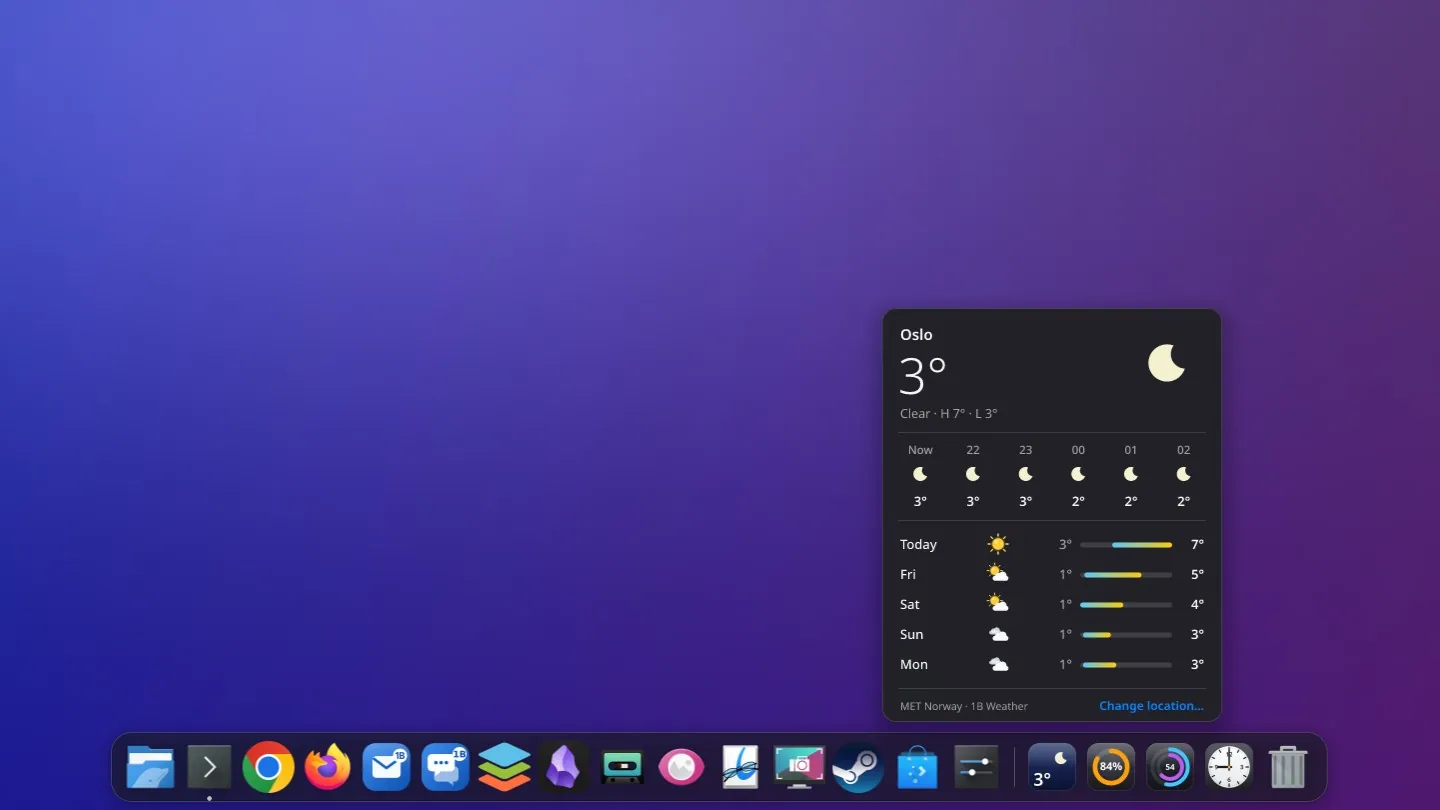
Four widgets live after the separator. Click one to open its panel: the forecast for the next hours and days, how full each disk is, processor and memory use, and this month's calendar.
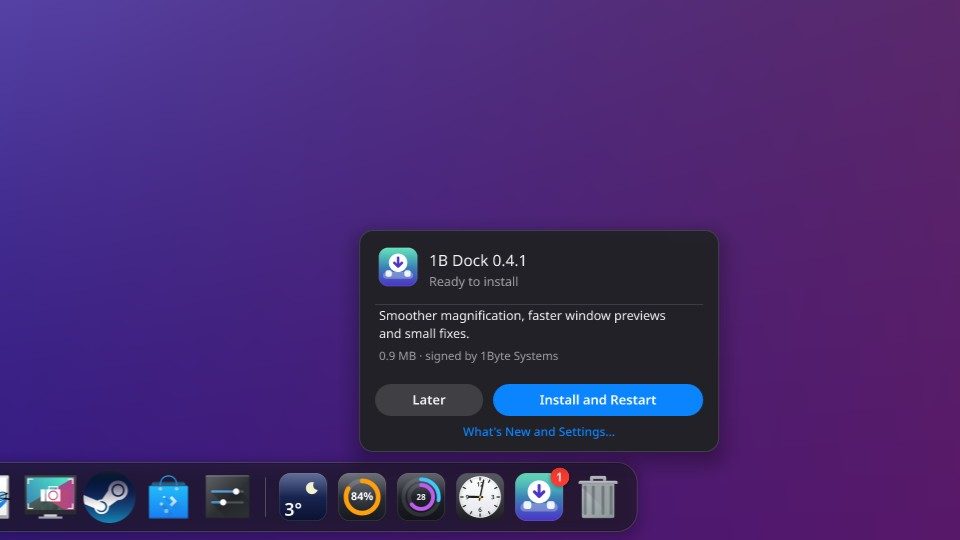
New versions, when you say so
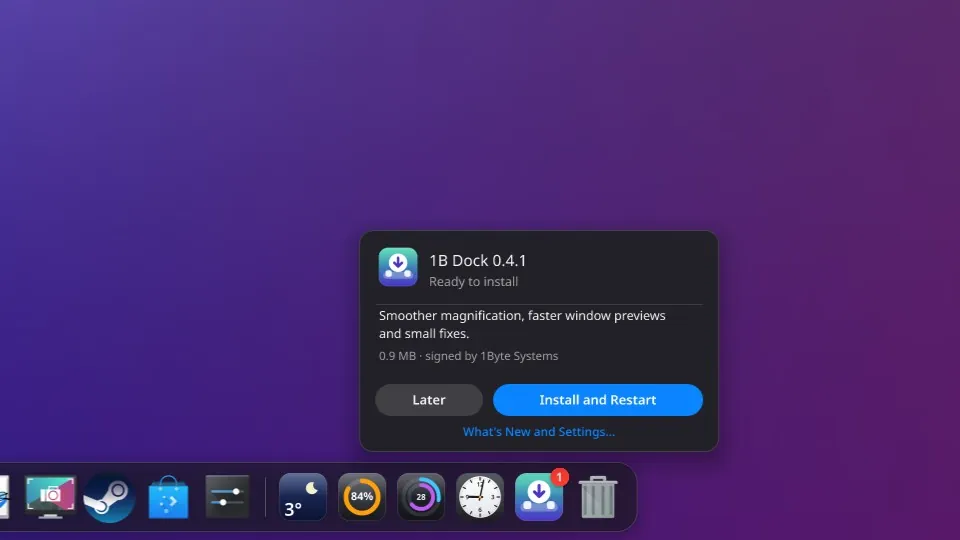
1B Dock checks the signed 1bytesystems.com channel every few hours and downloads new versions in the background. A small notice appears at the end of the dock: read what's new, then choose Install and Restart, or Later. Nothing is installed without you, and you can turn the checks off.
The same dock on Windows
On Windows, 1B Dock brings in the apps you had pinned to the taskbar, hides the taskbar while it runs and gives it back when it closes — even if it's forced to quit. The top bar comes switched on, with the active app's name, the system status and the calendar.

- 0.3 %of one processor core at rest, with four widgets
- ~105 MBof memory in use on Windows 11
- 0lines of code injected into Windows Explorer
- 21languages, settings included
Measured on our own PCs. KDE Plasma 6 in an isolated KWin session (NVIDIA RTX 4060 Ti), 30 s at rest with the weather, disk, CPU and clock widgets: 0.20–0.33 % of one core. Windows 11 24H2 (Intel HD 530), three measurements of 30–60 s: 0.34–0.52 % of one core and 102–108 MB of working set. Magnifying non-stop takes about 7 % of one core, and only while it moves.
Why it's so light
A dock is on screen all day, so we built it to cost nothing while you're not touching it.
Native code, not a web page
The dock is written in Rust and drawn by your graphics card (Vulkan on Linux, DirectX 12 on Windows). The settings window is a separate program that only runs while it's open.
It sleeps when nothing moves
Without an animation it doesn't draw a single frame. It waits for your system to tell it something changed: a window opening, the pointer arriving, a widget's next reading.
It speaks your desktop's language
On KDE it uses Plasma's own interfaces for windows, previews and the minimise effect; on Windows, documented system interfaces. No hooks inside other programs and no drivers.
Busy while you use it. Asleep when you don't.
This is the dock's real processor use, measured: at rest, magnifying without a break, and at rest again.
- Draws only while something moves, at your screen's pace
- Widgets wake it only when they need a new reading
- Hides the Windows taskbar without touching Explorer, and gives it back if the dock stops
- Uninstalling removes it and restores your taskbar
Works on
- KDE Plasma 6 (Wayland)
- Windows 11
- Windows 10
Widgets
- Weather
- Disks
- CPU and memory
- Clock and calendar
The details you'd miss
Drag to reorder
Drag icons into the order you like, or drag one up and out to remove it. Open apps that aren't pinned show up on their own.
Brings what you had
On KDE it copies the apps from your bottom panel; on Windows, the apps pinned to your taskbar.
Minimise into the dock
On KDE, windows shrink into their icon with Plasma's Magic Lamp effect.
Hide it your way
Always visible, out of the way when a window covers it, or hidden until you reach the edge.
Bottom, left or right
Put it on the bottom, left or right edge. Long docks shrink their icons to fit.
Light and dark
Follows your system's theme and accent colour, or choose your own.
Trash in the dock
See when it's full, open it with a click and empty it from its menu, with confirmation.
21 languages
Menus and settings in 21 languages, following your system's.
Signed updates
Every new version is signed by 1Byte Systems and checked before it installs. On Windows, the installer spots the version you have and offers Update.
Your calendars
Add the secret iCal address of Google Calendar, Outlook or Nextcloud, or an .ics file: today's and tomorrow's events show up in the bar.
Volume per app
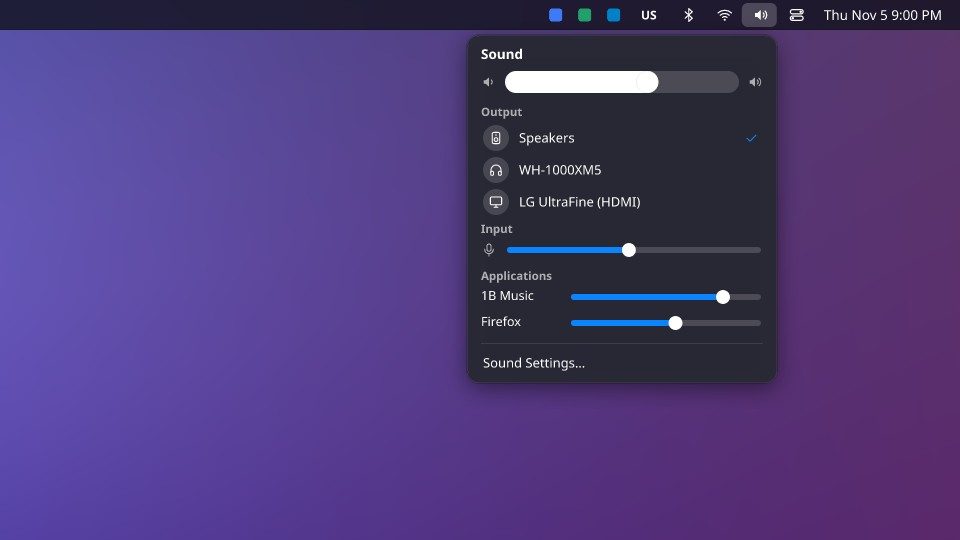
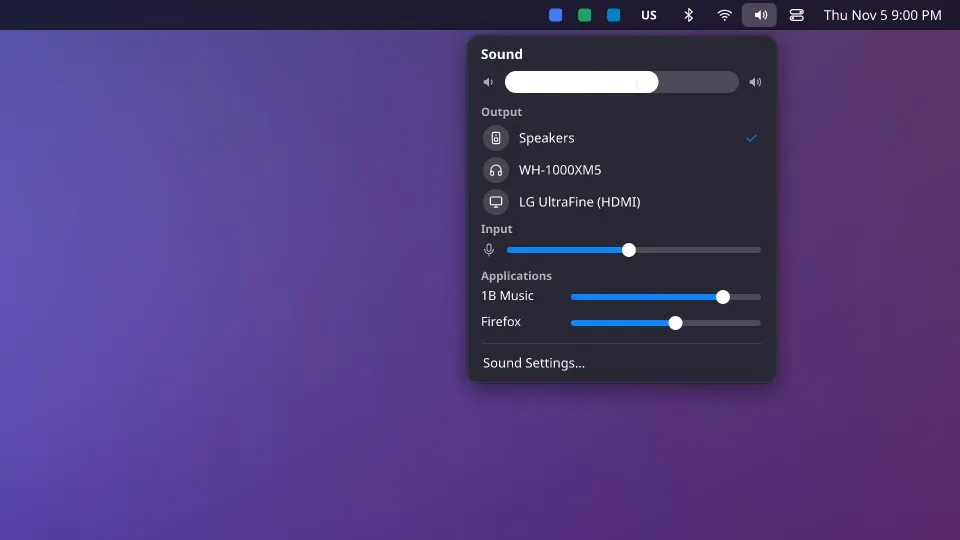
The sound menu has one big slider, your outputs and microphone, and a slider for each app that's playing.
On every screen
The top bar sits on each screen, with the menu of the app that's active on that screen.
1B Dock ProComing soon
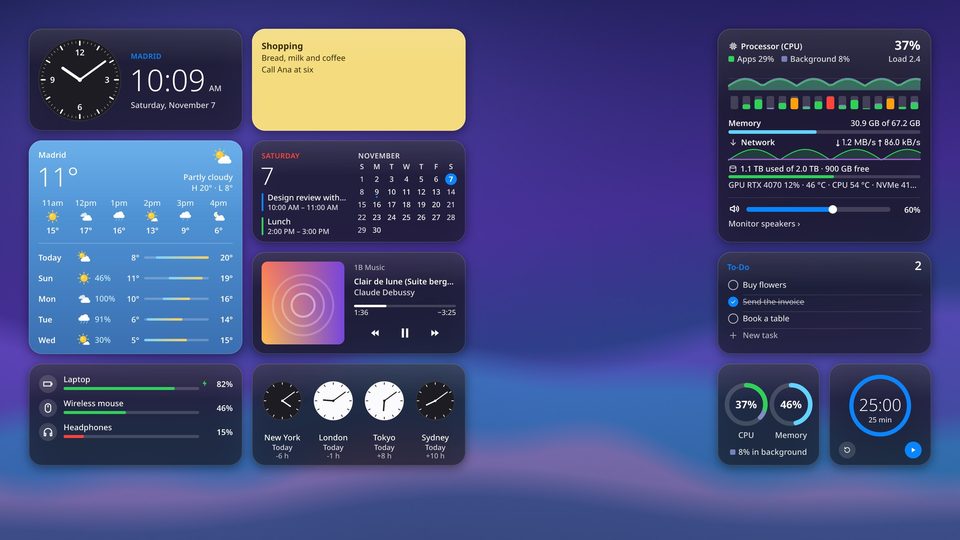
Widgets that live on your desktop
macOS-style widgets for KDE Plasma: they sit on the desktop, beneath your windows, exactly where you left them. Since version 0.5 the included ones come with 1B Dock, for KDE Plasma 6 on Wayland. 1B Dock Pro, which unlocks the rest, is coming soon. Windows will follow.
Beneath your windows
Widgets stay on the desktop, under every window, and are still there when you show the desktop. When a maximised window covers them, they pause and cost nothing.
Snap to the grid
Drag a widget and it lifts off the desktop, then snaps into the nearest empty spot. Edit mode shows the grid and removes widgets with one click.
Four sizes
Small, medium, large and extra large: a clock can be a tiny dial and the system monitor can fill a whole corner.
Glass, Solid or Tinted
Three styles that match the dock's top bar. Tinted comes with Pro.
A gallery to add them
Browse every widget with a live preview of each size and add it in one click, from the top bar, the dock or a right click on any widget.
Every screen
Each screen has its own grid. Drag a widget from one to another; it remembers its monitor, even if you unplug it for a while.
Sixteen widgets
Those marked “Included in 1B Dock” come with the dock; those marked “Pro” need 1B Dock Pro.
Clock
Included in 1B DockAnalogue or digital, with optional seconds and the full date.
Weather
Included in 1B DockConditions now and over the next hours; open it for wind, humidity, UV, sunrise and the days ahead.
Large size with ProNote
Included in 1B DockA sticky note you type straight onto: tick boxes, bold and italics, six colours. Saved as plain Markdown.
Two notes included; more notes and the large size with Pro1B Note pinned notes
Included in 1B DockThe pages you pin in 1B Note, with their title and a short excerpt; click one to open it. Shown when 1B Note is installed.
Large size with ProCPU & Memory
Included in 1B DockRings for processor and memory use; the medium size adds a two-minute history.
Sound
Included in 1B DockVolume and mute at a glance.
Switching outputs, devices and per-app volume with ProWorld Clock
ProYour cities, with day and night dials and the time difference.
Calendar
ProThe month with your busy days marked and the agenda from your iCal calendars.
To-Do
ProA to-do list with satisfying checkboxes, kept in a plain text file.
System Monitor
ProEvery core, memory, network, disks, graphics card and temperatures, labelled so anyone can read them.
Now Playing
ProCover art, progress and controls for whatever's playing.
Batteries
ProCharge levels for your laptop, mouse, keyboard, phone and Bluetooth headphones.
Timer
ProCountdown or pomodoro with presets and an alert at the end; it keeps going across restarts.
Photos
ProA slideshow from the folder you choose, changing every few minutes.
Shortcuts
ProHome, Downloads, Documents, Pictures and your dock's apps, one click away.
1B Apps
ProUnread counts from 1B Mail and 1B Talk, and 1B Note one click away.
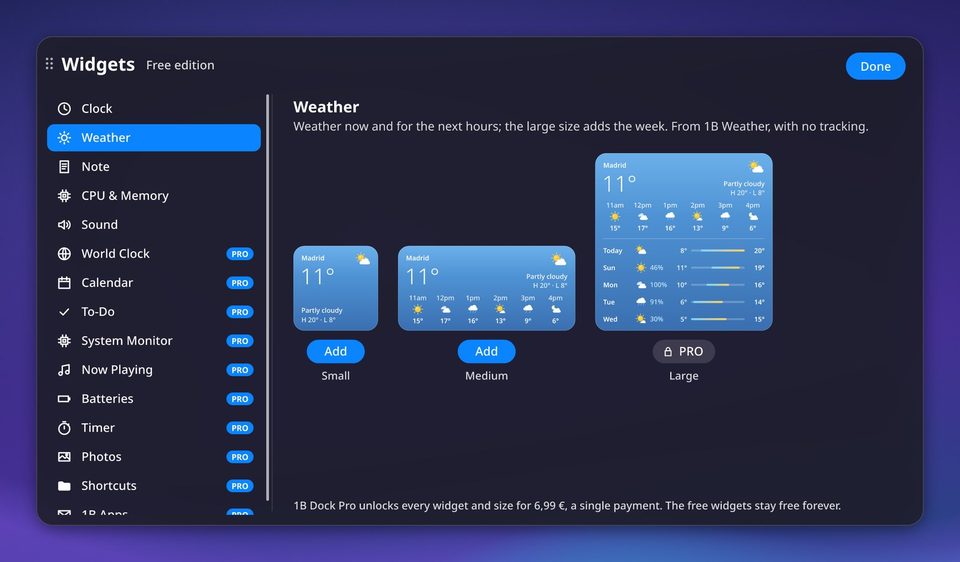
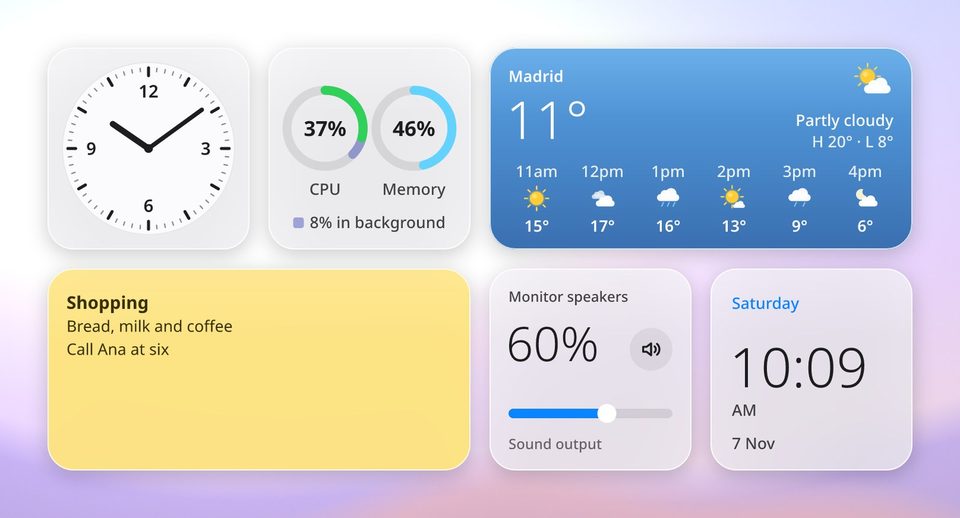
How to use the desktop widgets
1B Dock ProComing soon
€6.99one-time payment
There's no store yet, so there's nothing to buy today. For KDE Plasma 6 on Wayland; Windows will follow.
- Pay once and keep it: no subscription
- Licence checked on your computer: works without an internet connection
- Every Pro widget, the larger sizes and the Tinted style
- Without Pro, the dock and its included widgets work just the same
Real screenshots
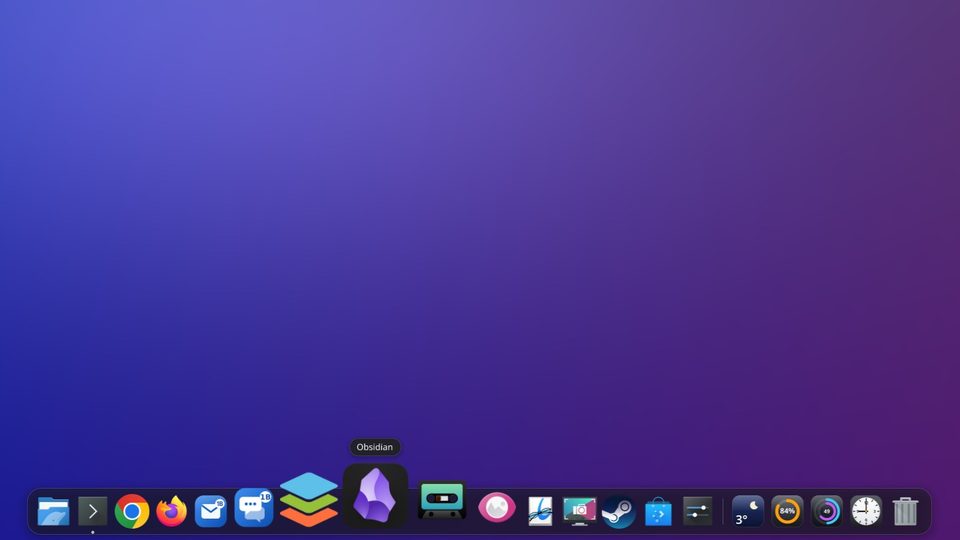
Magnification and the app's name, dark theme
The same dock in the light theme
The top bar with the active app's menu
Submenus open as the pointer passes over them
Calendar: month, agenda, weather and world clocks
The calendar in the light theme
Control Centre
The Control Centre in the light theme
Sound: volume, outputs, microphone and volume per app
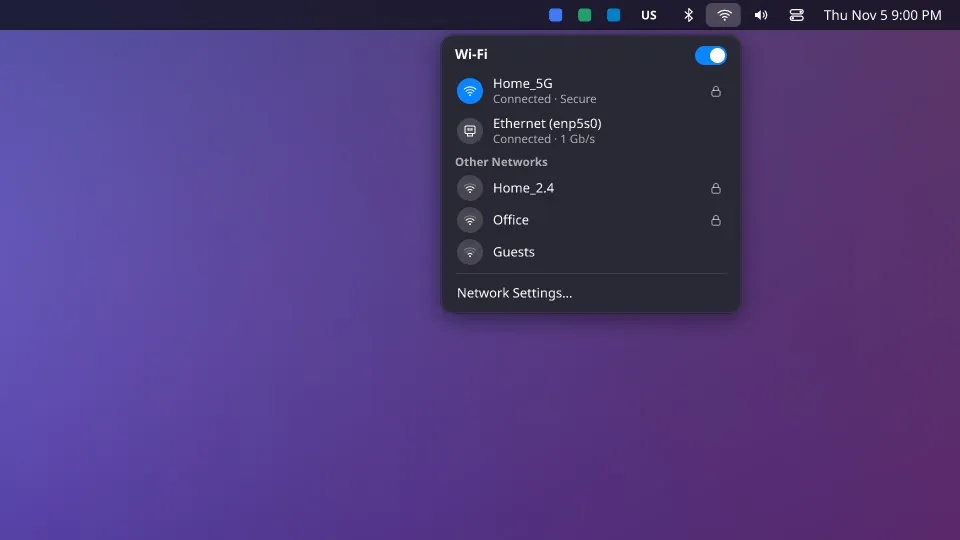
Wi-Fi and wired network
Live previews of two windows
Weather: now, the next hours and five days
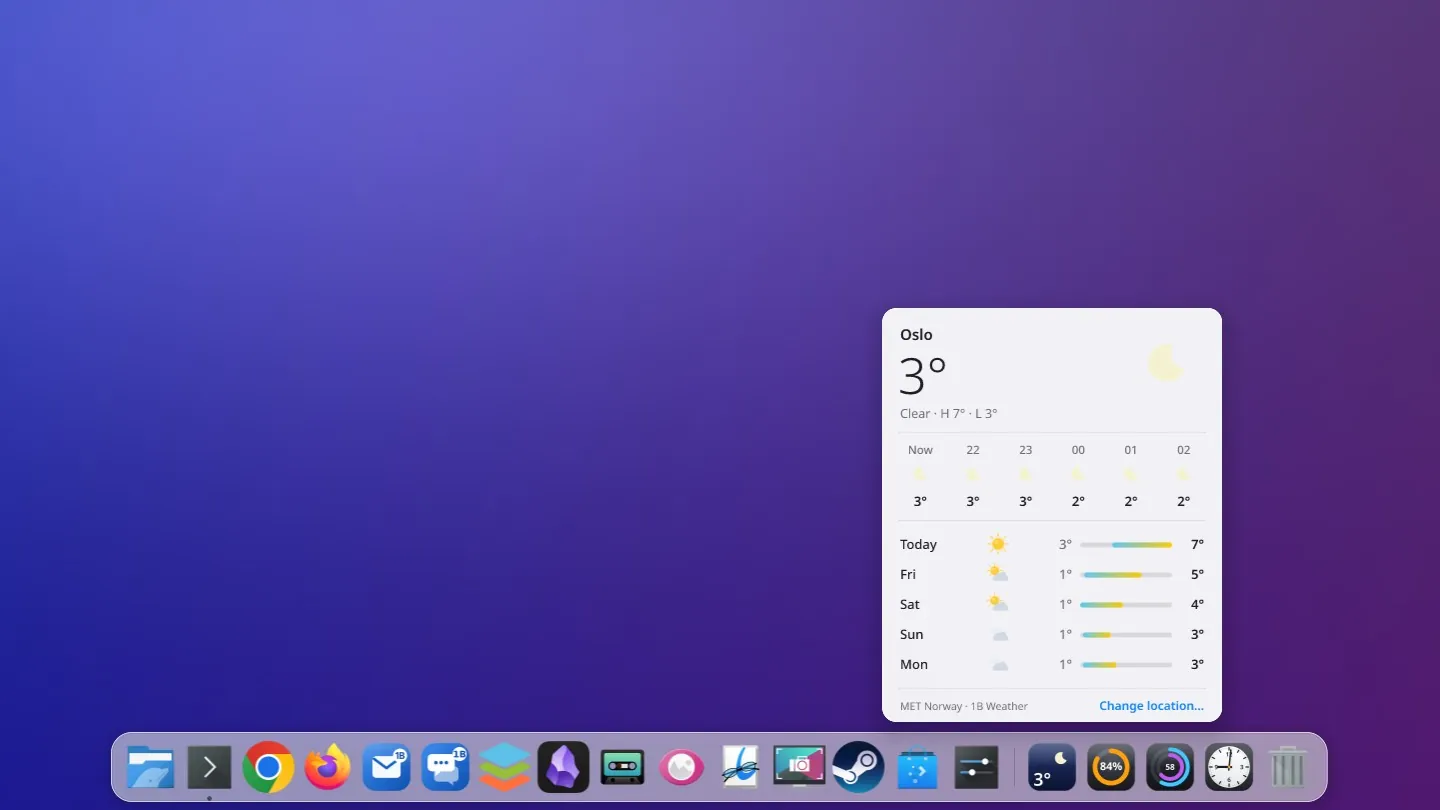
The weather panel in the light theme
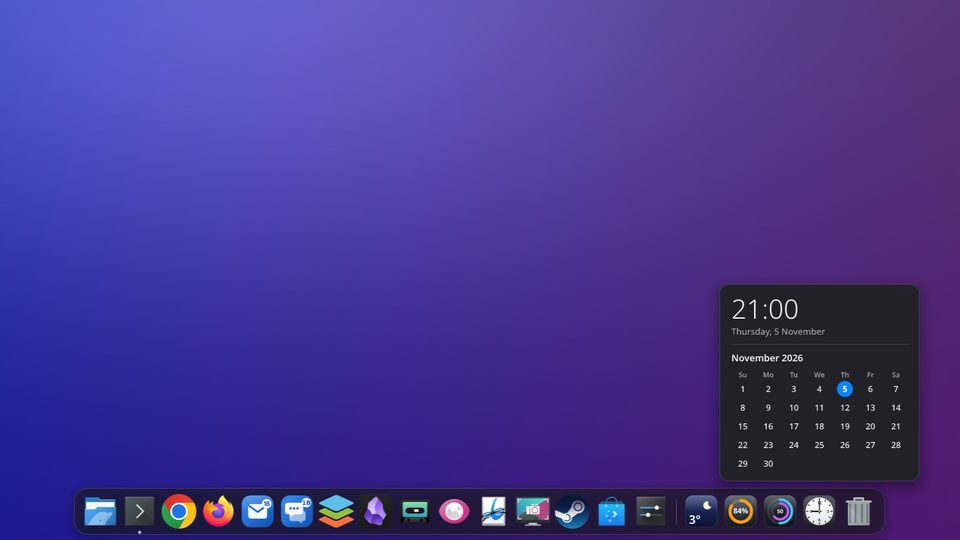
Clock and this month's calendar
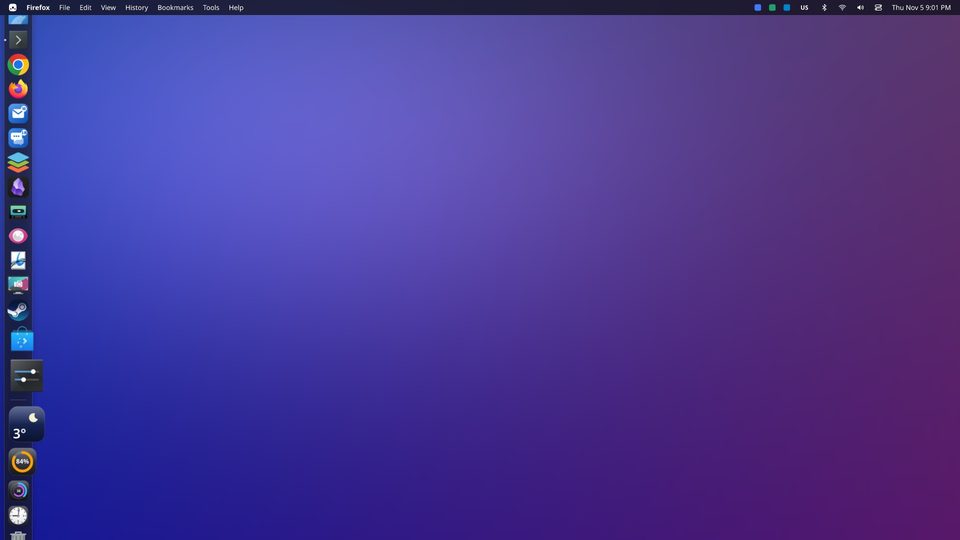
The dock on the left edge, with the weather panel
An update notice at the end of the dock
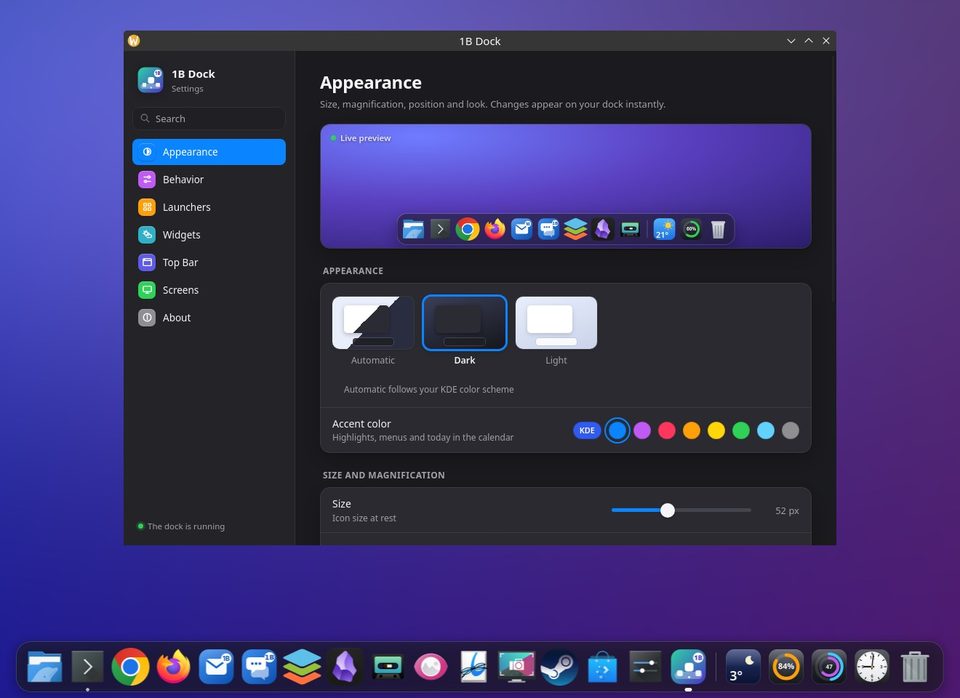
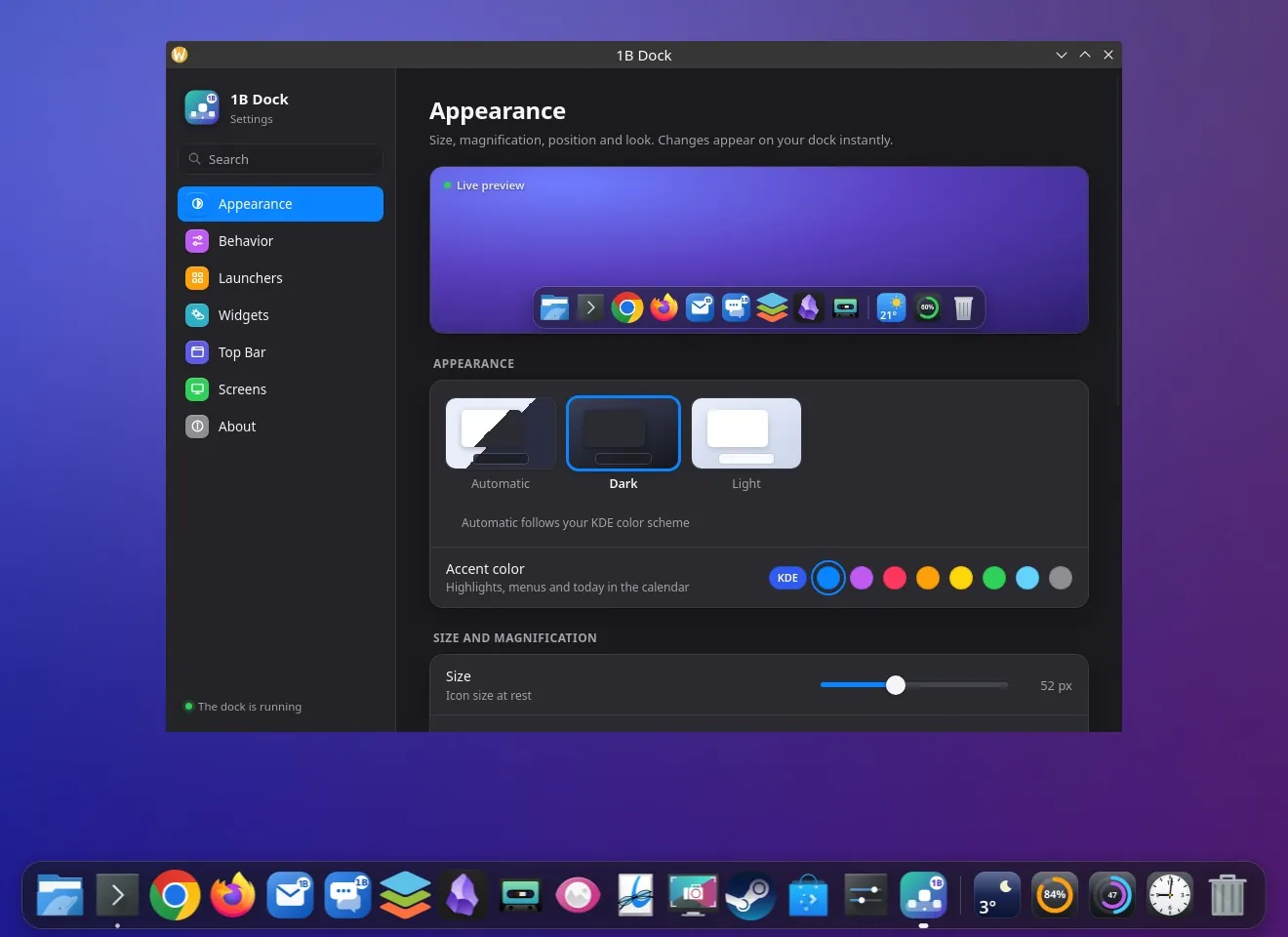
Settings: appearance, with a live preview
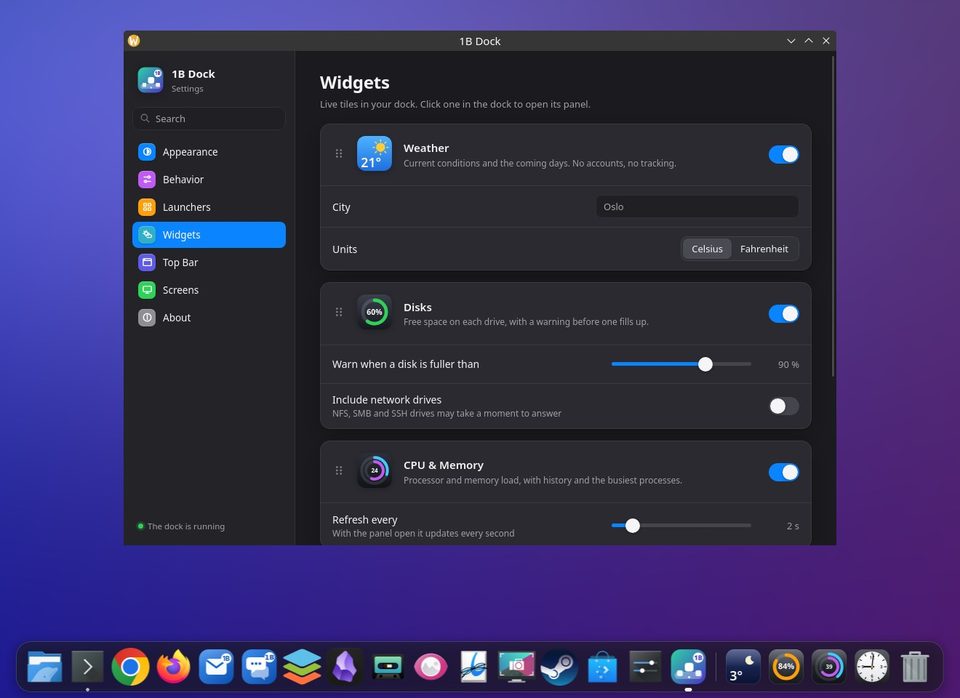
Settings: widgets
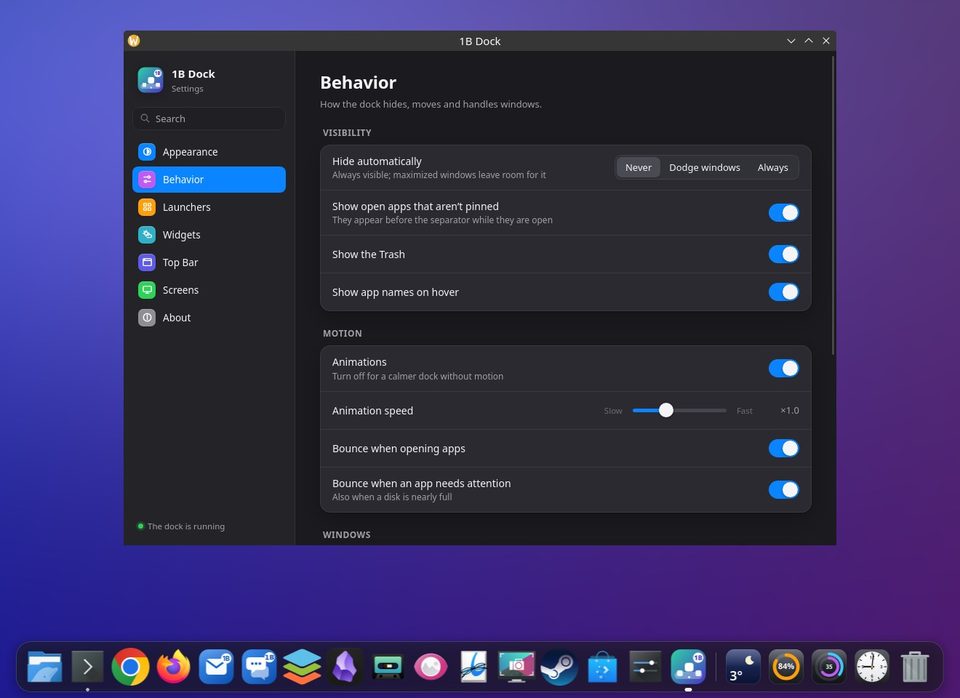
Settings: behaviour
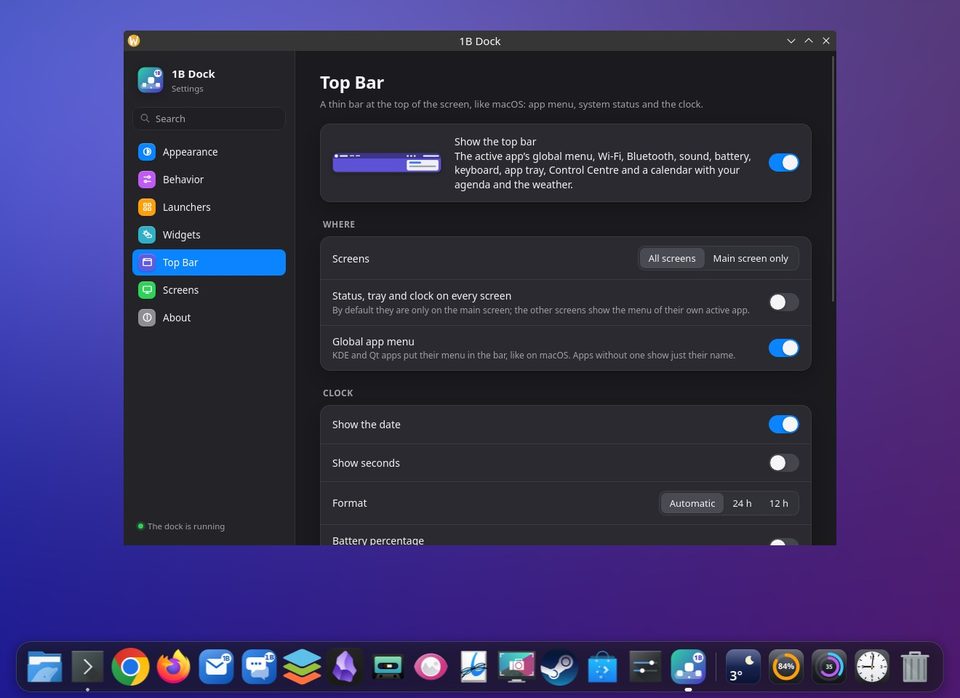
Settings: top bar
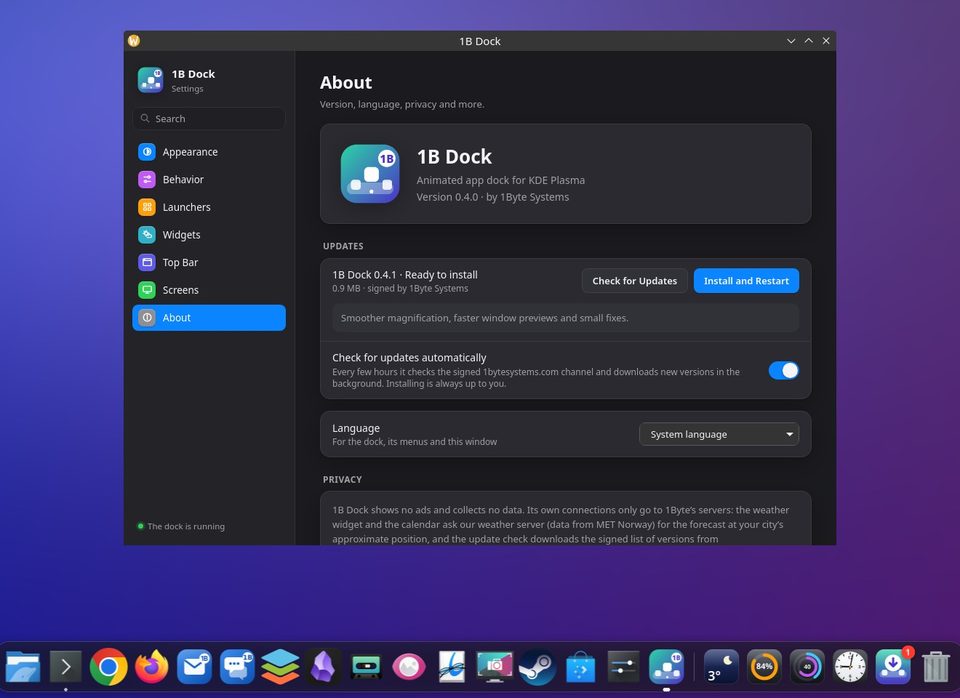
Settings: About, with updates
On Windows 11, with the apps from the taskbar
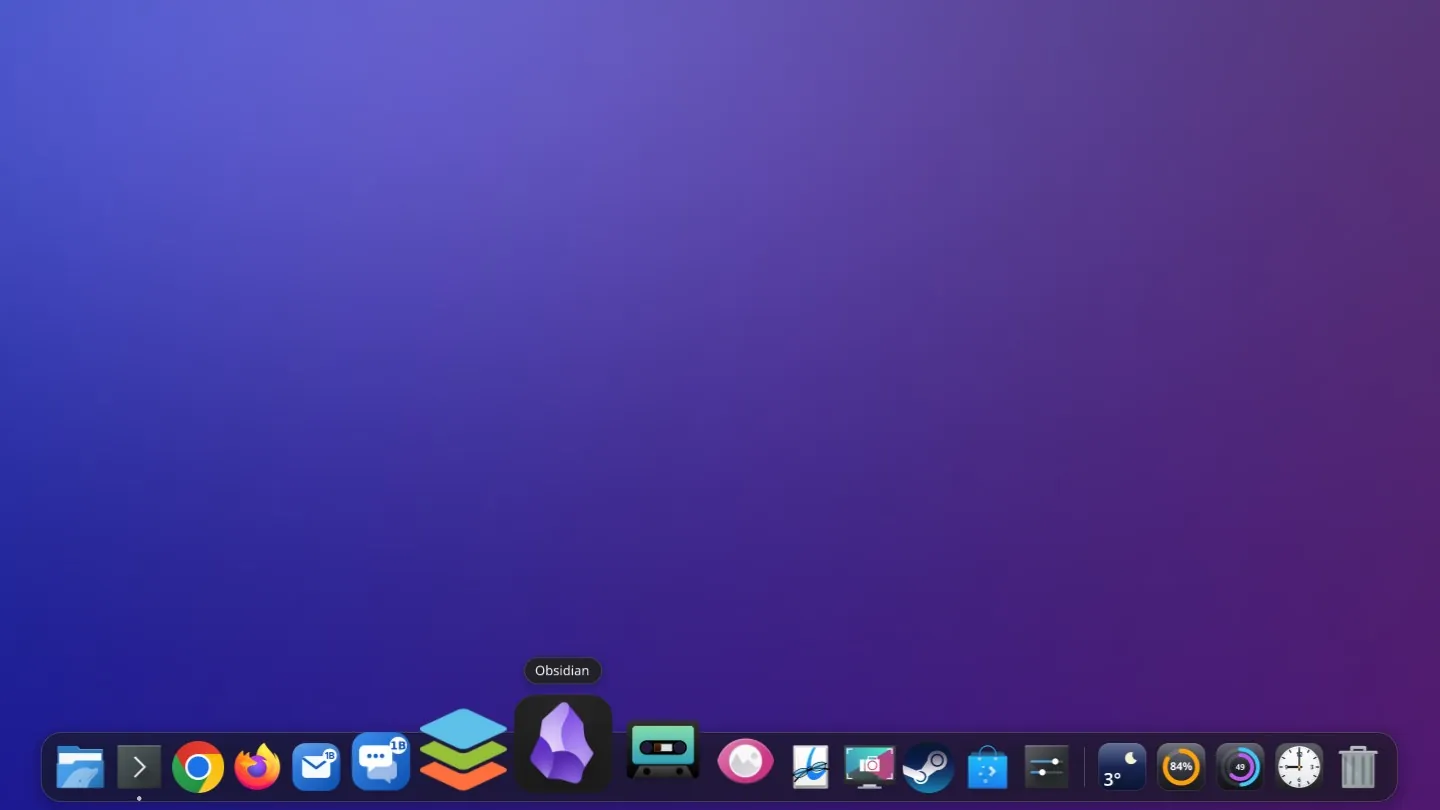
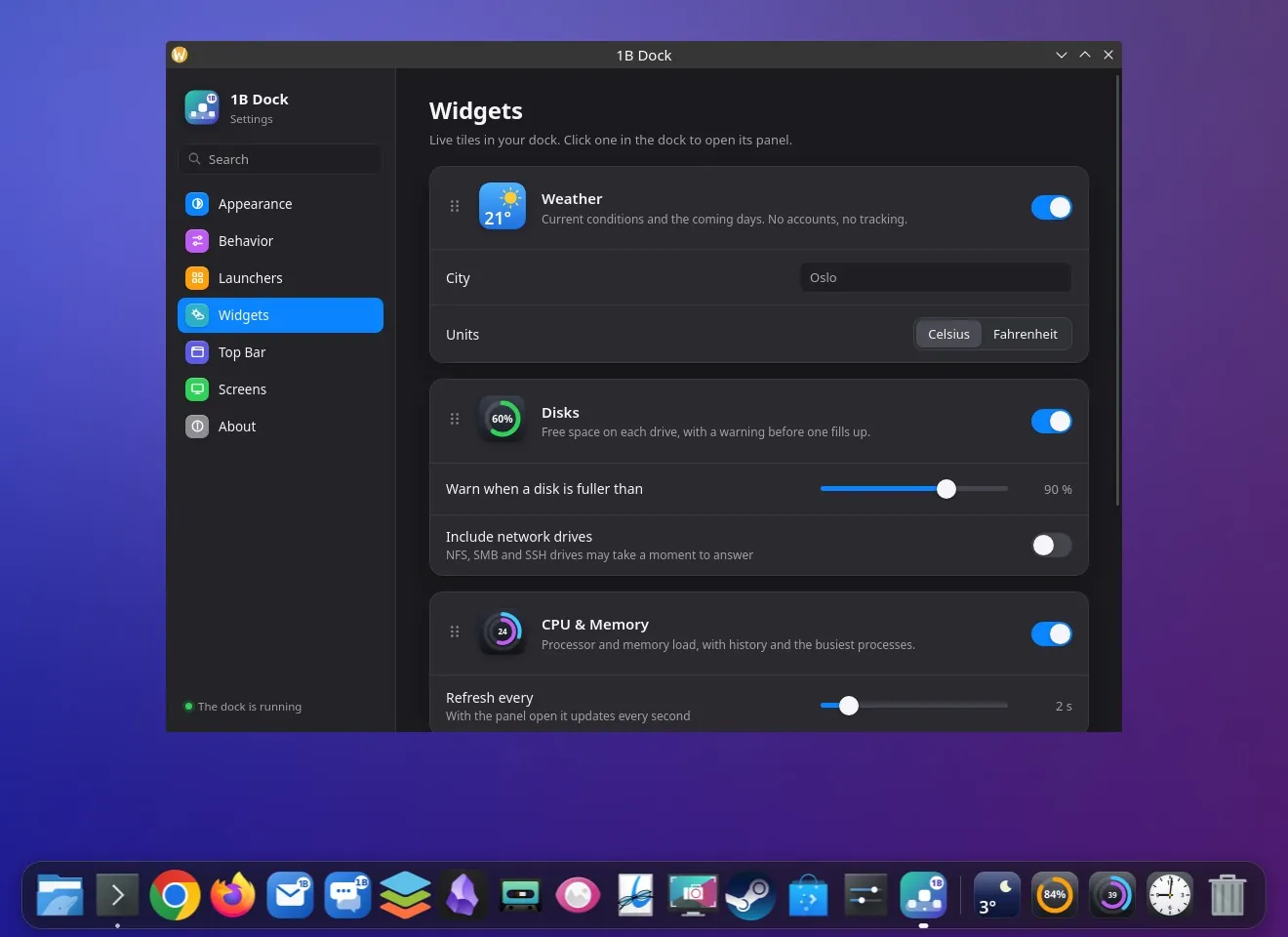
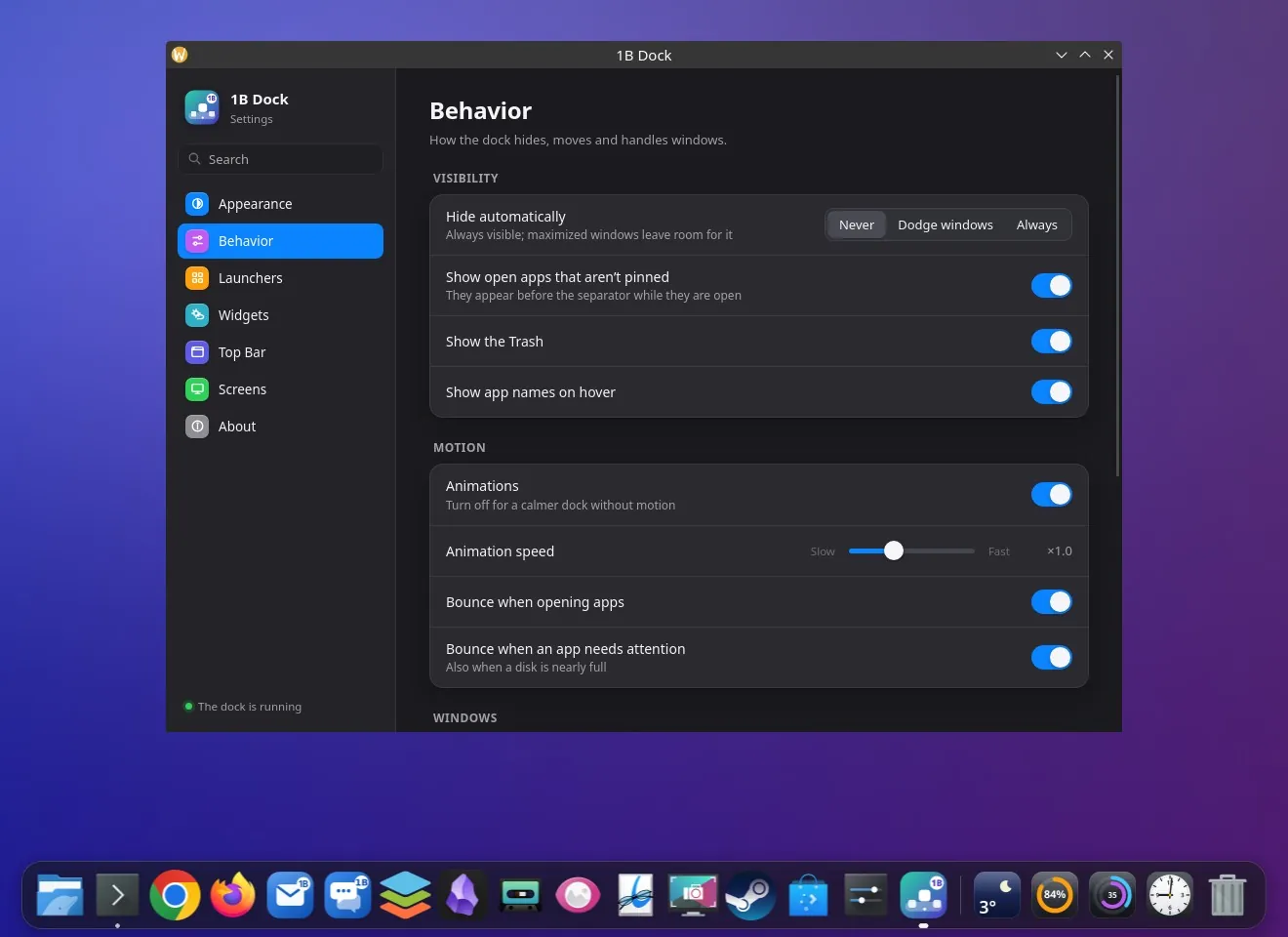
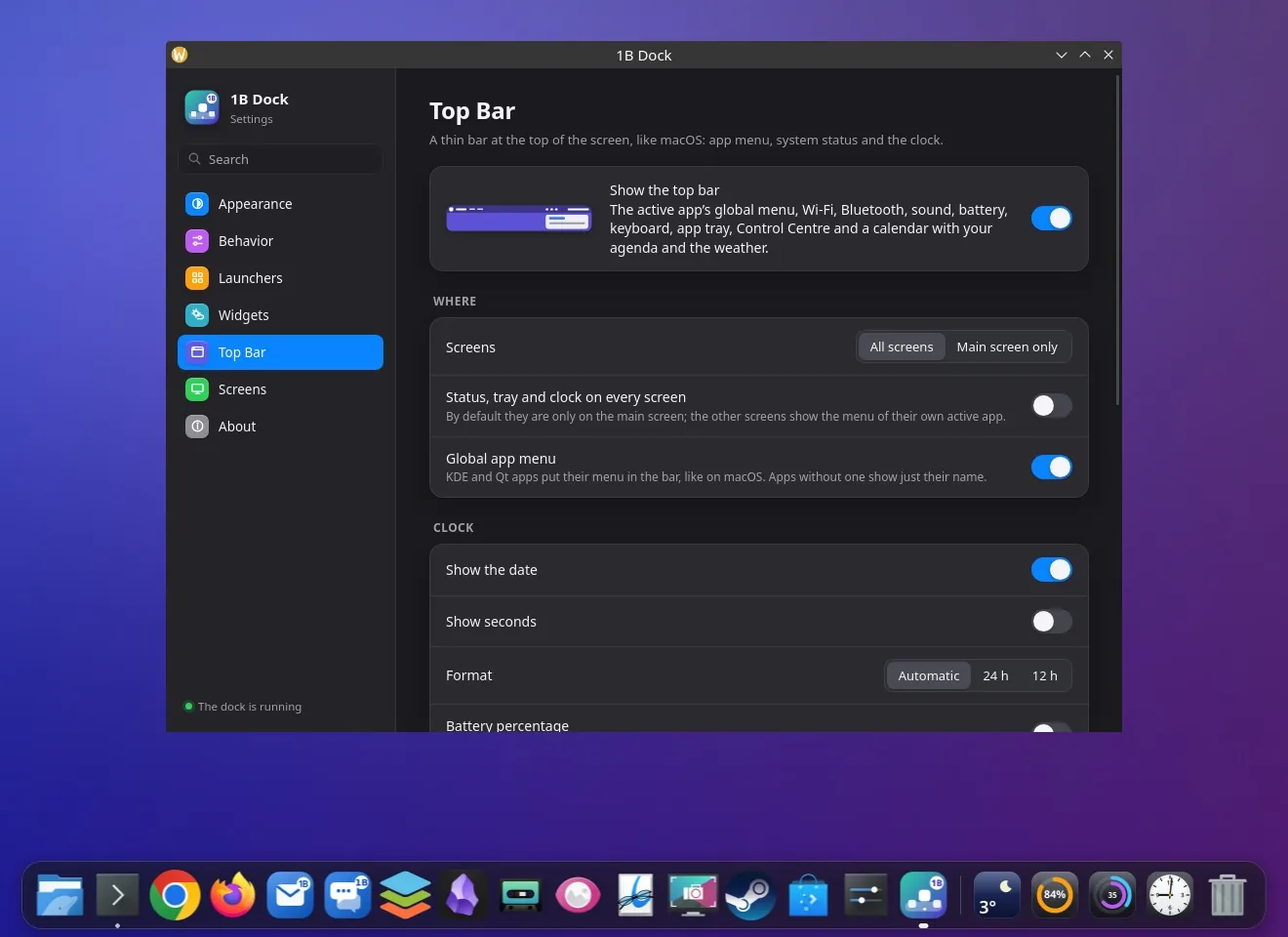
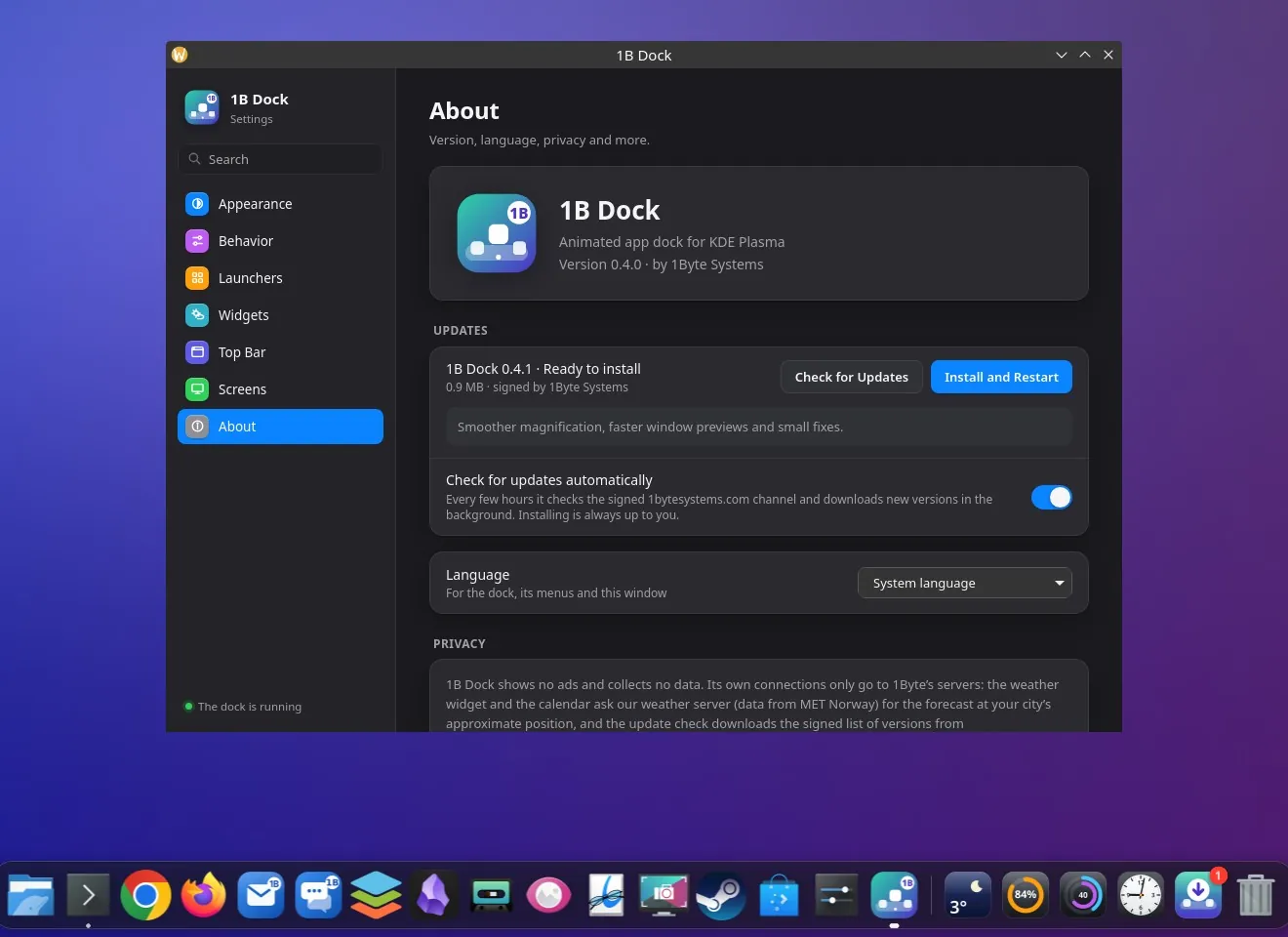

Real screenshots of our current builds, filled with sample data.
Download 1B Dock
Install it in a minute and give your desktop a dock that feels alive.
- LinuxRPM
- WindowsEXE
Privacy at a glance
- No ads, no analytics and no account
- The weather widget asks our own weather server for an area of about 1 km — never your exact position
- Your apps, windows, network, Bluetooth, disks and processor are read on your computer and never sent anywhere
- Updates come from the signed 1bytesystems.com channel, and your calendars straight from the addresses you add — you can turn the update checks off
Details
- Status
- Version 0.5.7
- Platforms
- Linux (KDE Plasma 6, Wayland) · Windows 10 and 11 (64-bit)
- Download
- RPM · EXE (per-user installer)
- Languages
- 21 languages
- App ID
com.onebytesystems.dock
Good to know
- On Linux it needs KDE Plasma 6 in a Wayland session. It doesn't work on GNOME, on other desktops or in an X11 session.
- Linux package: RPM for Fedora and derivatives (x86-64). To start the dock with your session, add it in System Settings › Autostart. Your Plasma panels aren't touched: if you only want the dock and the top bar, remove or hide the bottom and top panels in Plasma's Edit Mode.
- The top bar is off on KDE until you turn it on in Settings › Top Bar. The app menu appears for KDE and Qt apps; others show just their name.
- Windows 10 and 11, 64-bit; tested on Windows 11 24H2. The installer isn't signed yet, so SmartScreen may warn you the first time. On Windows the top bar shows the app's name (Windows has no global menus), has no tray icons on Windows 11, and some switches open Windows Settings.
- One dock, on the main screen or the one you choose; the top bar can go on every screen.
- Version 0.3 doesn't update itself: if you have it, install 0.5 once from this page. From then on, updates arrive inside the app.
- No macOS version.


