1B DeskRemote desktop for Linux and Windows
Version 0.3.0Available for Linux and Windows
Your other PC, right here. Linux and Windows, both ways.
1B Desk shows and controls another computer as if you were sitting at it: from Linux to Windows, from Windows to Linux, or between two Linux PCs. It works natively on Wayland, lets you pick which monitor to see, and connects directly on your network or from anywhere over the Internet, always end-to-end encrypted. Pair a device once and after that it's one click, wherever you are.
- Linux ↔ Windows
- Wayland: KDE Plasma and GNOME
- Pick the monitor
- End-to-end encrypted
- View only by default
AvailableVersion 0.3.0 · Linux and Windows
No ads and no account. It updates itself, and only devices you pair can connect.
Download 1B Desk
The same version for Windows and Linux. Install it on both computers. Nothing to sign up for.
Windows
Windows 10 and 11, 64-bit. Installs for all users with the 1B Desk service (admin prompts and lock screen included) and a firewall rule only for 1B Desk; it needs administrator rights.
Download .exe · 13.3 MBLinux
x86-64, Wayland (KDE Plasma, GNOME) or X11. Use the package for your distribution so this PC can be reached without opening the app; the AppImage works anywhere else.
Fedora / openSUSE · .rpm · 15.7 MBDebian / Ubuntu / Mint · .deb · 14.7 MBAppImage · 115.2 MBOther systems
Ubuntu 22.04, 32-bit and ARM systems and macOS aren't supported yet. The Android viewer is on its way to Google Play.
A closer look
Real screenshots of 1B Desk 0.2 on Linux, with example devices.
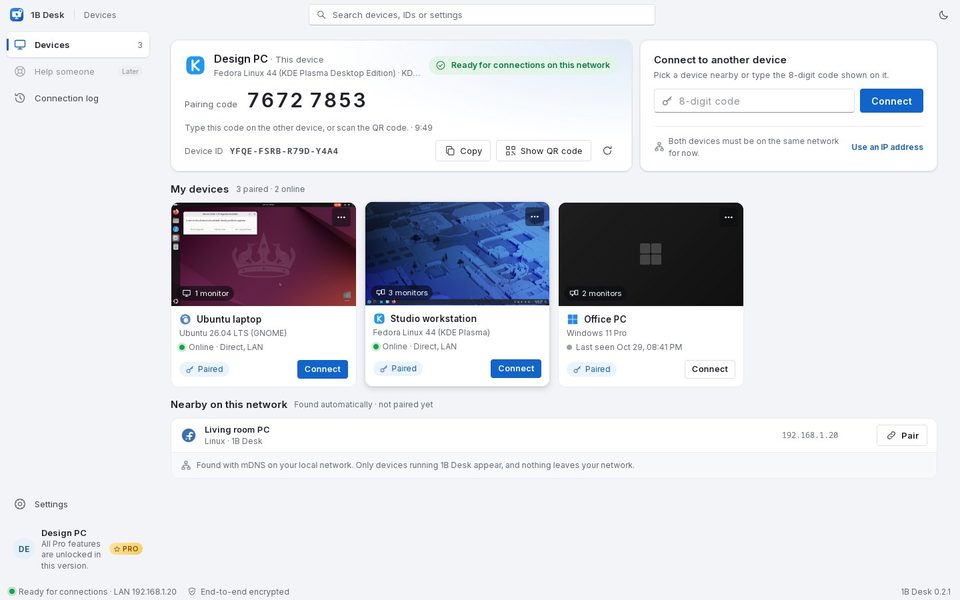
Your computers, one click away
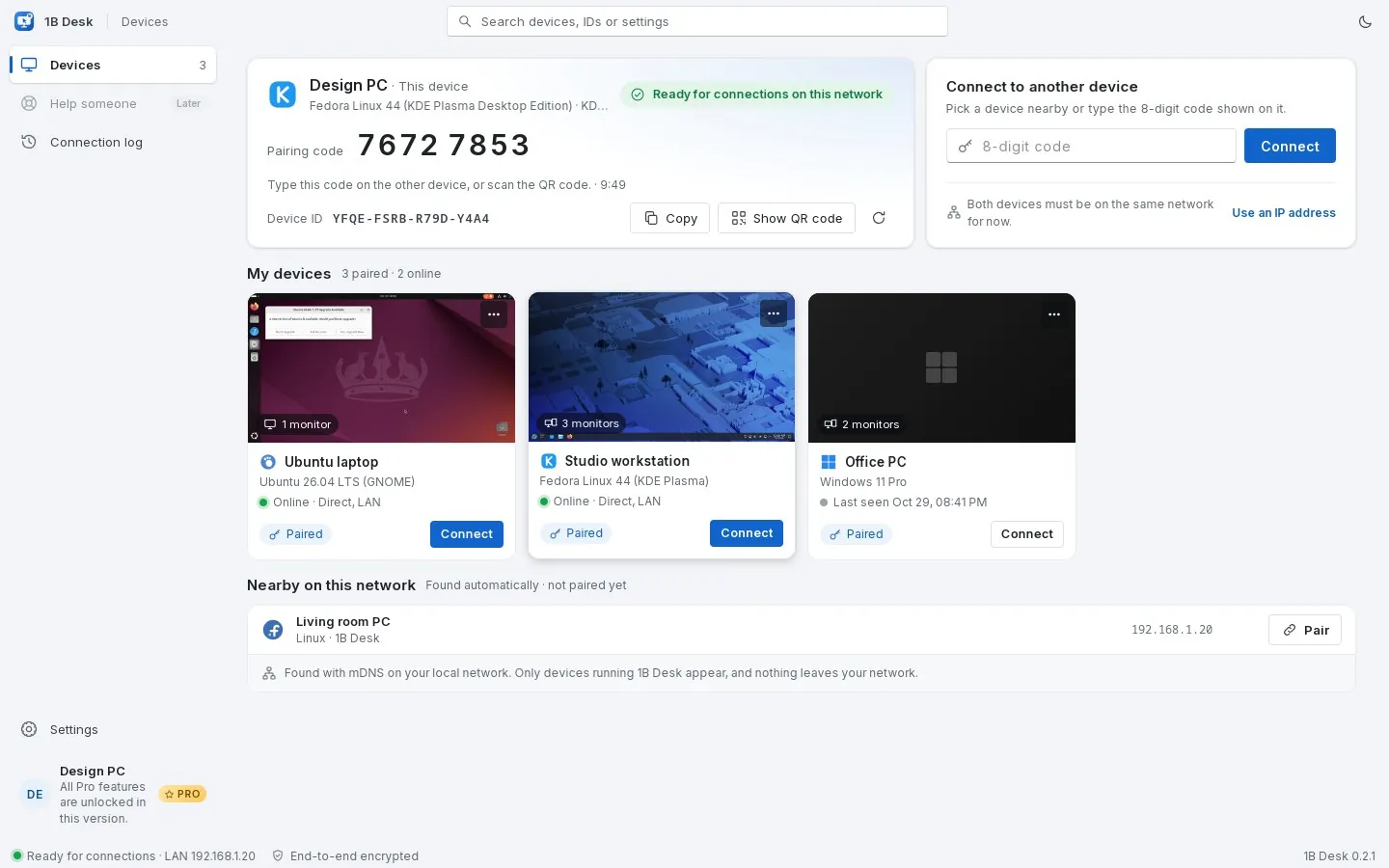
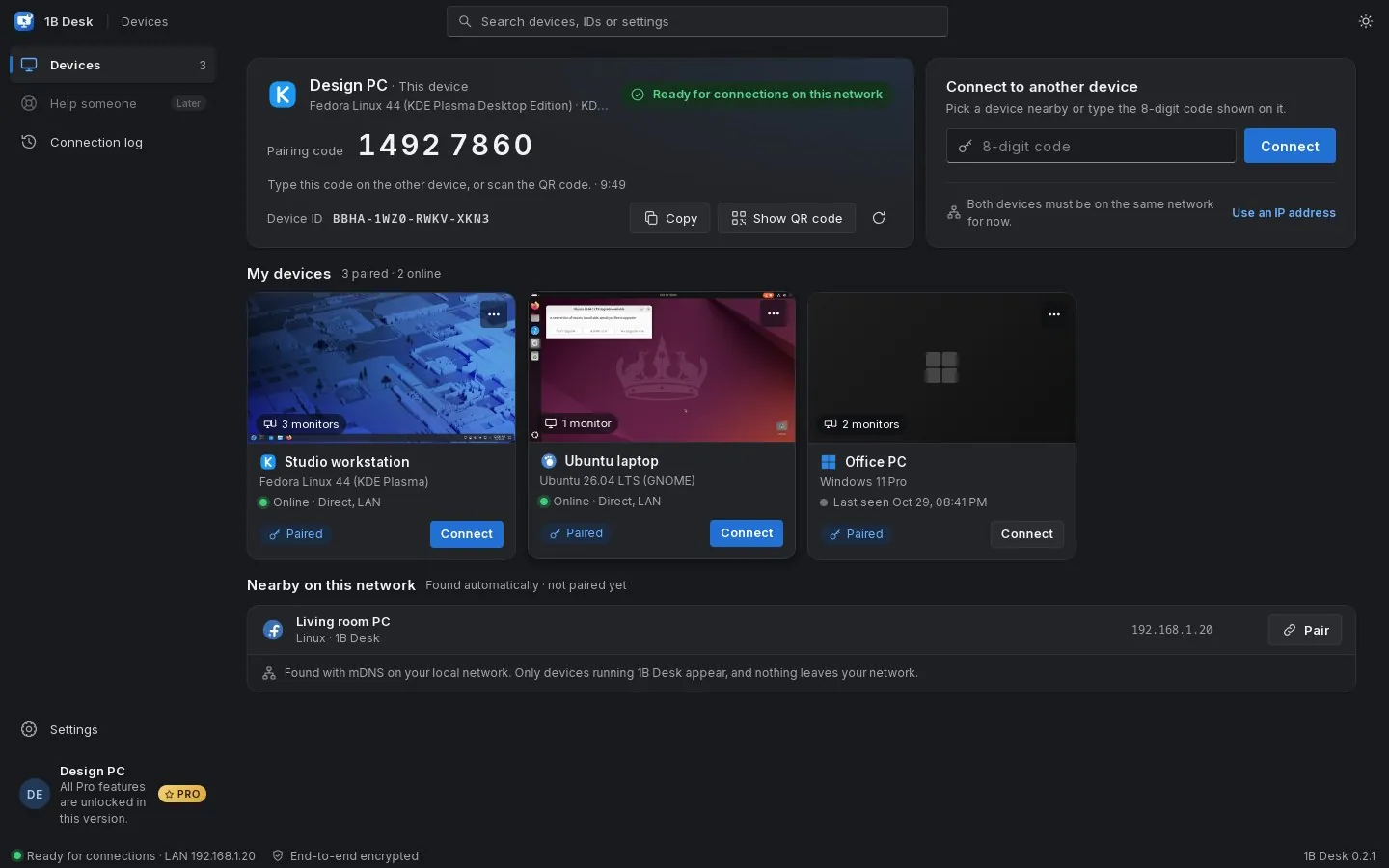
Paired devices show a live thumbnail of their screen, how many monitors they have and whether they're online. The ones on your network that aren't paired yet appear under Nearby on their own.
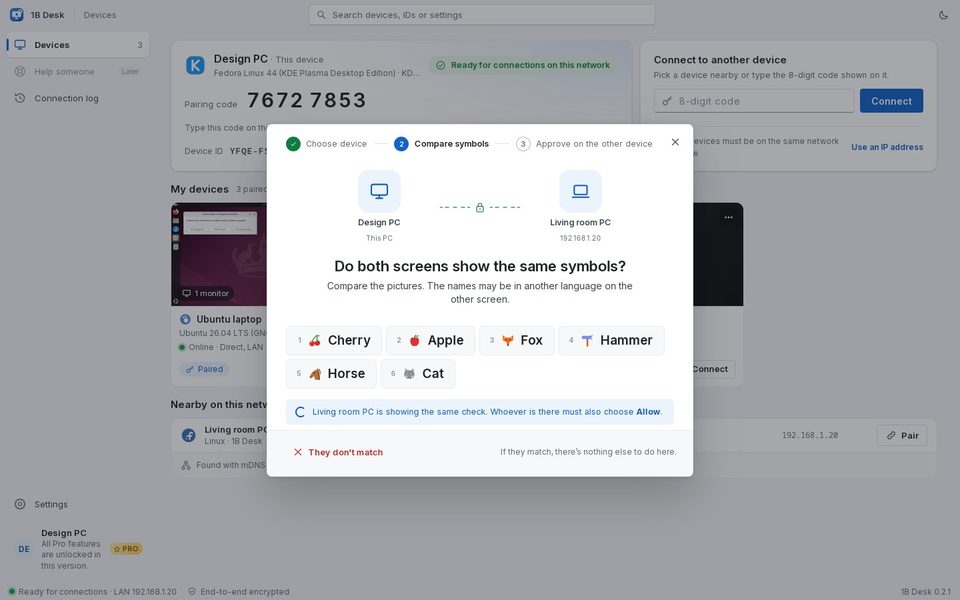
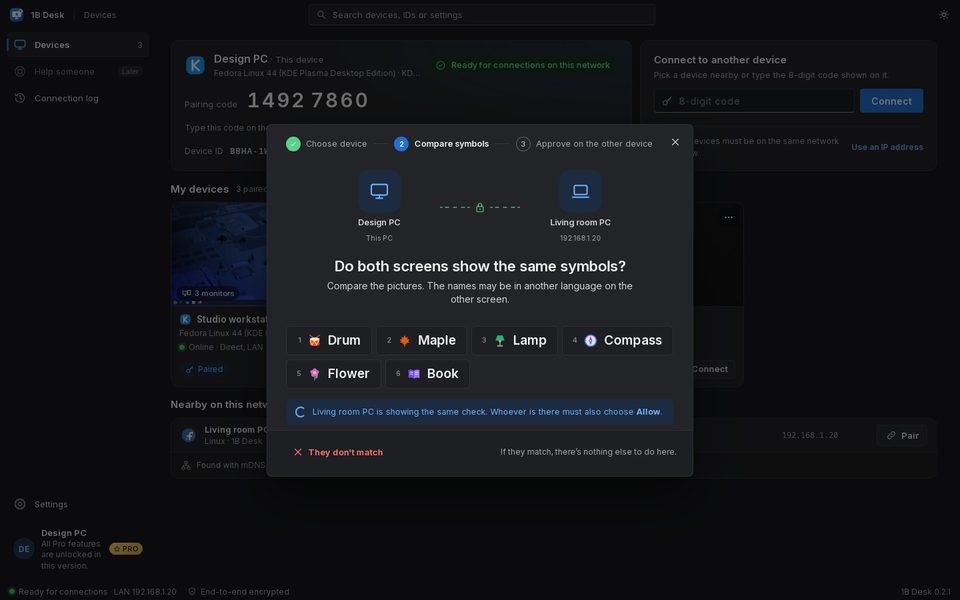
Compare six symbols and you're done
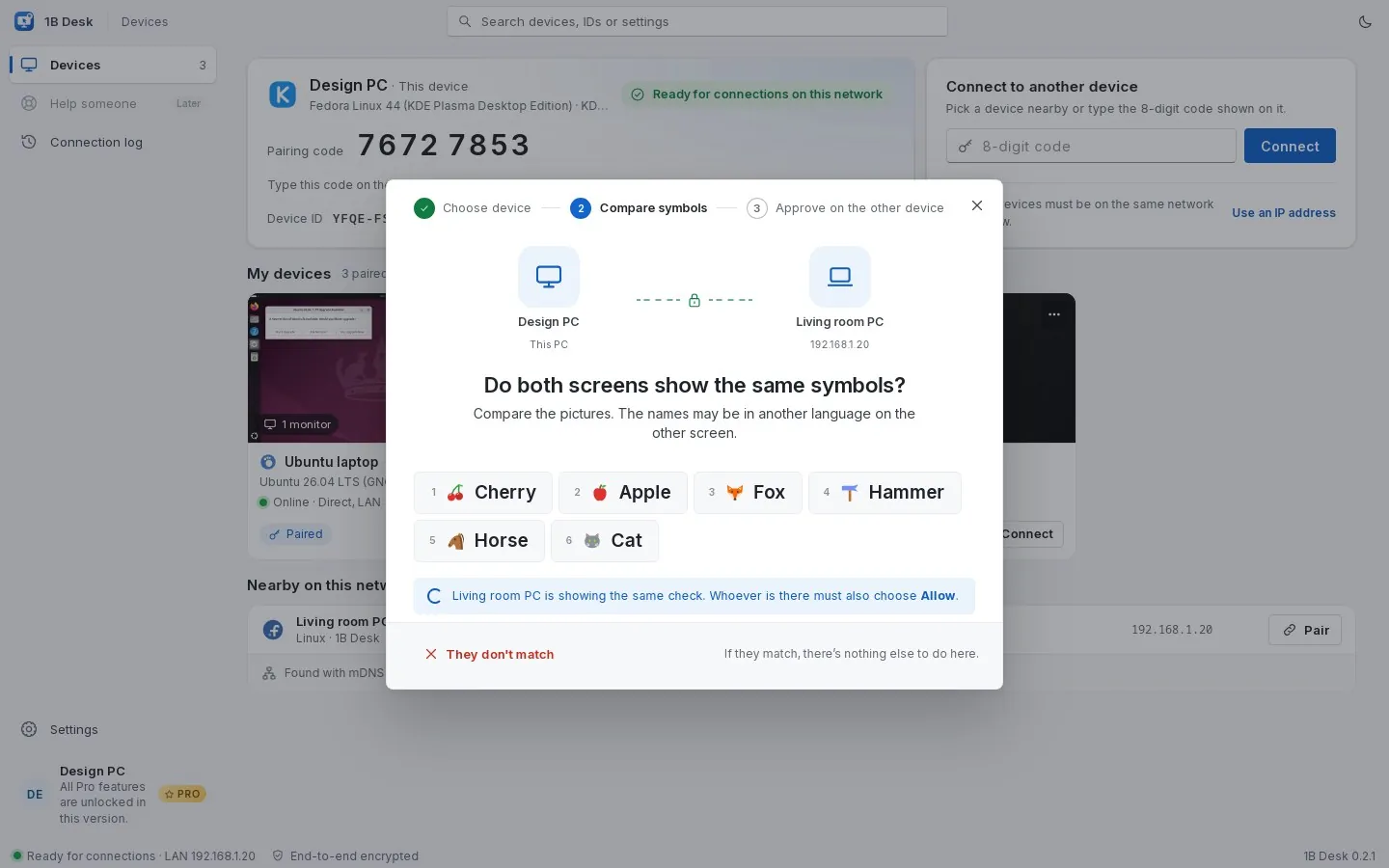
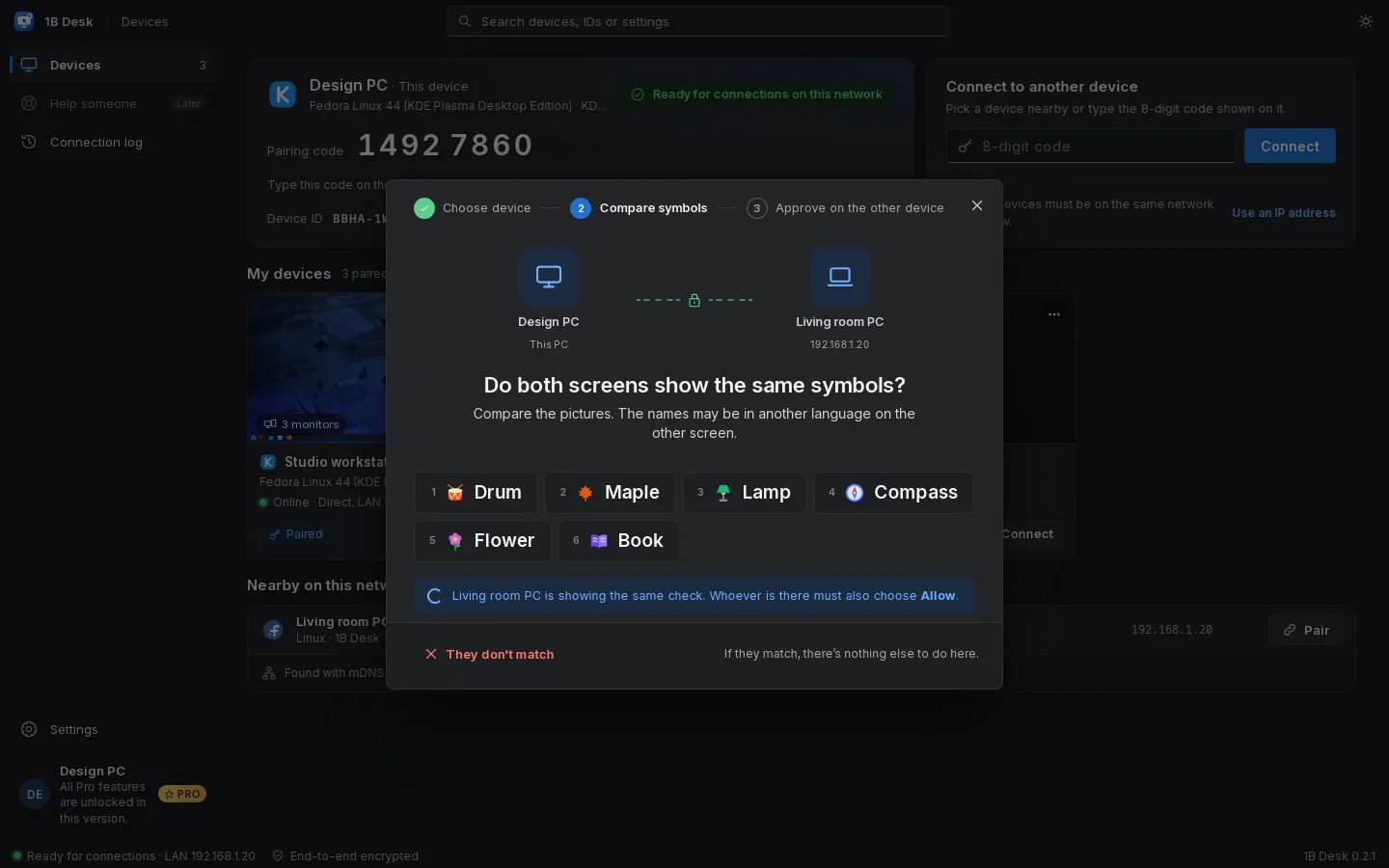
To pair, both screens show the same six pictures. If they match, whoever is at the other computer presses Allow. No accounts, no passwords to type, and a stranger can't slip in between.
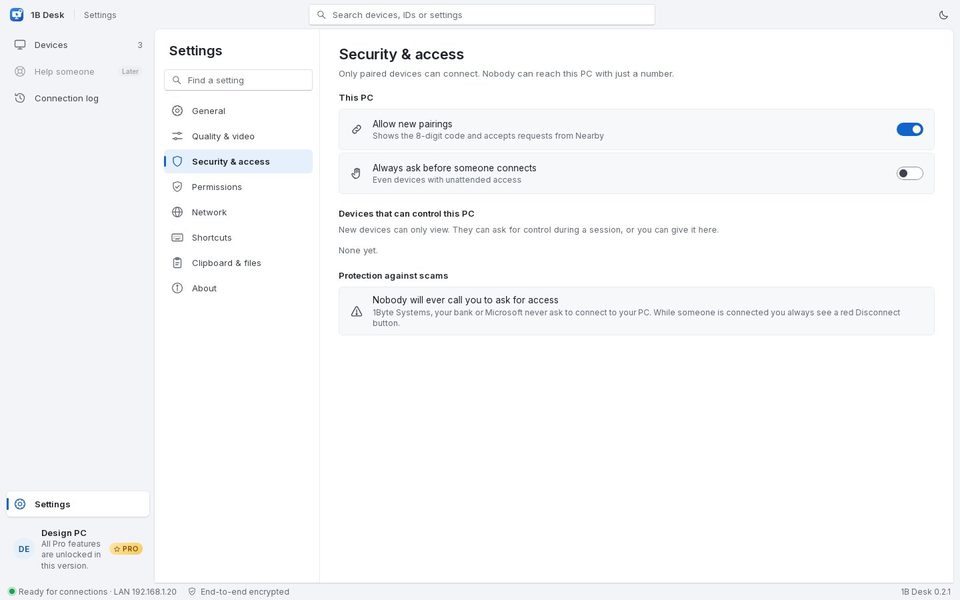
Nobody gets in by guessing a number
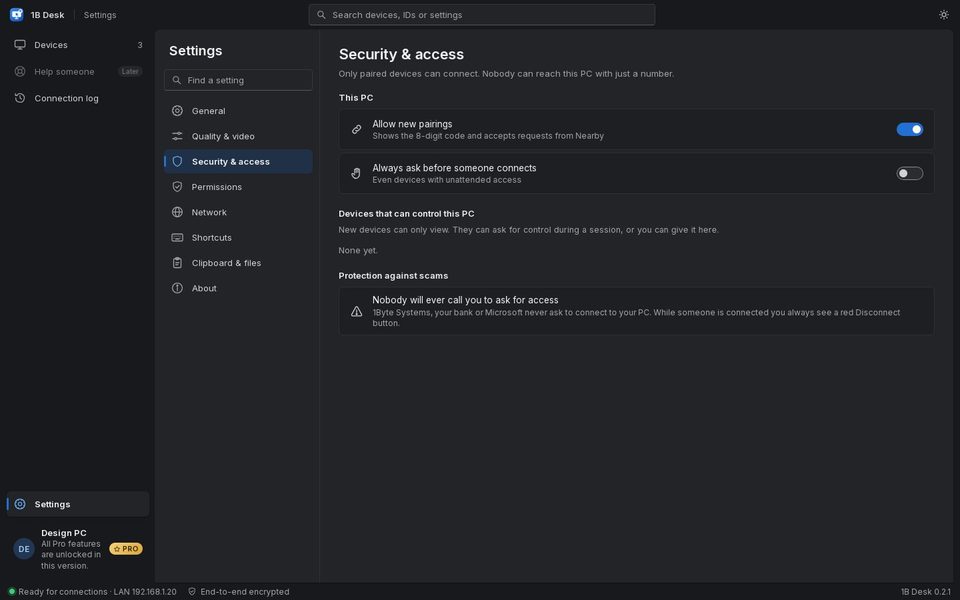
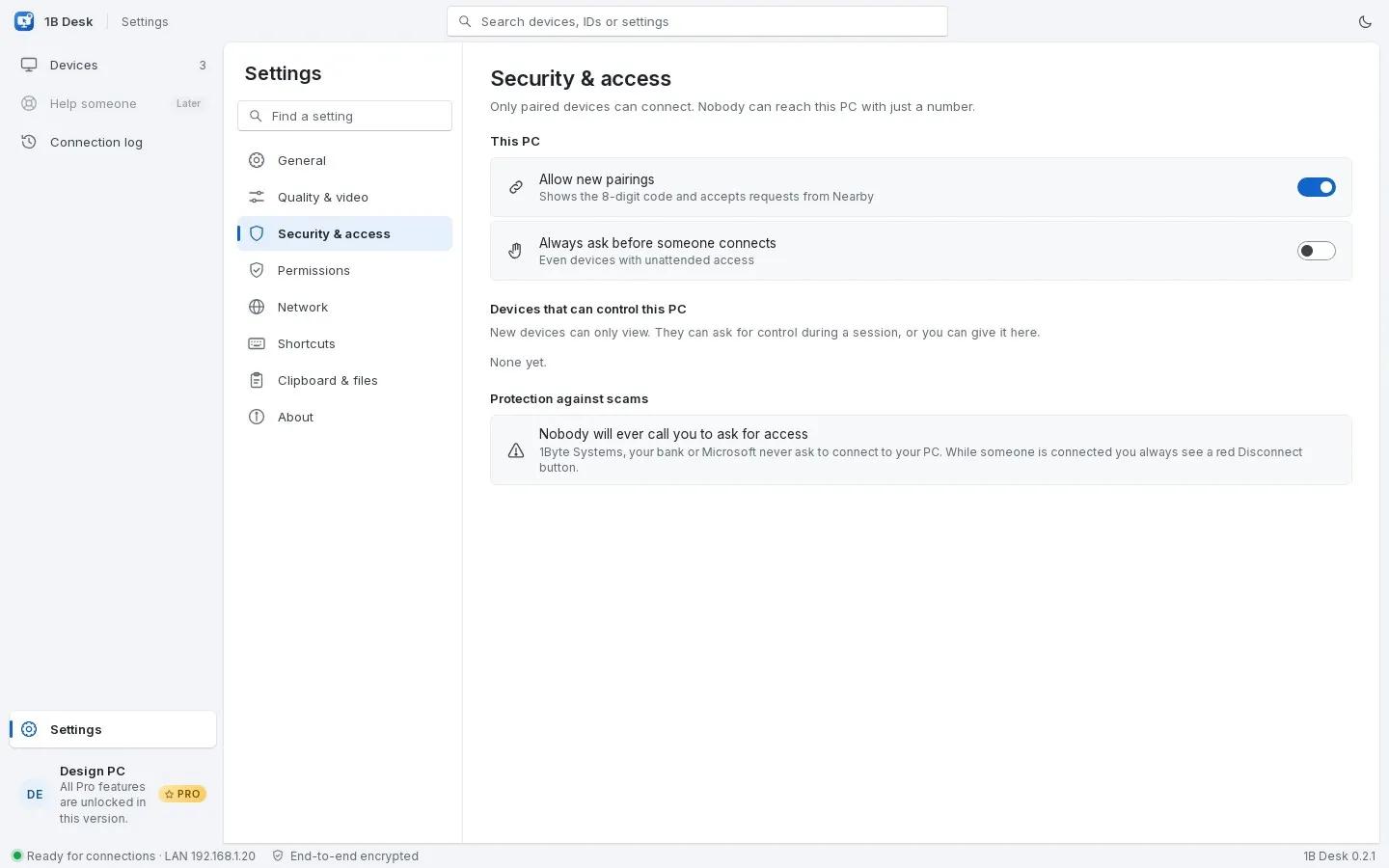
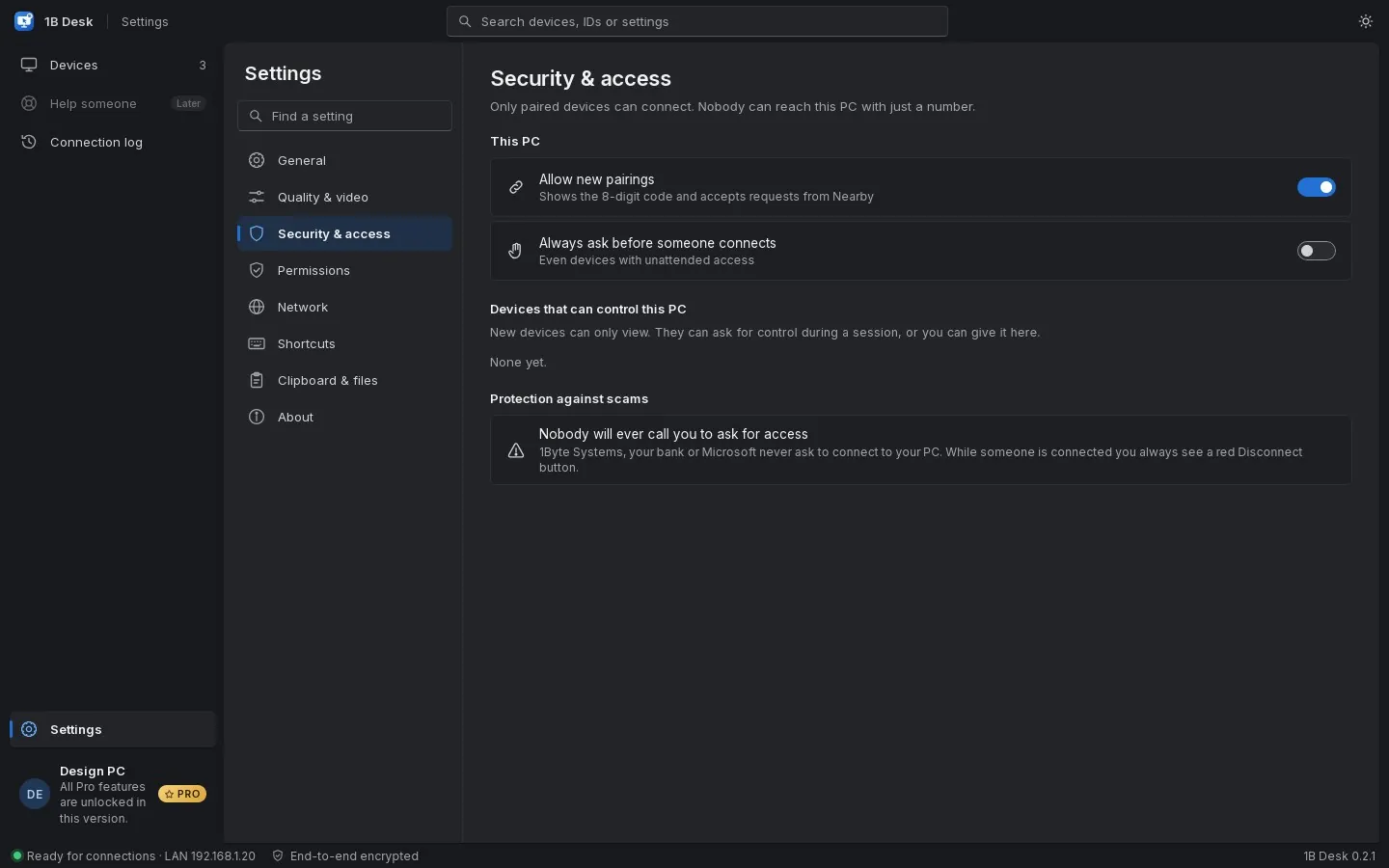
Only paired devices can connect. New ones can only view: control is asked for during the session, or you give it per device. Whoever is watching or controlling is always shown, with a red Disconnect button.
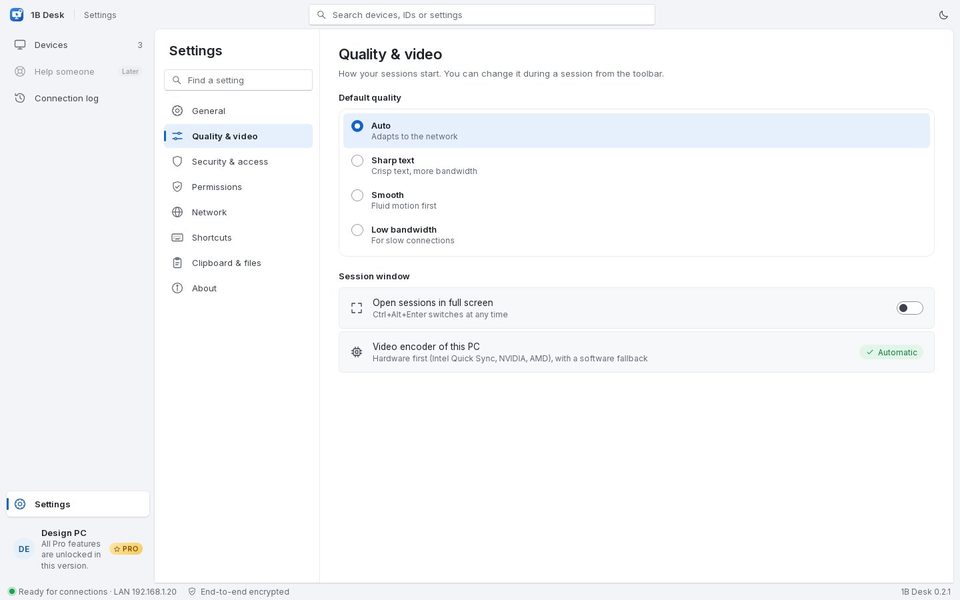
Sharp text or smooth motion
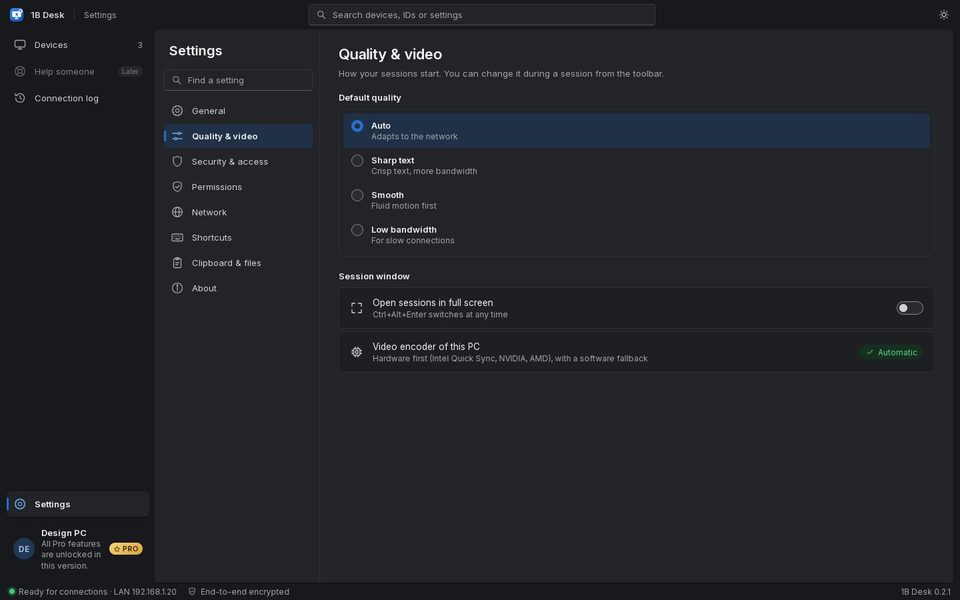
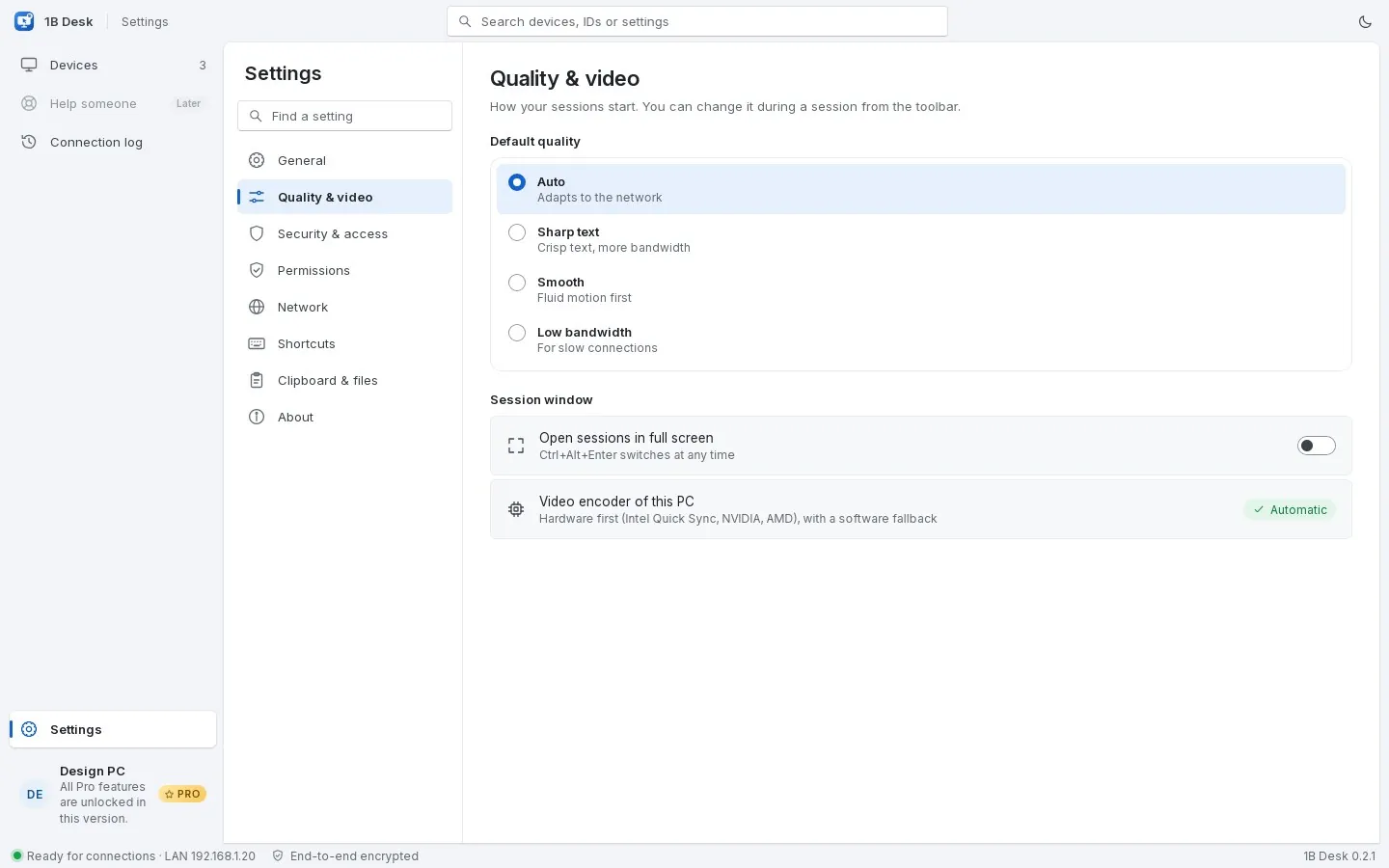
Automatic quality adapts to your network; switch to sharp text for documents and code, smooth for video, or low bandwidth for weak Wi-Fi. Hardware encoding (Intel Quick Sync, NVIDIA, AMD) with a software fallback.
- ≈20 msfrom capture to arrival on a home network (median)
- 50 fpsfrom a KDE Plasma desktop on Wayland
- 1video stream per monitor: you choose which one
- 21languages, settings included
Measured on our own PCs over a home Gigabit network. Windows 11 (Intel i7-6700K, HD 530, with the 1B Desk service) to Fedora 44: median 19 ms from capture to arrival and 32 ms until the frame is painted with the graphics card. KDE Plasma 6 on Wayland to Windows 11: median 13 ms at 50 fps.
Why it feels local
A remote desktop is only good if you forget it's remote. We built 1B Desk around that.
Native on Wayland
On Linux it uses the desktop's own screen-sharing and remote-input interfaces (the XDG portal and PipeWire), so it works on KDE Plasma and GNOME with Wayland, and on X11 too. You give permission once; after that, nobody has to click on the other side.
Direct and end-to-end encrypted
The two computers talk directly over QUIC with TLS 1.3 and keys fixed when you pair them, on your network and, when the routers allow it, over the Internet. Otherwise the session goes through the 1Byte relay, still end-to-end encrypted: the relay can't see your screen.
Built for every screen
Each monitor is its own video stream, encoded by the graphics card when it can. The viewer draws with the GPU, and 'Match resolution to this window' sets the other PC to your window's size and puts it back when you leave.
Paired once. Safe every time.
Remote-access scams start with a stranger asking you to install something. 1B Desk is built so that doesn't work.
- Only devices you paired in person can connect — never just with a number
- New devices can only view until you give them control
- A banner with a red Disconnect button whenever someone is connected
- 1Byte Systems, your bank or Microsoft will never call you to ask for access
Works on
- KDE Plasma 6 (Wayland)
- GNOME (Wayland)
- X11 desktops
- Windows 11
- Windows 10
Linux packages
- Fedora 43/44 (RPM)
- openSUSE Tumbleweed (RPM)
- Debian 12+, Ubuntu 24.04+, Linux Mint 22 (DEB)
- AppImage
The details you'd miss
Switch monitors
See one monitor at a time and switch with Ctrl+Alt+1…9, or pick it from a live map of the other PC's screens.
Match the resolution
The other PC switches to your window's size, like KRDC, and returns to its own when you disconnect or the connection drops.
Clipboard and files
Copy on one side and paste on the other. Send files from the session; they arrive in a folder you choose.
Answers admin prompts
On Windows, the 1B Desk service lets you answer UAC prompts, unlock the PC and press Ctrl+Alt+Del.
View only, or control
Ask for control during a session; the other side chooses Allow this time, Always or No, and can take it back from the tray.
Updates itself
It checks for new versions, verifies their signature and installs them for you, also from Settings › About.
Light and dark
Follows your system's theme, or choose your own. The same design on Linux and Windows.
21 languages
The app, the viewer and the settings in 21 languages, following your system's.
Real screenshots
Devices: paired computers with a live thumbnail, and one nearby
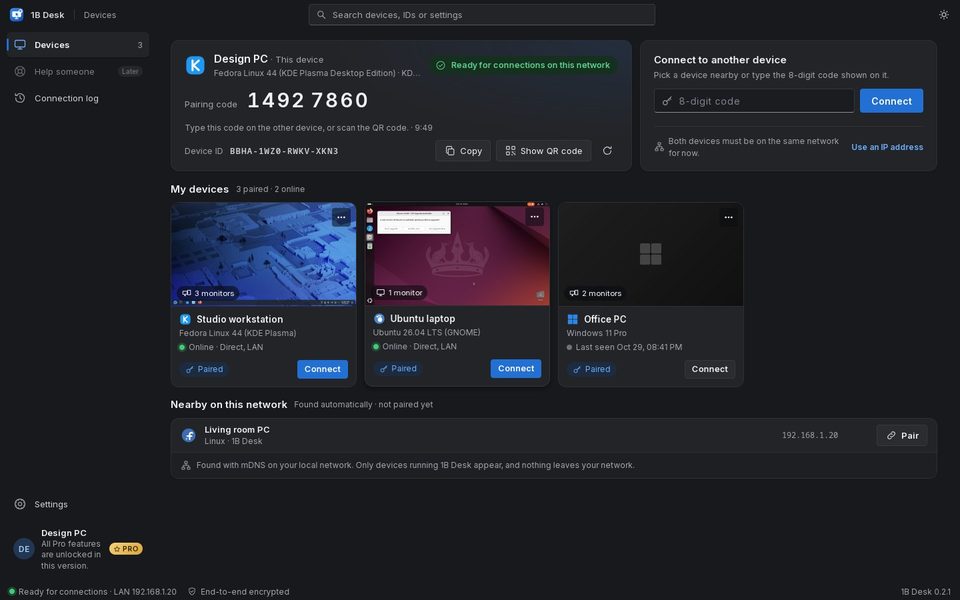
The same screen in the dark theme
Pairing: both screens show the same six symbols
Pairing in the dark theme
Settings: security and access
Security and access, dark theme
Settings: quality and video
Quality and video, dark theme
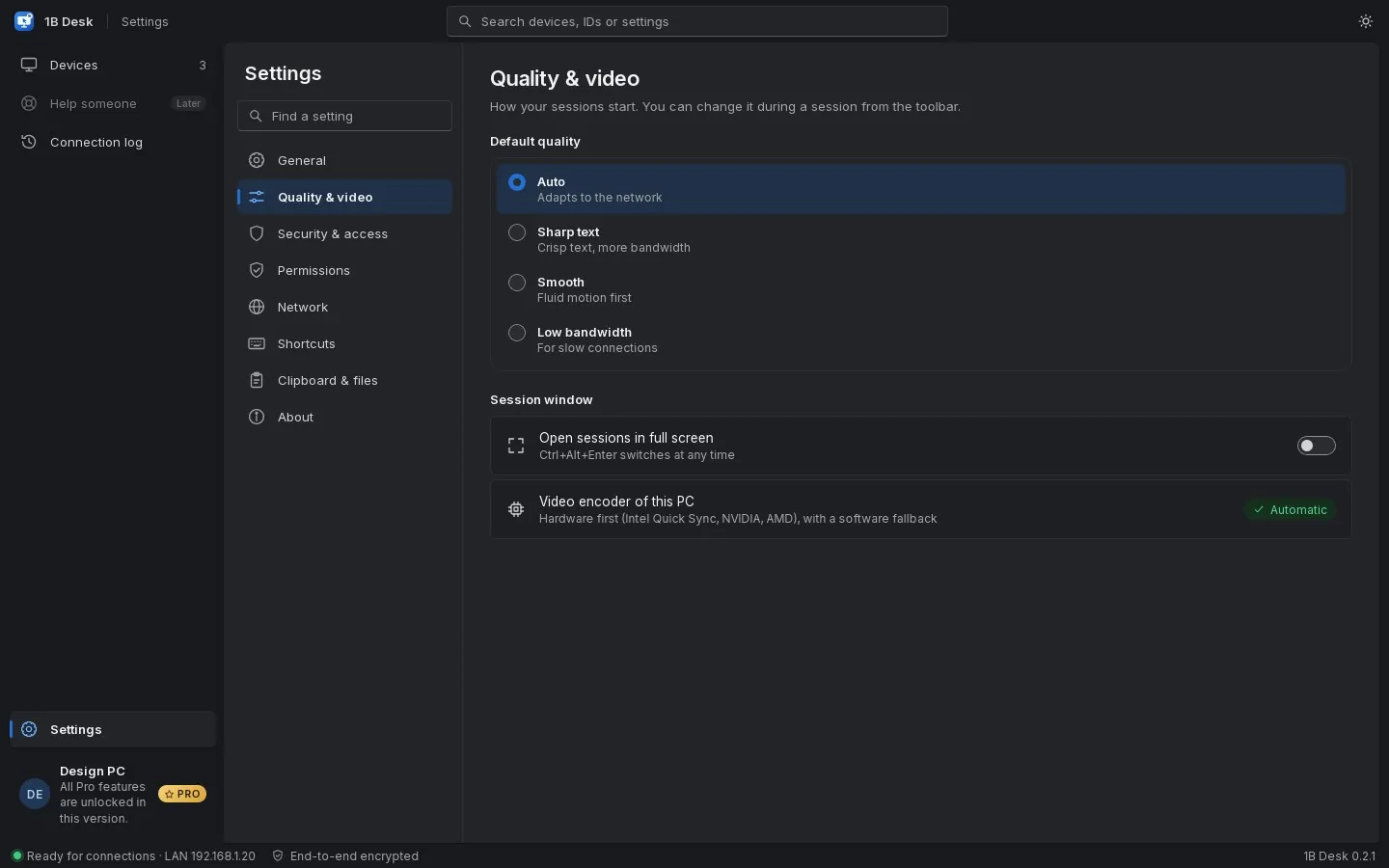
Real screenshots of our current builds, filled with sample data.
Download 1B Desk
Install it on both computers, pair them once and reach your other PC with one click.
- LinuxRPM · DEB · AppImage
- WindowsEXE
Privacy at a glance
- No ads, no analytics and no account
- The screen, keyboard, clipboard and files go directly between your computers, end-to-end encrypted; over the Internet, when needed, through our relay, which can't see them
- Devices are found with mDNS on your local network; nothing about them leaves your network
- For connections over the Internet, our relay sees your IP address and your devices' key fingerprints, never what you see or type. Updates are checked about every six hours
Details
- Status
- Version 0.3.0
- Platforms
- Linux (Wayland and X11) · Windows 10 and 11 (64-bit)
- Download
- RPM · DEB · AppImage · EXE
- Languages
- 21 languages
- App ID
com.onebytesystems.desk
Good to know
- Pairing is done once, with both computers on the same network; after that they connect from anywhere over the Internet.
- Over the Internet, when no direct route is possible, the session goes through our relay in the United States, with more delay than a direct connection.
- Windows 10 and 11, 64-bit. The installer adds the 1B Desk service and needs administrator rights. It isn't signed yet, so SmartScreen may warn you the first time.
- Linux x86-64: Fedora 43/44 and openSUSE Tumbleweed (RPM), Debian 12, Ubuntu 24.04, Linux Mint 22 or later (DEB), and an AppImage for the rest. Ubuntu 22.04 isn't supported. With the AppImage, this PC can only be reached while 1B Desk is open.
- On Linux the video codec is Cisco's OpenH264 from your distribution (on Fedora, the fedora-cisco-openh264 repository, on by default).
- The Android viewer is coming to Google Play. No macOS version yet.


