
1B PhotosPhoto gallery with on-device AI
Your photos understand you. Nobody else sees them.
1B Photos is a fast gallery that searches your photos by what's in them, finds places and memories and tidies up, with the AI running on your phone. Your backup goes straight to your own PC, encrypted. No cloud, no ads, no account.
- AI that stays on the phone
- 21 languages, offline
- Backup to your own PC
- No ads, no tracking
- Phone, foldable, tablet
Coming soonIn development — closed testing on Google Play opens soon
Write to us and we will invite you as soon as the closed test opens. No Google Play link yet.
Inside the app
A complete gallery, from the first tap
Real screens of 1B Photos 1.0: what each part does, how, and who it's for.
 01
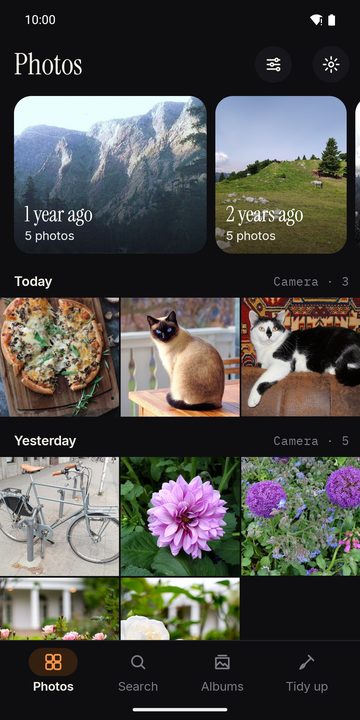
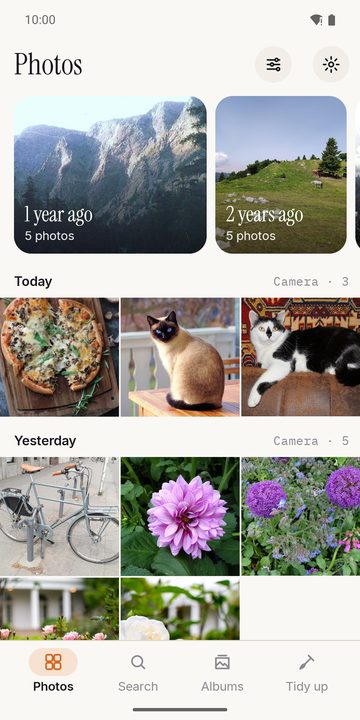
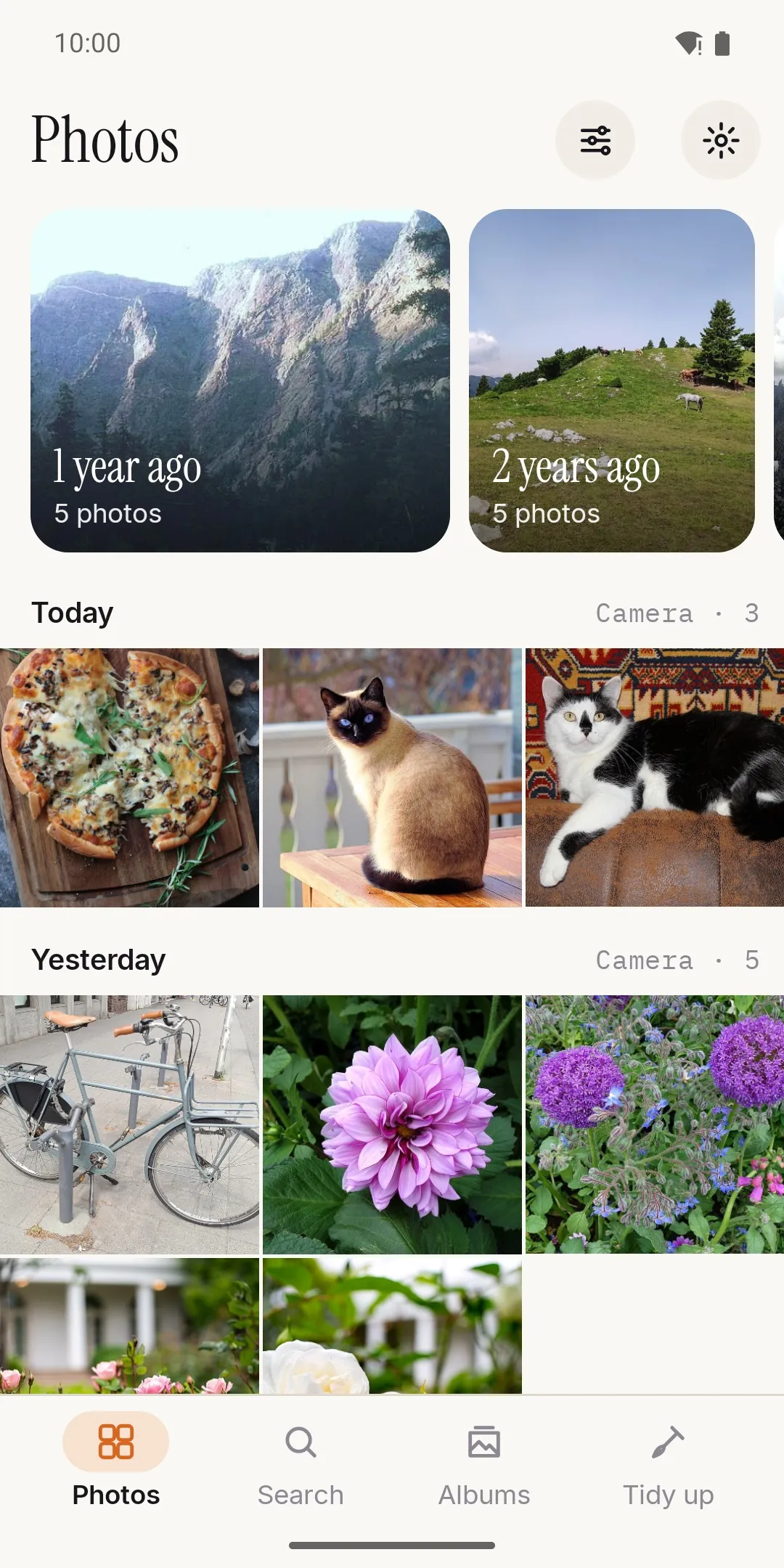
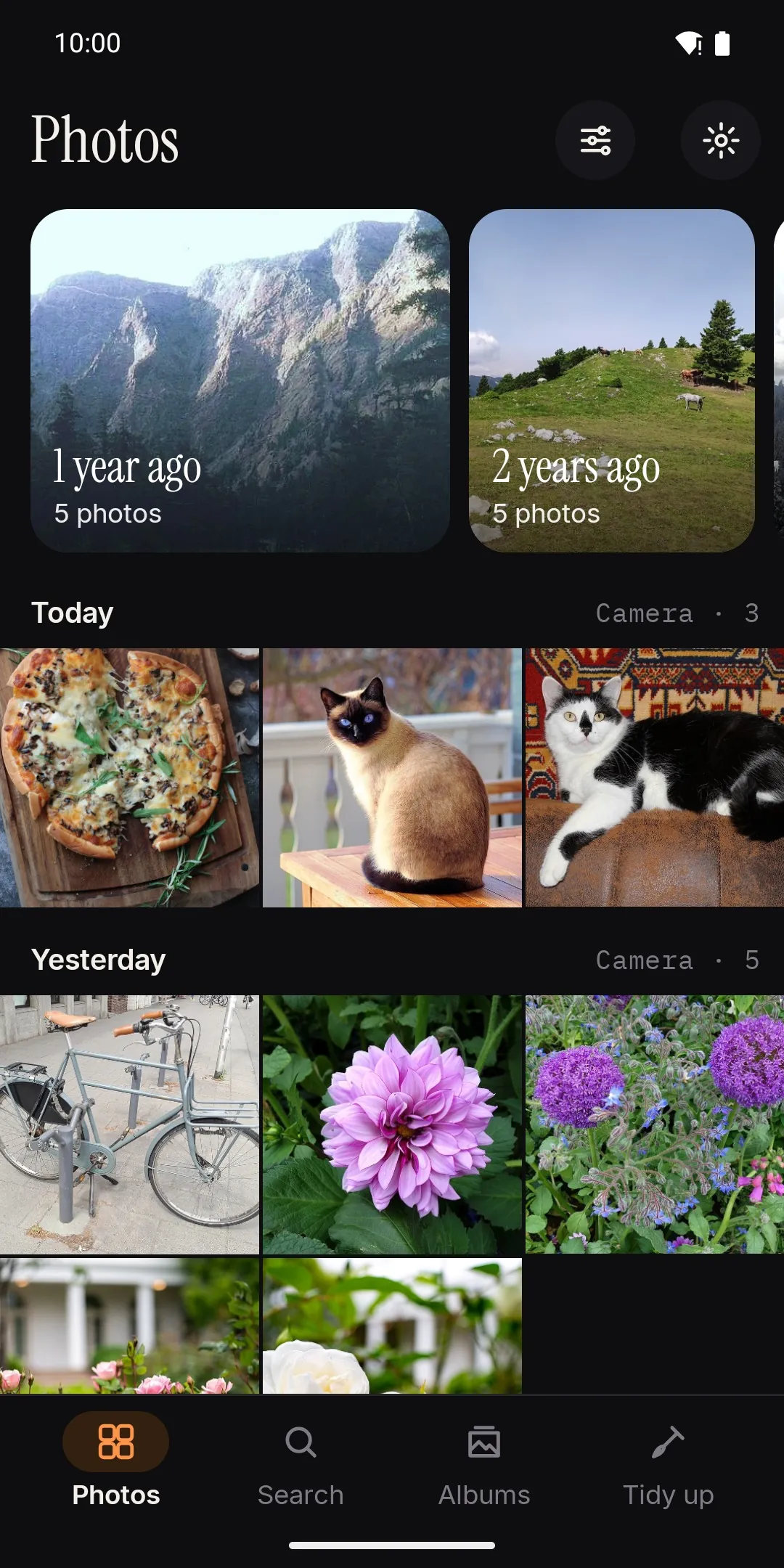
Your photos, day by day
A fast timeline you pinch between days, months and years, with memories on top. Drag your finger to select many photos at once, or take a whole day in one tap; sort by date, name or size and filter videos, RAW, screenshots, selfies, bursts or panoramas.
Made for anyone with years of photos on one phone.
- Pinch between days, months and years
- Drag to select, or a whole day at once
- Light and dark theme
 02
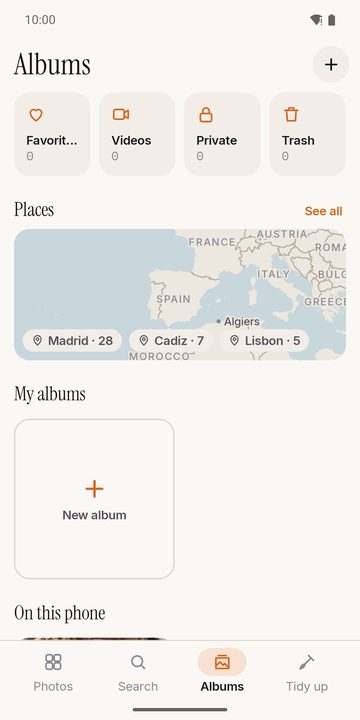
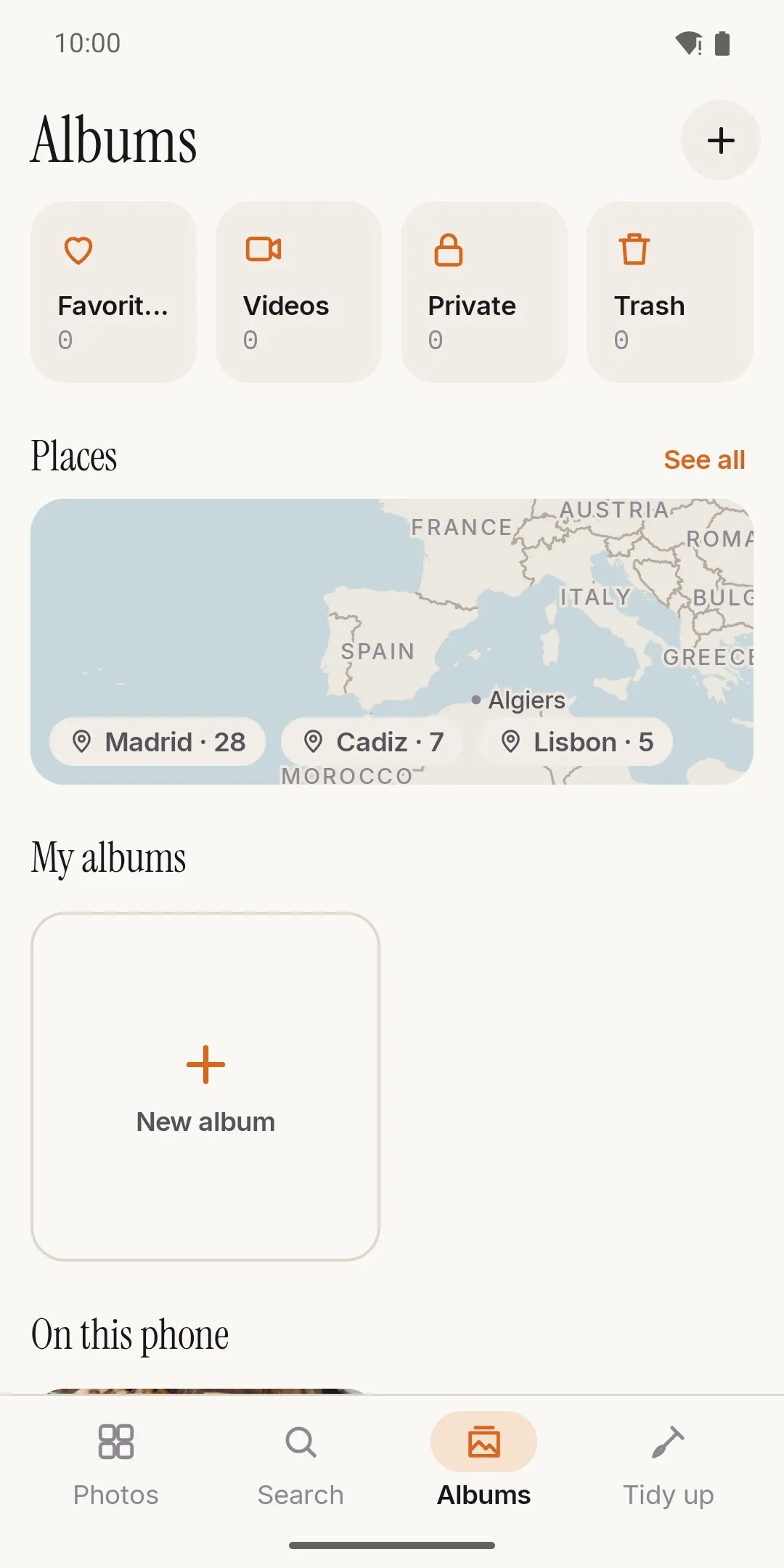
Albums, places and a private folder
Albums that don't move or copy your files, folders you can pin or hide, favorites and the system's 30-day trash. The private folder is encrypted on the phone and opens with your fingerprint, face or PIN; every photo is checked before the original is removed.
Made for people who like order — and anyone with photos that aren't for everyone.
- Albums without duplicate files
- Pin or hide folders
- Private folder opened with your fingerprint
 03
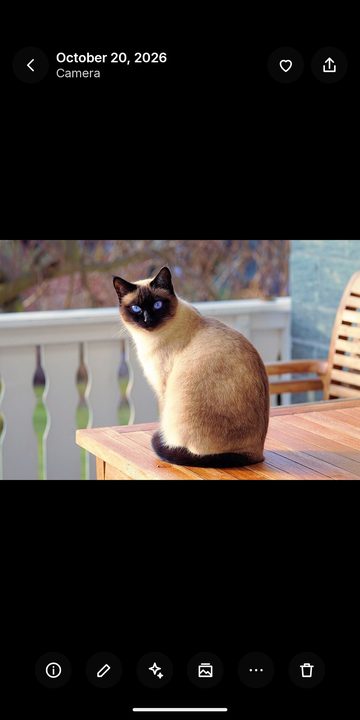
The photo, and nothing else
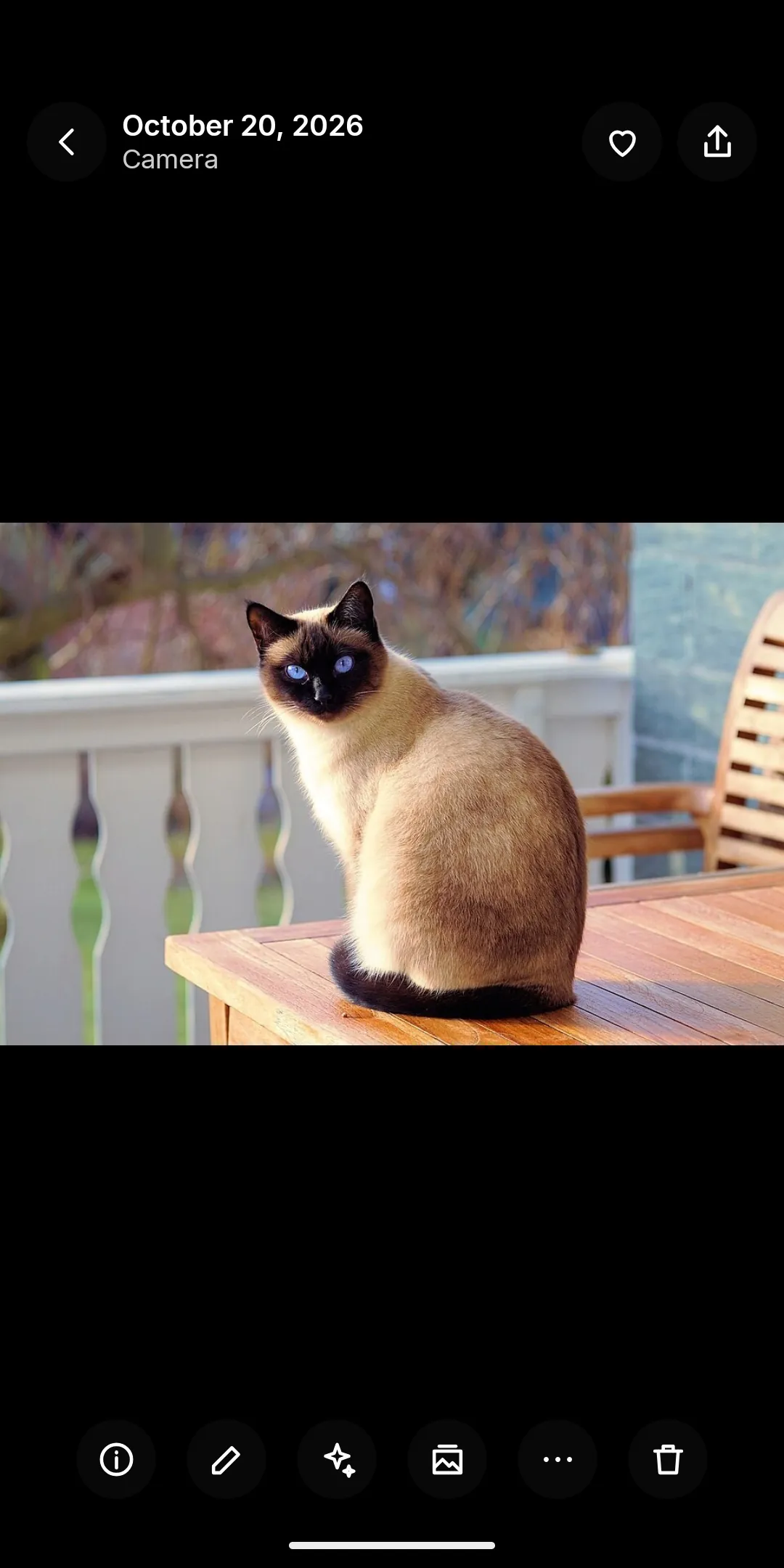
A clean viewer with the details one swipe away: date, place and camera data. Rotate without losing quality, change the date or place, compare two shots, and play GIFs, animated WebP and motion photos right in the gallery.
Made for people who want to look at their photos, not at buttons.
- Lossless rotation
- Edit date and place
- Slideshow and side-by-side compare
 04
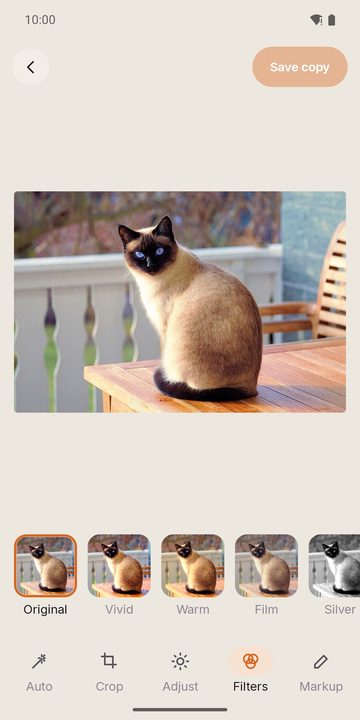
An editor that never touches the original
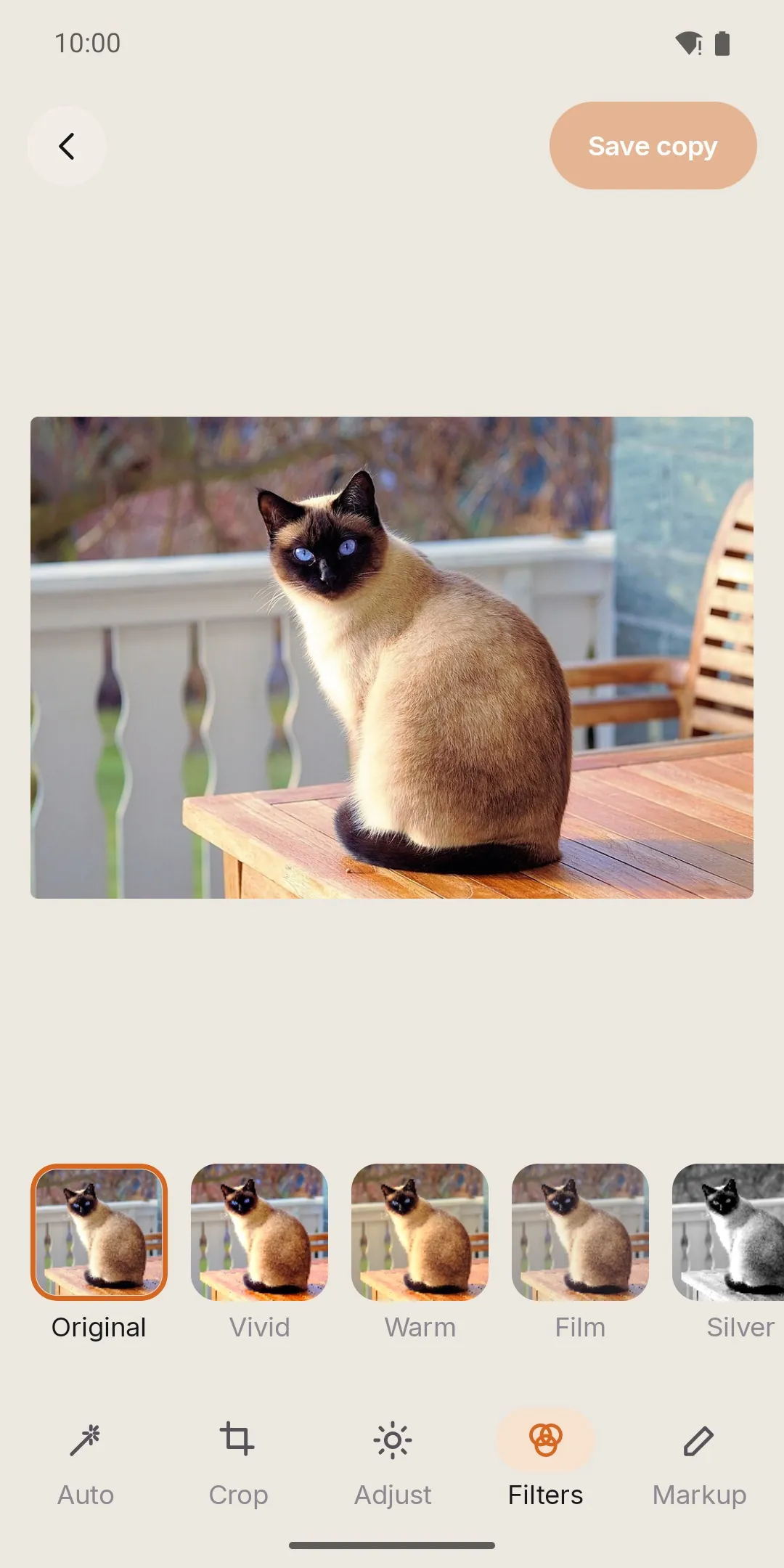
Crop with ratios, straighten and fix perspective, adjust light, shadows, colour and hue, add one of six filters, draw, write or blur. Edits are saved as a copy. Videos can be trimmed, sped up or slowed down, and any frame can be saved as a photo.
Made for quick fixes before sharing, without a separate editing app.
- Crop, straighten, perspective
- Draw, text and blur
- Trim videos and save a frame
 05
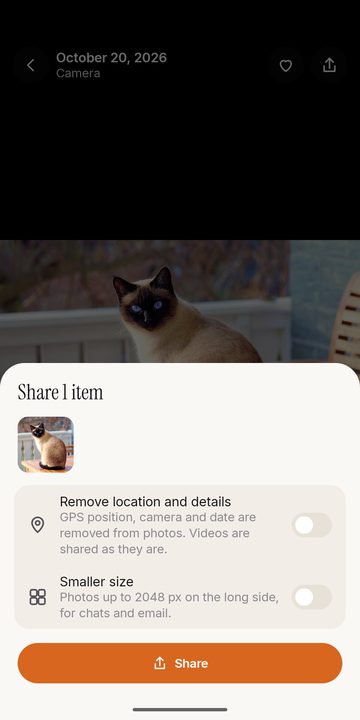
Share the way you want
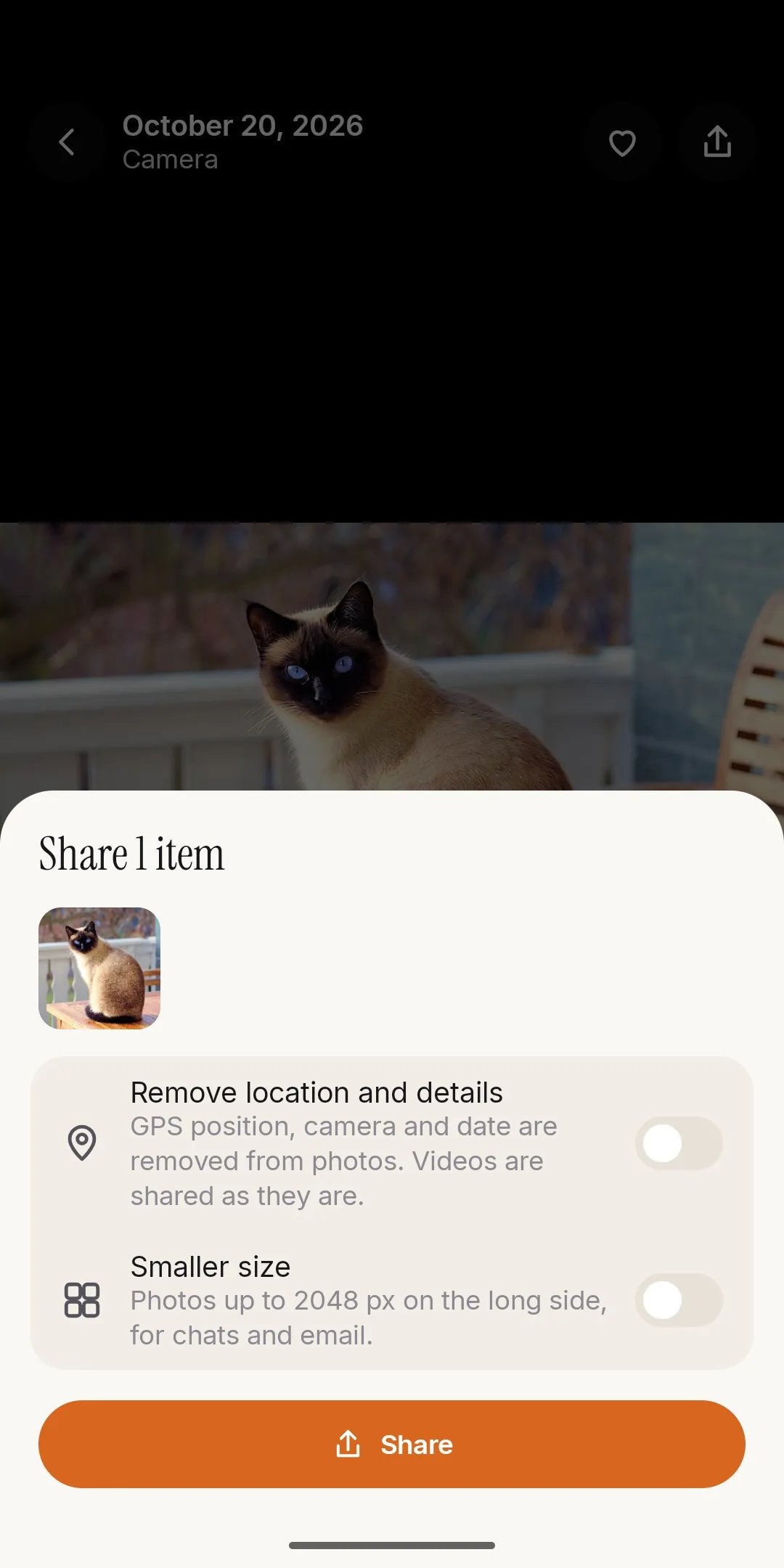
One photo or a hundred, photos and videos together, to any app on your phone. Remove the location or make them smaller before they go. Turn a selection into a collage or a PDF, print it, or show a QR code.
Made for parents, travellers and everyone who sends photos every day.
- Remove the location before sharing
- Smaller copies for messaging
- Collage, PDF and print
 06
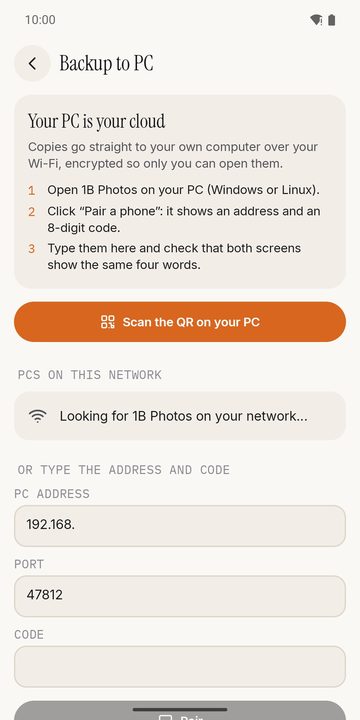
Backup to your own PC
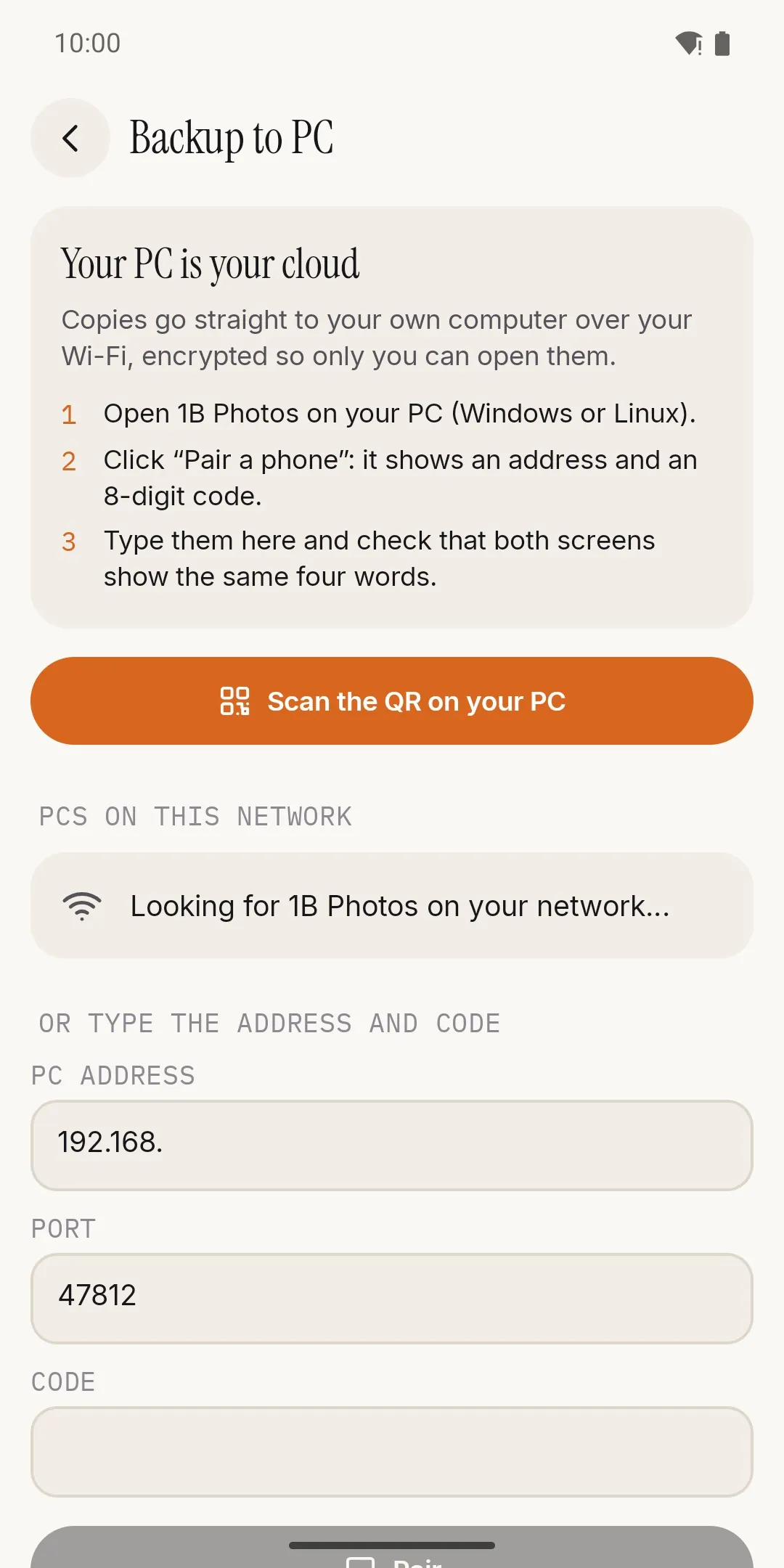
Open 1B Photos on your Windows or Linux PC, scan the QR once and both screens show the same four words. From then on, the phone copies to your PC on your Wi-Fi — by default while charging — each file encrypted on the phone and checked by the PC. Only what the PC has verified can leave the phone.
Made for people who don't want a monthly storage plan, or their photos on someone else's servers.
- End-to-end encrypted, only on your local network
- A 24-word recovery key, so you never depend on us
- Free up space safely: the last month and favorites stay
Everything clever happens on the phone
Search, text recognition, places and memories are worked out by AI models that arrive with the app. Your photos are never uploaded to make them work.
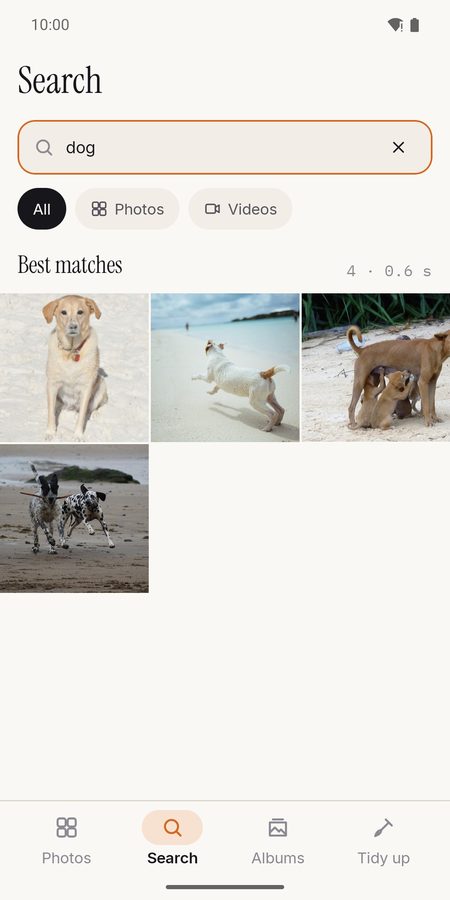
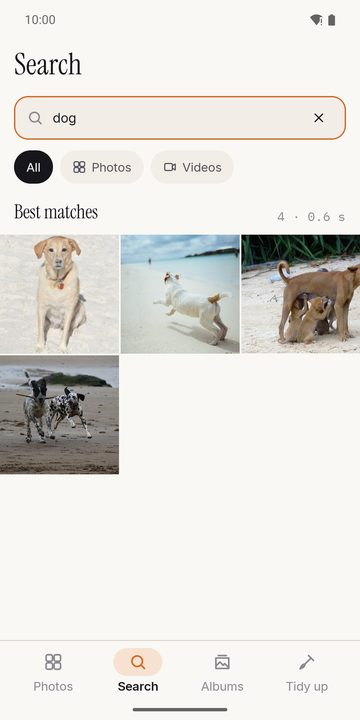
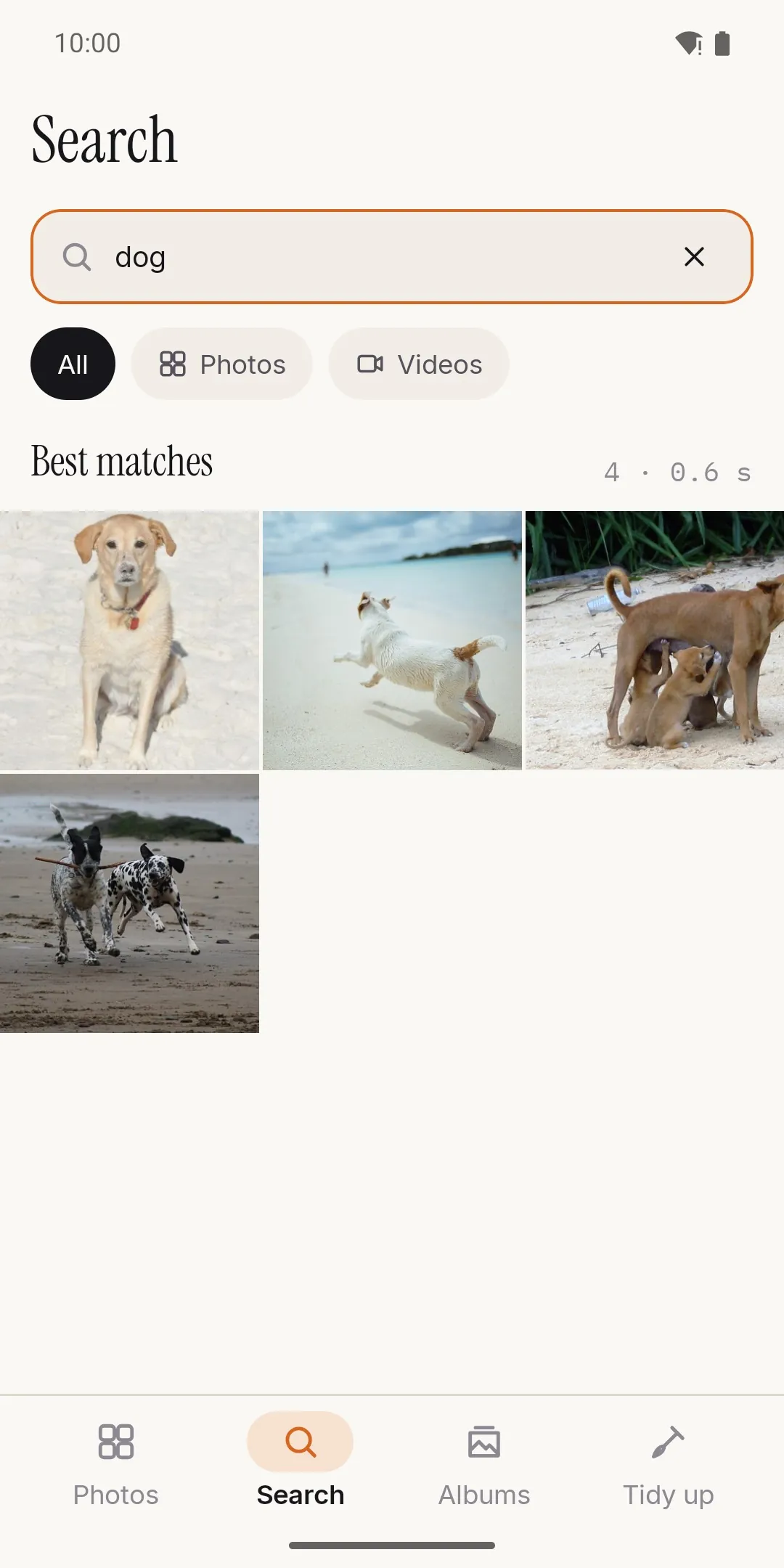
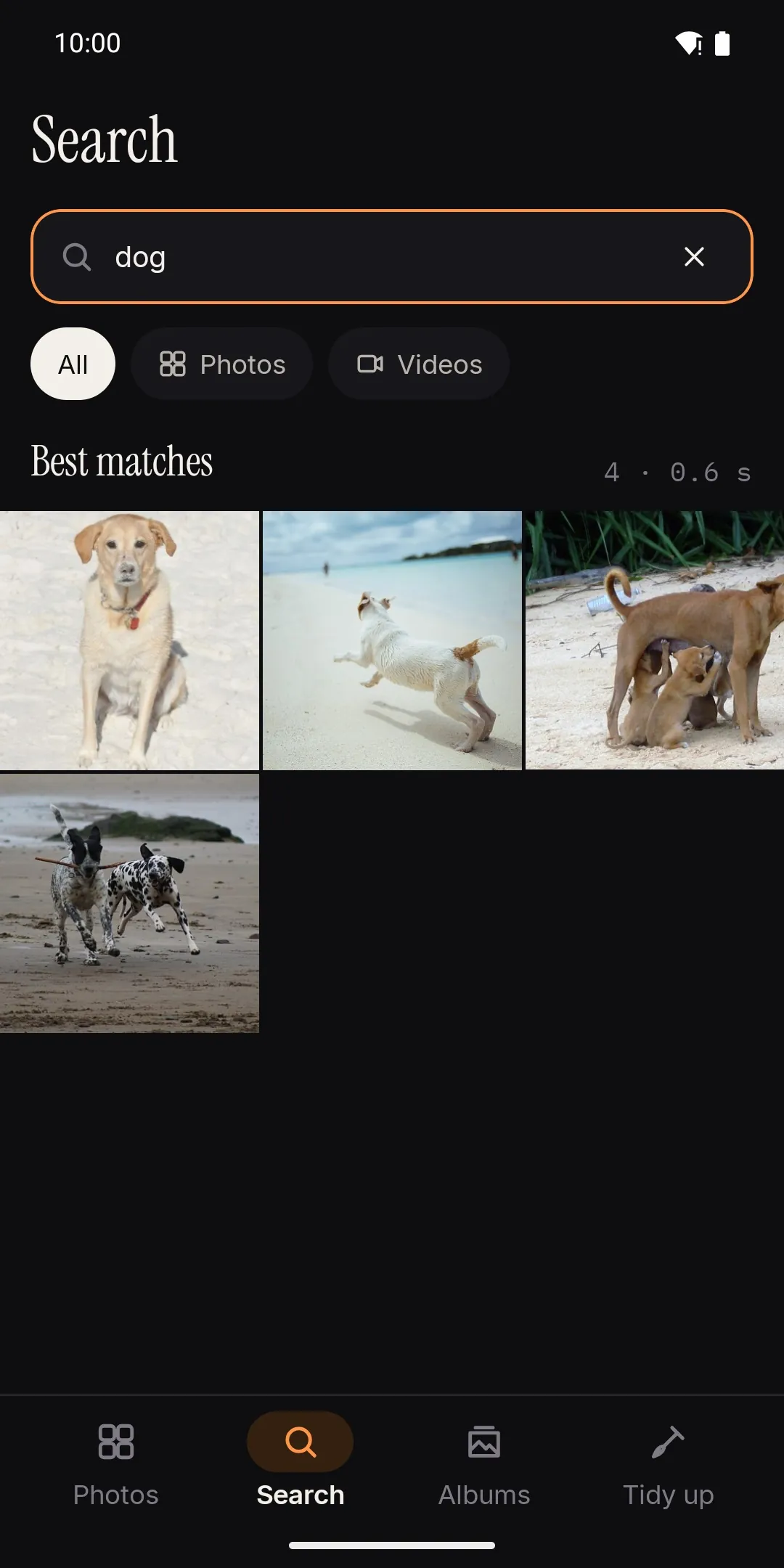
Search by what's in it
"dog on the beach", "red car", "birthday cake" — in any of 21 languages, with no connection.
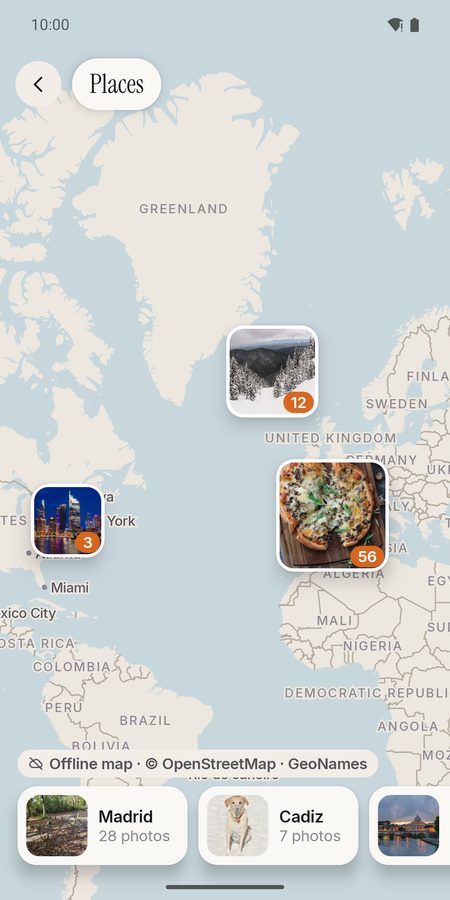
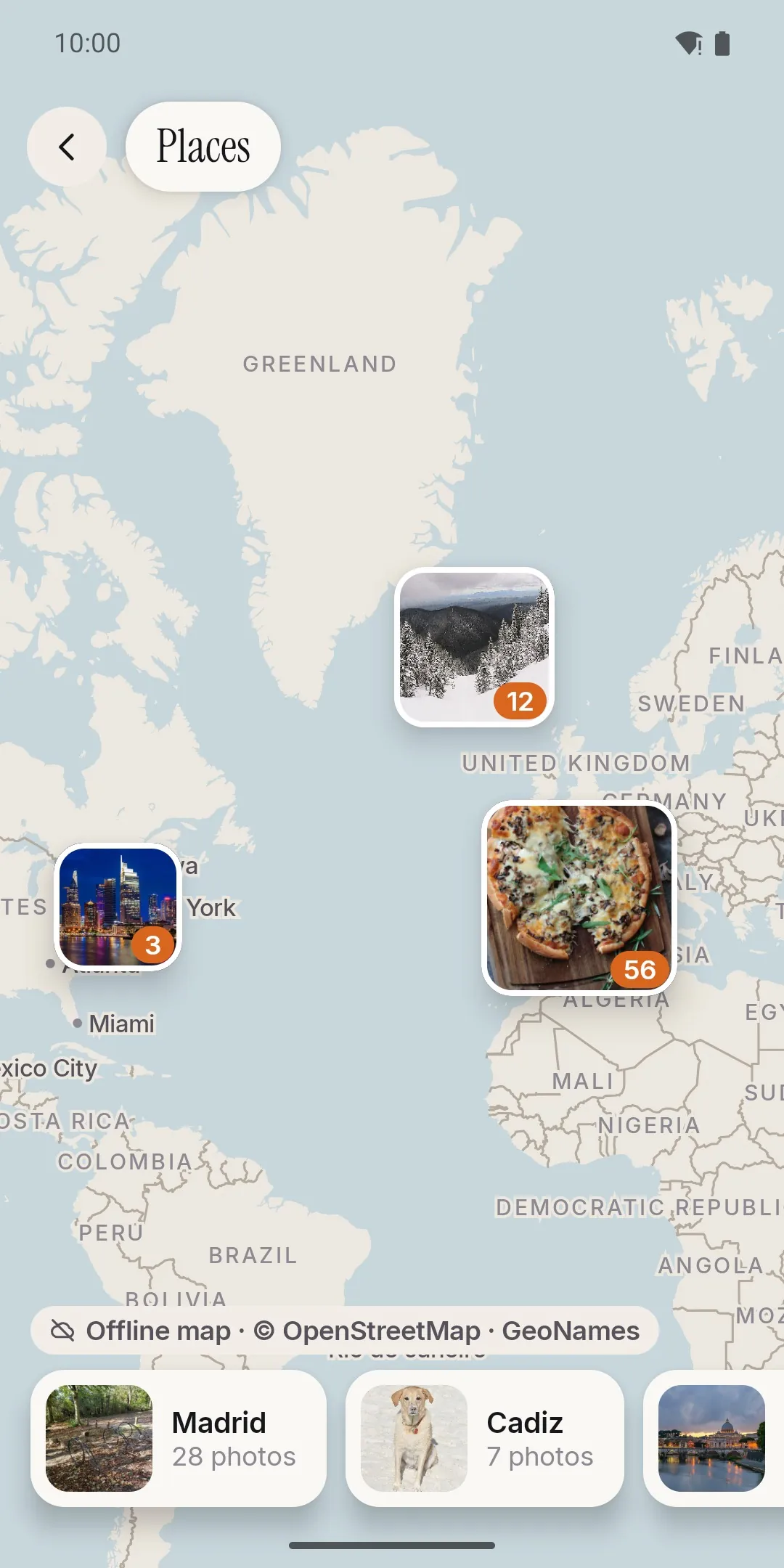
Places, offline
A world map inside the app and city names in your language, from the location saved in your photos.
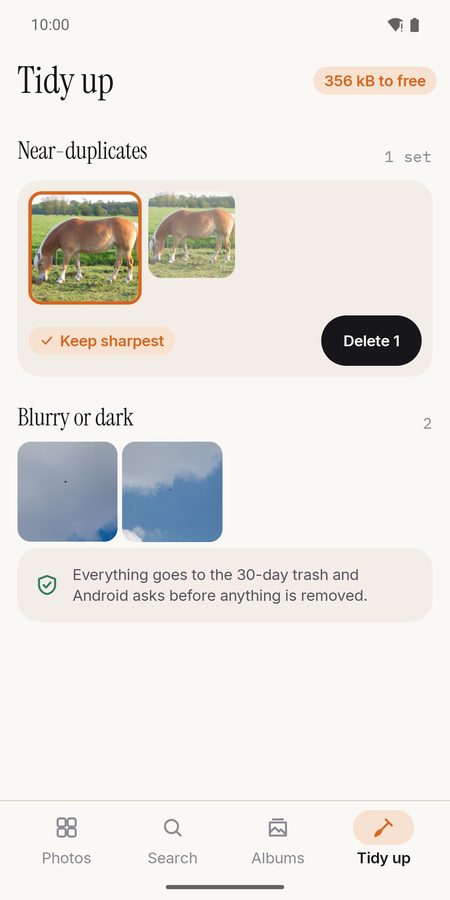
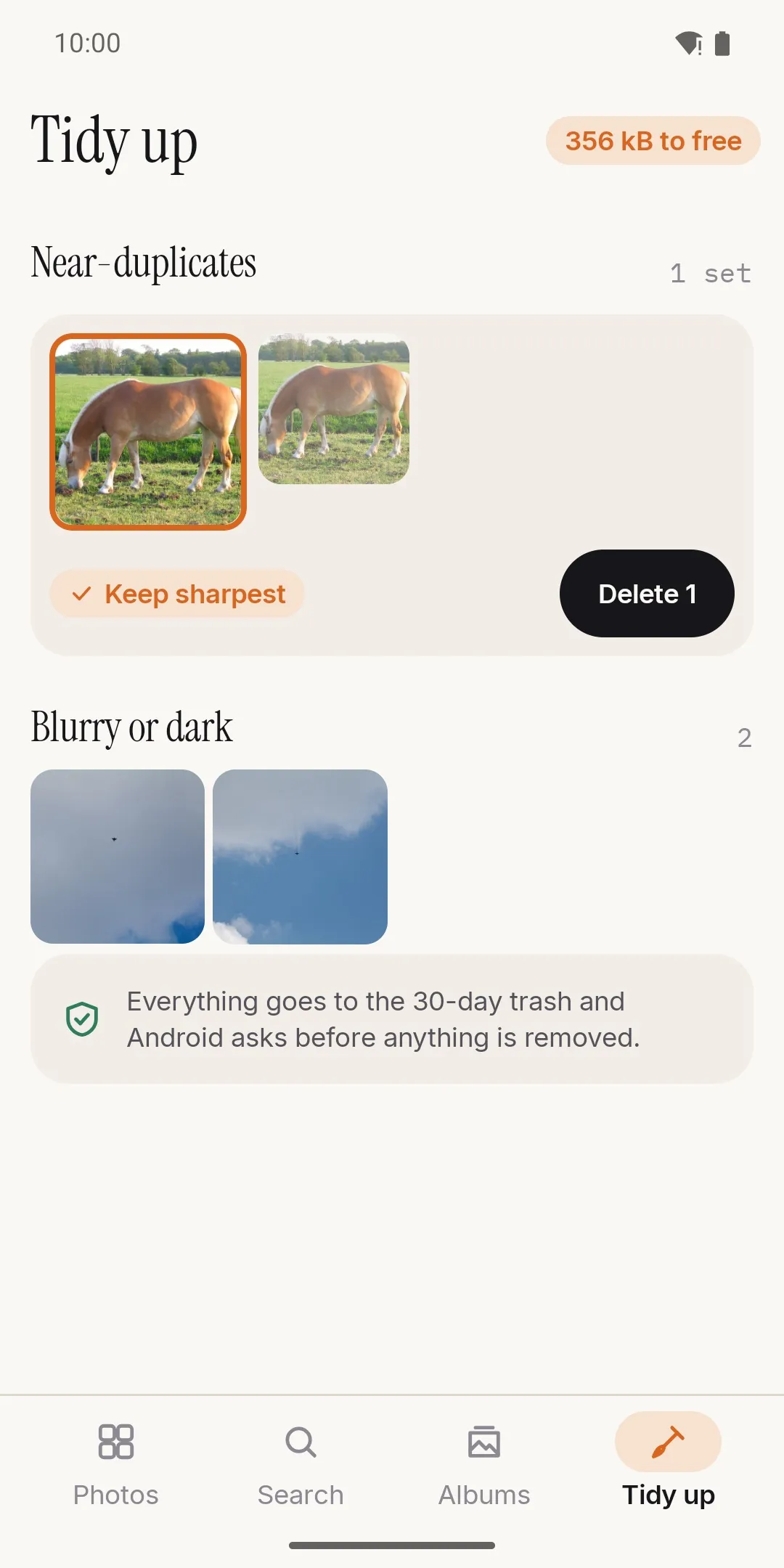
Tidy up without fear
Near-duplicates, blurry and dark shots, old screenshots: everything goes to the 30-day trash, and Android asks first.
- 21languages for search, with no connection
- 0photos uploaded to any server
- 24words in your recovery key: your backup never depends on us
- 50,000photos in the library we built and tested it with
Your PC is your cloud
Backup is optional and takes a minute to set up. There is no subscription and no storage plan: the space is your own disk.
Open 1B Photos on your PC
The desktop app for Windows and Linux receives the backup and shows a QR code.
Scan the QR once
The phone pairs with your PC and both screens show the same four words. After that, the phone finds your PC by itself.
Let it copy
On your Wi-Fi and, by default, while charging. Each file is encrypted on the phone and checked by the PC.
Free up space
Only what your PC has verified leaves the phone; the last month and your favorites stay by default.
Private by design: where your photos go
Nowhere you didn't choose. The only connection 1B Photos makes is to your own computer, on your own network.
- No ads, no analytics, no crash reporters and no third-party SDKs that use the network.
- AI search, text in photos, places and memories are calculated on the phone. Searches never leave it.
- People and faces are off by default. Turned on, face prints are made and kept only on this phone, and turning it off deletes them all.
- The backup travels end-to-end encrypted, straight to your PC on the local network. The app refuses any address outside it.
- A 24-word recovery key and an open-source recovery tool let you open your backup without us, forever.
- No-network mode turns off everything that connects, including the backup.
On the phone
- AI search
- Text in photos
- Places
- Memories
- People (optional)
- Tidy up
- Editor
- Share
- Collage
- PDF and print
- Private folder
On your PC
- Windows
- Linux
- Verify backup
- Browse with your recovery key
- Export by year or month
Made for
- Phone
- Foldable
- Tablet
- Light and dark theme
- TalkBack
- Large text
A gallery first, and a good one
Timeline, folders, albums
Pinch between days, months and years. Albums that don't move or copy files, favorites and the system's 30-day trash.
Select, sort, filter
Drag to select or take a whole day. Sort by date, name or size; filter videos, RAW, screenshots, selfies, bursts or panoramas.
Share the way you want
One photo or a hundred, photos and videos together, to any app on your phone. Remove the location or make them smaller first.
Search by what's in the photo
Describe it in your words, in 21 languages. Add a name or a place: "Ana + Leo beach", "Lisbon sunset".
Text in photos
Find the receipt, the ticket or the sign by a word written on it — read on the phone.
Places
Your photos on an offline world map, with city names in your language.
Memories
On this day and your trips, as stories. Hide any memory, place or date you'd rather not see.
Tidy up
Near-duplicates, blurry and dark shots, old screenshots and large videos, keeping your favorites and the sharpest one.
Videos, GIFs and motion photos
Trim, save a frame and change the speed. GIFs, animated WebP and motion photos play right in the gallery.
Editor that never touches the original
Crop with ratios, straighten, perspective, light and shadows, color, hue and 6 filters, plus drawing, text and blurring. Saved as a copy.
Private folder
Encrypted on the phone and opened with your fingerprint, face or PIN. Every photo is checked before the original is removed.
Phone, foldable and tablet
Unfolded: the grid on one side and the photo with its details on the other, and tabletop posture.
1B Photos for your PC
The desktop app receives the backup, checks every file and lets you browse it with your recovery key. It will be here when the Android app opens its test.
- WindowsMSI installer · Windows 10 and 11Coming soon
- LinuxRPM package · Fedora and openSUSEComing soon
- LinuxPortable .tar.gz · any distributionComing soon
The open-source recovery tool (Python, MIT licence) comes with every download.
Good to know
- Android 11 or later. The desktop app is for Windows and Linux; there is no macOS version yet.
- People and faces only group photos on your phone: they are not included in the backup and are not shared between devices.
- Map data © OpenStreetMap contributors (ODbL); place names from GeoNames (CC BY 4.0).
See it on the phone
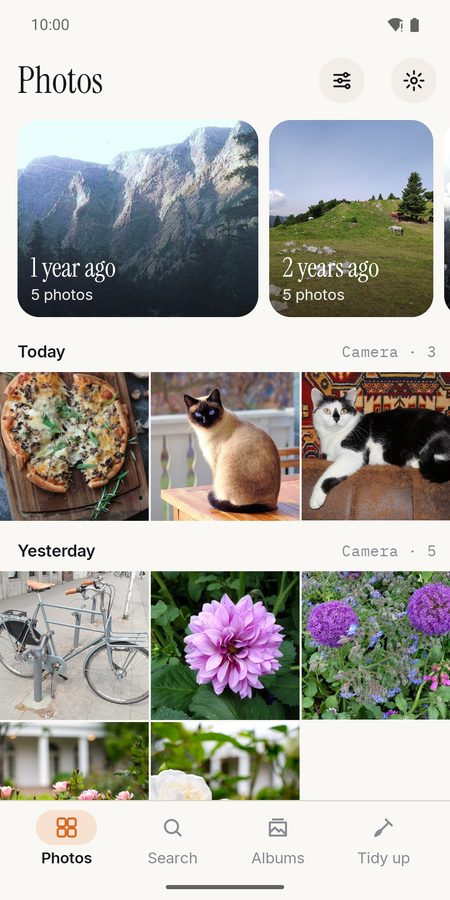
Your photos day by day, with memories on top
Search by what's in the photo, on the phone
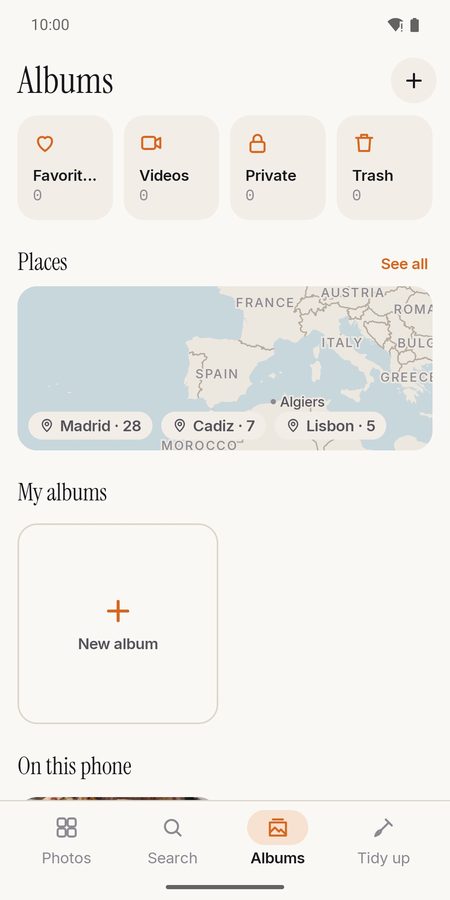
Albums, places and the private folder
Your photos on an offline map
Tidy up near-duplicates and blurry shots
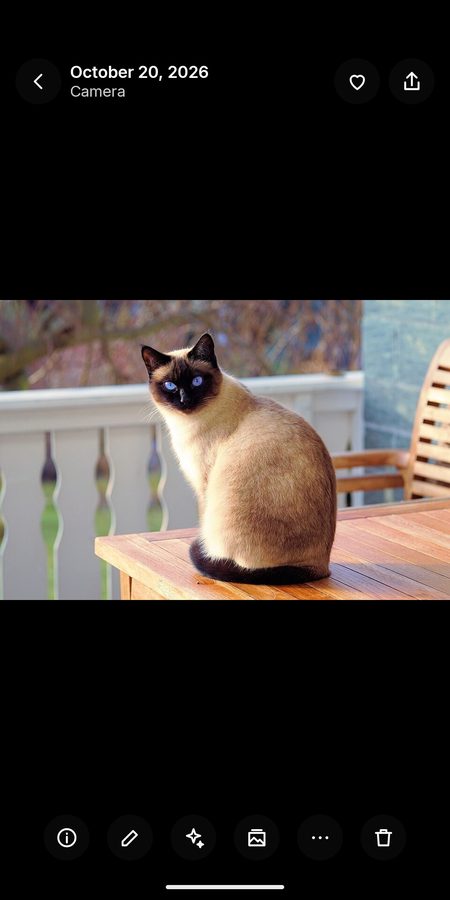
The photo, and nothing else
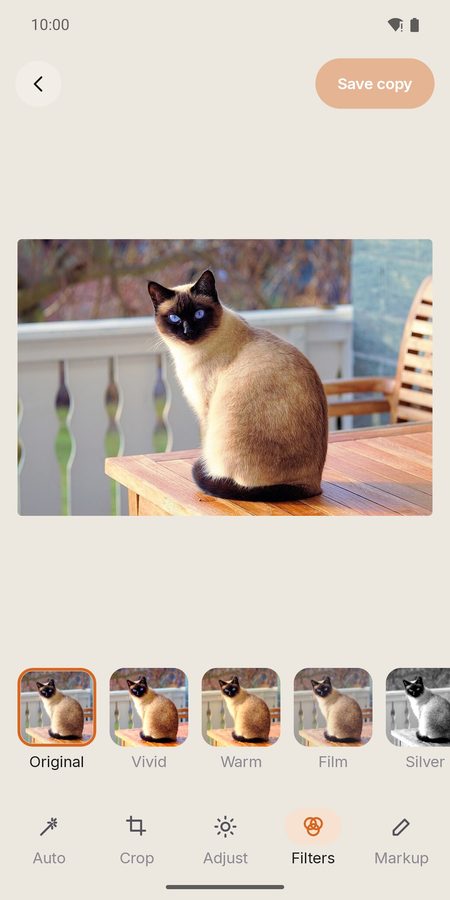
Edit without touching the original
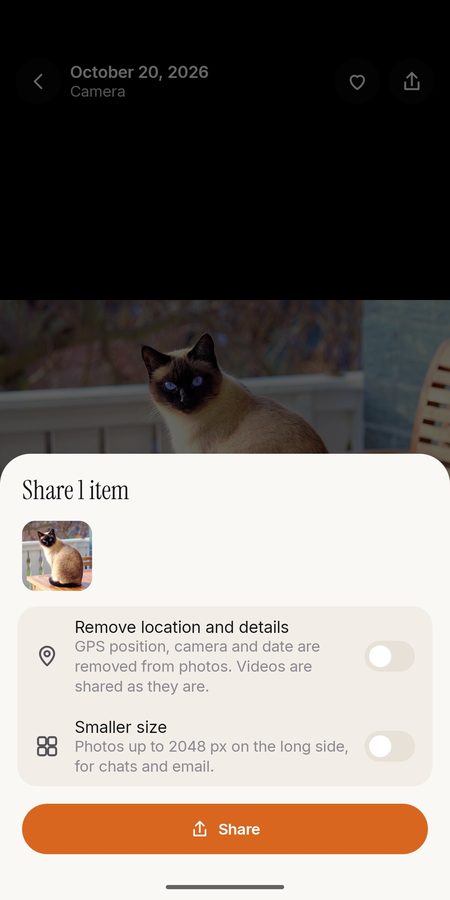
Share to any app, without the location if you like
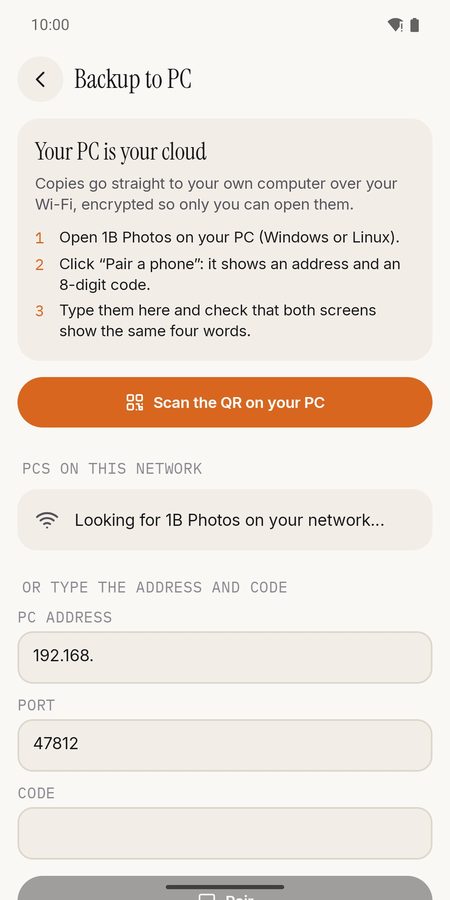
Backup to your own PC, encrypted
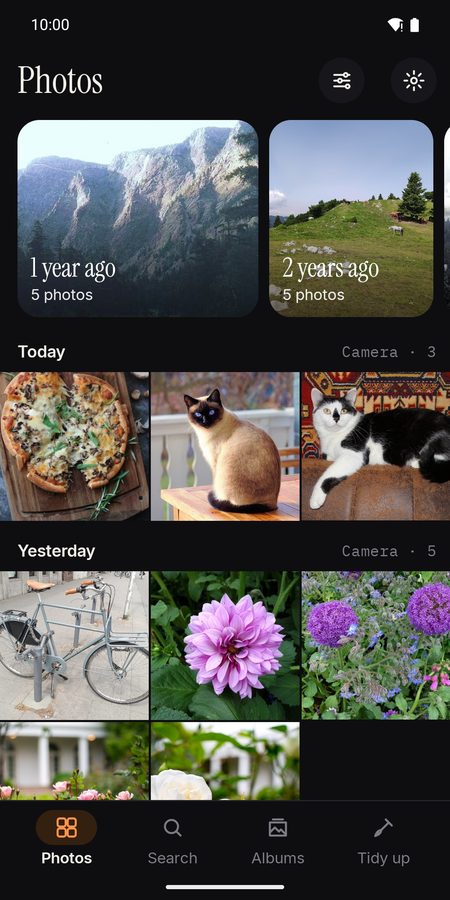
Dark theme
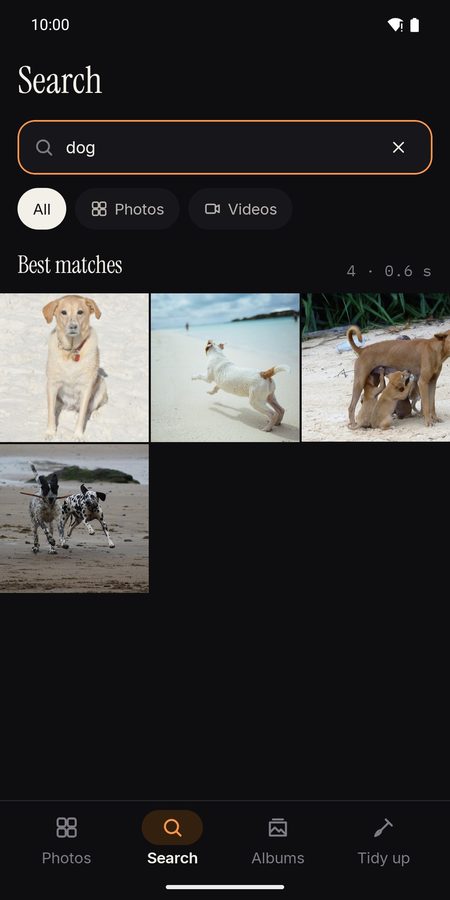
Search in the dark theme
Questions and answers
Are my photos uploaded anywhere?
No. Search, text in photos, places and memories are worked out on the phone, and the only connection the app makes is to your own PC on your own network — if you turn the backup on.
How can it search without the Internet?
The AI models arrive with the app and run on the phone. You can describe a photo in any of 21 languages, and add a name or a place.
Do I need the PC app?
No. 1B Photos is a complete gallery on its own. The desktop app for Windows and Linux is only for the encrypted backup.
What if I lose my phone?
Your backup is still on your PC. With your 24-word recovery key and the open-source recovery tool you can open it without us, now and in the future.
Does it recognise faces?
Only if you turn People on — it's off by default. Face prints stay on the phone, aren't included in the backup, and turning it off deletes them all.
Is there anything to pay?
No ads and no in-app purchases. 1B Photos needs Android 11 or later and is getting ready for its closed test on Google Play.
Be one of the first to try it
1B Photos is getting ready for its closed test on Google Play. Write to us and we'll invite you as soon as it opens.
Write to us and we will invite you as soon as the closed test opens. No Google Play link yet.
Privacy at a glance
- No ads, no analytics, no account and no third-party SDKs that use the network.
- AI search, text in photos, places and the optional people grouping run only on your phone. Nothing is uploaded to any server.
- The only connection is the backup to your own PC on your local network, end-to-end encrypted; No-network mode turns even that off.
Details
- Coming soon
- In development — closed testing on Google Play opens soon
- Requires
- Android 11 or later
- Languages
- 21 languages
- Price
- No ads · no in-app purchases
- Package
com.onebytesystems.photos


