1B Desk guide
The complete 1B Desk guide
Everything you need to see and control your other computers with 1B Desk, from Linux to Windows and back, with real screenshots. Pick a chapter or jump straight to a common task.
For 1B Desk 0.2 on Windows and Linux, and the Android viewer.
Chapters
Eight short chapters, in the order you'll probably need them. The computer you sit at is “your PC”; the one you control is “the other PC”.
- Chapter 1
Getting started
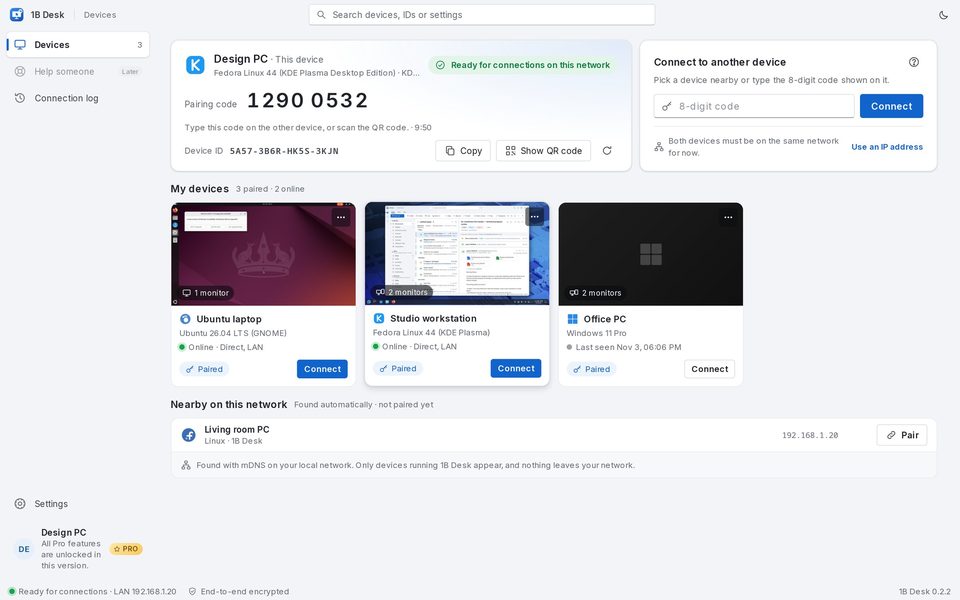
Install 1B Desk on Windows or Linux, get to know the Devices page and give it the permissions it needs.
- Chapter 2
Pairing
Pair a computer once by comparing six symbols, with Nearby, the 8-digit code, an IP address or a QR code.
- Chapter 3
Connect and control
Open a session, pick the monitor and the quality, ask for control, use special keys and fit the resolution.
- Chapter 4
Clipboard and files
Copy on one computer and paste on the other, and send files in both directions.
- Chapter 5
Security and access
Who can view or control your PC, the banner with the red button, control requests and the connection log.
- Chapter 6
Android viewer
Pair your phone or tablet with a QR code and control your computers with your fingers.
- Chapter 7
Settings and updates
Language, theme, startup, default quality, network and how 1B Desk updates itself.
- Chapter 8
Troubleshooting
A device doesn't appear, isn't answering, shows no picture, stuck keys and other common problems.
Common tasks
- Pair two computers for the first time
- Connect to a computer you already paired
- Switch to another monitor of the other PC
- Ask for control when you can only view
- Send files to the other computer
- Cut off whoever is connected to your PC
- Let a device connect without anyone clicking Allow
- A device doesn't appear under Nearby
Safe by design
Only devices you paired can get in
Nobody connects to your PC with just a number. New devices can only view, and while someone is connected a banner shows who it is, with a red button to cut them off.