ChaptersProNew
A long recording, split into topics
1B Recorder divides the recording into chapters with short titles and shows them as a timeline under the player. Tap «Launch date» and you're there.
Part of 1B Recorder Pro: one licence, no subscription.
What it is
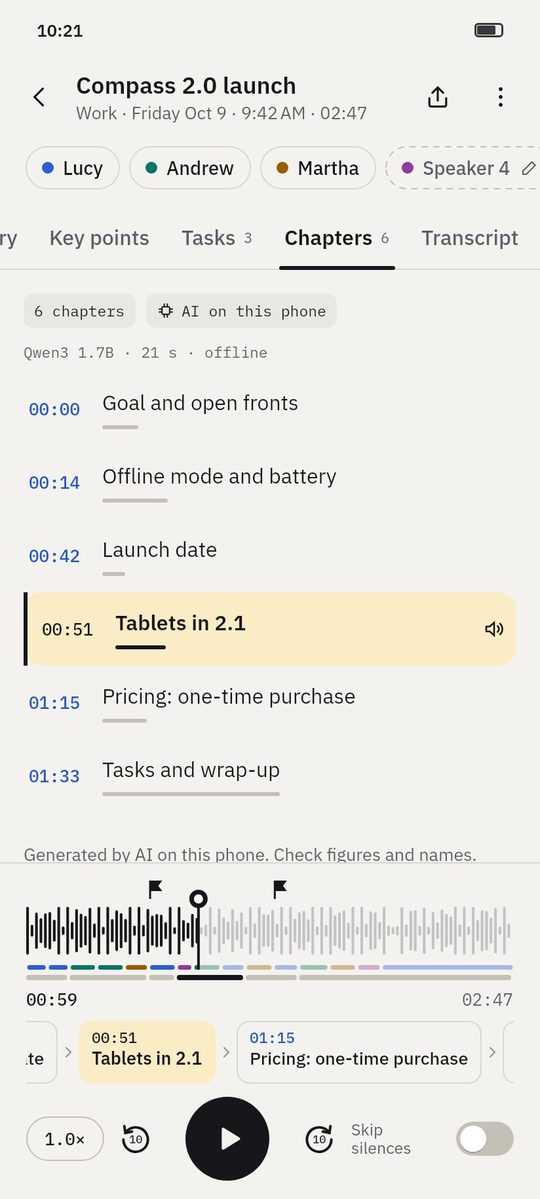
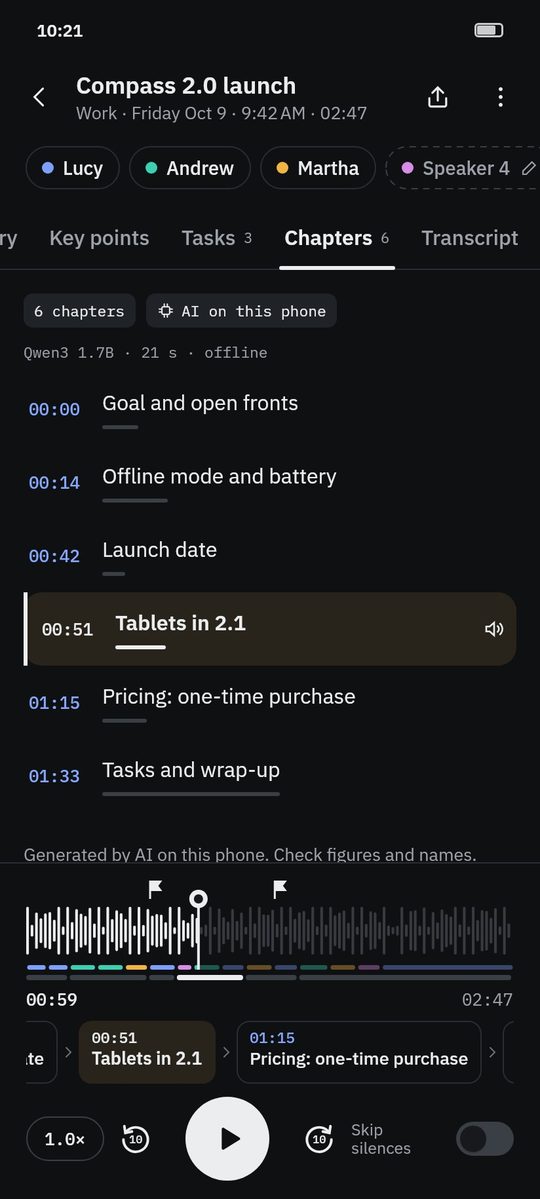
After the summary, the same AI on your phone reads the transcript in time slices and gives each slice a short title. Slices on the same topic are merged, very short chapters are dropped and titles are kept short.
Chapters appear in three places: their own tab, with how long each lasts; a lane aligned with the waveform; and a scrolling timeline of times and titles that follows what's playing.
- Made on your phone
- Timeline under the player
- Tap to jump and play
- Searchable titles
How it works
- Step 1
Chapters on their own
They're created after the summary. In the Chapters tab you can also create or regenerate them.
- Step 2
See where you are
The chapter playing is highlighted in the list, in the lane under the waveform and in the timeline.
- Step 3
Jump
Tap a chapter anywhere and playback moves to its start — without leaving the tab you're reading.
- Step 4
Unfold for two columns
On a foldable or tablet, the player and chapters sit on the left and the summary or transcript on the right.
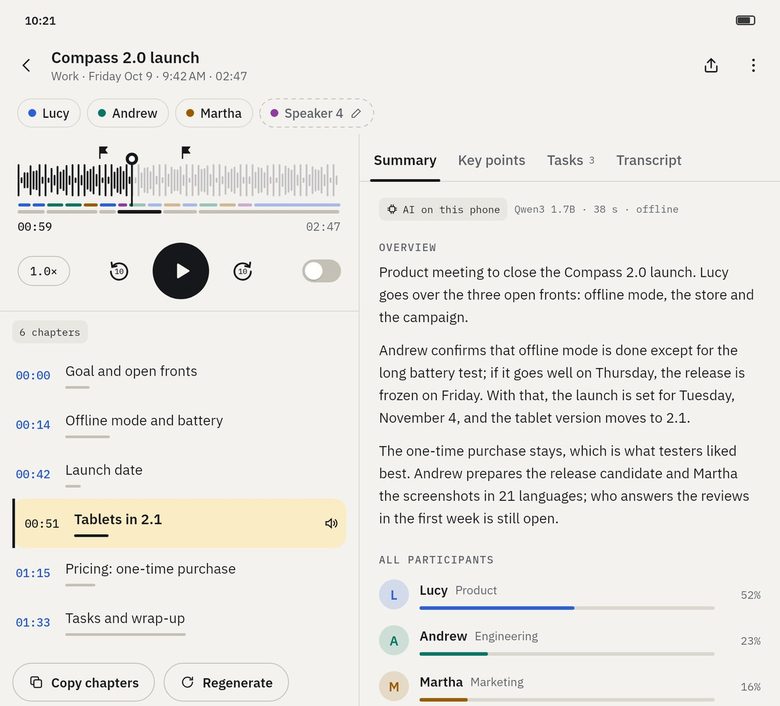
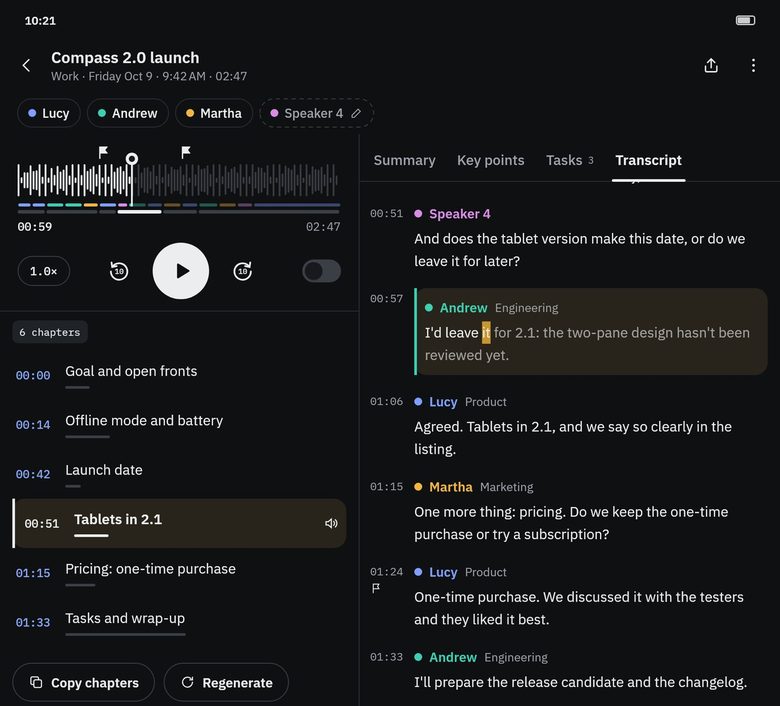
Screenshots of the real app with made-up sample data.
Who it's for
Lectures
Jump to the part about the exercise without scrubbing through an hour.
Long interviews
Find the topic you need for the article.
Workshops
Each session a chapter, ready to share.
Good to know
- Very short recordings (under about 90 seconds) don't get chapters.
- A recording about a single topic can come out as one chapter — that's correct.
- Estimated time for an hour of audio: about 3 minutes on a high-end phone, about 6 on a mid-range one and about 14 on a basic one (measured on a PC with the app's model and converted with phone speeds).
Questions about this feature
Do chapters go to 1B Note?
Yes. Sending to 1B Note includes a Chapters section whose times open the recording at that point.
Can I search chapter titles?
Yes. They're part of the global search and take you to their second.
Are chapters part of Pro?
Yes, like the summary. While 1B Recorder is being tested, they can be tried as a Pro preview.
Related features
Pro
Summary and key points
An overview, key points, decisions and open topics — each linked to the second.
How it worksTranscription without Internet
21 languages, no minute limits, with the best model your phone can run.
How it worksNew
Send to 1B Note
A page in 1B Note with summary, chapters, tasks and a transcript linked to the audio.
How it works
Examples
See what you get from a recording
- Example
Wayfarer 3.4 release planning
Four people agree what goes into a release and when it ships: decisions, open topics and who does what.
See the example - Example
Microeconomics · Lecture 6: price elasticity
A lecture turned into key points, students' questions, homework and chapters you can jump through.
See the example
Try it yourself
Write to us and we will invite you as soon as the closed test opens. No Google Play link yet.