TasksPro
Who does what, and by when
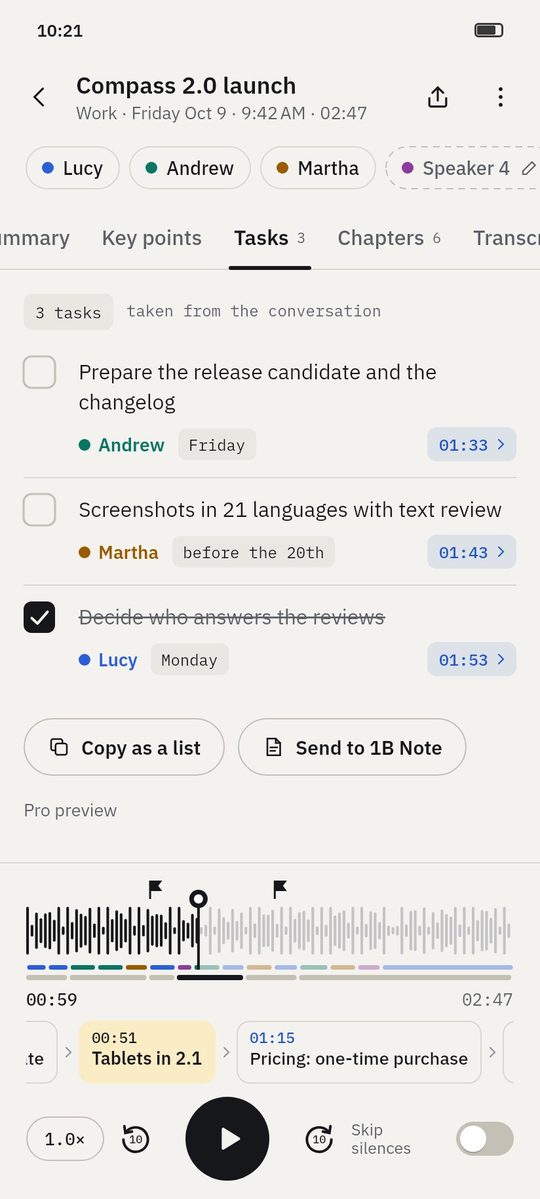
When someone says «I'll prepare the release candidate by Friday», 1B Recorder writes it down as a task with an owner, a date and the second it was said.
Part of 1B Recorder Pro: one licence, no subscription.
What it is
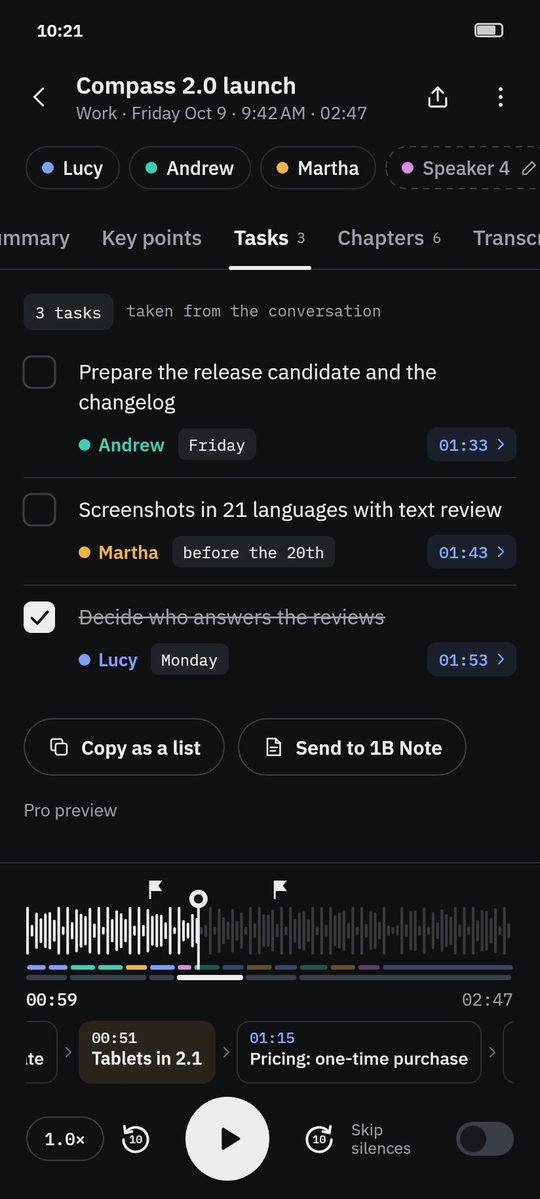
Tasks are extracted with the summary by the AI on your phone. Each task shows the text, the owner — the speaker who took it on — and the date if it was said, in the words it was said.
Tick a task when it's done. Copy the list into a chat, or send it to 1B Note where it becomes a checklist next to the transcript.
- Owner and date
- Linked to the second
- Copy as a list
- Send to 1B Note
How it works
- Step 1
Tasks appear with the summary
The Tasks tab shows how many there are; each task has its owner, date and time.
- Step 2
Check the source
Tap the time to hear exactly what was agreed.
- Step 3
Tick them off
Done tasks are crossed out with a stroke.
- Step 4
Share
Copy as a list or send to 1B Note.
Screenshots of the real app with made-up sample data.
Who it's for
Team leads
The action items of the meeting, ready to send.
Clients and suppliers
What each side promised, with the quote.
Personal notes
Speak your to-dos on a walk; find them as tasks.
Good to know
- Dates are kept as they were said («Friday», «before the 20th»).
- Tasks come from the AI: check the owner and the wording.
- Tasks are part of Pro; while 1B Recorder is being tested, they can be tried as a Pro preview.
Questions about this feature
Can I add or edit tasks?
You can tick them off, copy them or send them to 1B Note, where the page is yours to edit.
Do tasks reach my calendar?
Not directly. Copy them as a list or send them to 1B Note as a checklist.
Related features
Pro
Summary and key points
An overview, key points, decisions and open topics — each linked to the second.
How it worksNew
Send to 1B Note
A page in 1B Note with summary, chapters, tasks and a transcript linked to the audio.
How it worksPro
Speakers
Who said what: speakers separated, named and remembered if you want.
How it works
Examples
See what you get from a recording
- Example
Wayfarer 3.4 release planning
Four people agree what goes into a release and when it ships: decisions, open topics and who does what.
See the example - Example
Discovery call: coffee service for a design studio
An imported call recording: the client's needs, budget, objections and the follow-up, linked to each moment.
See the example
Try it yourself
Write to us and we will invite you as soon as the closed test opens. No Google Play link yet.