Dictation
Speak. The text is already there.
Dictation turns your voice into text right away, for a message, a note or a to-do. It runs on your phone, with voice commands in your language.
Included in every copy of 1B Recorder, not part of Pro.
What it is
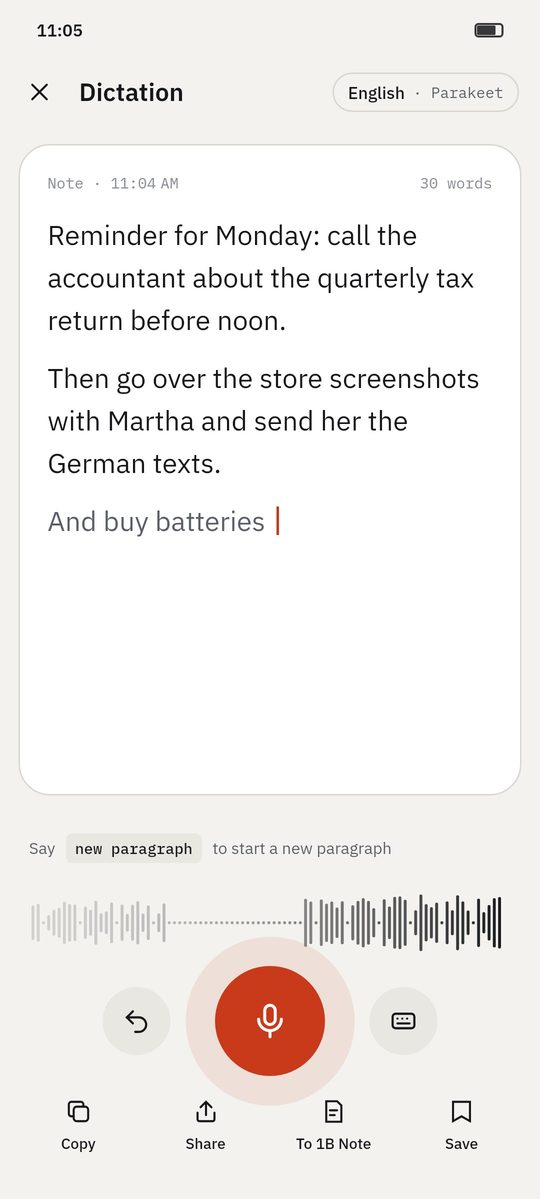
Dictation isn't a meeting recording: there are no speakers or summary, just your words as text. Each sentence appears in grey while you speak and is confirmed in ink when you pause.
Short voice commands in each language format the text: new paragraph, new line, period, comma, delete that.
- Included
- Voice commands
- Tile, widget and shortcut
- Text only, or text and audio
How it works
- Step 1
Open it from anywhere
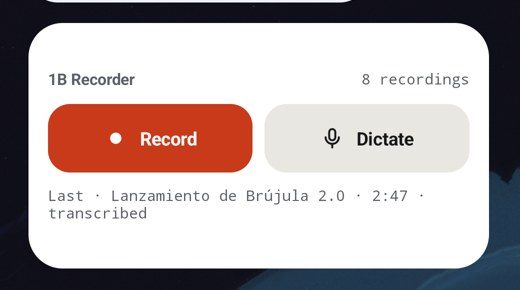
The Dictate button in the app, the Dictate tile in Quick Settings, the home screen widget or a long press on the app icon.
- Step 2
Speak naturally
Text appears as you talk and is confirmed when you pause. Change the language with the chip at the top.
- Step 3
Use voice commands
Say «new paragraph» to start a paragraph or «delete that» to undo the last sentence.
- Step 4
Send it
Copy, share, send to 1B Note or save it as a voice note — with or without the audio.
Screenshots of the real app with made-up sample data.
Who it's for
Quick notes
Ideas while walking, without typing.
Long messages
Dictate an email draft and paste it.
Accessibility
Write with your voice when typing is hard.
Good to know
- Dictation opens the app in front: Android requires it to use the microphone.
- On basic phones the grey preview may not appear; the text arrives when you pause.
Questions about this feature
Is dictation part of Pro?
No, it's included.
Does it replace my keyboard?
No. It's a dictation screen inside the app; copy or share the text wherever you need it.
Related features
Transcription without Internet
21 languages, no minute limits, with the best model your phone can run.
How it worksNew
Send to 1B Note
A page in 1B Note with summary, chapters, tasks and a transcript linked to the audio.
How it worksPrivacy
No Internet permission, no account, encrypted recordings.
How it works
Examples
See what you get from a recording
- Example
Wayfarer 3.4 release planning
Four people agree what goes into a release and when it ships: decisions, open topics and who does what.
See the example - Example
Microeconomics · Lecture 6: price elasticity
A lecture turned into key points, students' questions, homework and chapters you can jump through.
See the example - Example
Interview: beekeeping on city rooftops
A journalist's interview with the main statements, questions to follow up and every quote a tap away.
See the example - Example
Discovery call: coffee service for a design studio
An imported call recording: the client's needs, budget, objections and the follow-up, linked to each moment.
See the example
Try it yourself
Write to us and we will invite you as soon as the closed test opens. No Google Play link yet.