SpeakersPro
Who said what, at a glance
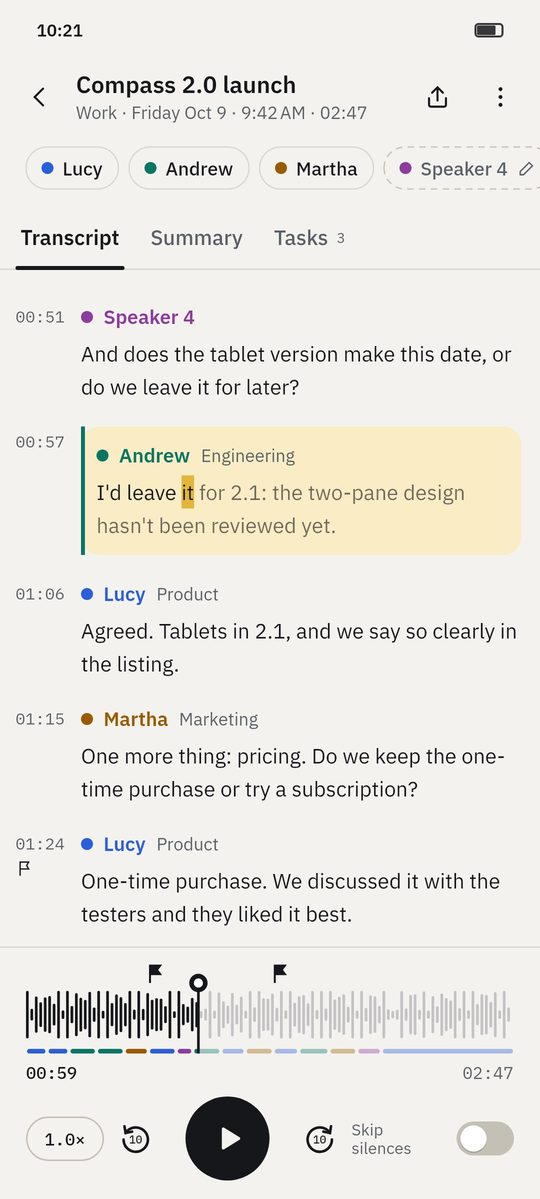
1B Recorder tells voices apart and gives each speaker a colour in the transcript and on the player's timeline. Name them once and the summary and tasks use their names.
Part of 1B Recorder Pro: one licence, no subscription.
What it is
After transcribing, a speaker model on your phone groups the voices of the recording. Each speaker gets a colour: in the transcript, in the lane under the waveform and in the list of participants with their share of the time.
If you want, 1B Recorder can remember voices so the next meeting with the same people is named for you. Remembered voices are optional, encrypted and never leave your phone.
- Colours in transcript and timeline
- Name, merge, set the number
- Remembered voices: optional
- Share of speaking time
How it works
- Step 1
Speakers appear on their own
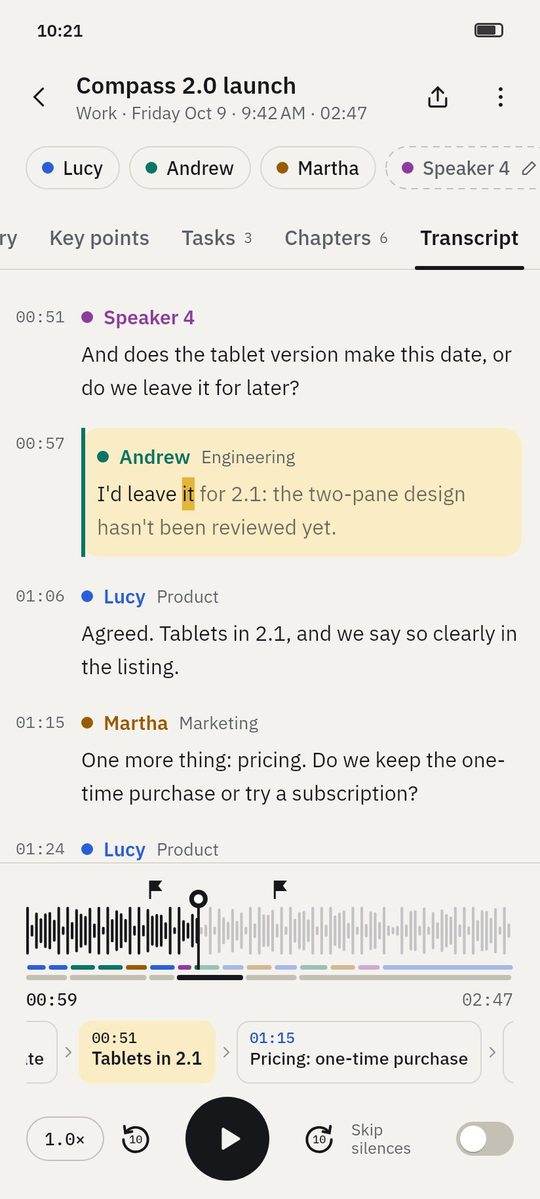
The transcript shows who is speaking each time the voice changes. Unnamed speakers have a dashed outline and a pencil.
- Step 2
Name them
Tap a speaker to listen to a sample and type a name and role. Suggestions come from voices you chose to remember.
- Step 3
Fix the count
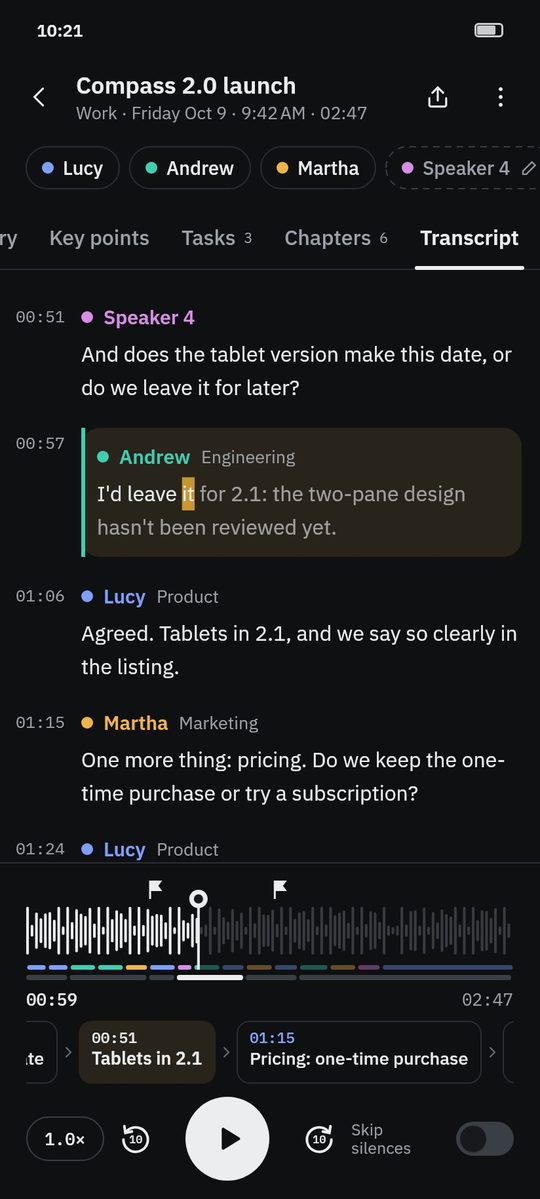
If two people were merged or one was split, set how many spoke and 1B Recorder recalculates, or merge two speakers with a tap.
- Step 4
See the balance
The summary lists all participants with their share of the speaking time.
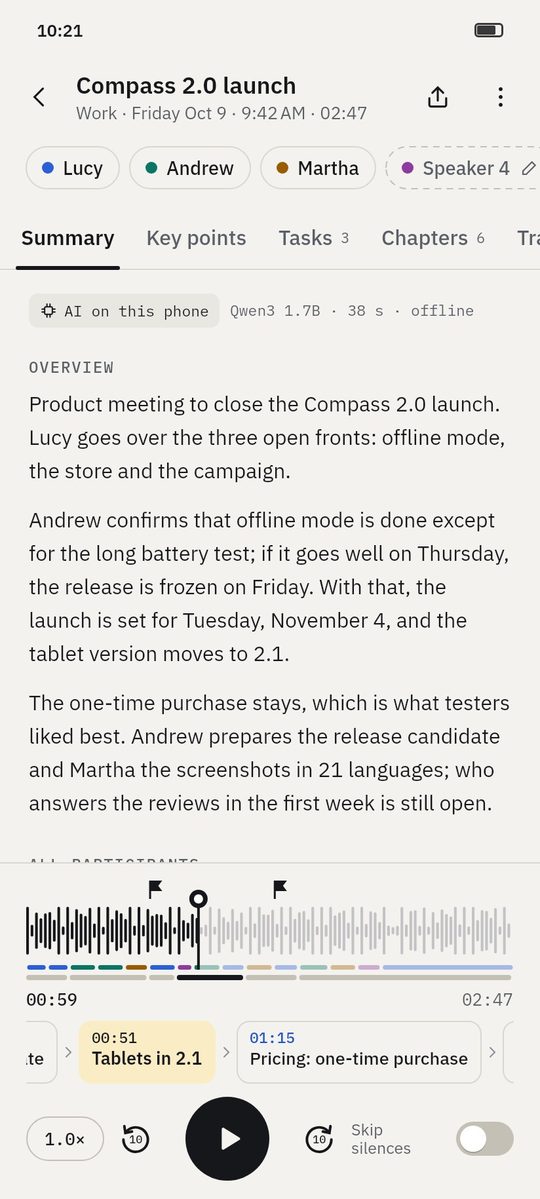
Screenshots of the real app with made-up sample data.
Who it's for
Meetings
Minutes that say who decided what.
Interviews
Questions and answers separated without editing.
Classes
The lecturer and the students' questions apart.
Good to know
- Speaker separation works best with clear audio and people not talking over each other.
- Remembered voices are a sensitive kind of data: they're off unless you turn them on, and you can delete them anytime.
- Speakers are part of Pro; while 1B Recorder is being tested, they can be tried as a Pro preview.
Questions about this feature
Does it need the Internet?
No. The speaker models run on your phone, like everything else.
How many speakers can it tell apart?
It finds the number on its own; if it's wrong, set the right number and it recalculates.
Are voices shared with anyone?
No. Remembered voices are encrypted and stay on your phone.
Related features
Transcription without Internet
21 languages, no minute limits, with the best model your phone can run.
How it worksPro
Summary and key points
An overview, key points, decisions and open topics — each linked to the second.
How it worksPro
Tasks
Who does what and by when, straight from the conversation.
How it works
Examples
See what you get from a recording
- Example
Wayfarer 3.4 release planning
Four people agree what goes into a release and when it ships: decisions, open topics and who does what.
See the example - Example
Interview: beekeeping on city rooftops
A journalist's interview with the main statements, questions to follow up and every quote a tap away.
See the example
Try it yourself
Write to us and we will invite you as soon as the closed test opens. No Google Play link yet.