Chapter 5 · User guide · 1B Recorder
Library, search and export
Every recording is searchable, word by word. Organise them in folders, bring in audio from other apps and export what you need.
Folders
The chips at the top of Recordings are your folders. New folder creates one. Hold a card to select it (or several) and use Move, Export or Delete.
Deleted recordings go to Settings › Trash for 30 days.
Search
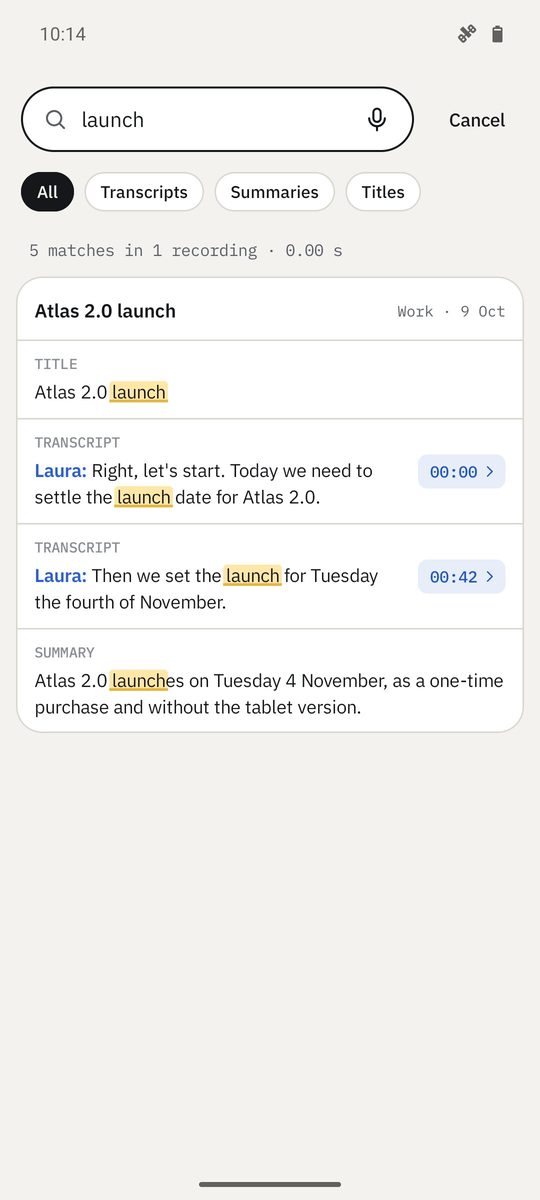
Type in Search everything you've recorded (or tap the microphone to Search by voice). Results come from titles, transcripts, summaries and tasks; the chips All, Titles, Transcripts and Summaries narrow it down.
Tap a result to jump to the exact second where it was said.
Import audio
Import opens an audio or video file from the phone. You can also share a WhatsApp voice note, a call recording or any audio to 1B Recorder from the other app's share menu.
Imported files are transcribed like your own recordings; the card says where they came from.
Export
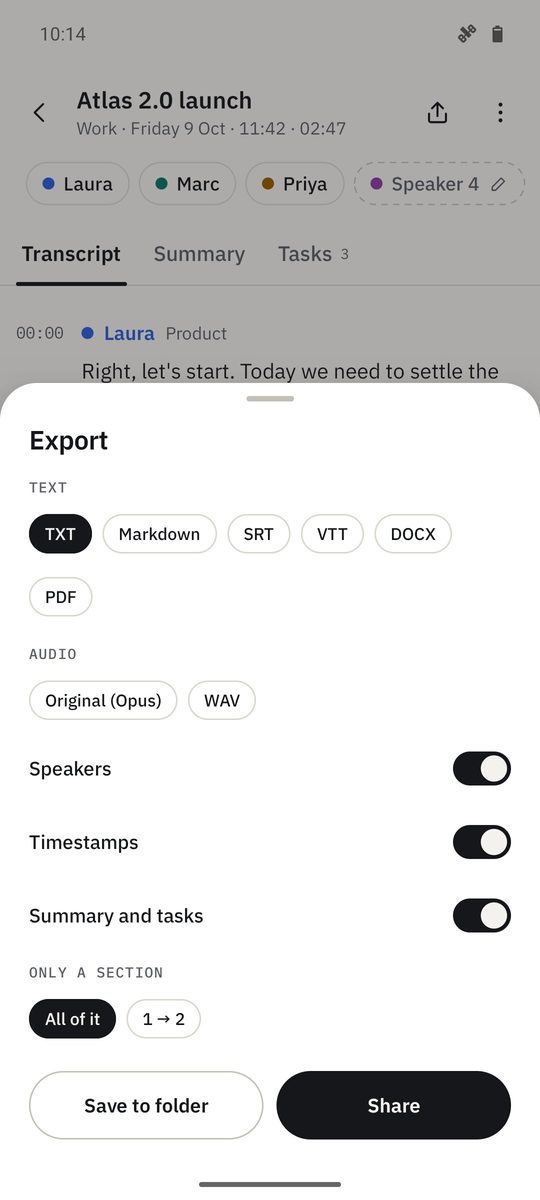
The export button at the top of a recording opens Export (in the library, hold several cards and use Export to export them together). Text: TXT, Markdown, SRT or VTT, with Timestamps, Speakers and Summary and tasks if you want them. Audio: Original (Opus), M4A or WAV. Choose All of it or Only a section, then Save to folder or Share.
DOCX and PDF with summary and speakers are part of Pro.
Written for 1B Recorder 1.0 on Android 11 or later, with its Wear OS watch app. Real screenshots with example data.