Chapter 3 · User guide · 1B Recorder
Transcripts and speakers
The transcript is made on the phone, in the background, without minute limits. Each sentence is linked to its second of audio.
When it transcribes
By default, right after recording. In Settings › When to transcribe you can choose Only while charging (what you ask for by hand starts right away) or Only when I ask.
Long recordings keep transcribing with the app closed; a notification shows the progress. If the phone gets warm the card says On hold · the phone is warm and it carries on later.
Read and listen
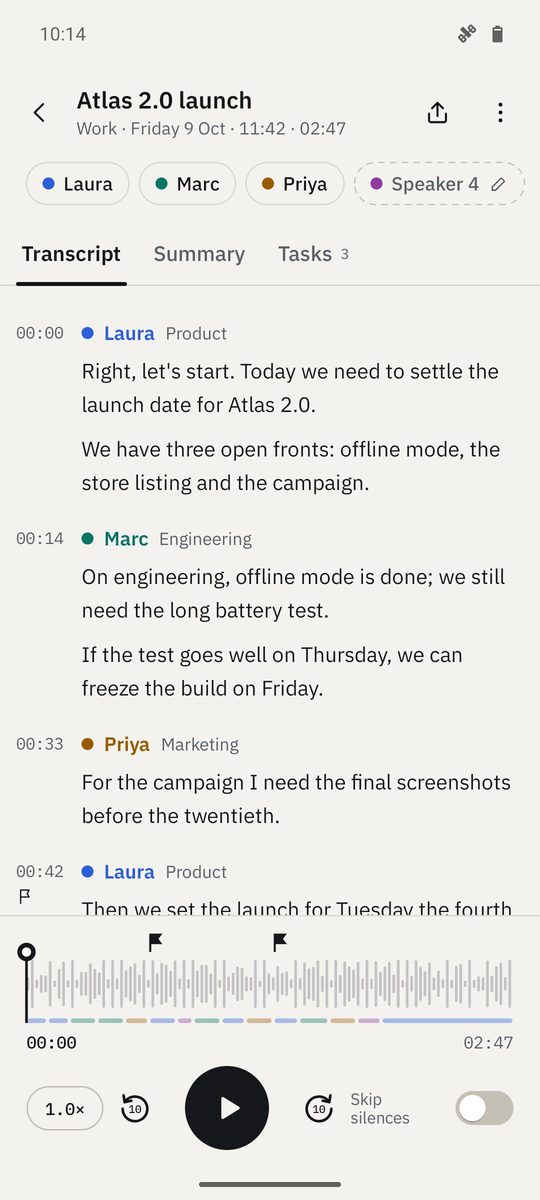
Open a recording and go to Transcript. Tap a sentence to play from there; the text follows the audio and highlights the word being spoken. The player has Back 10 seconds, Forward 10 seconds, speed and Skip silences.
Hold a sentence for its menu: Play from here, Edit text, Change speaker, Add a marker and Copy.
Name the speakers
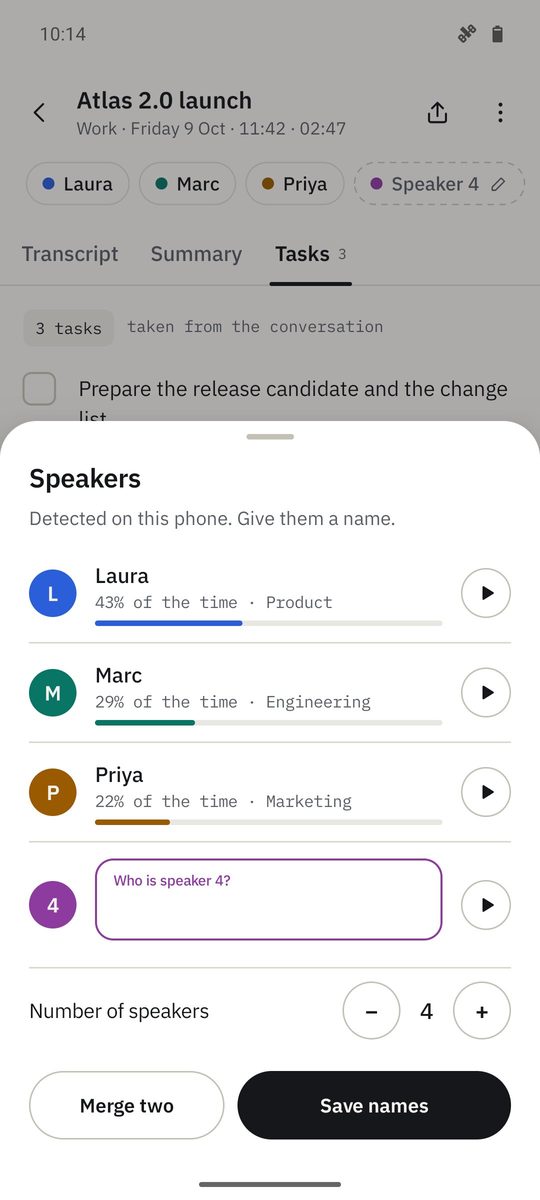
With Separate speakers, 1B Recorder tells voices apart and labels them Speaker 1, Speaker 2… Open Speakers to give each one a name: you can play a sample of each voice, set Number of speakers or Merge two when two are the same person.
With Remember this voice, the voice is kept encrypted on this phone and its name is suggested in your next recordings.
Separating and remembering speakers is part of 1B Recorder Pro.
Language and transcribing again
1B Recorder detects the language, or uses the one you set in Settings › Spoken language. If it got it wrong, choose Spoken language in the recording's menu and Transcribe again: it's transcribed again on the phone (your corrections are replaced).
Written for 1B Recorder 1.0 on Android 11 or later, with its Wear OS watch app. Real screenshots with example data.