Chapter 4 · User guide · 1B Recorder
Summary and tasks
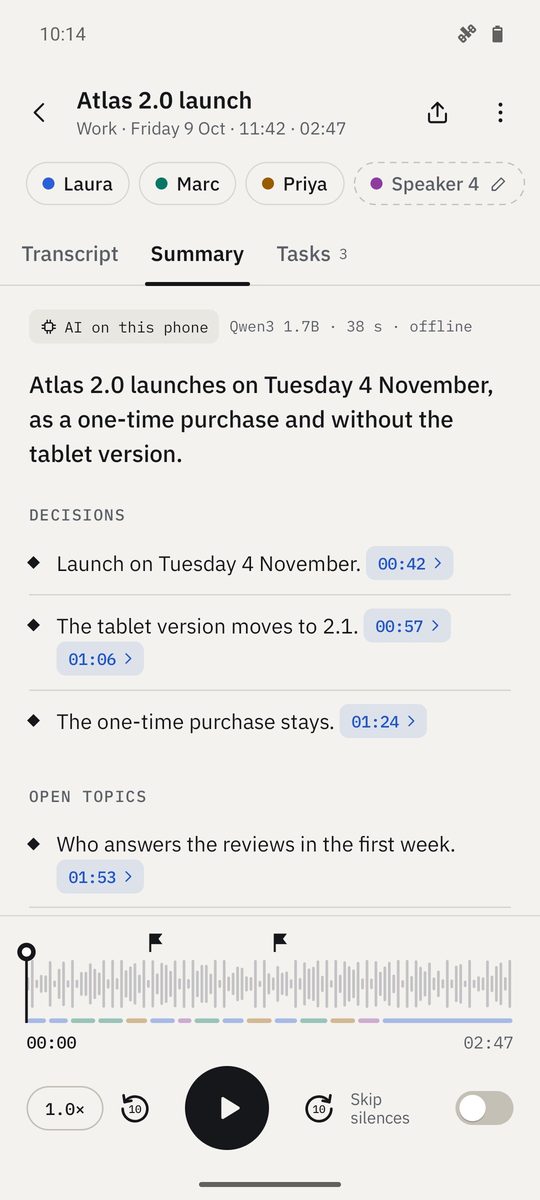
The AI on your phone turns a transcript into a summary with decisions, open topics and tasks. Every point links to the second it was said.
Create a summary
- Open a transcribed recording and go to Summary.
- Choose the Summary type: Meeting, Class or talk, Interview or Personal note.
- Tap Create summary. It runs in the background: you can close the app. On less powerful phones, Fast gives a shorter wait and a simpler summary.
- Tap any point to hear the exact moment it comes from.
The summary is generated by AI on this phone, so check figures and names against the transcript before you rely on them.
Tasks
Tasks lists what someone agreed to do, with who and when if it was said. Tick them off as you go, or Copy as a list to paste them anywhere.
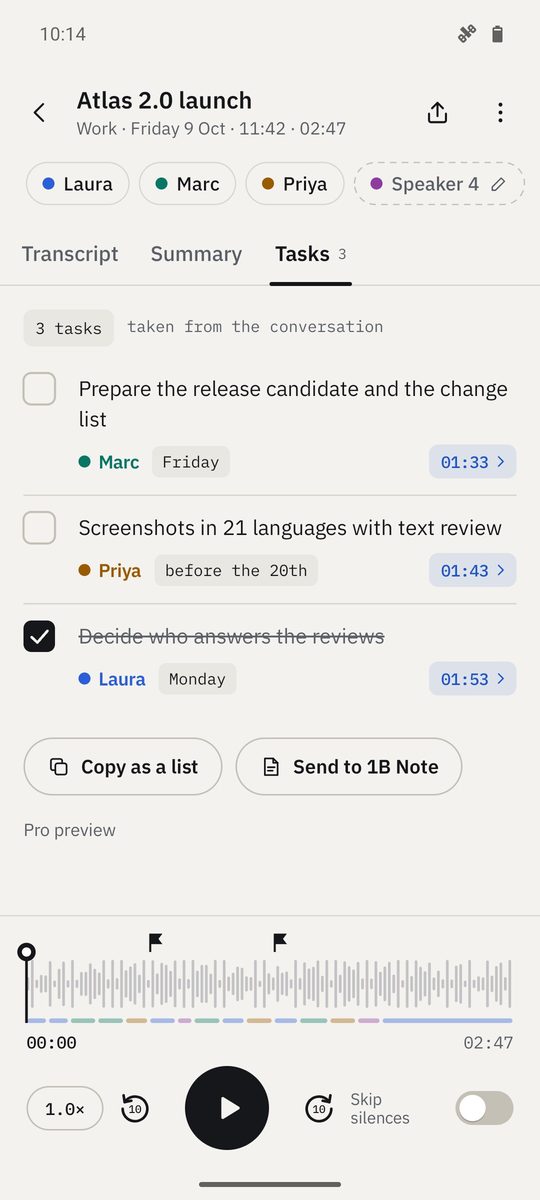
Send it to 1B Note
Send to 1B Note sends the summary, or the task list from Tasks, to 1B Note, if you have it installed. Copy copies it to paste in any other app.
Part of Pro
Summaries and tasks are part of 1B Recorder Pro, a one-time purchase with no subscription. Recording, transcribing, searching and exporting are always included.
Written for 1B Recorder 1.0 on Android 11 or later, with its Wear OS watch app. Real screenshots with example data.