Chapter 5 · Guide · 1B Terminal
Port forwarding: open your agent's server on your phone
Your agent has started a development server on localhost:5173 on the server, and you want to see it on your phone. Port forwarding carries that port through the SSH connection, with no need to open anything to the Internet.
The quickest way: Forward and open
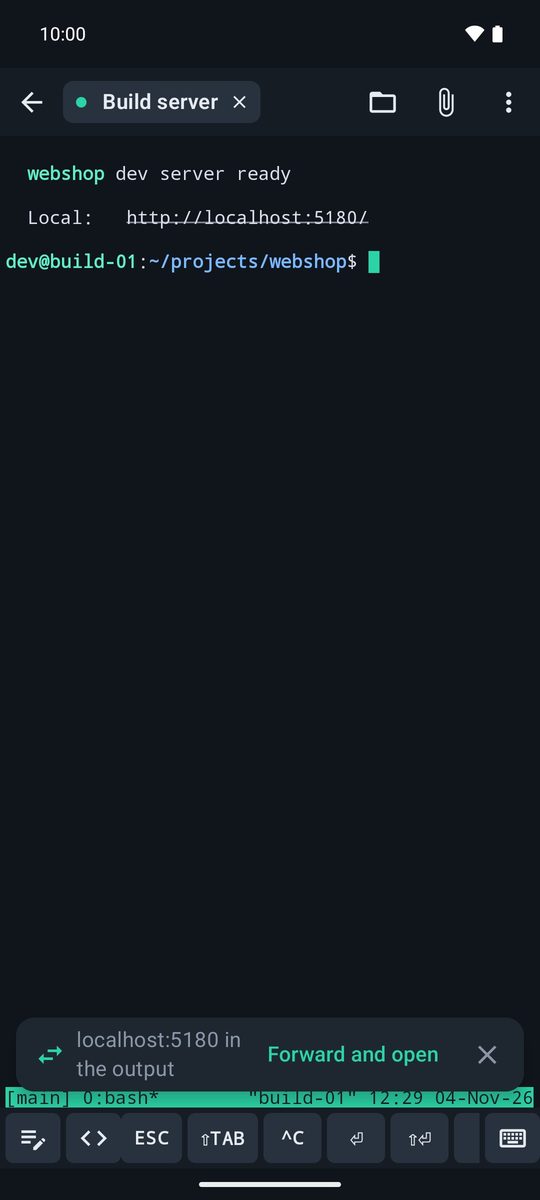
When something like localhost:5173 appears in the session's output, the app shows a card “localhost:5173 in the output” with Forward and open: one tap creates the rule for this session and opens the page in your browser. You can also tap a http://localhost:… link in the terminal and choose Forward and open.
Add a rule by hand
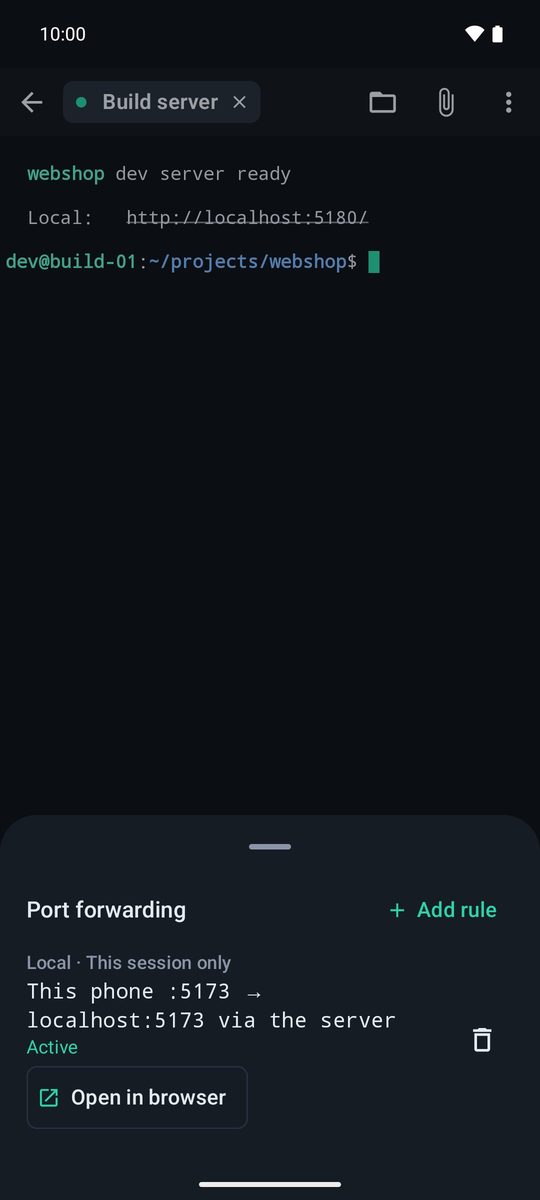
- In the session, open ⋮ › Port forwarding and tap Add rule.
- Choose Local (the usual one: a port on the server reachable from this phone) or Remote.
- Fill in Port on this phone, Destination host (
localhost= the server itself) and Destination port. - Leave This session only or choose Save in this host so it starts every time you connect.
- When the rule is Active, tap Open in browser.
Local and remote
Local: listens on 127.0.0.1 on this phone and sends each connection through the server to the destination. It's what you need to see a web app, an API or a database that only listens on the server.
Remote: the server listens on the port and sends each connection to the destination as seen from this phone. Ports go from 1024 to 65535.
Rules saved in the host
The host editor has a Port forwarding section with its saved rules. They start when you connect and stop when the session closes; after a reconnection they start again by themselves. Save the host first to add rules.
If a rule doesn't start
Port … is already in use: choose another port on the phone. The server didn't allow forwarding port …: the server has forwarding turned off (AllowTcpForwarding no in /etc/ssh/sshd_config); ask its administrator.
Written for 1B Terminal 1.2 with real screenshots of the app and example data.