Chapter 7 · Guide · 1B Terminal
Security: app lock, clipboard, jump host
Your phone holds the keys to your servers. These settings protect them, and decide what a server can and can't do on your phone.
Lock the app
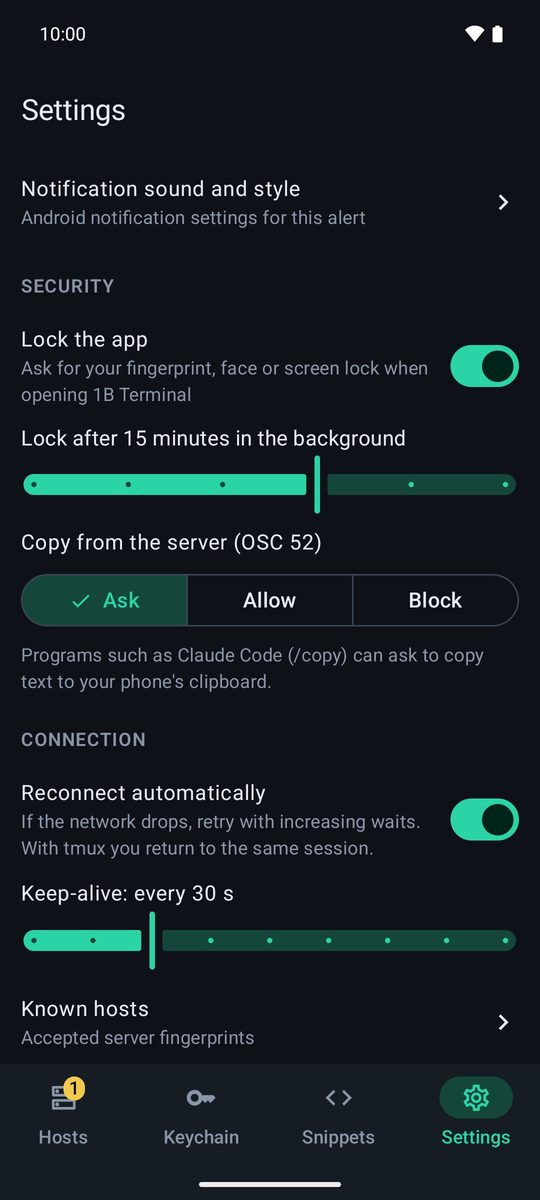
Turn on Settings › Security › Lock the app to be asked for your fingerprint, face or screen lock when you open 1B Terminal. Choose Lock as soon as you leave the app or a time in the background (1, 5, 15, 30 or 60 minutes).
Your sessions keep running while it's locked, and the notification buttons are hidden. You need a screen lock on the phone to use it.
Copy from the server (OSC 52)
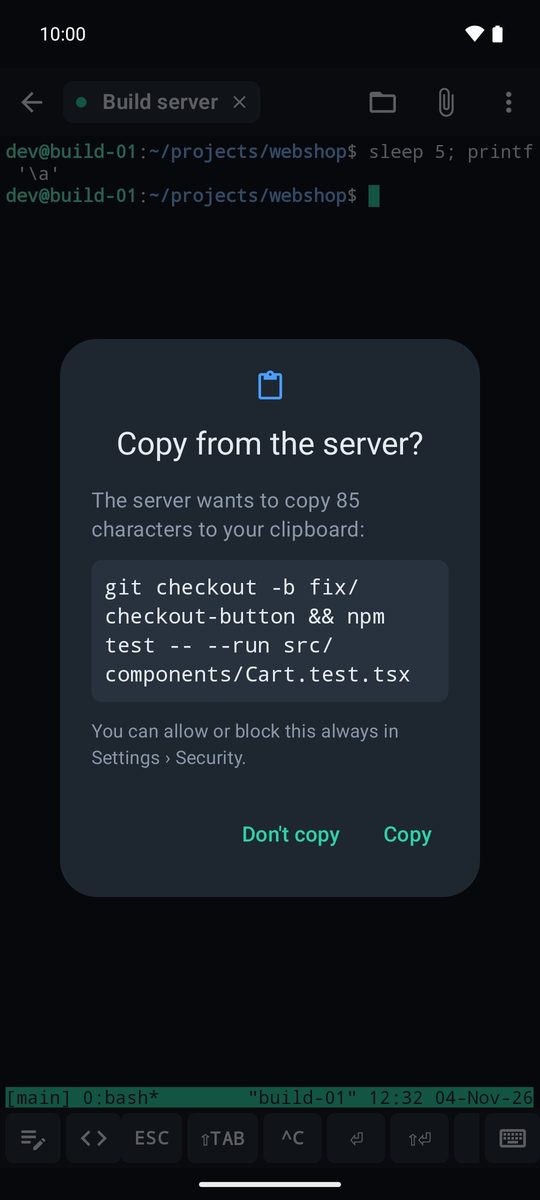
Programs such as Claude Code (/copy) can ask to copy text to your phone's clipboard. In Settings › Security › Copy from the server (OSC 52) choose Ask (the default: you see the text and tap Copy or Don't copy), Allow or Block. Texts of up to 1 MB are copied whole.
Copy long texts
Long-press a word to select it, drag the handles and tap Copy. For long output, ⋮ › Select text… opens all the text the app has received; there you can select a part or tap Copy all. Links in the output can be tapped to Open or Copy them.
Jump host
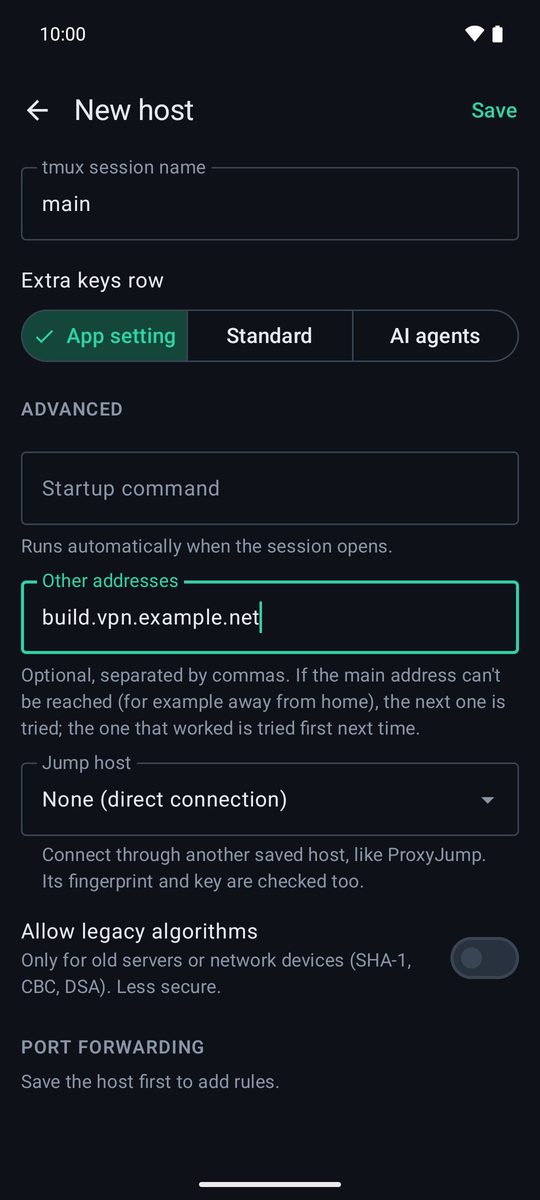
If a server can only be reached through another one, save the intermediate server as a host and, in the editor of the final one, choose it in Advanced › Jump host (like ProxyJump). The fingerprint and key of both are checked. One jump is supported.
Other addresses
In Advanced › Other addresses you can add more addresses for the same server, separated by commas (for example, its address on your VPN). If the main one can't be reached, the next one is tried, and the one that worked is tried first next time.
Good to know
Passwords and private keys are stored encrypted with the Android Keystore. The app doesn't use outdated algorithms (SHA-1, CBC, DSA) unless you turn on Allow legacy algorithms for a specific old server. If a server's fingerprint changes, the connection is blocked: only choose Forget saved fingerprint… if you've checked the new one with its administrator. There's no account and no 1Byte server in between: everything goes from your phone to your server.
Written for 1B Terminal 1.2 with real screenshots of the app and example data.