Chapter 2 · Guide · 1B Terminal
tmux, sessions and reconnection
On a phone the connection drops all the time: you change networks, go into a lift, lock the screen. With tmux whatever you leave running keeps going on the server, and 1B Terminal takes you back to it.
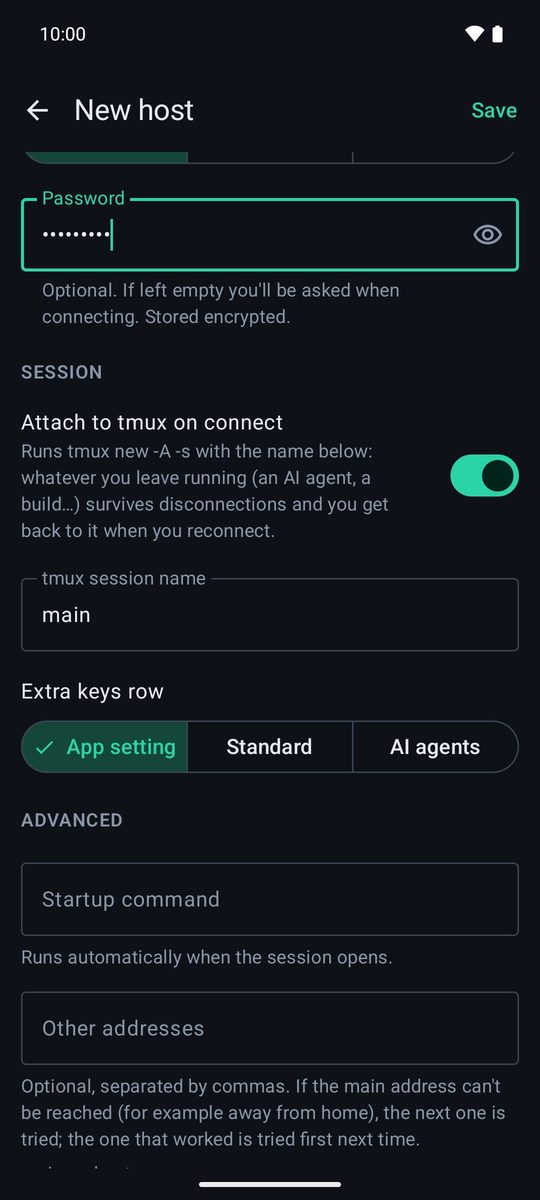
Attach to tmux on connect
tmux has to be installed on the server (sudo apt install tmux, sudo dnf install tmux…).
- Edit the host and go to the Session section.
- Turn on Attach to tmux on connect.
- Optionally change the tmux session name (it's
mainby default) and save.
If tmux isn't installed, the app says tmux isn't installed on the server: opening the normal shell and you work as usual. With tmux, the host's Startup command is only sent the first time the session is created.
What changes with tmux
Each time you connect, the app opens the tmux session with that name or creates it if it doesn't exist. If the connection drops, your agent, build or editor keep running on the server.
In its own session the app also turns on mouse support (so the scroll gesture scrolls through tmux's history) and lets agent notifications through. It never changes your global tmux settings or your ~/.tmux.conf.
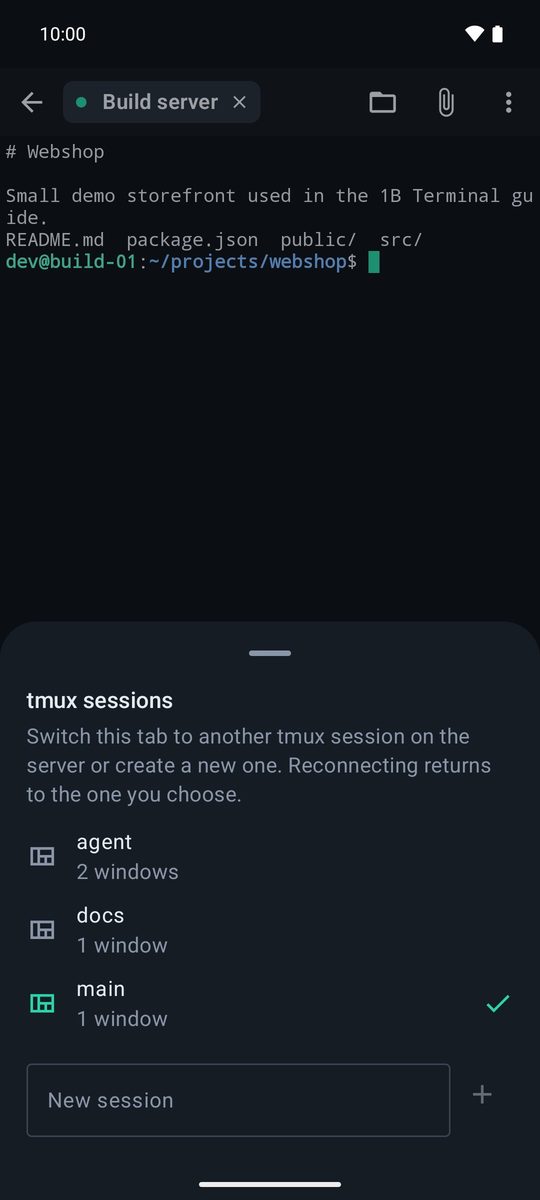
Switch or create tmux sessions
With tmux on, the ⋮ menu of the terminal has tmux sessions. It lists the server's sessions with their windows (and open elsewhere if another client is using them). Tap one to switch this tab to it, or type a name in New session and tap +. When the app reconnects, it goes back to the session you chose.
Automatic reconnection
Settings › Connection › Reconnect automatically is on by default. If the network drops, the tab shows Reconnecting in … s… and retries with longer and longer waits (1, 2, 4… up to 30 seconds, 12 attempts). Tap Now to retry straight away. When the phone changes network (Wi-Fi to mobile data) it retries at once.
If you typed the password when connecting, the app keeps it only in memory for this session so it can reconnect. Typing exit, leaving tmux or tapping Disconnect never reconnects.
Keep-alive in Settings › Connection sends a small packet every few seconds so the app notices a dead connection sooner. Some routers close idle connections: keep it on.
Several sessions at once
Open as many sessions as you like, to the same server or to different ones. Each one is a tab at the top of the terminal and stays connected in the background; Android shows a notification with Disconnect all while any are open. Active sessions at the top of Hosts takes you back to any of them.
Find in the output
⋮ › Find searches the text the app has received. With tmux, older output is kept by tmux: scroll up with the gesture to see it.
Written for 1B Terminal 1.2 with real screenshots of the app and example data.