Inbox by type · ScreenerPro
What people write to you, first
Split your inbox into Important, Updates and Receipts & alerts, and let first-time senders wait in the Screener. Everything is sorted on your own computer or phone and corrected in one click.
Part of 1B Mail Pro: one licence, no subscription.
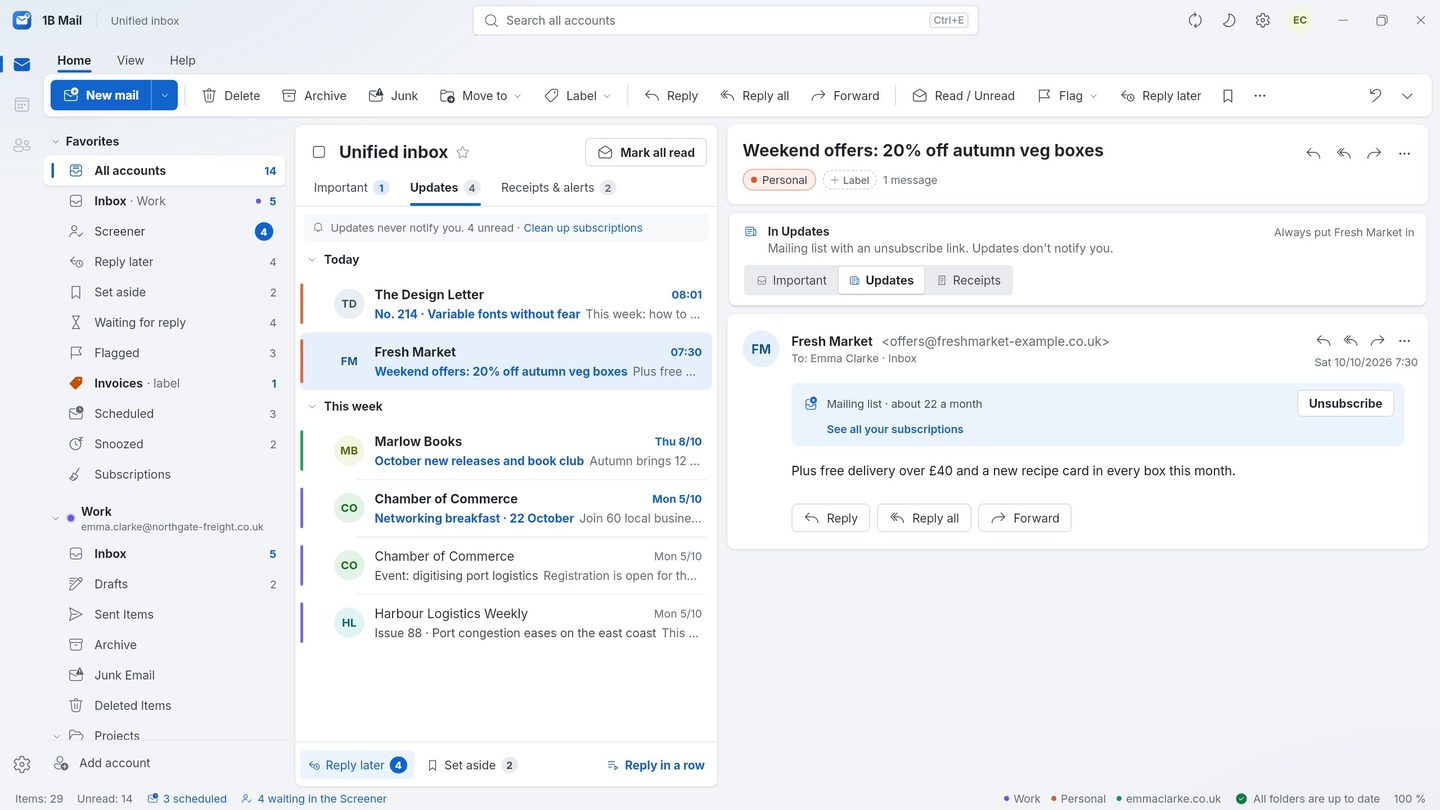
What it is
Most of what arrives isn't written by a person: newsletters, offers, order confirmations, bills, delivery notices and sign-in codes. 1B Mail Pro looks at each message's headers and sender on your device and puts it in the right tab, so Important holds the mail people actually wrote to you.
The Screener handles people you've never heard from. Their first message waits until you decide; say yes once and they're in for good, say no and they don't come back. The sender is never told.
- Important · Updates · Receipts & alerts
- Sorted on your device
- Decide per address, domain or list
- Sign-in codes never wait
How it works
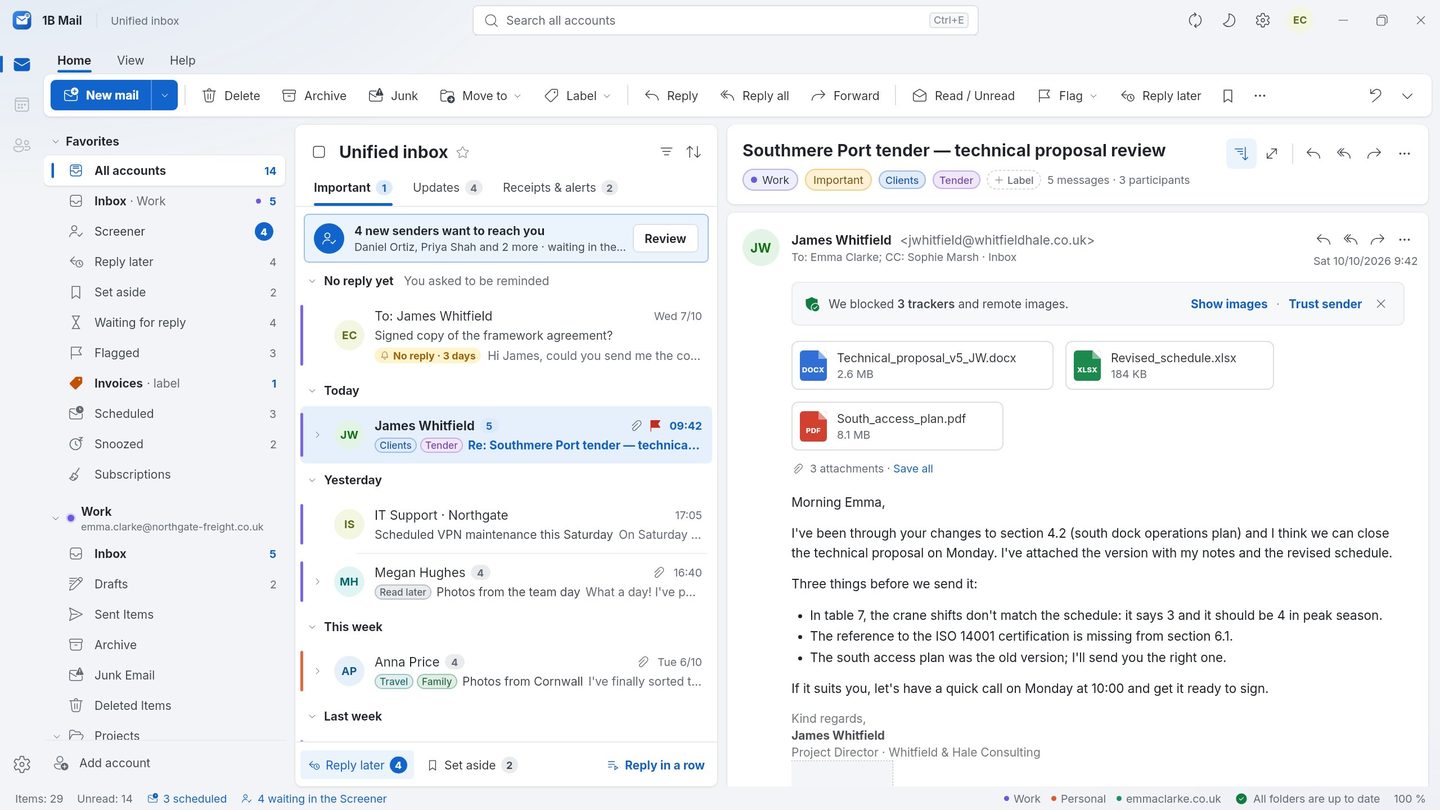
- Step 1
Important first
The Important tab shows conversations with people. Everything else is one tab away, never hidden or deleted.
- Step 2
Updates and Receipts & alerts
Newsletters and offers go to Updates; orders, bills, deliveries and sign-ins go to Receipts & alerts. If something lands in the wrong tab, move it once and 1B Mail remembers.
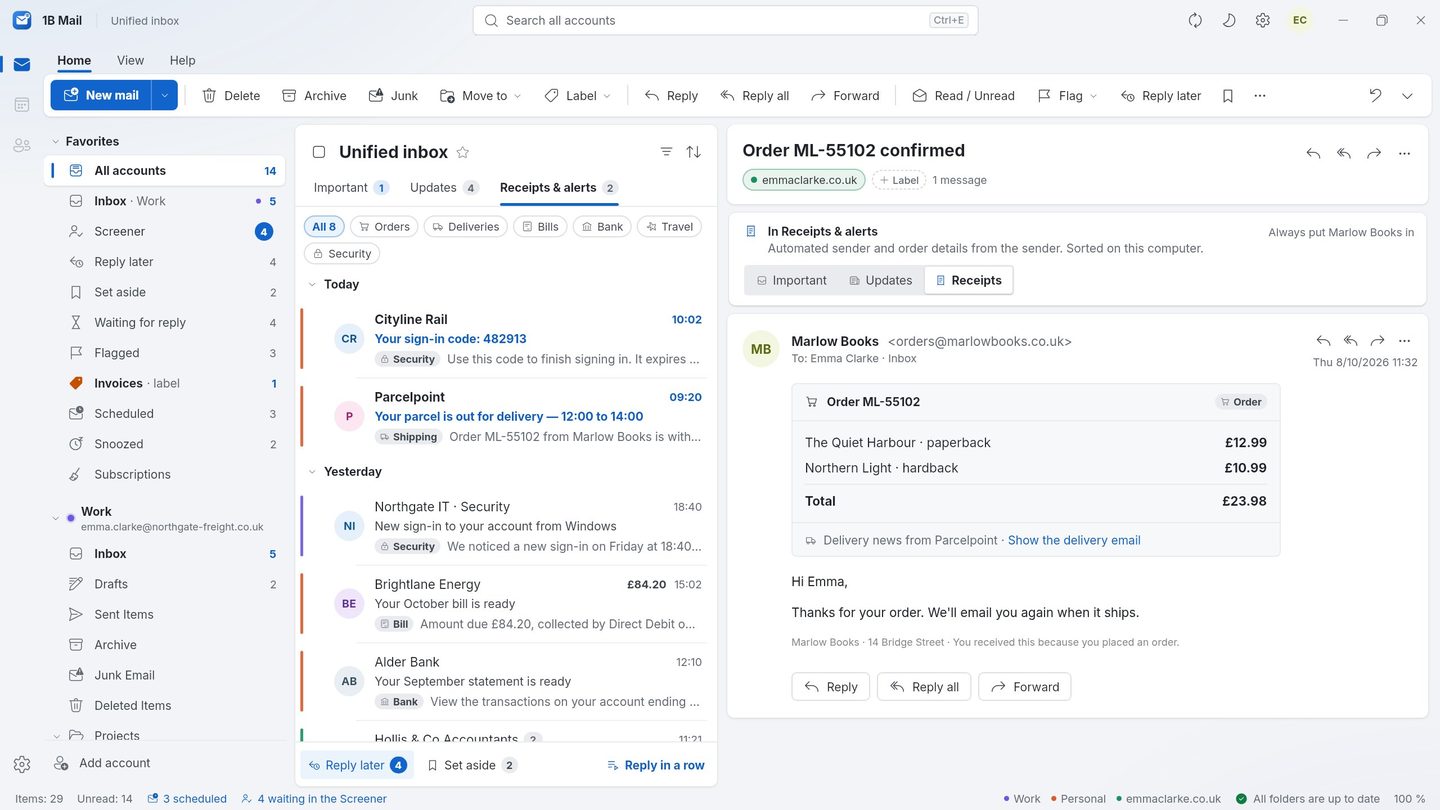
- Step 3
The Screener
New senders appear in the Screener with what they want. Approve one address, a whole domain or a mailing list — or block them.
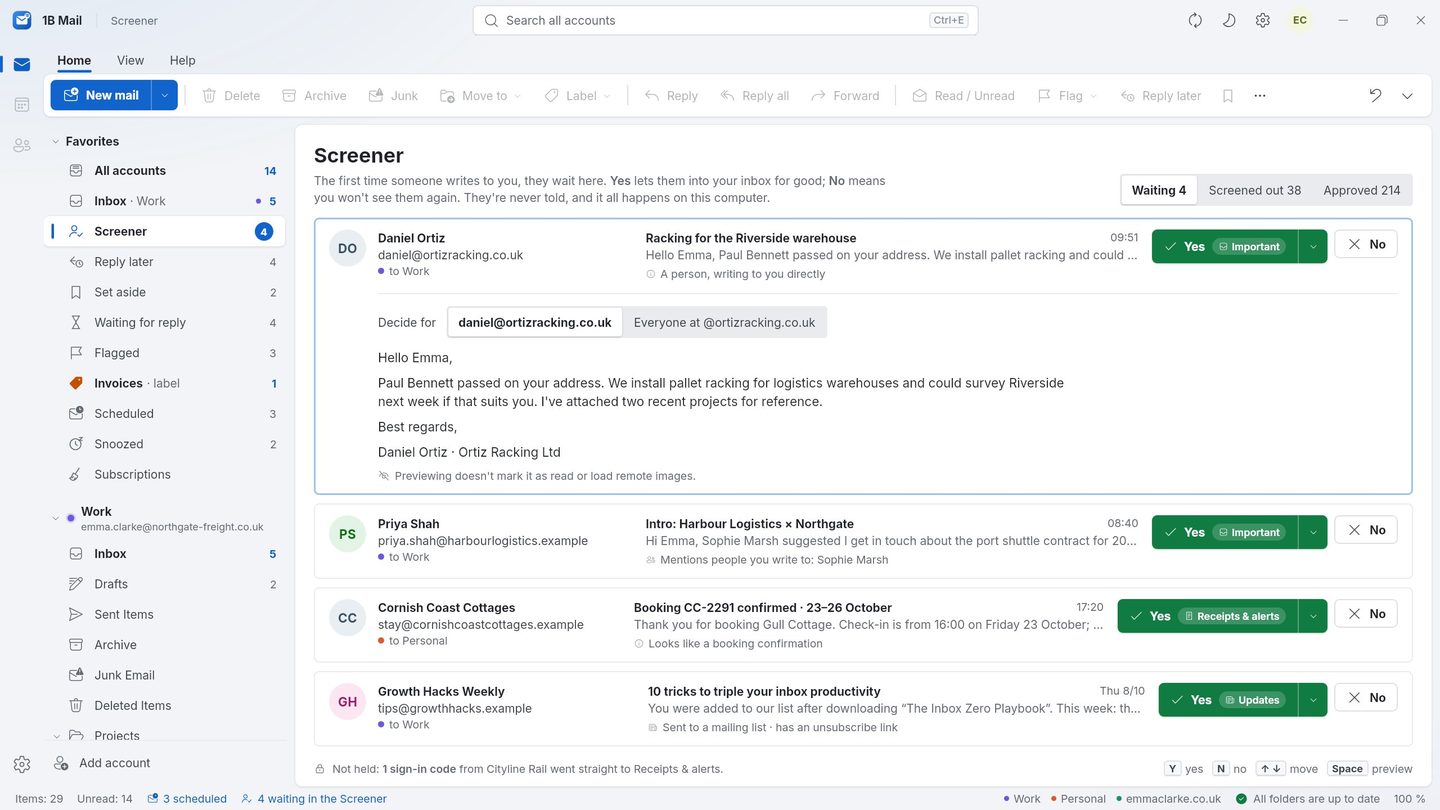
- Step 4
Reply later and reminders
Put conversations in Reply later or Set aside, and get a nudge in Waiting for reply when nobody answers.
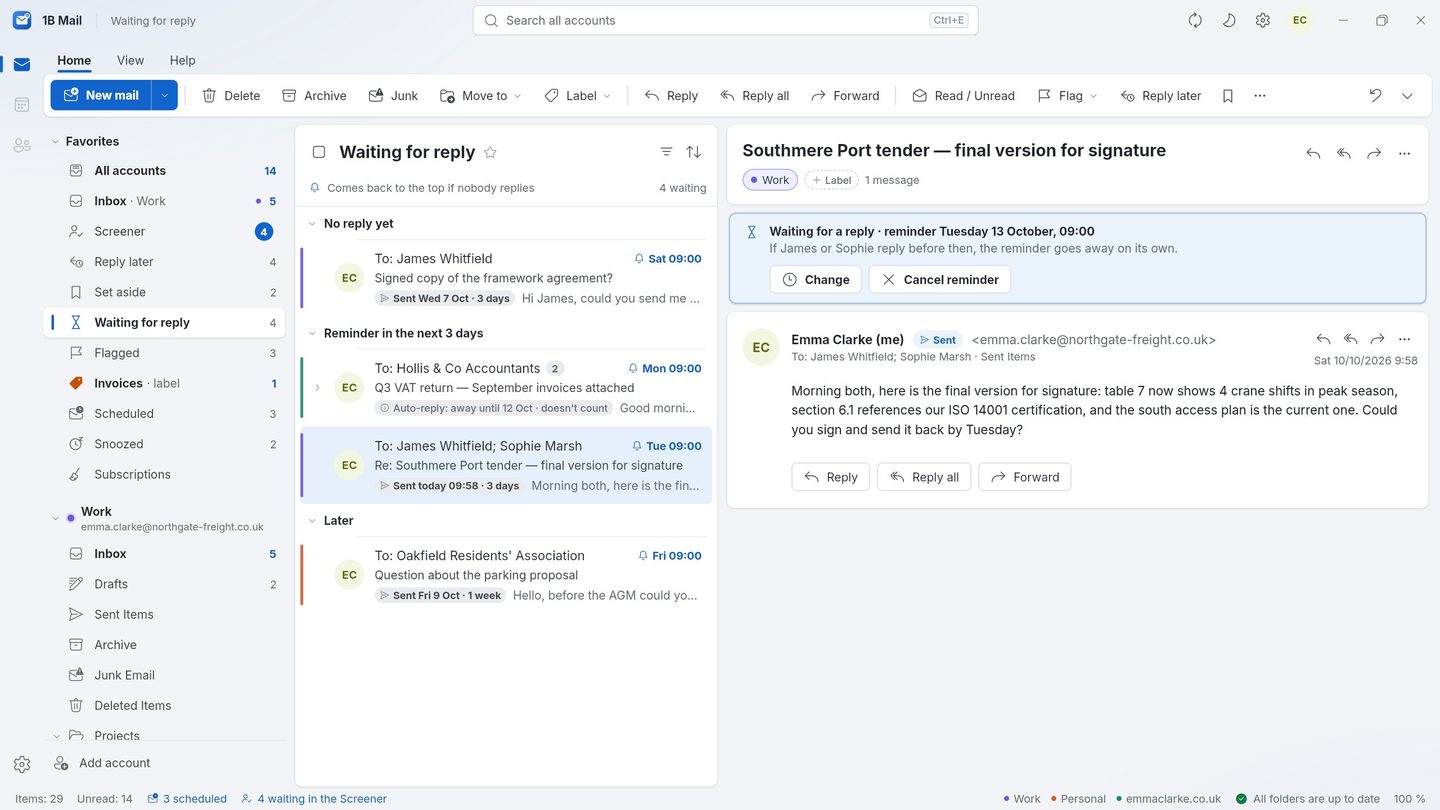
Screenshots of the real app with made-up sample data.
Who it's for
Busy inboxes
If most mail is automated, Important turns a hundred messages into the five that matter.
Public addresses
Sales, press or support addresses keep cold mail out until someone approves it.
Online shoppers
Every receipt and delivery notice in one tab when you need it.
Good to know
- Without Pro, the inbox splits into Focused and Other with local rules — included in every copy.
- Sorting happens on your device: no message is sent to a server or an AI service to be classified.
- Pro is on sale soon; until then these features are shown as a preview.
Questions about this feature
Can a message be lost in the wrong tab?
No. Tabs are views of your inbox; nothing is moved on the server or deleted. Moving a message to another tab teaches 1B Mail for that sender.
Does the sender know they were screened?
No. The Screener only decides what you see in 1B Mail; nothing is sent back.
Do sign-in codes wait in the Screener?
No. One-time codes and security messages go straight through.
Does it work on Android?
Yes. The tabs and the Screener are also on the phone with the same decisions.
Related features
Try it yourself
Download 1B Mail for Windows or Linux, or get it on Google Play for Android.