All your accounts
Every account in one calm inbox
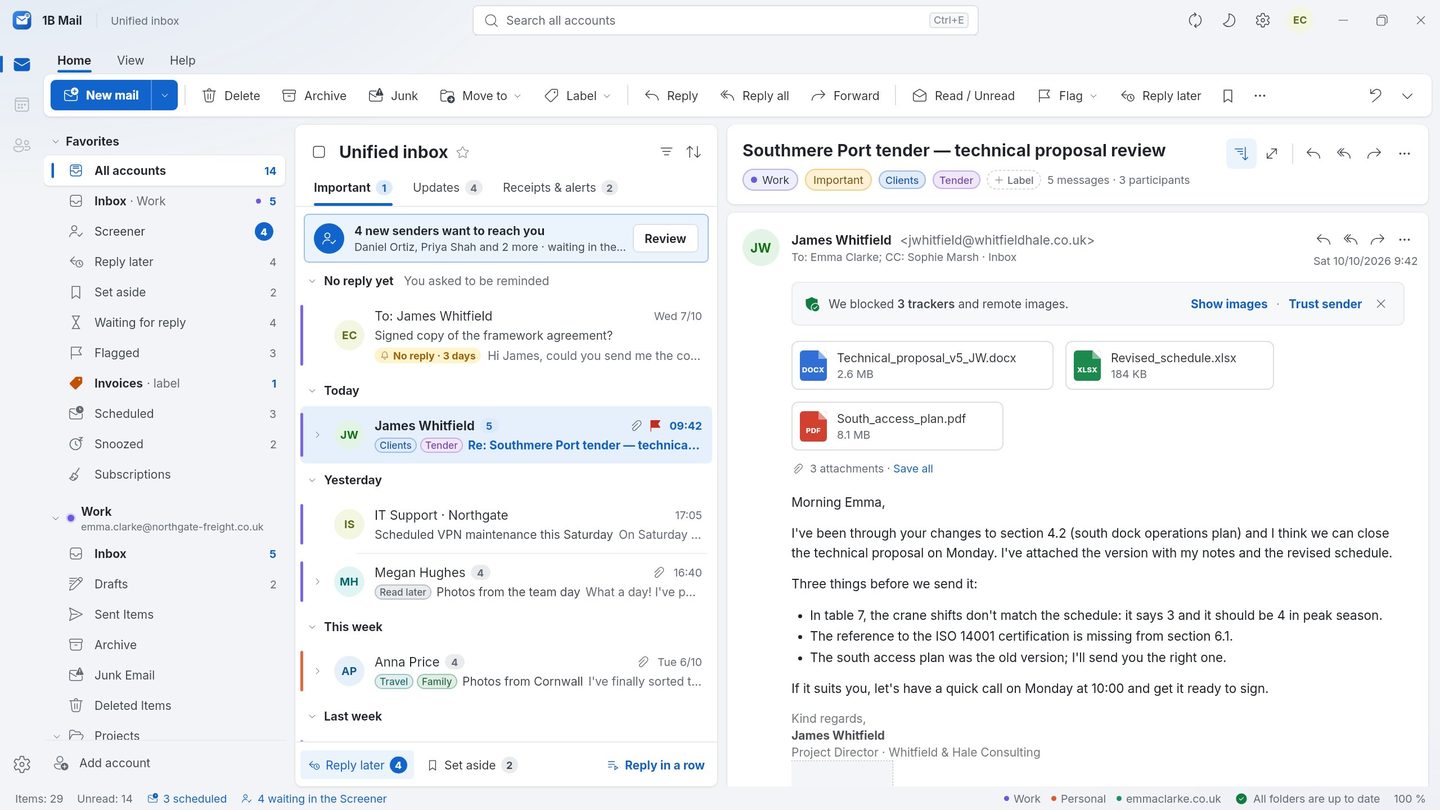
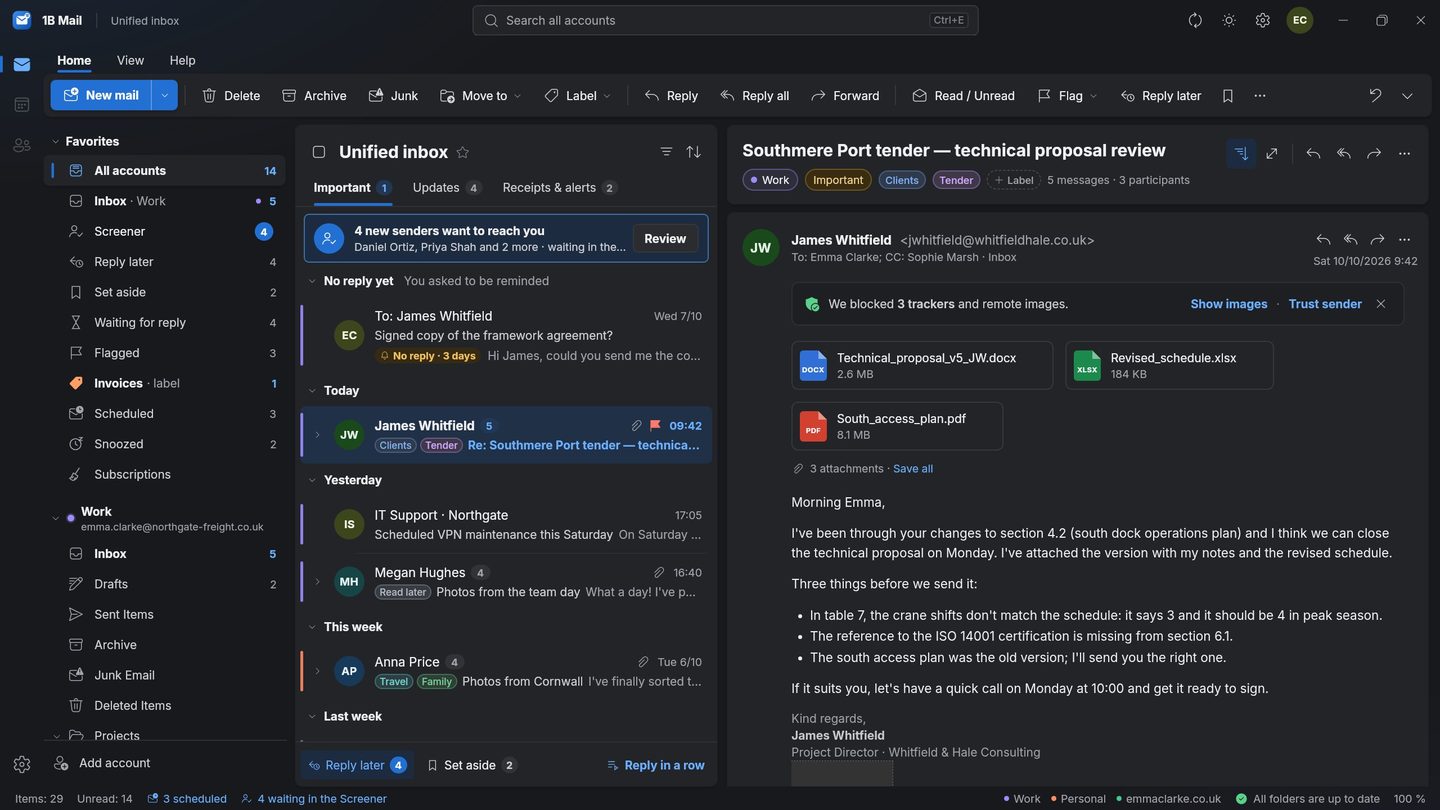
Work, personal and that old address you still check: 1B Mail brings them together in one unified inbox, each account in its own colour, with your replies gathered into real conversations.
Included in every copy of 1B Mail, not part of Pro.
What it is
1B Mail connects directly to each provider's mail servers over IMAP and SMTP — the same standards Thunderbird and Outlook use. You add as many accounts as you like and see them together in All accounts, or one by one in the sidebar.
Conversations are built across folders: when you reply, your answer from Sent appears in the conversation in the order things happened. Undo works for sending, deleting and moving.
- Unlimited accounts
- IMAP and SMTP
- Conversations across folders
- Undo send, delete and move
How it works
- Step 1
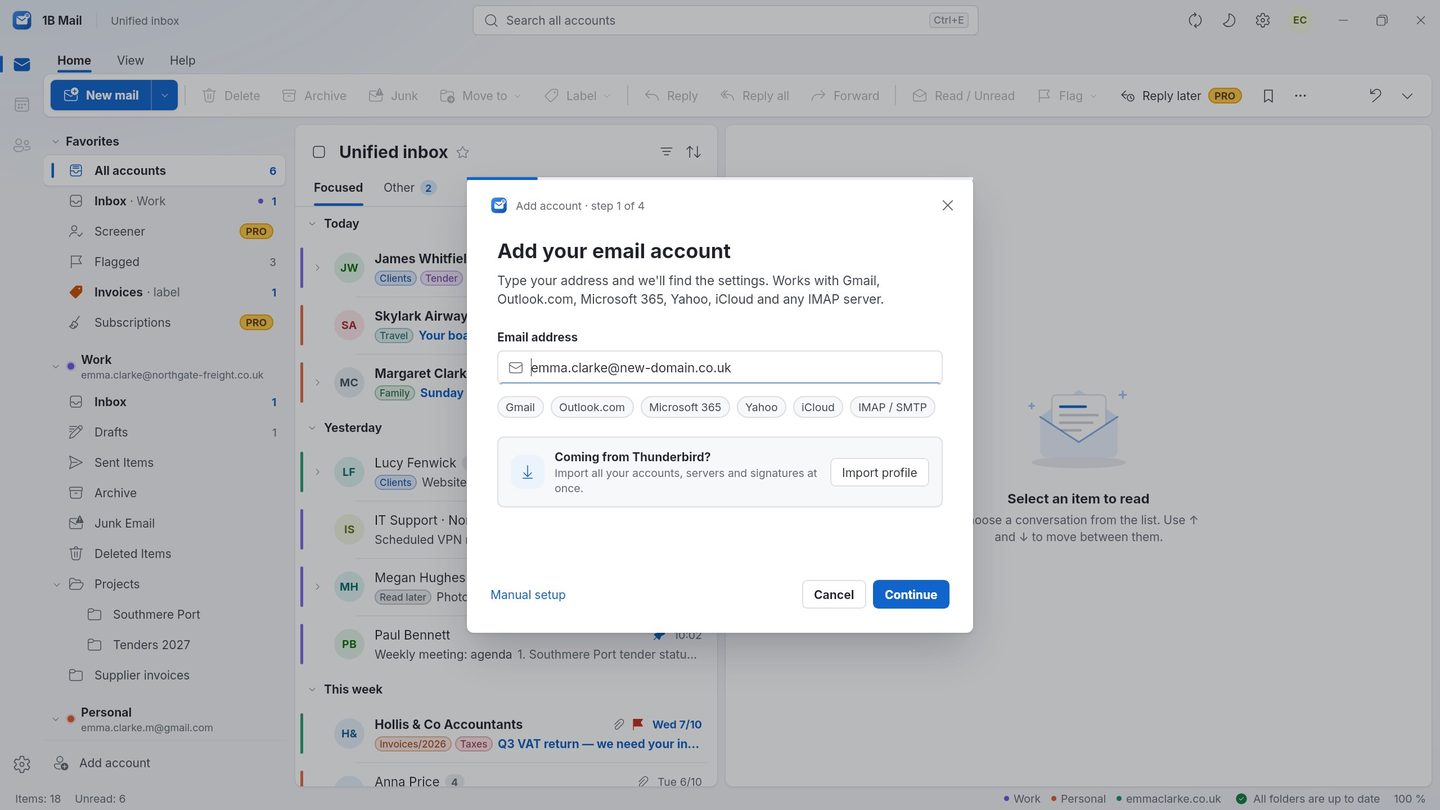
Type your address
Write your email address and 1B Mail finds the server settings for you from the provider's public configuration. For Gmail it walks you through creating an app password; for Microsoft accounts you sign in with Microsoft.
- Step 2
Or bring everything from your old program
Coming from Thunderbird, or from classic Outlook on Windows? 1B Mail imports your accounts, identities and signatures. Your old program stays exactly as it was.
- Step 3
Read it all in one place
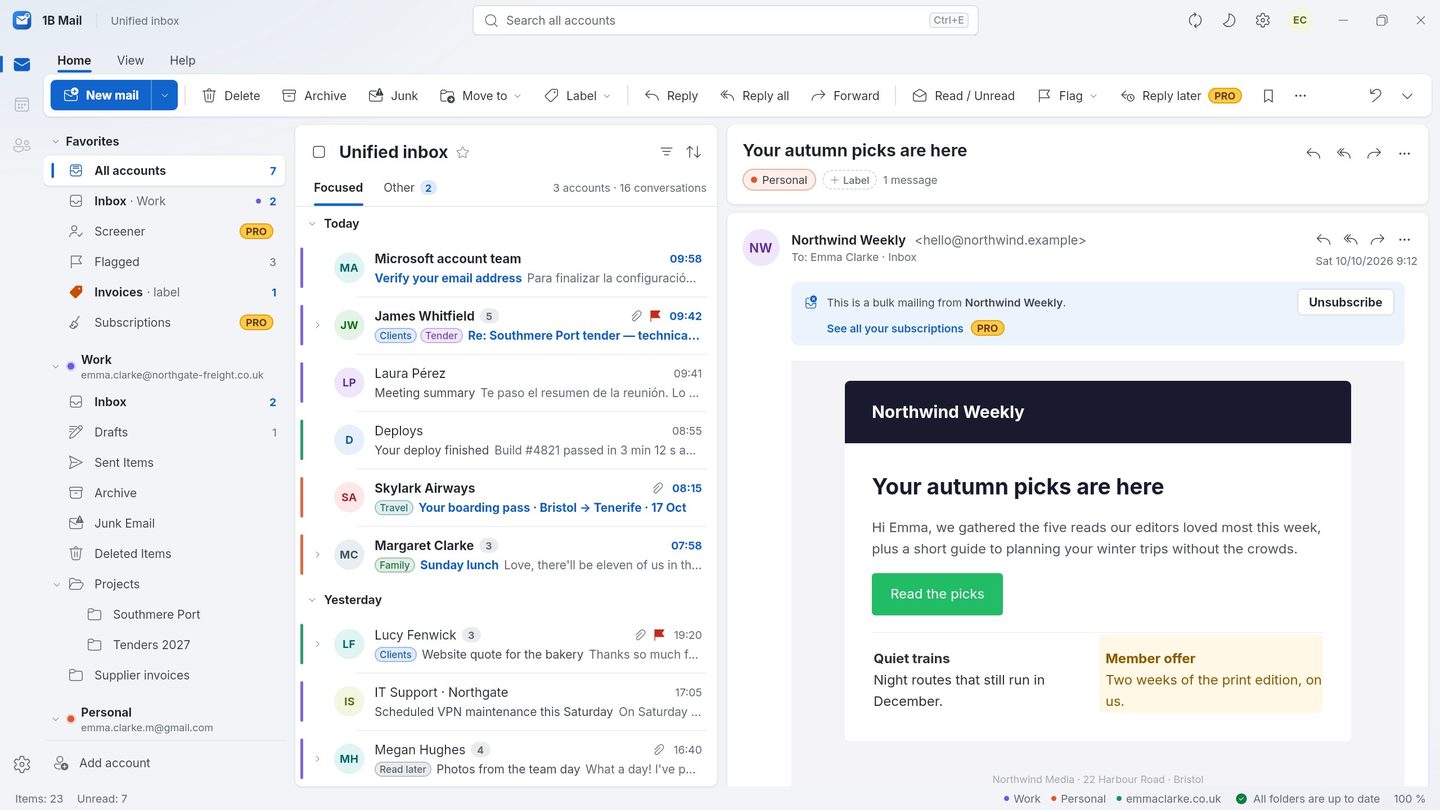
All accounts shows every inbox together, newest first, each account marked with its colour. Open a conversation and you see the whole exchange, including what you sent.
- Step 4
Take it with you
On Android the same accounts live in the drawer. Bring them over from your computer with a QR code instead of typing them again.
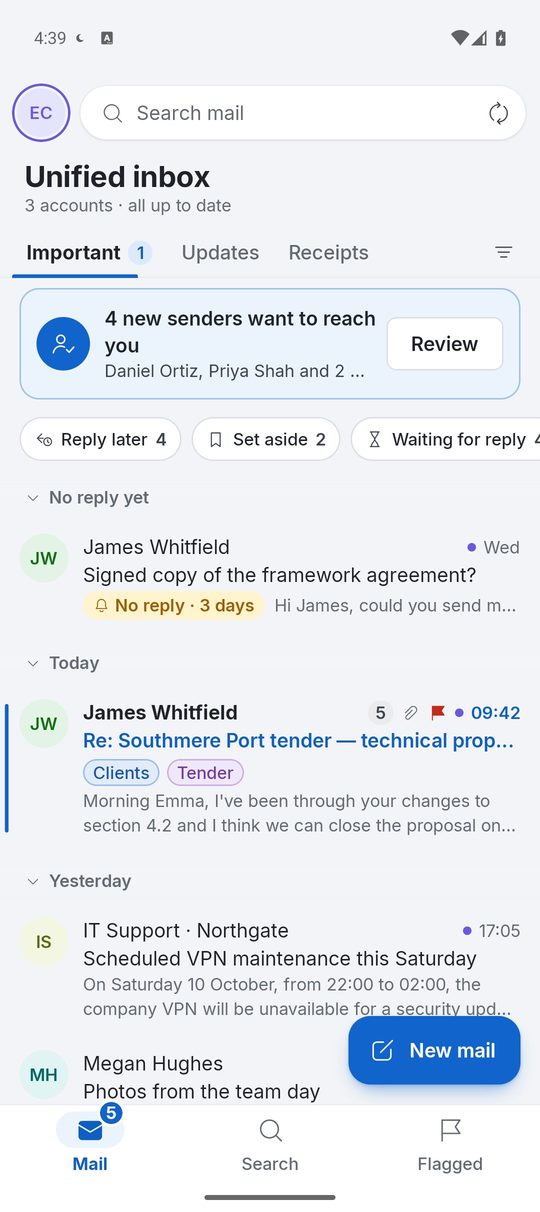
Screenshots of the real app with made-up sample data.
Who it's for
Several jobs, one inbox
Freelancers with an address per client stop switching between webmail tabs.
Your own domain
Hosted mailboxes with IMAP work like any big provider.
Family addresses
Keep an eye on a shared household address without logging in and out.
Good to know
- IMAP only: POP3 accounts aren't supported.
- In a Microsoft work account, your administrator may need to approve 1B Mail first.
- Proton Mail works through Proton Mail Bridge.
Questions about this feature
Which providers work?
Gmail, Outlook.com, Hotmail, Microsoft 365, Yahoo, iCloud, AOL, GMX, Zoho, Fastmail and any provider that offers IMAP and SMTP.
Is there a limit to the number of accounts?
No. Add as many as you use; each keeps its own folders, signature and colour.
Does my mail pass through 1Byte?
No. 1B Mail talks to your mail servers directly. While you set up an account it may also look up public auto-configuration directories to find the server settings.
Can I keep using Thunderbird or Outlook at the same time?
Yes. 1B Mail reads the same mailboxes on the server, so both programs see the same messages and folders.
Try it yourself
Download 1B Mail for Windows or Linux, or get it on Google Play for Android.