1B Mail ProPro
For people who live in their inbox
Pro adds the tools heavy email users reach for every day. One licence covers your computers and your phone, and it switches on in the same app with your 1Byte account.
Part of 1B Mail Pro: one licence, no subscription.
What it is
1B Mail is complete without Pro: every account, labels, sync, search, undo send and dark mode stay part of every copy. Pro adds automation and time-savers on top.
Pro features show a small PRO badge where they live, so you can find them. If a licence ever stops being valid, nothing of yours is lost: scheduled messages still go out and snoozed ones still come back.
- One licence, computers and phone
- No subscription
- Nothing locked away
How it works
- Step 1
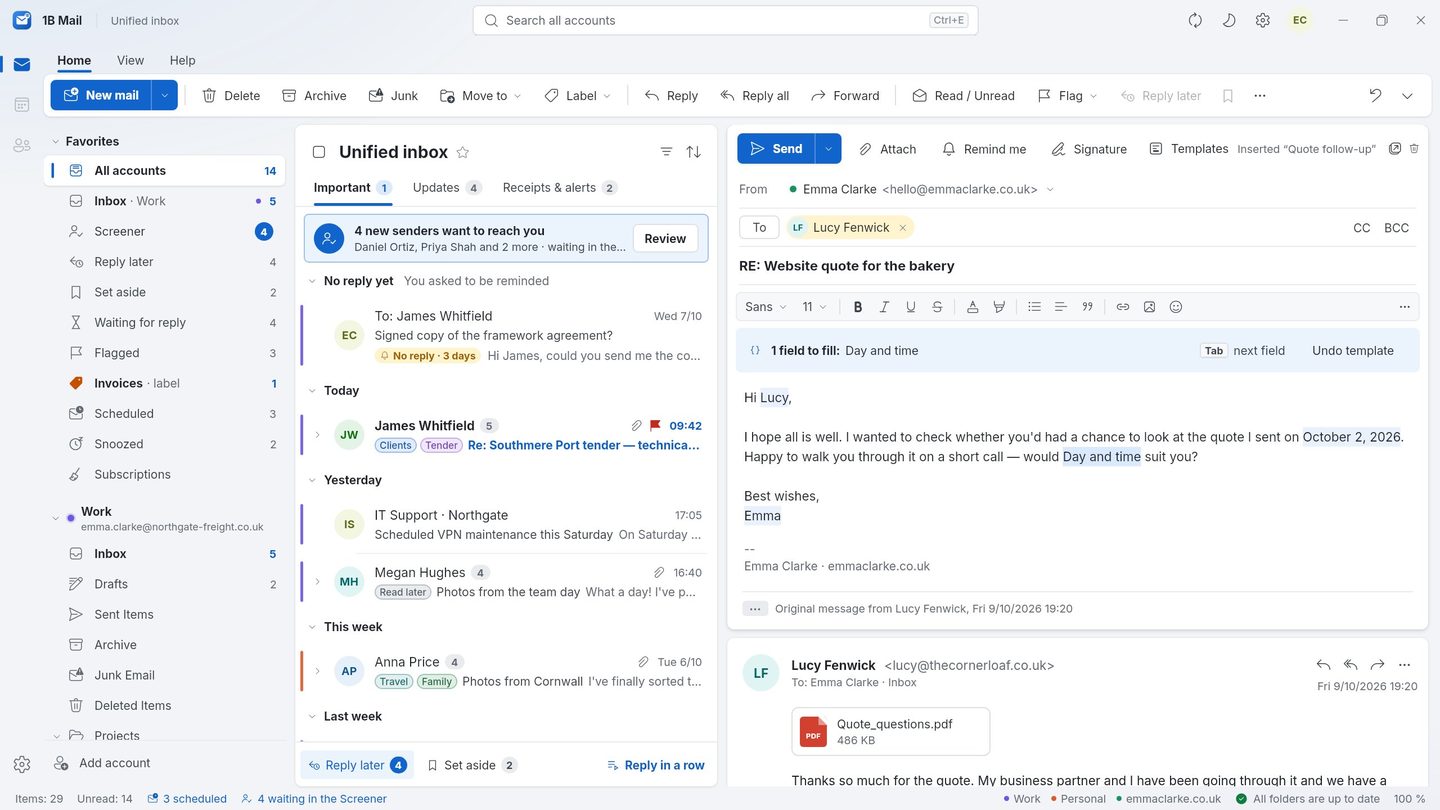
Templates
Reusable replies with fields filled in for you — the recipient's first name, your name, a date in three days — and questions you answer as you insert them. They're stored in your mail account, so your phone sees them too.
- Step 2
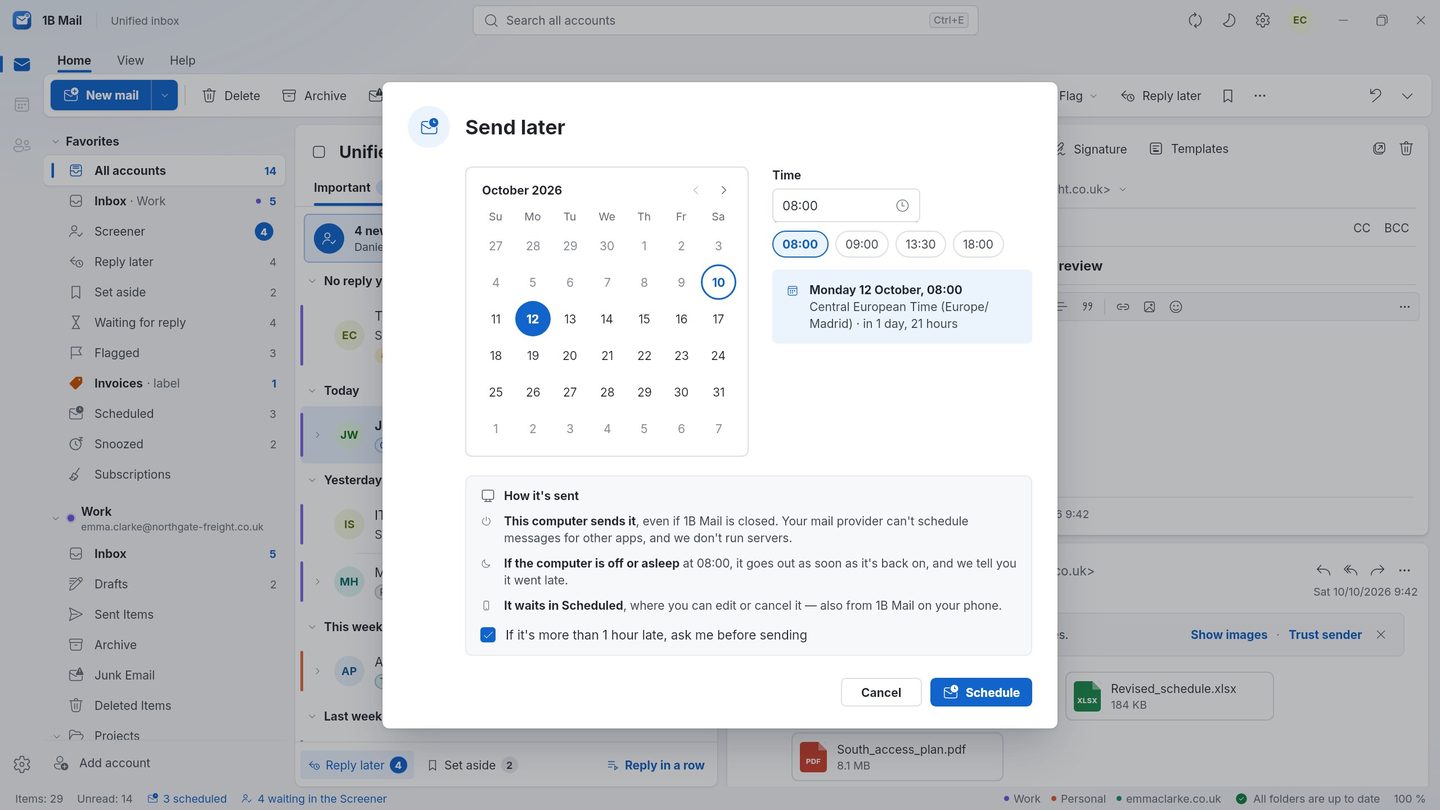
Send later
Schedule a message for tomorrow at 9:00. Your computer sends it on time even when 1B Mail is closed.
- Step 3
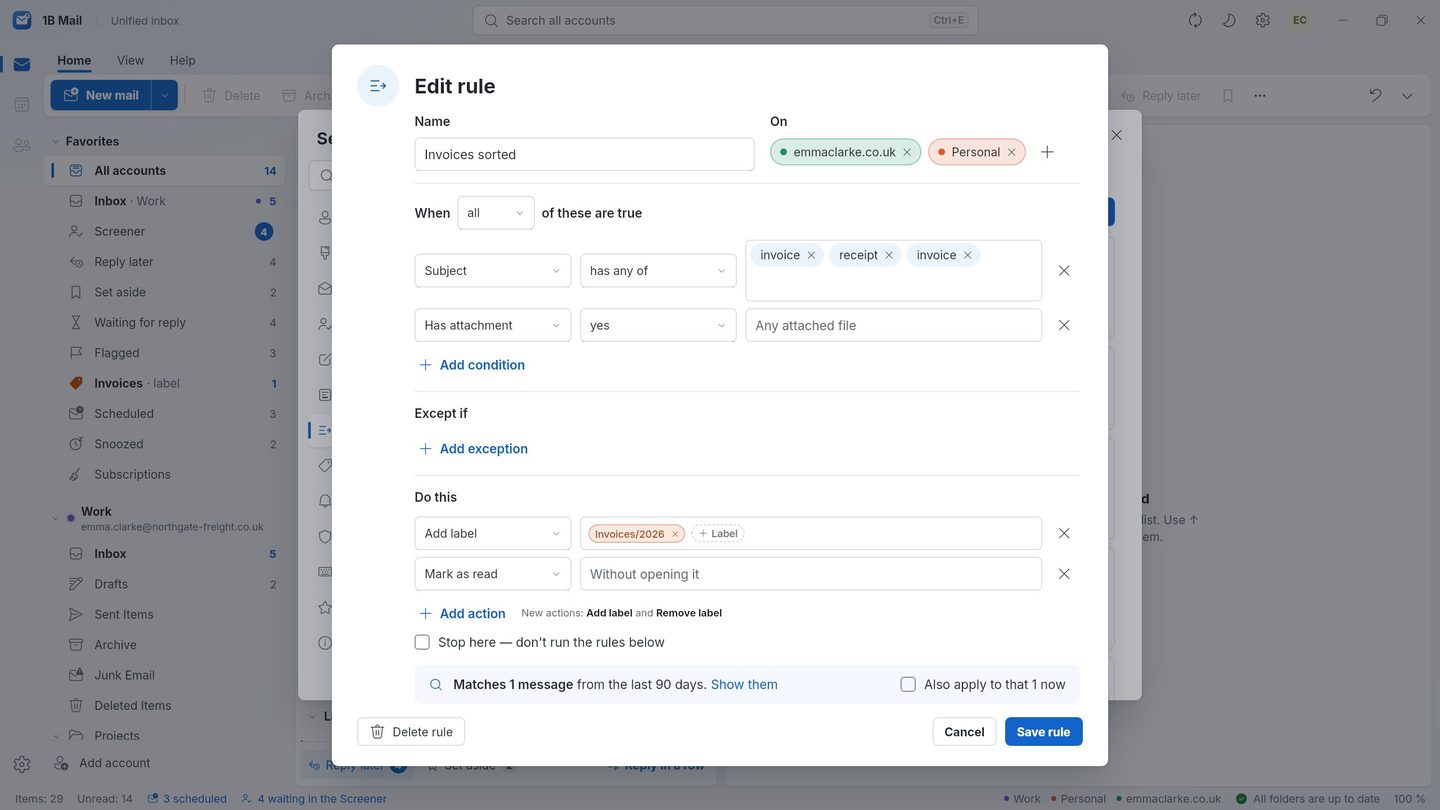
Advanced rules
Sort, label and file new mail automatically, with conditions on sender, subject and more. Import your Thunderbird filters.
- Step 4
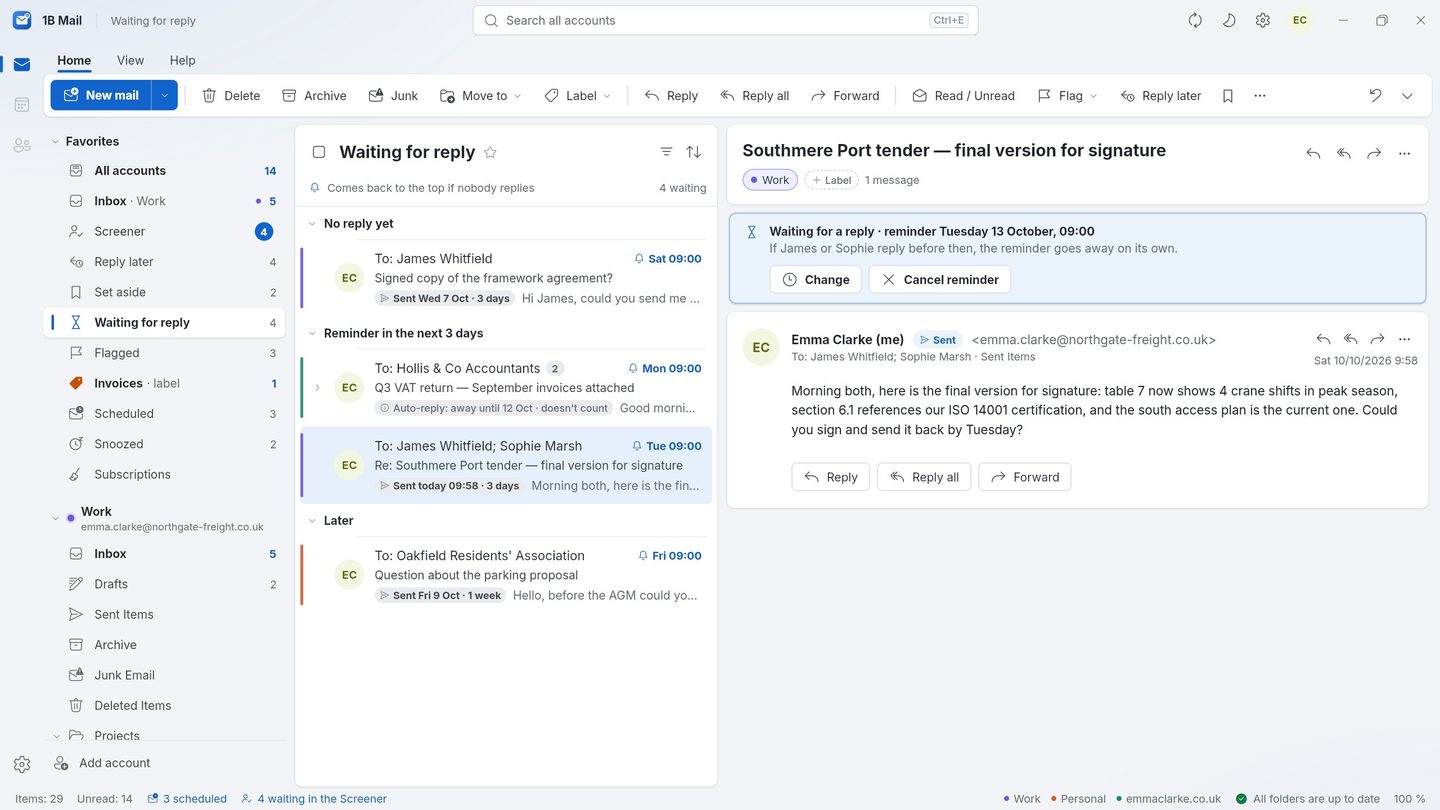
Snooze and Reply later
Make a conversation disappear until Monday, keep a list of mail to answer, and get a reminder when nobody replies.
Screenshots of the real app with made-up sample data.
Everything in Pro
Inbox by type
Important, Updates and Receipts & alerts.
Screener
First-time senders wait for your yes.
Reply later and reminders
Set mail aside and get a nudge when nobody replies.
Templates
Reusable replies with fields filled in for you.
Send later
Schedule a message, even with the app closed.
Snooze
Make a conversation come back when you need it.
Advanced rules
Sort, label and file new mail automatically — import your Thunderbird filters.
Newsletter clean-up
See every subscription and unsubscribe in one place.
Themes
Accent colours and reading layouts.
Labels, sync, undo send, dark mode and every account are part of 1B Mail for everyone, and they stay that way. Pro is on sale soon; a few Pro features are on the computer only for now.
Who it's for
Sales and support
Templates turn the same answer into a two-second reply.
Different time zones
Write at night, send in the recipient's morning.
Overflowing inboxes
Rules and Inbox by type keep it sorted without you.
Good to know
- Pro is on sale soon. Until then, Pro features are shown as a preview.
- A few Pro features are on the computer only for now.
- Send later is done by your own computer: there is no server of ours sending mail for you.
Questions about this feature
What stays without Pro?
Every account, labels and folders, sync, search, undo send, dark mode, Focused and Other, quick rules and importing from Thunderbird and Outlook.
Is it a subscription?
No. Pro is one licence for your computers and your phone.
What happens to scheduled mail if Pro stops?
It's still sent at its time, and snoozed conversations still come back. You just can't schedule or snooze new ones.
Where are templates stored?
In a Templates folder of your mail account, so your other devices — and Thunderbird — can see them.
Related features
Pro
Inbox by type & Screener
Important, Updates and Receipts & alerts — and first-time senders wait for your yes.
How it worksLabels and folders
One label for every account, stored the right way for each provider.
How it worksEncrypted sync
Accounts, labels and sidebar on all your devices, end-to-end encrypted.
How it works
Try it yourself
Download 1B Mail for Windows or Linux, or get it on Google Play for Android.