Labels and folders
Labels that work in every account
Create a label once and use it on any message, from any account. 1B Mail saves it where it belongs for each provider, so it also shows up in Gmail and Thunderbird.
Included in every copy of 1B Mail, not part of Pro.
What it is
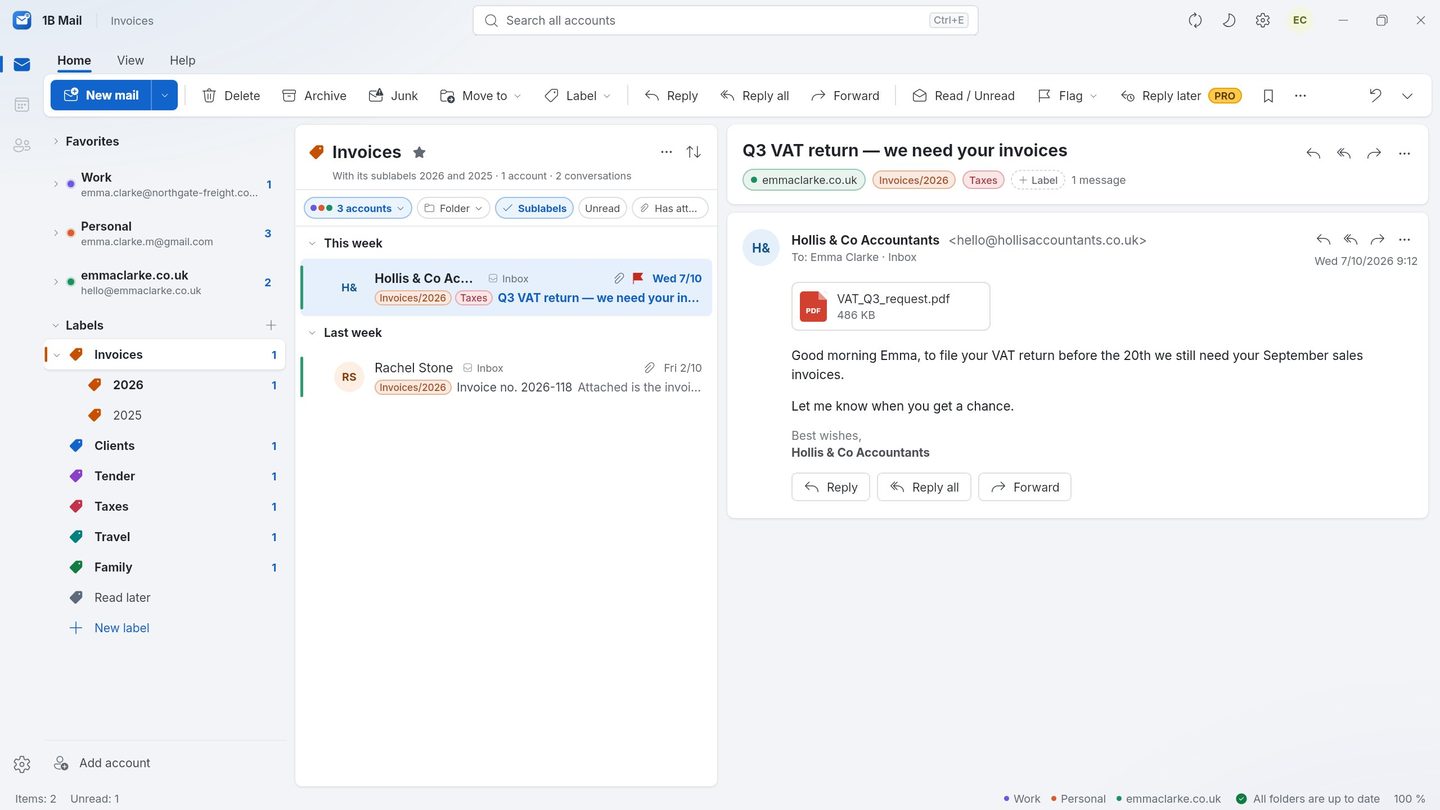
Labels are like tags: a message can have several, and a label can gather messages from all your accounts. Click Invoices and you see every invoice from work, personal and your own domain together.
Folders stay real folders on your server: create, rename, move and delete them from 1B Mail and they change on the server too.
- Gmail labels
- IMAP keywords
- Colours and sub-labels
- Your order, synced
How it works
- Step 1
Label as you read
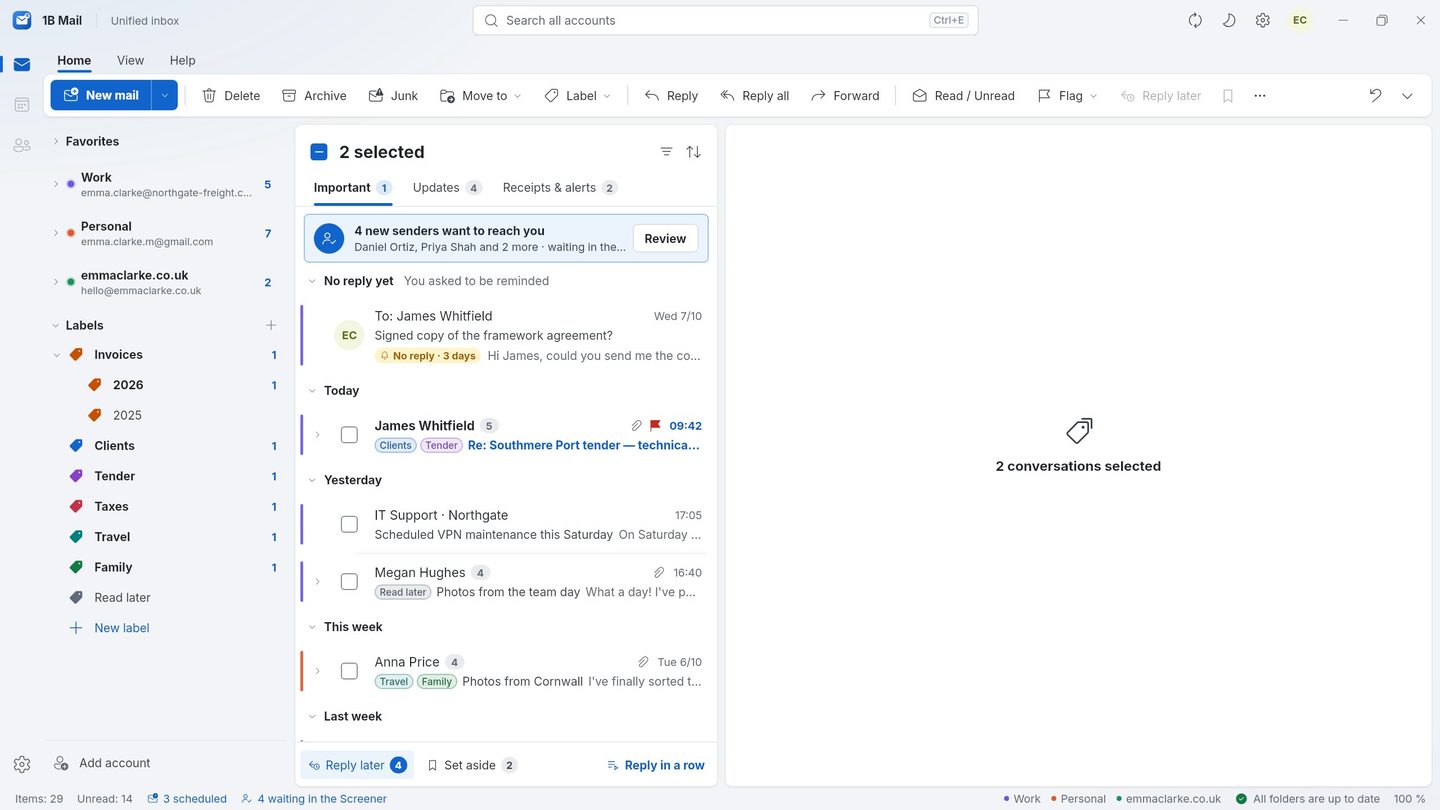
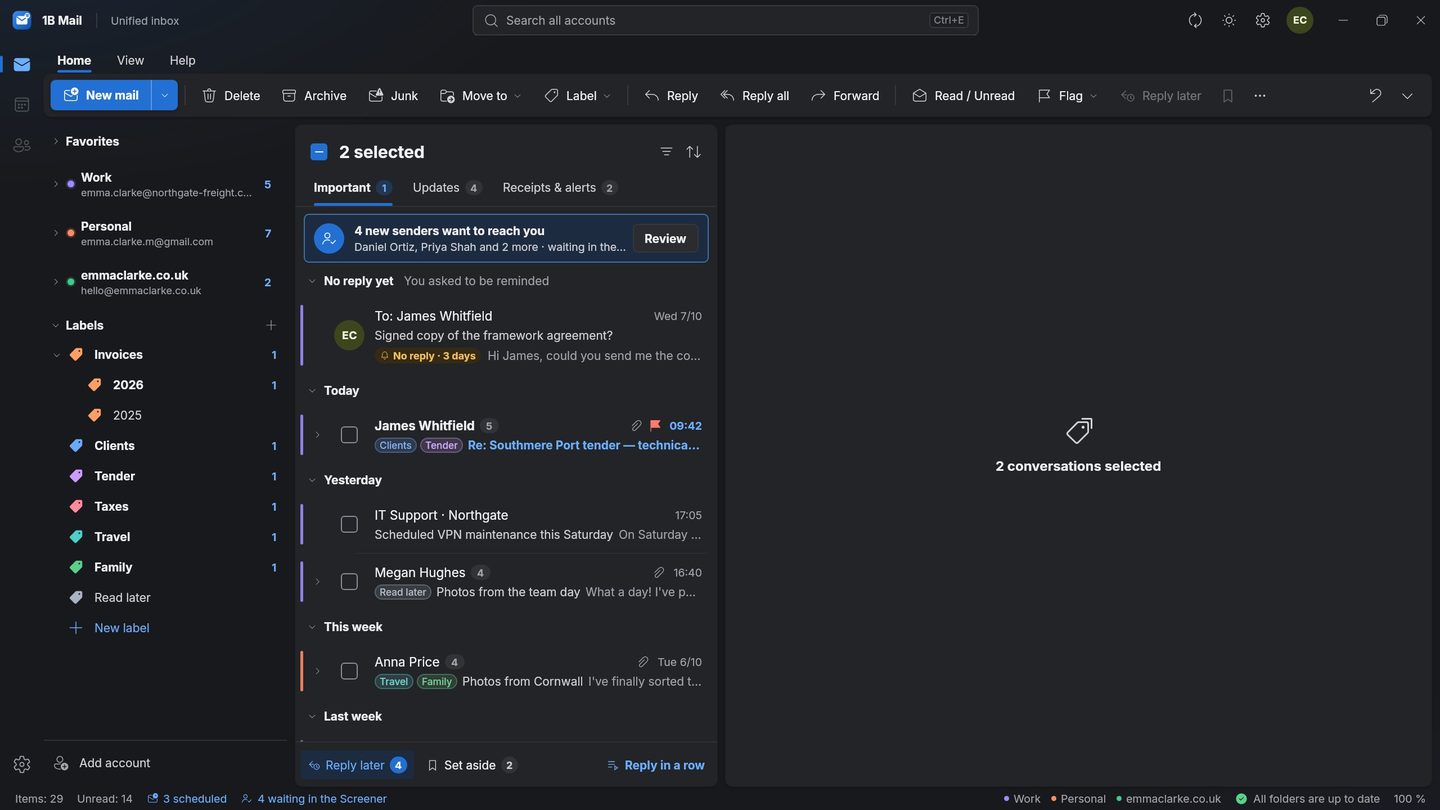
Press Label, tick one or several, or create a new one on the spot. Select many conversations and label them all at once.
- Step 2
See one label everywhere
Open a label in the sidebar to see its messages from every account. Search inside it, or type label:invoices in the search box.
- Step 3
Arrange it your way
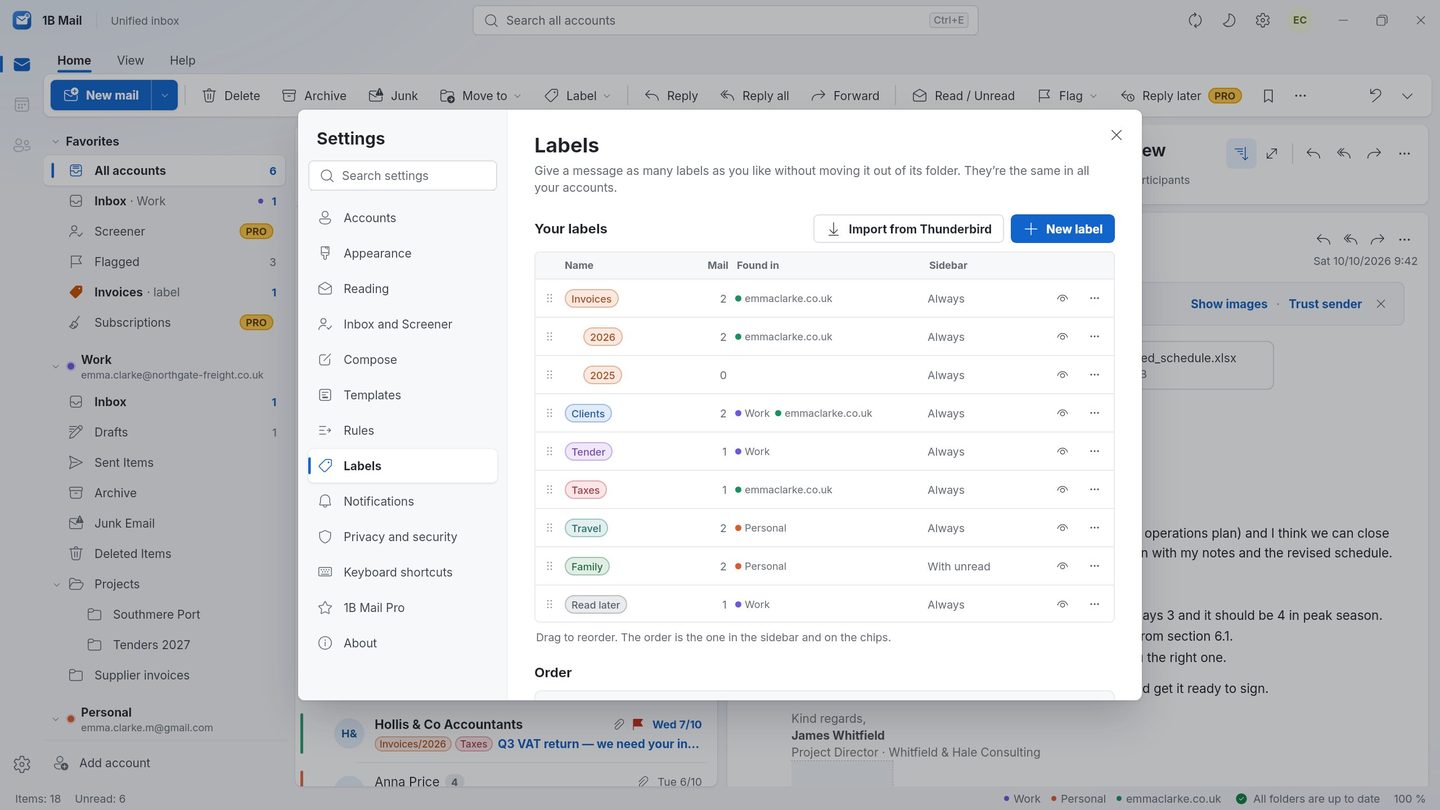
Drag labels into your order or keep them alphabetical, give them colours, hide the ones you don't need — with Undo — and rename the Labels and Favorites sections.
- Step 4
Same labels on the phone
On Android, long-press to select and label several conversations. Your labels, order and colours follow you with sync.
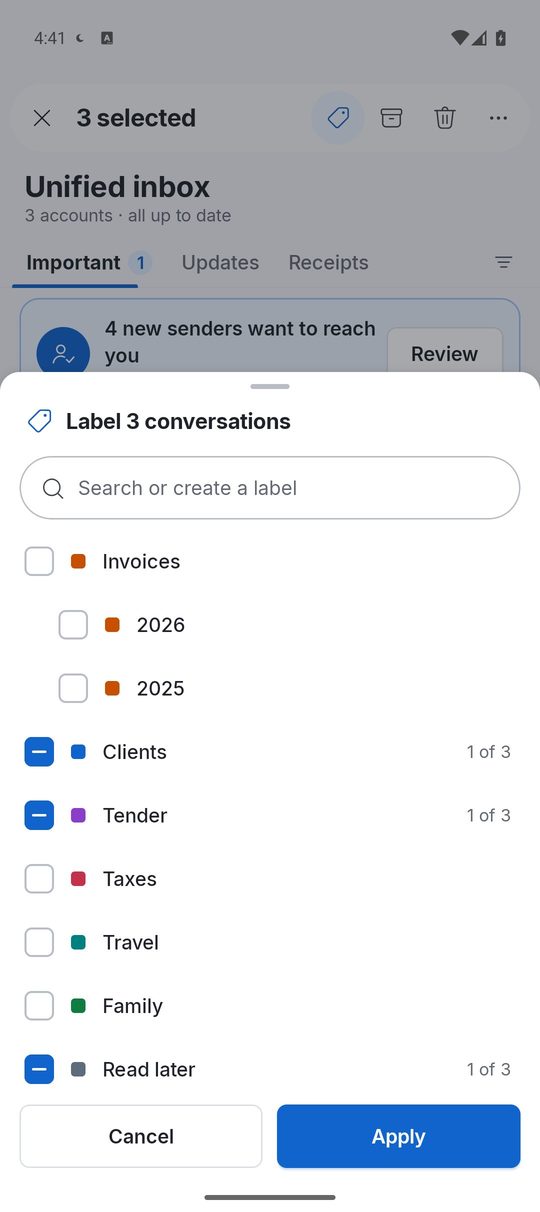
Screenshots of the real app with made-up sample data.
Where each label is stored
- Gmail
Real Gmail labels: the same ones you see in Gmail on the web and on your phone.
- IMAP
Keywords on your server, the way Thunderbird saves its tags.
- Outlook
For Outlook.com, Hotmail and Microsoft 365, labels are kept by 1B Mail and travel between your devices with your 1Byte account.
Who it's for
Projects and clients
One label per client gathers their mail from every address you use.
Paperwork
Invoices, tax and insurance under one label, ready when you need them.
Thunderbird users
Your existing tags appear as labels, and new ones show up in Thunderbird.
Good to know
- Basic labels — creating, ordering, hiding, colours, folders — are part of every copy.
- Rules that label new mail automatically are part of Pro.
- Some servers don't accept keywords; there, labels are kept by 1B Mail as with Outlook.
Questions about this feature
Will my Gmail labels appear?
Yes, they are the same labels. A label you create in 1B Mail on a Gmail message also appears in Gmail.
What's the difference between a label and a folder?
A message lives in one folder but can have many labels. Labels can cross accounts; folders belong to one account.
Can I hide a label without deleting it?
Yes. Hide it and it disappears from menus and the sidebar; Show all brings it back.
Do labels sync to my phone?
Yes, with sync turned on: labels, their order, colours and the sidebar.
Related features
Try it yourself
Download 1B Mail for Windows or Linux, or get it on Google Play for Android.