Sync between devices
Set it up once. It follows you.
Turn on sync with your 1Byte account and your accounts, labels and sidebar appear on your other computers and your phone within seconds — encrypted on your device with a phrase only you know.
Included in every copy of 1B Mail, not part of Pro.
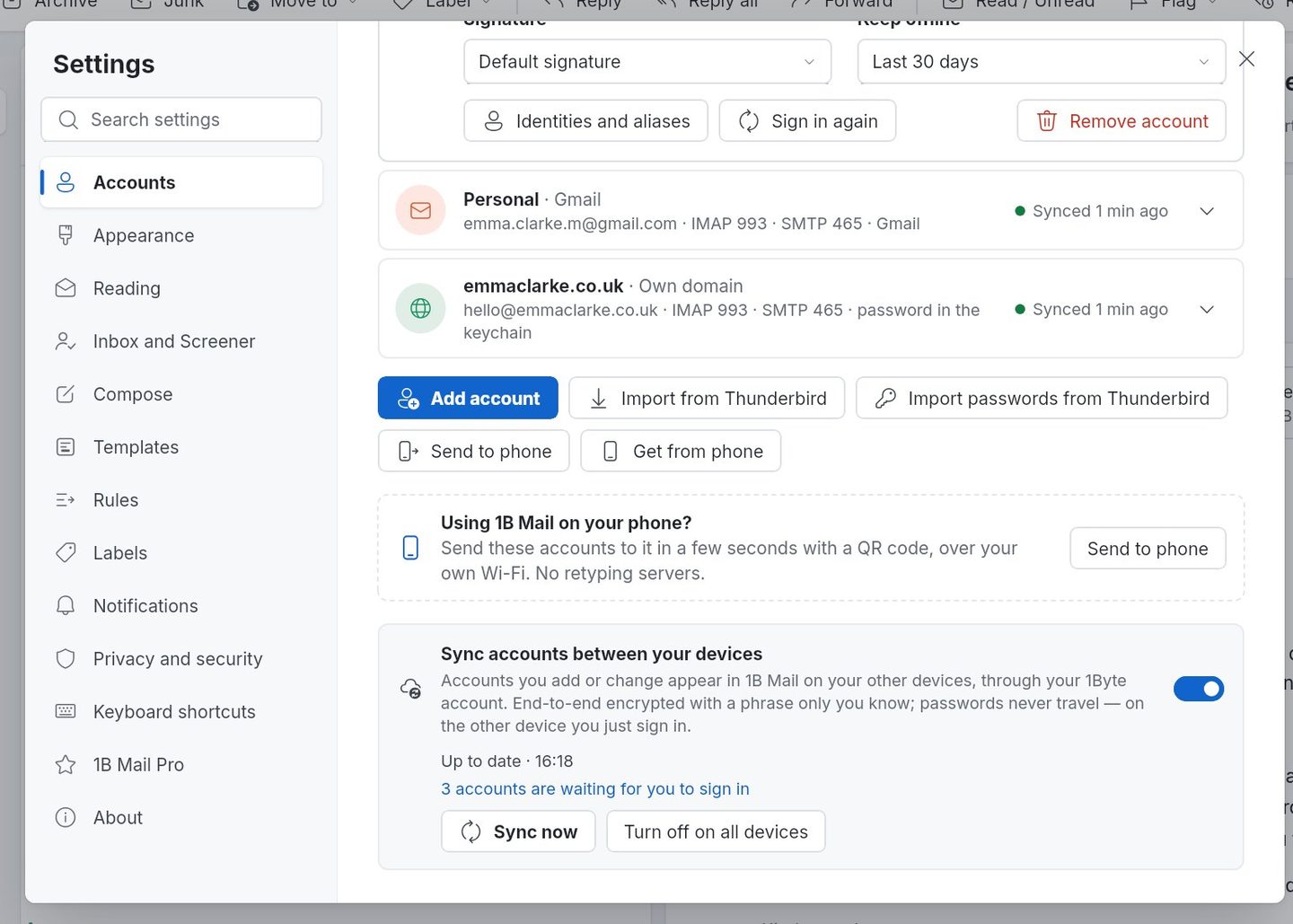
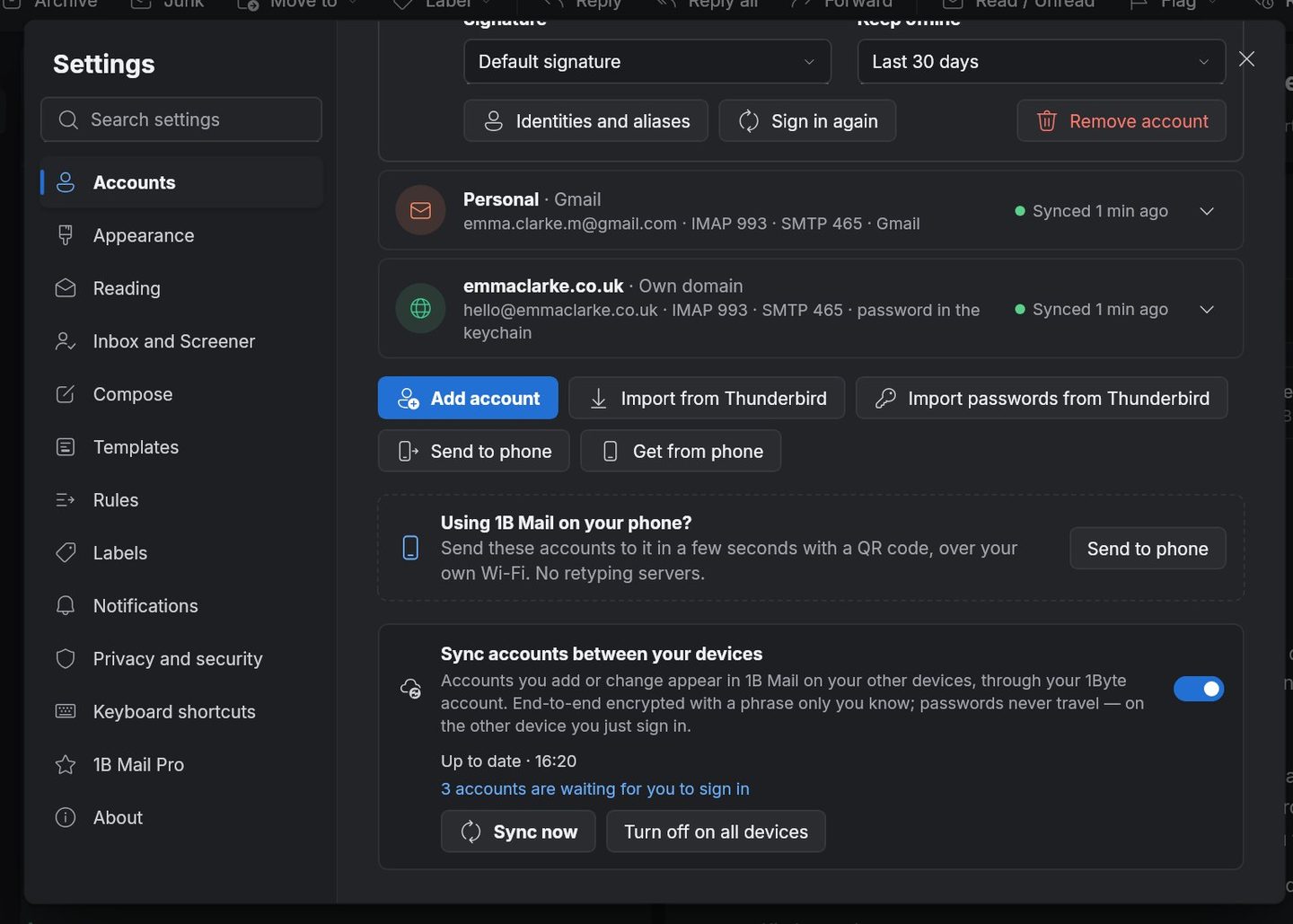
What it is
Sync copies your setup, not your mail: account settings (name, address, servers, signatures), labels with their order and colours, and the layout of your sidebar. Your messages stay on your mail provider, as always.
Before anything leaves your device it's encrypted with AES-256-GCM using a key made from your phrase. Our server stores data it cannot read. Passwords and sign-in tokens never travel: each device signs in to your mail on its own.
- Included in every copy
- AES-256-GCM
- Linux · Windows · Android
- Within seconds
How it works
- Step 1
Turn it on
In Settings › Accounts, choose Sync and sign in with your 1Byte account (or create one with your email address).
- Step 2
Choose your phrase
Pick the phrase that protects your data. Keep it somewhere safe: without it, nobody — including us — can read what's stored.
- Step 3
Open 1B Mail on another device
Sign in with the same 1Byte account, type your phrase and your accounts, labels and sidebar appear. Then sign in to each mail account once.
- Step 4
Change something anywhere
Rename a label on your phone and it changes on your computer within seconds. Remove an account from this device only, or from all of them.
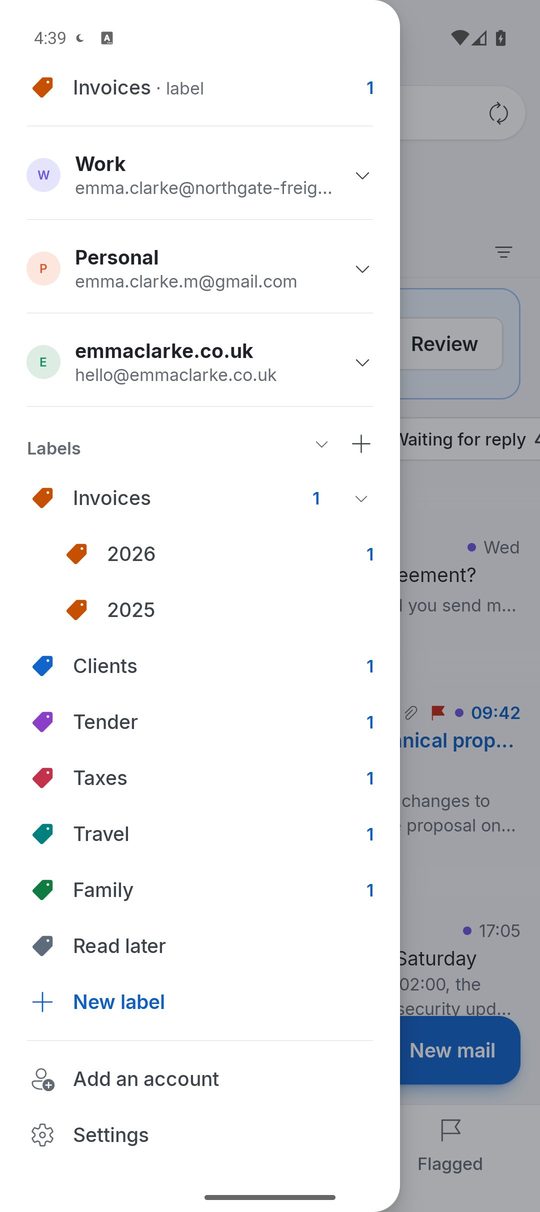
Screenshots of the real app with made-up sample data.
Who it's for
Two computers
Office PC on Windows and a Linux laptop at home, set up the same way.
Computer and phone
Labels you create at your desk are there on the train.
A new device
Install, sign in, type your phrase: your setup is back.
Good to know
- Sync is included in 1B Mail for everyone; it isn't part of Pro.
- It needs a 1Byte account, used only for sync and Pro.
- If you lose your phrase, the stored data can't be recovered; you can start a new sync from any device.
Questions about this feature
What exactly does sync send?
Account settings (name, address, servers, signatures), labels, their order and colours, and your sidebar — encrypted on your device. Never your messages, passwords or sign-in tokens.
Can 1Byte read my synced data?
No. It's encrypted with a key made from your phrase, which never leaves your devices.
Which devices can sync?
1B Mail on Linux, Windows and Android, in any combination.
Do I need sync to use 1B Mail?
No. 1B Mail works without any account; sync is there if you use more than one device.
Try it yourself
Download 1B Mail for Windows or Linux, or get it on Google Play for Android.