Chapter 9 · 1B Dock guide
Updates: install new versions of 1B Dock
From version 0.4, 1B Dock looks for new versions by itself, downloads them in the background and checks their signature. It never installs anything without you.
Install an update
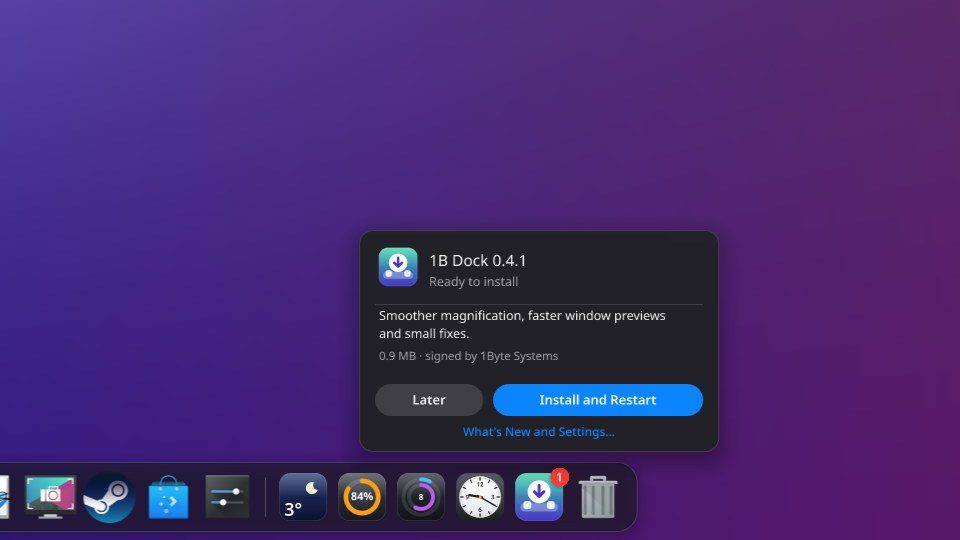
- When a new version is ready, a small icon with an arrow and a red badge appears at the end of the dock, before the Trash.
- Click it to see the version, what's new and its size, signed by 1Byte Systems.
- Choose Install and Restart. On KDE the system asks for your password; on Windows it installs for your user. The dock closes and opens again with the new version.
- Not now? Choose Later, or drag the icon out of the dock: it waits three days or until another version.
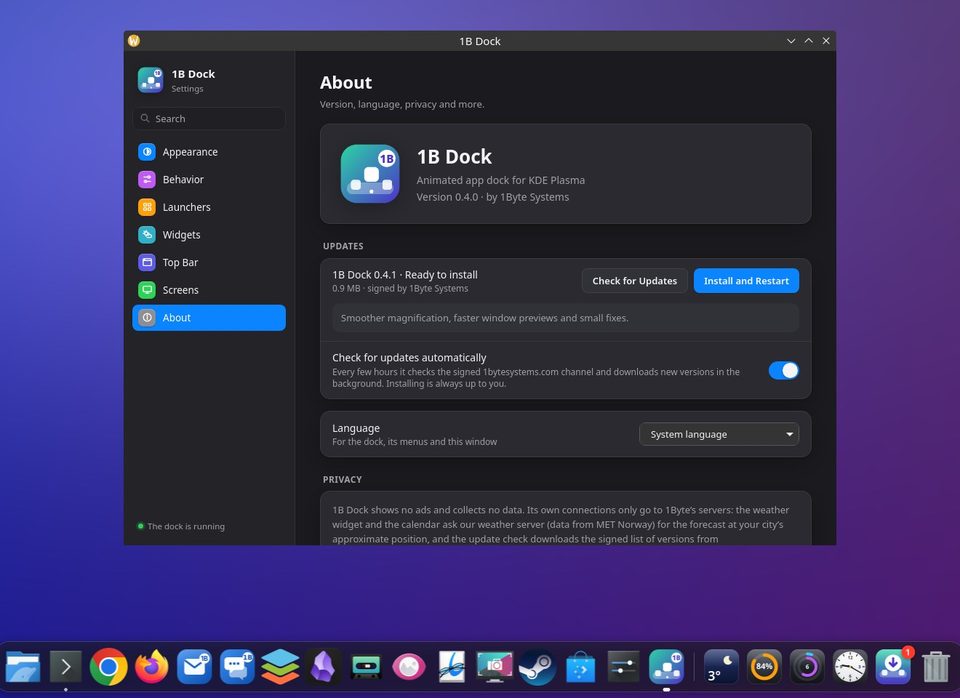
Settings › About
Updates shows whether 1B Dock is up to date and when it last checked, or the new version with Install and Restart. Check for Updates looks now. The 1B menu of the top bar has Check for Updates… too.
Check for updates automatically: Every few hours it checks the signed 1bytesystems.com channel and downloads new versions in the background. Installing is always up to you. Turn it off and 1B Dock only looks when you ask.
Coming from version 0.3
Version 0.3 can't update itself: download 0.4 once from the 1B Dock page and install it over it. On Windows the installer says Update 1B Dock and keeps your dock, settings and apps; on KDE, install the RPM as in chapter 1. From then on, updates arrive inside the app.
For 1B Dock 0.4 on KDE Plasma 6 (Wayland) and Windows 10 and 11.