Chapter 6 · 1B Mail guide
Privacy and security: trackers, images and passwords
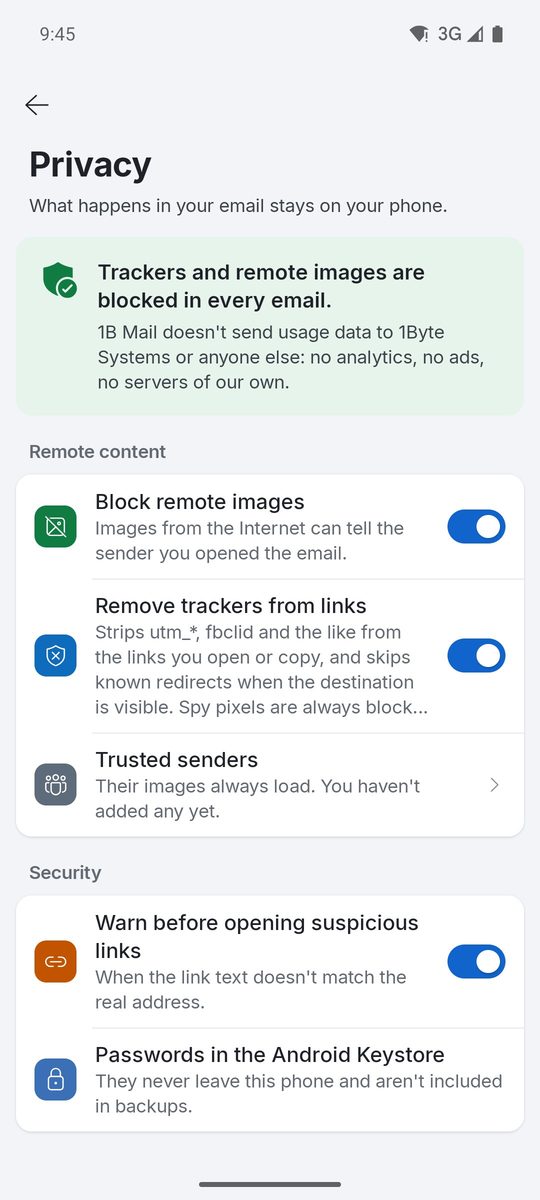
What happens in your email stays on your device. 1B Mail doesn't send usage data to 1Byte Systems or anyone else: no analytics, no ads and no servers of our own between you and your mail.
Remote images and trackers
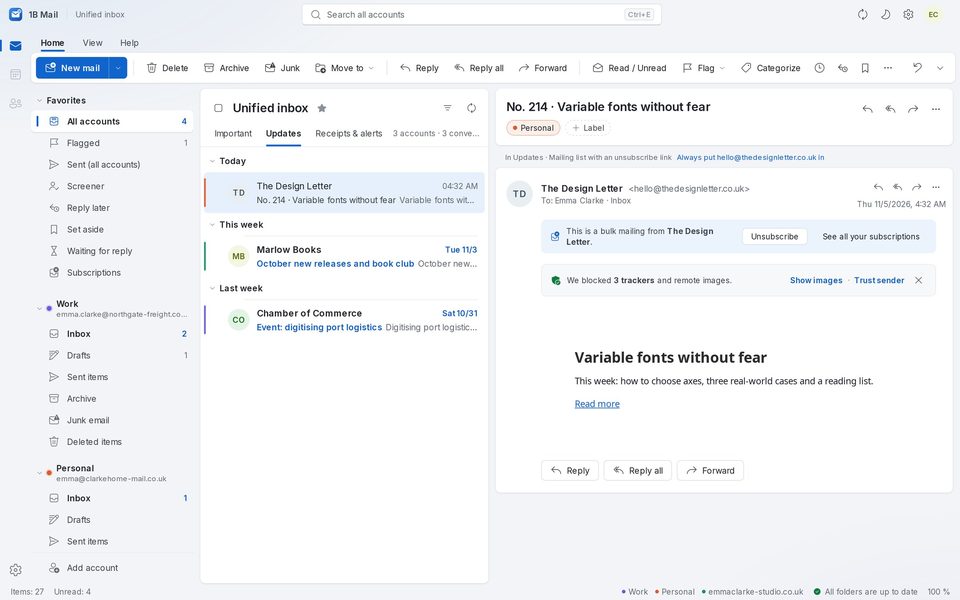
Images from the internet can tell the sender you opened the email, so Block remote images is on from the start and spy pixels are always removed. A bar tells you how many trackers were blocked.
To see the images of one message, click Show images. Trust sender loads them automatically from then on; you'll find those senders in Trusted senders. On Android, the bar offers Show, and Block again to undo it.
Links
Remove trackers from links strips utm_*, fbclid and the like from the links you open or copy. Warn before opening suspicious links stops you when the link text doesn't match the real address. Links always open in your browser, never inside the email.
Where your mail and passwords are kept
Your mail is downloaded to your device and stays there: choose how much in Keep offline for each account on the computer. Passwords and Google or Microsoft permissions are encrypted in the system keychain (Secret Service on Linux, Credential Manager on Windows); on Android, in the Android Keystore, and they aren't included in backups.
Emails are shown without running any script, so a hostile message can't do anything in 1B Mail.
Which connections 1B Mail makes
1B Mail connects to your mail servers, to Google or Microsoft when you sign in with them, to the image servers of an email only when you ask to see its images, and to 1Byte only when you check for updates, activate Pro or use the encrypted account sync. Our website lists every connection, checked in the code.
For 1B Mail 0.3.14 on Windows and Linux and 0.2.9 on Android.