Chapter 3 · 1B Mail guide
Writing: compose, reply, attach and schedule
On the computer, a new message opens in its own window, so you can keep reading while you write. On the phone it opens full screen.
Write and reply
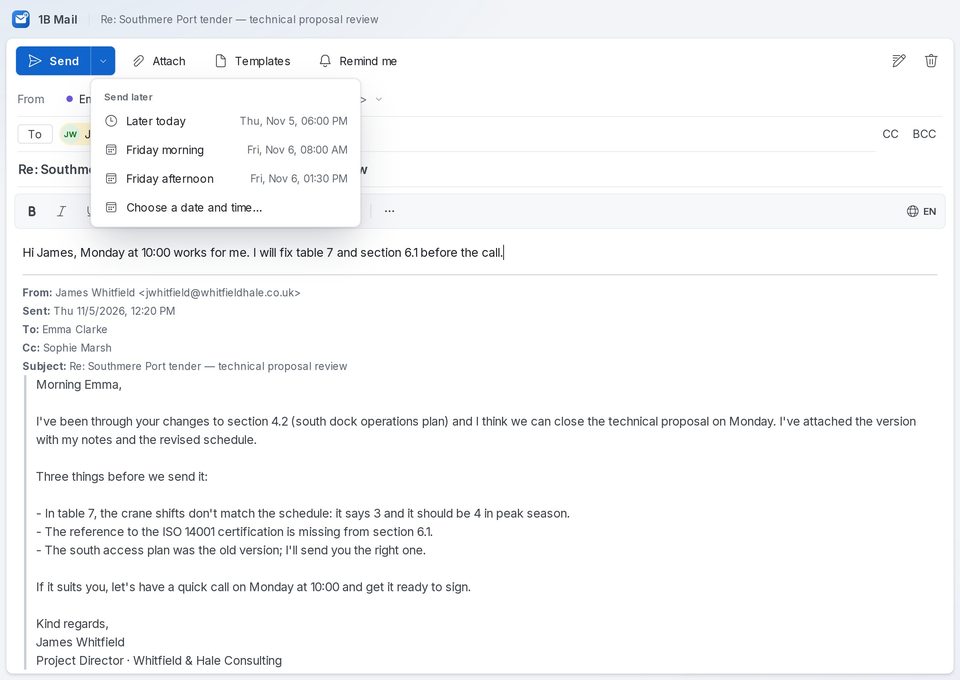
Click New mail (or press Ctrl+N), or Reply, Reply all or Forward on a message. Choose the account in From, add people in To (and CC or BCC), write a subject and the message. The formatting bar has bold, lists, links, colours and more.
On Android, tap New mail in the inbox, or the reply buttons at the end of a conversation.
Attachments and pictures
Click Attach or drag files onto the window. On the phone, tap Attach file to pick from Files or Attach photos for your gallery. Pictures can also go inside the text with Insert image.
Signatures and aliases
Each address has its own signature. On the computer, open Settings › Accounts, open the account and edit its Signature under Identities and aliases; there you can also Add alias for other addresses you send from. On Android, open the account in Settings and tap Signature.
When you write, choose No signature from the signature button to leave it out of one message.
Spelling
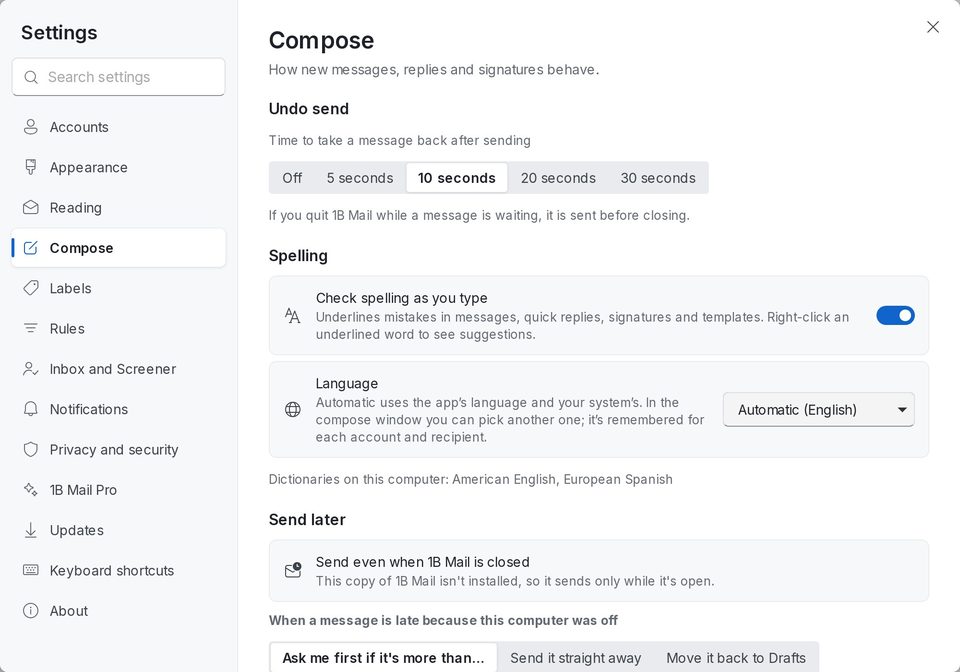
Check spelling as you type underlines mistakes in messages, quick replies, signatures and templates; right-click a word to see suggestions. Turn it on or off and choose the language in Settings › Compose › Spelling. On Linux, 1B Mail uses the dictionaries installed on the computer, several at once; Windows checks one language at a time. On Android, the keyboard checks spelling.
Send later and Undo send
Open the arrow next to Send and choose Later today, a morning or afternoon, or Choose a date and time…. The computer sends it at that time even with 1B Mail closed; on the phone, the phone sends it. Both show up in Scheduled.
Undo send gives you a few seconds to take a message back after sending: choose 5, 10, 20 or 30 seconds in Settings › Compose (on Android, Settings › Undo send). Until it goes out, Undo brings it back.
Send later, Templates, Snooze and Remind me (a follow-up if nobody replies) are part of 1B Mail Pro. Undo send is in every edition.
Templates and reminders
Save the replies you write again and again with Templates, then insert them in two clicks; names, dates and the subject fill themselves in. They're saved in the Templates folder of your account, so your phone sees them too.
Remind me brings the conversation back to the top of your inbox if nobody replies by the day you pick. Out-of-office replies don't count.
For 1B Mail 0.3.14 on Windows and Linux and 0.2.9 on Android.