Chapter 2 · 1B Mail guide
Inbox and reading: all your accounts together
1B Mail puts all your accounts in one list and groups replies into conversations, like Outlook. Each account keeps its own colour, folders and settings.
All your accounts in one inbox
On the computer, All accounts at the top of Favorites is the unified inbox; below it you'll find Flagged, Sent (all accounts) and the folders of each account. The coloured bar on each message tells you which account it came to.
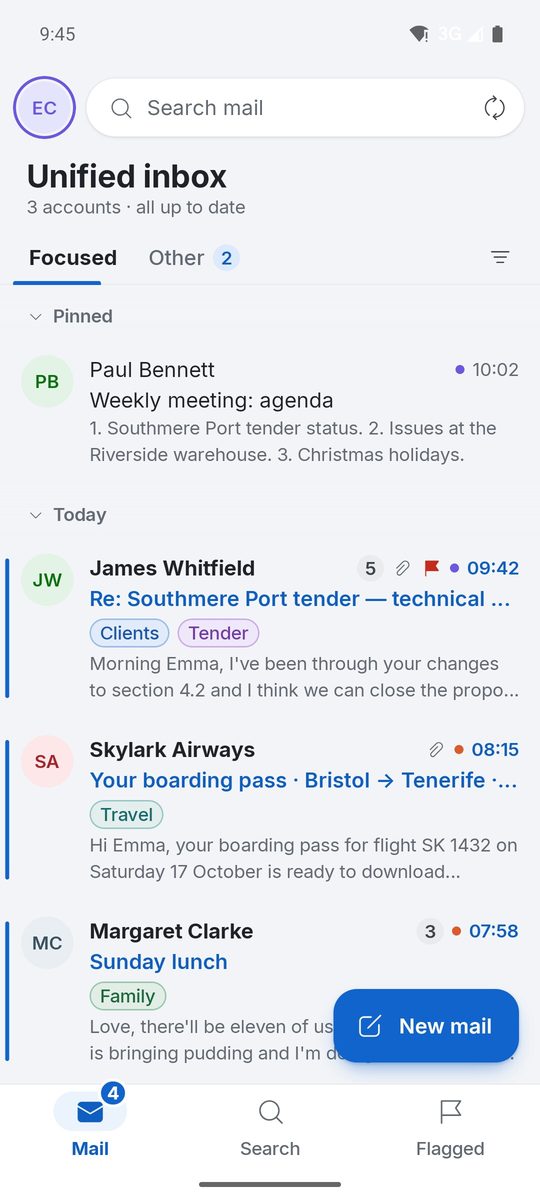
On Android, the Unified inbox opens by default. Tap your avatar to open the drawer with each account's folders, and use Mail, Search and Flagged at the bottom.
Focused and Other, or the inbox by type
By default the inbox has two tabs: Focused for people and Other for newsletters and notifications. To move a sender for good, right-click a message (or tap ··· on the phone) and choose Move to Other, or Move to Focused.
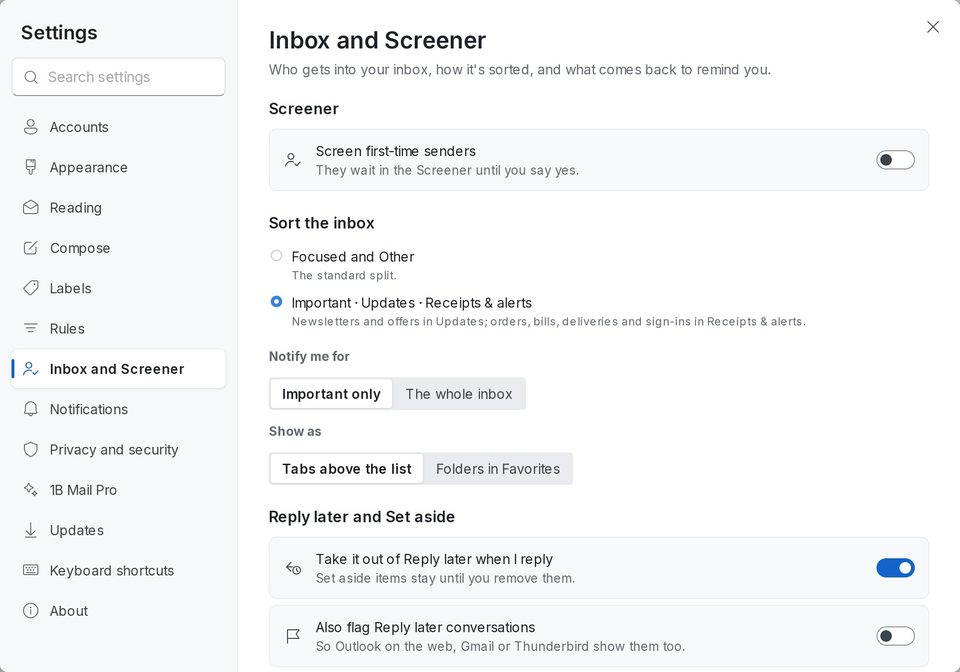
With 1B Mail Pro you can sort the inbox into Important, Updates and Receipts & alerts instead: newsletters and offers in Updates; orders, bills, deliveries and sign-ins in Receipts & alerts. Choose it in Settings › Inbox and Screener › Sort the inbox.
The inbox by type, the Screener, Reply later, Set aside and follow-up reminders are part of 1B Mail Pro.
The Screener: decide who gets in
Turn on Screen first-time senders and the first time someone writes, they wait in the Screener: say Yes once and they're in for good; say No and you won't see them again. Nobody is told. People you've written to, and sign-in codes, are always let in.
Read conversations
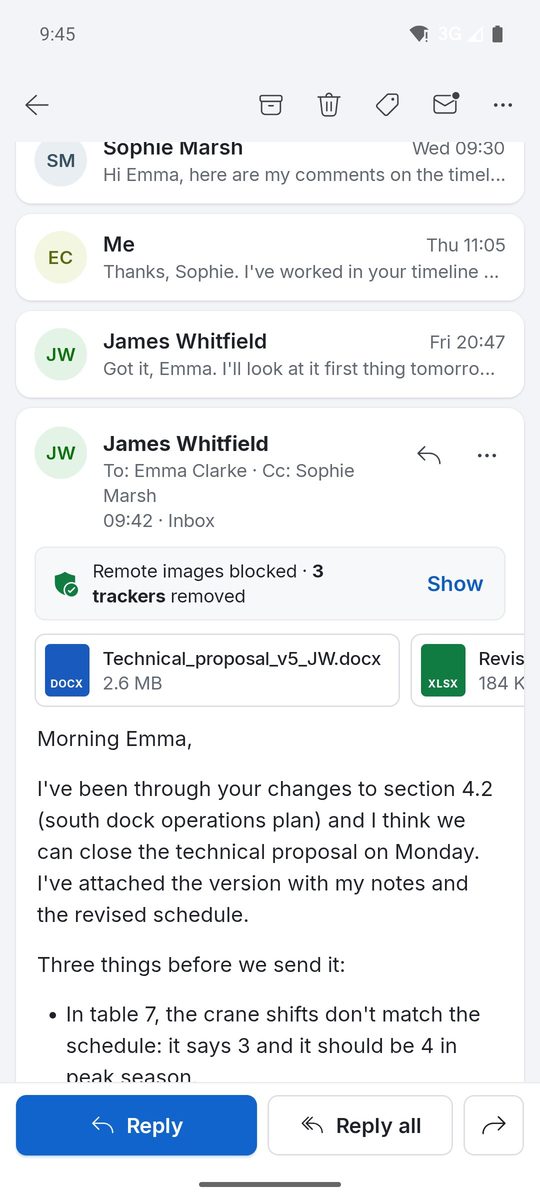
Click a conversation to read it in the reading pane (on the phone, tap it). Replies from every folder are grouped in one thread; older messages fold up so the newest is easy to find. Attachments appear above the text: click one to open it or Save all.
Choose where the reading pane goes and how dense the list is in Settings › Appearance (Reading pane: Right, Bottom or Off). In Settings › Reading, choose when messages are marked as read.
Search all your accounts
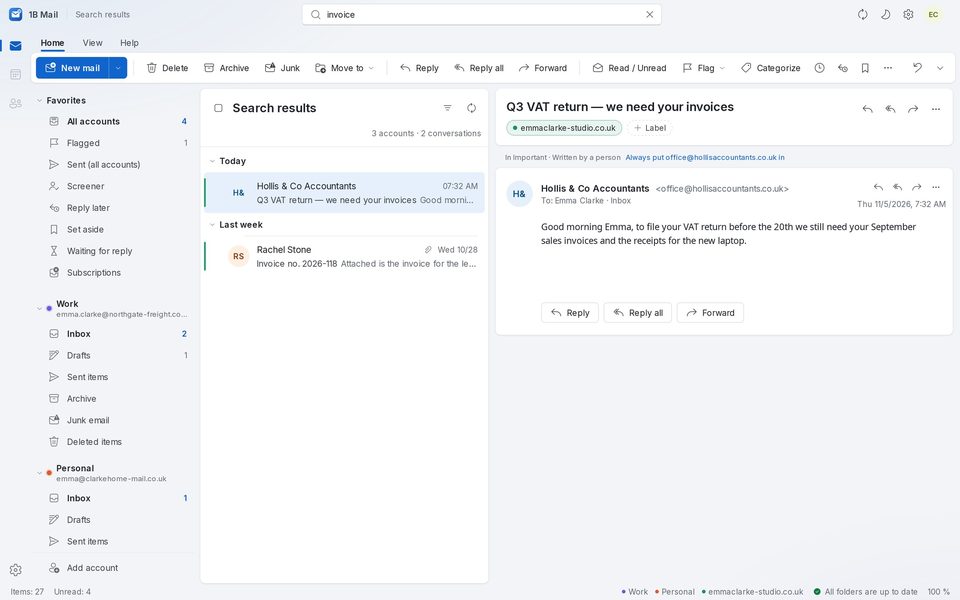
On the computer, type in Search all accounts at the top of the window (Ctrl+E) and press Enter. Filters narrows the results by From, To, Has attachments, Unread, Flagged or Date. Search runs on your computer, over the mail already downloaded, so it's instant and works offline.
On Android, tap Search at the bottom and type in Search mail.
Reply later, Set aside and Reply in a row
Use Reply later on a conversation to take it out of the inbox until you have time to answer, and Set aside for what you need at hand, like a booking. Reply in a row then walks you through the pile one by one: write, Send and next, or Done, no reply.
For 1B Mail 0.3.14 on Windows and Linux and 0.2.9 on Android.