Chapter 7 · 1B Talk guide
Settings, notifications and updates
Open Settings at the bottom of the bar on the left. The ? button at the top right of each page opens the matching chapter of this guide.
Profile, language and look
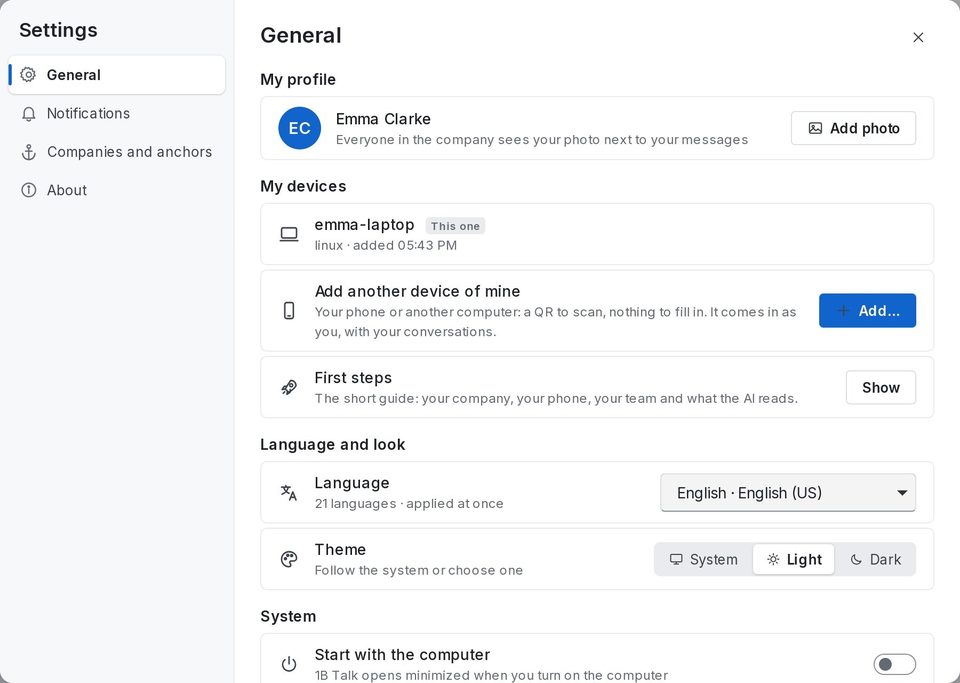
In General: My profile with Add photo (everyone sees it next to your messages), My devices, the First steps tour again, Language (21 languages, applied at once) and Theme: Light, Dark or System.
Start with the computer opens 1B Talk minimized when you turn it on, and Keep running in the tray when closed makes sure you never miss a message.
Notifications
Desktop notifications warn you of direct messages, mentions and replies to your threads. Turn on Every message in channels if you want to hear about everything, and Sound to play the system sound. To silence one channel, use Mute in its menu.
Updates
1B Talk updates itself: it checks every few hours, downloads the new version, checks its signature and asks you to restart. To check now, open About › Check for updates.
For 1B Talk 0.3.10 on Windows and Linux.