Chapter 5 · 1B Talk guide
The team AI: how to ask it and what it reads
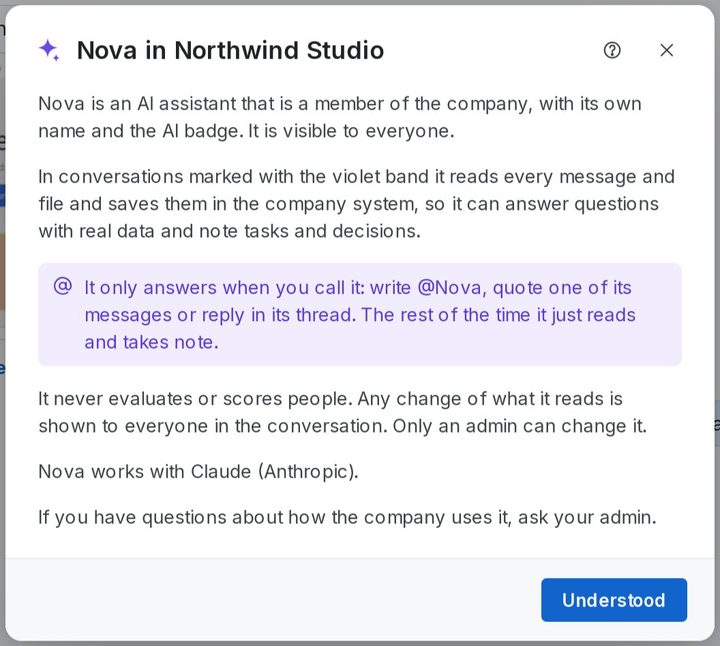
Your company can have an AI assistant as one more member, with its own name and the AI badge. It is always visible: you never have to guess whether it is reading.
The violet band and ✦
In a conversation the AI reads, a violet band at the top says so (for example «Nova reads this channel») and the channel has a ✦ in the list. Click What this means for the details: what it reads, where it keeps it and what it works with.
Direct messages between people are never read by the AI. It never evaluates or scores anyone, and any change in what it reads is shown to everyone in the conversation.
Ask it something
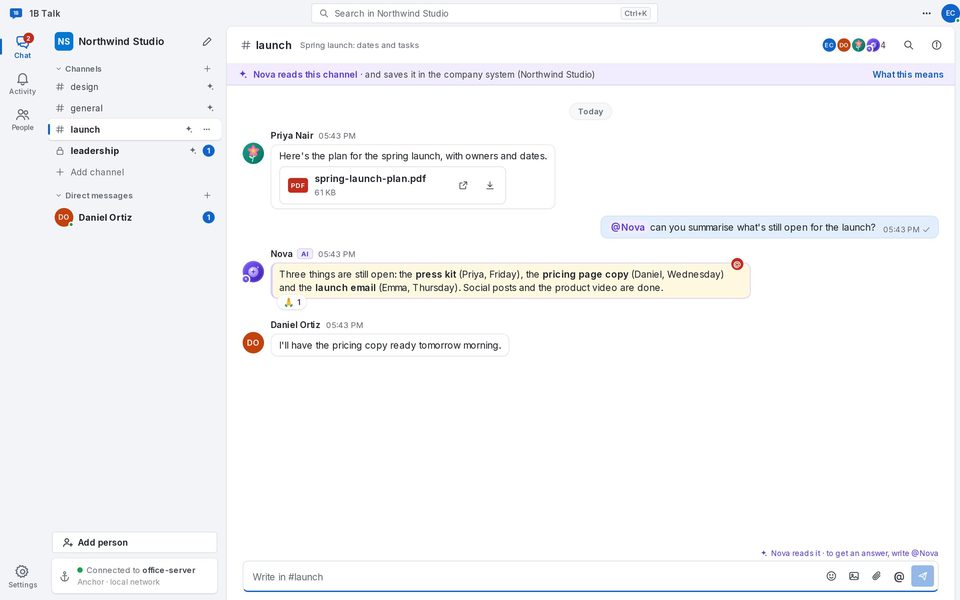
The AI reads where the band says so, but it only answers when you call it.
- Write @ and its name, for example @Nova, followed by your question.
- Or quote one of its messages with Reply, or write in its thread.
- It answers in the same conversation, visible to everyone in it.
What it reads in each channel
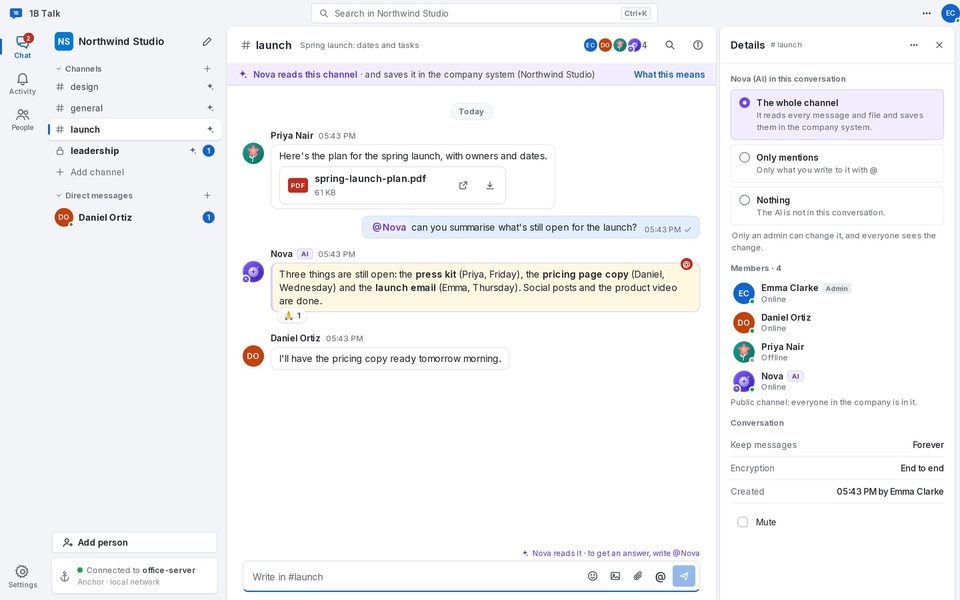
Open Details in a channel: under Nova (AI) in this conversation you see what it reads: The whole channel (every message and file), Only mentions (only what you write to it with @) or Nothing. Only an admin can change it, and everyone sees the change.
Admins also choose What Nova reads in new conversations in Settings › Companies and anchors, and can change the AI's name (Change name…) and photo (Photo…) for the whole company.
For 1B Talk 0.3.10 on Windows and Linux.