Chapter 1 · 1B Talk guide
Getting started: install 1B Talk and join your company
Every company has its own private chat, kept on its «anchor»: a computer at the office that stays on. You either join a company that already uses 1B Talk or create one in a couple of clicks.
Install 1B Talk
Download 1B Talk for Windows (installer) or Linux (RPM, DEB or AppImage) from the 1B Talk download page and install it like any other program. It updates itself when there is a new version.
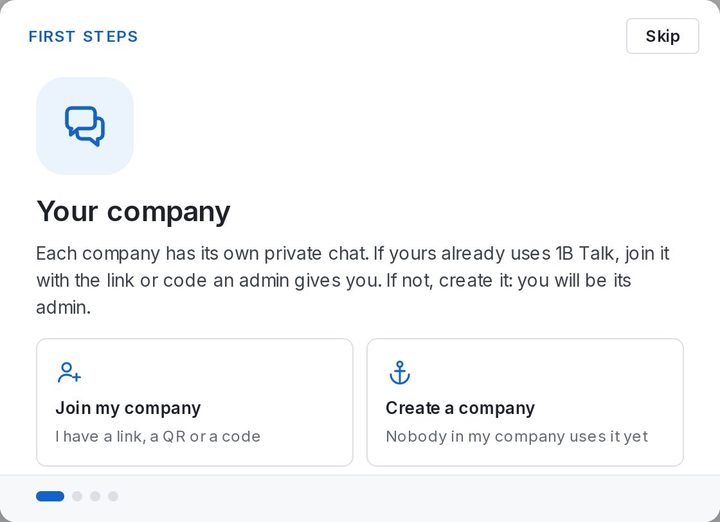
The first time you open it, it asks whether you have an invitation: choose Join my company if someone already sent you a link or a code, or Create a company if nobody in your company uses 1B Talk yet.
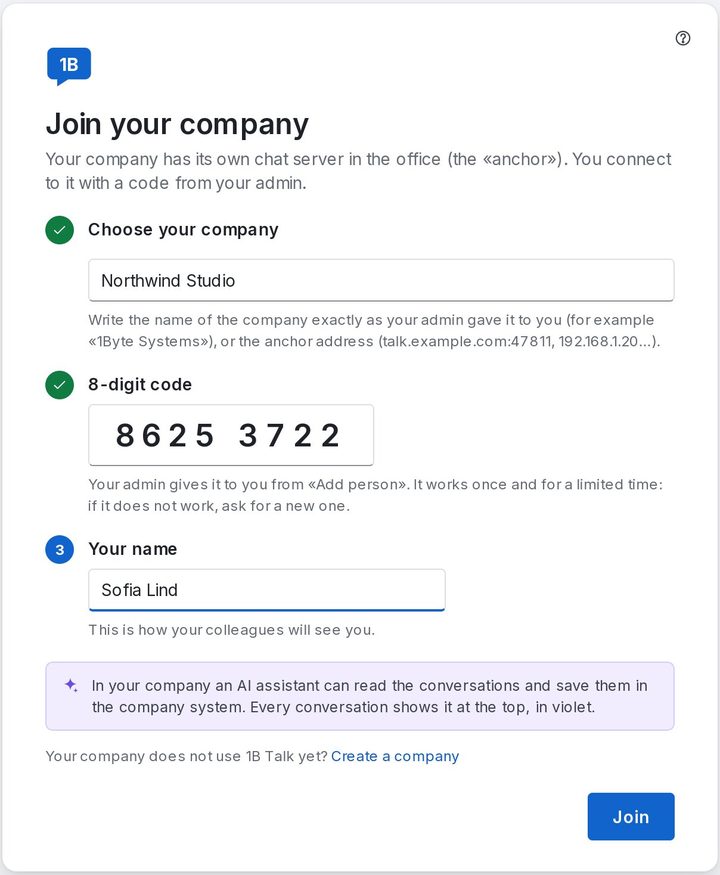
Join your company
Your admin gives you an invitation: a link, a QR code or an 8-digit code. Each one works only once and expires after a while.
- Open the invitation link on your computer: everything is filled in. With a code, under Choose your company pick your company if it appears on your network, or type the Company name, anchor address or invitation link.
- Type the 8-digit code if it isn't in the link already.
- Write Your name: this is how your colleagues will see you.
- Click Join. Your channels appear at once, and the First steps tour shows the essentials.
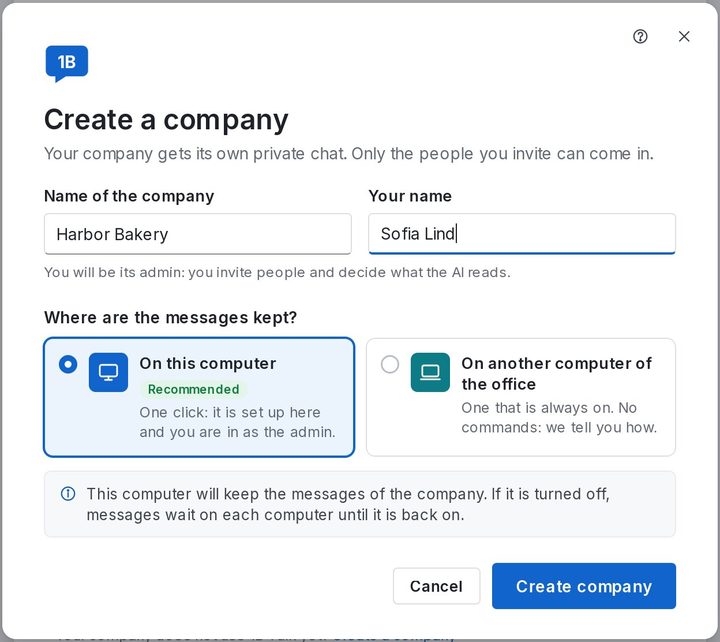
Create a company
Choose Create a company and type the Name of the company and Your name. Then choose where the messages are kept: On this computer (one click; it asks for the administrator password once) or On another computer of the office, which is better if this one is a laptop. Finish with Create company.
Whoever creates the company is its admin: you invite people and decide what the AI reads. If a company with the same name already exists on your network, 1B Talk offers to join it instead.
The anchor only keeps and delivers messages: it can't read them. If it is turned off, messages wait on each computer and go out as soon as it's back.
For 1B Talk 0.3.10 on Windows and Linux.