Chapter 8 · 1B Calendar guide
Undo and the trash: get deleted events back
1B Calendar is built so you never lose an event: Undo right after a change, and a trash that keeps things for 30 days.
Undo
When you create, move, change or delete an event, a notice appears at the bottom for a few seconds with Undo. Click it and the event goes back to how it was, in the service too.
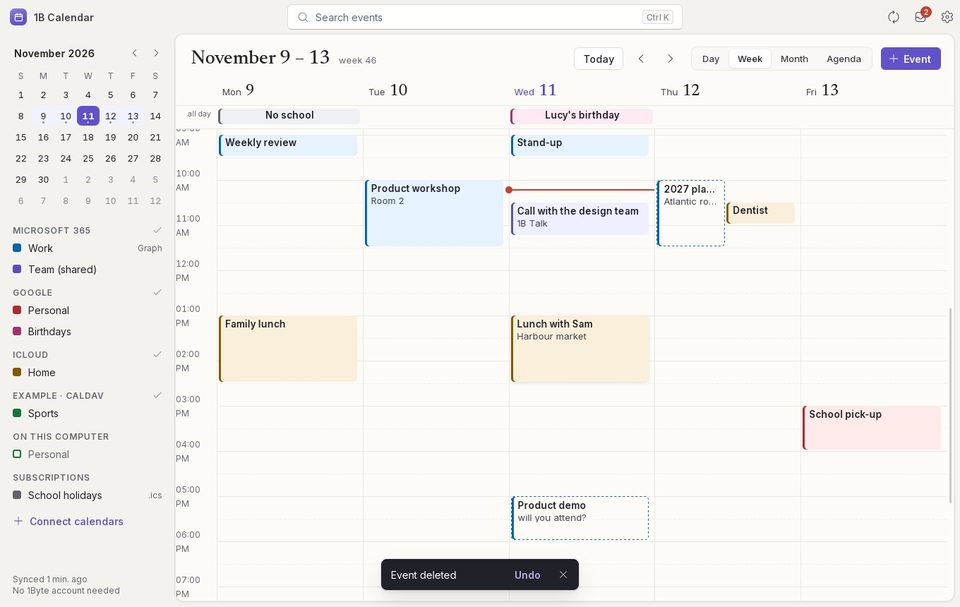
Get an event back from the trash
- Open Settings and go down to Trash.
- Find the event: next to it you see why it's there and when.
- Click Restore. The event returns to its calendar and is uploaded to the service again.
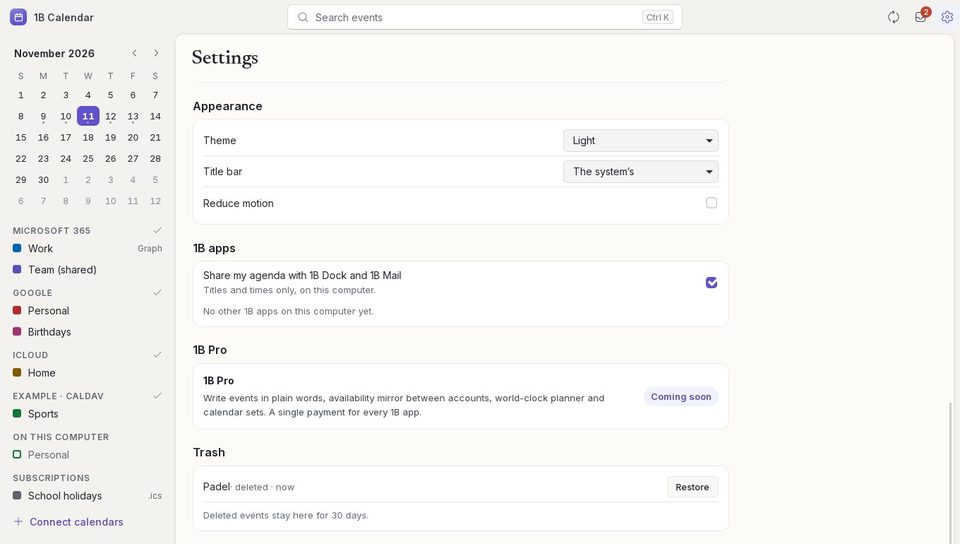
Why an event is in the trash
deleted: you deleted it. changed elsewhere at the same time: you and someone else (or another device) changed it at once; the service's version won and yours is kept here. deleted on the server: it was deleted in the service. not allowed by the calendar or couldn’t be uploaded: the service didn't accept your change.
After 30 days, events leave the trash for good.
For 1B Calendar 0.1.1 on Windows and Linux.