Chapter 6 · User guide · 1B Note
Sync and devices
Sync goes through a 1B Note server: your own, your company's or one you've been invited to. Whichever it is, it only ever receives encrypted pages.
How sync works
Your account keys are created on your device and protected by your recovery phrase. Every page is encrypted with its own key before it leaves the device, and every change is signed by the device that made it.
The server stores and relays those encrypted changes and checks who may write. It can't read titles, text or databases. With two devices open, changes arrive in a second or two and merge on their own, even when two people type in the same paragraph.
Connect to a server
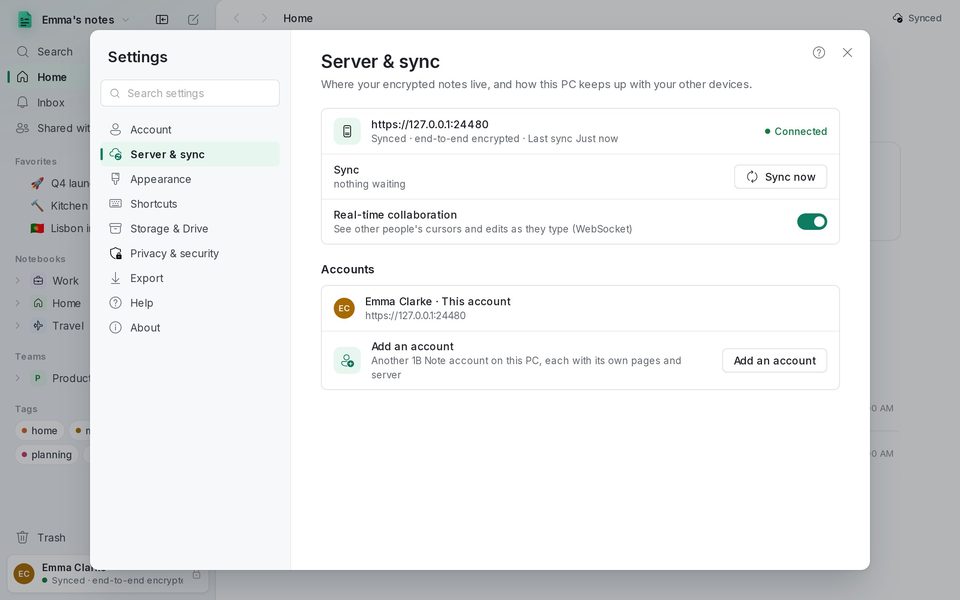
- Open Settings › Server & sync and press Connect… (or choose Connect to a server on the first screen).
- Paste the code you were given: whoever runs the server creates an account code for you, and another device of yours creates a pairing code.
- 1B Note says what kind of code it is (new account, pairing or recovery). Give this computer a name in Name of this device and continue.
- With a new account, save the recovery phrase. From then on the sidebar card says Synced · end-to-end encrypted.
Add your phone or another computer
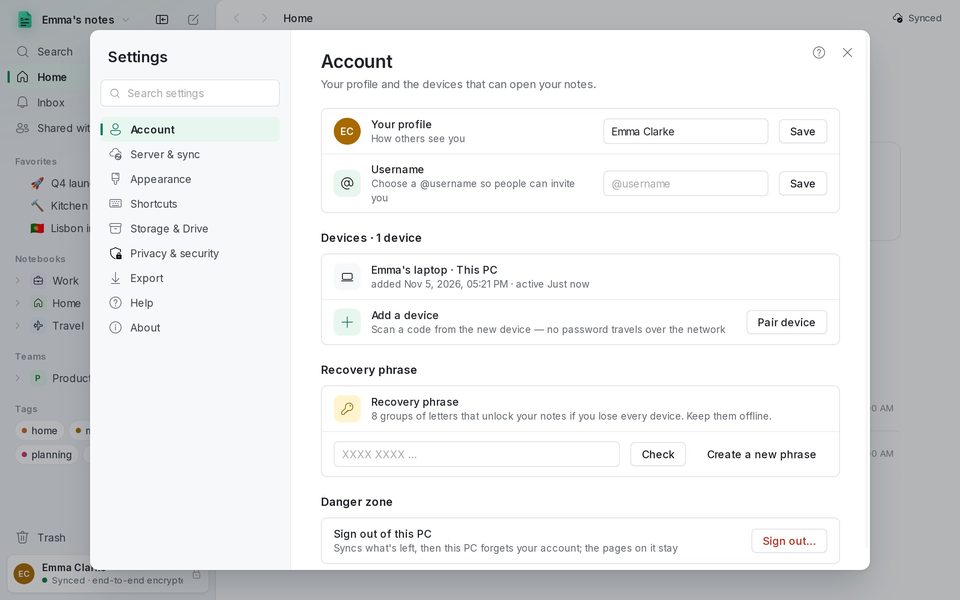
On a device that already syncs, open Settings › Account and press Pair device next to Add a device. A code appears: scan it with 1B Note on the new device, or copy it and paste it there. No password travels over the network.
The list of Devices shows each device and when it was last active. If you lose one, remove it from another with Remove device.
If you lose every device
Ask whoever runs your server for a recovery code for your account, choose Restore with my recovery phrase on the first screen and enter the code and your phrase. Without the phrase and without any device the notes can't be recovered: they're encrypted and nobody else has the key.
Working offline
1B Note always writes to the computer first. Without a connection the sidebar card says Offline and how many changes are waiting; they upload by themselves when the connection is back, and Sync now forces it.
Several accounts on one PC
Add an account in Server & sync adds another 1B Note account on this PC, each with its own pages and server: for example, one for home and one for work. Switch between them from the menu with your name at the top of the sidebar.
Written for 1B Note 0.9 on Windows and Linux, with notes for 1B Note on Android. Real screenshots with example data.