Chapter 5 · 1B Desk guide
Security and access: who can control your PC
1B Desk is built so that a stranger can't get in: only devices paired in person can connect, new ones can only view, and you always see who is connected.
When someone is connected
While a device views or controls your PC, a banner shows its name (Ubuntu laptop is viewing this PC or Ubuntu laptop is controlling this PC), what it can do and a red Disconnect button that ends every session at once.
In the same banner, Give control this time lets a device that is only viewing use your mouse and keyboard, and Take back control returns it to view only. The tray icon has Disconnect everyone and Take back control (view only) too.

Control requests
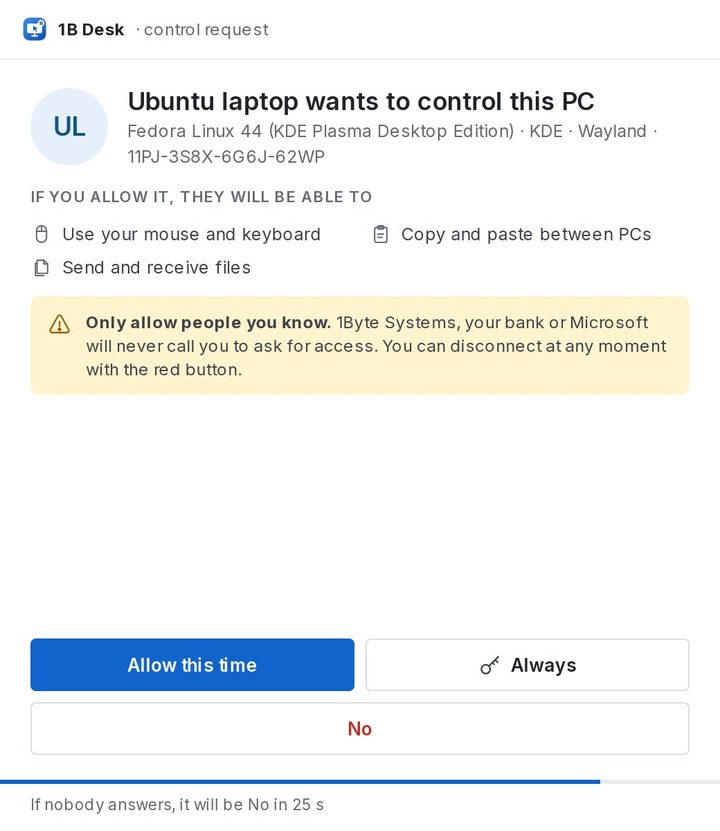
When a device asks for control, a window shows who it is and what they'll be able to do. Choose Allow this time for this session, Always to give that device control from now on, or No. If nobody answers, the answer is no.
Decide who can do what
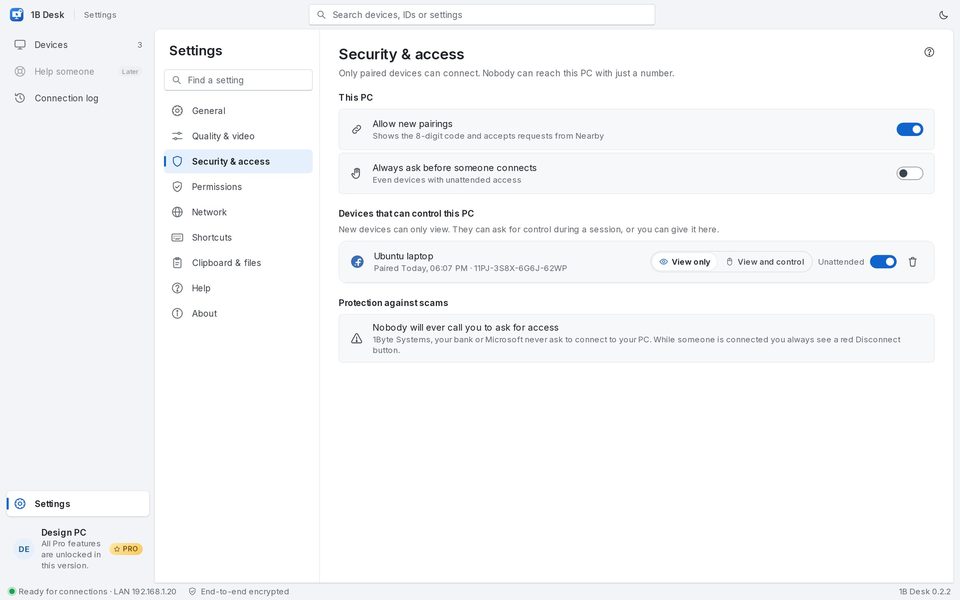
Settings › Security & access lists the Devices that can control this PC. For each one choose the Permission: View only or View and control; devices with unattended access show Unattended. Revoke removes a device: to come back it will have to pair again.
Allow new pairings turns off the pairing code when you don't need it, and Always ask before someone connects asks you every time, even for devices with unattended access.
The connection log
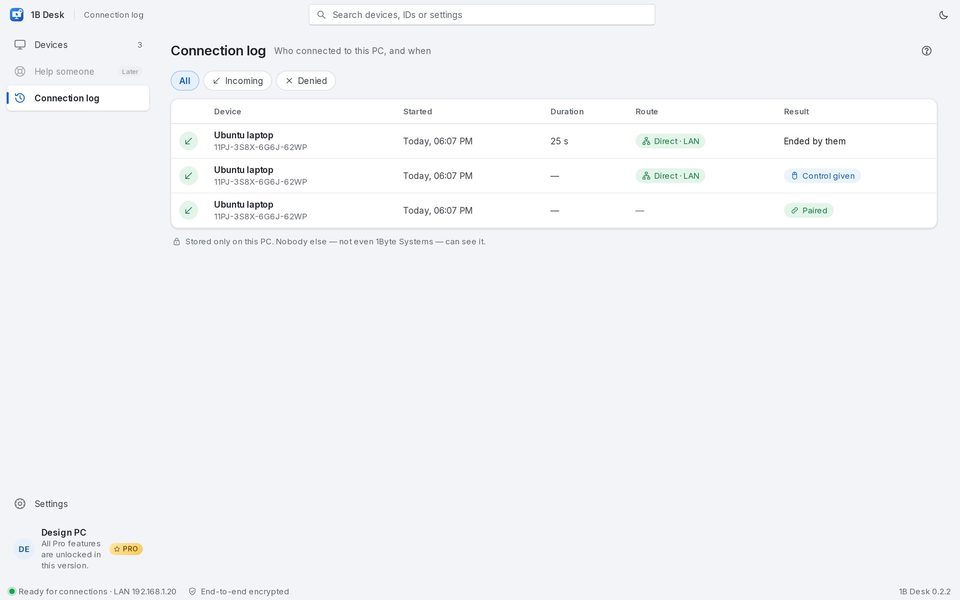
Connection log shows who connected to this PC and when, the route, how long it lasted and how it ended, including requests that were denied. It's stored only on this PC.
Remote-access scams
Scams start with someone calling to ask you to install a program and read them a number. With 1B Desk that doesn't work: a number isn't enough, the device has to be paired in front of both screens. And remember: 1Byte Systems, your bank or Microsoft will never call you to ask for access.
For 1B Desk 0.2 on Windows and Linux, and the Android viewer.