Chapter 3 · Guide · 1B Files
Free up space: junk, duplicates and large files
1B Files finds what you can delete safely, shows you exactly what goes and keeps it in the trash for a while in case you change your mind.
See what you can delete
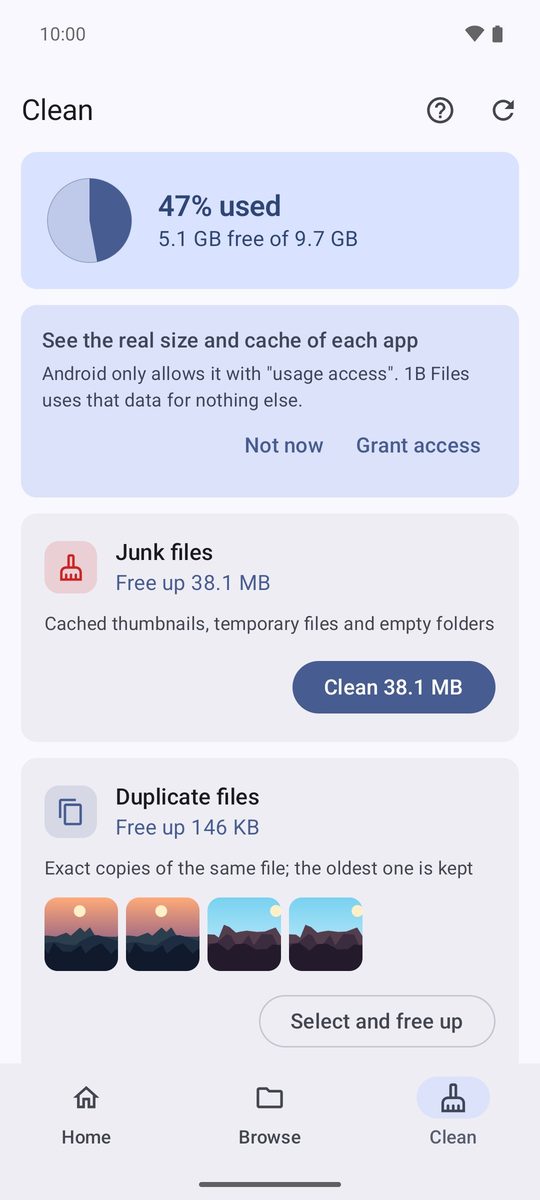
Open the Clean tab. At the top you see how full your storage is, and below, cards with what can go: Junk files, Duplicate files, Already installed APKs, Old screenshots, Old downloads and Large files. Each card says how much space you'd get back.
Temporary files less than a day old are left alone, so apps that are using them don't break.
Review before deleting
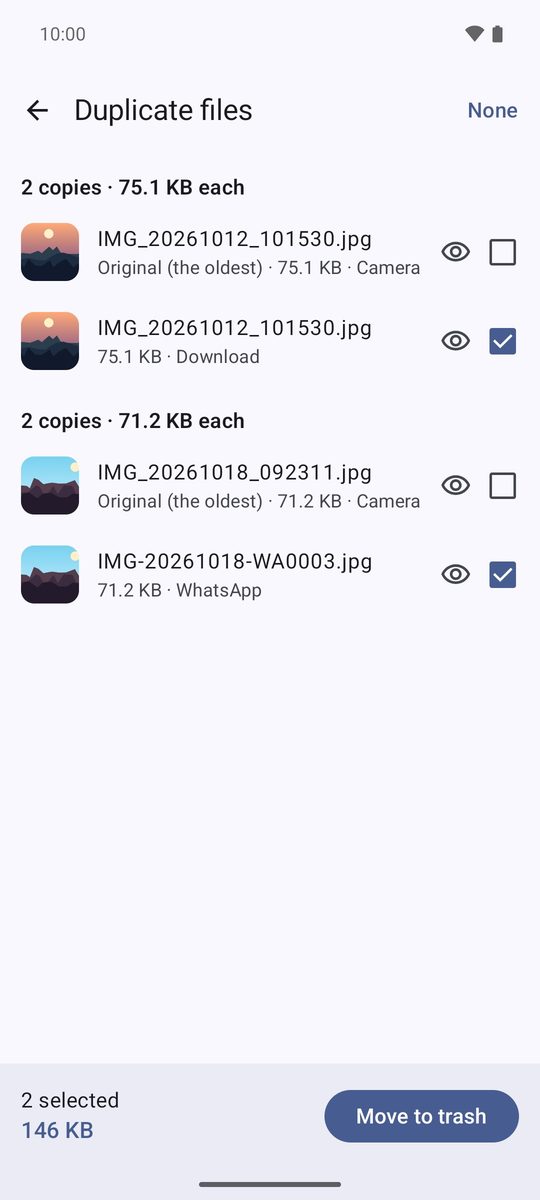
- On a card, tap Select and free up.
- Check the list. In duplicates, the oldest copy is marked Original (the oldest) and is never selected, so at least one copy of each file always stays.
- Tap Move to trash and confirm. Junk files are cleaned with one button, because they're safe to delete.
Find what takes up space
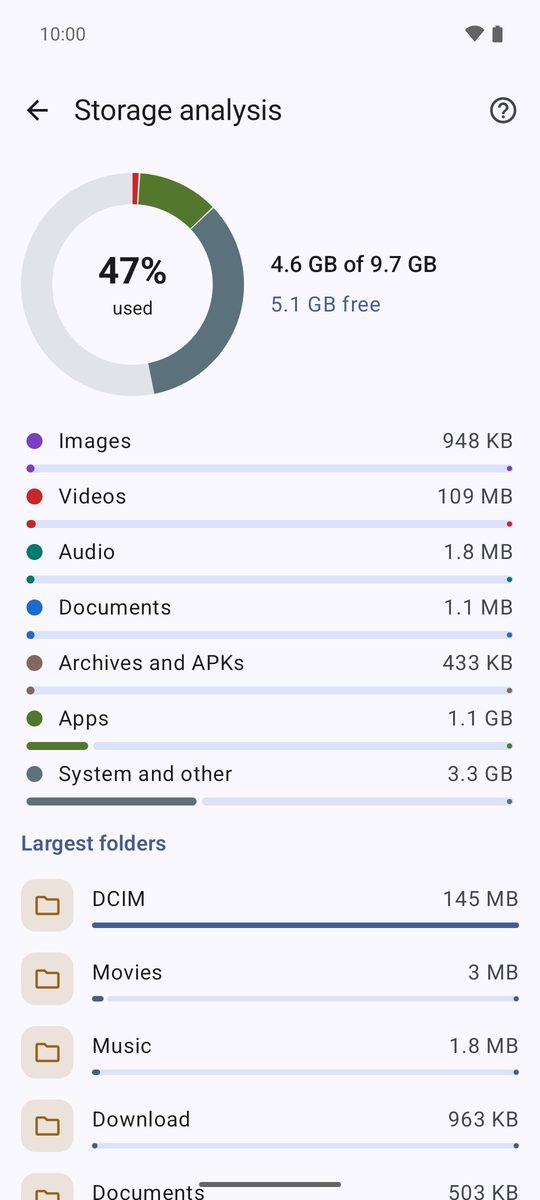
Storage analysis, on the home screen, shows used and free space by type of file and lists the Largest folders and the Largest files. Tap any of them to open it.
Apps and their cache
The Apps tile lists your apps by size. To see the real size and cache of each one, Android asks you to allow usage access (Grant access); 1B Files uses that data for nothing else. From each app you can open App info, Uninstall it or Extract APK.
The trash
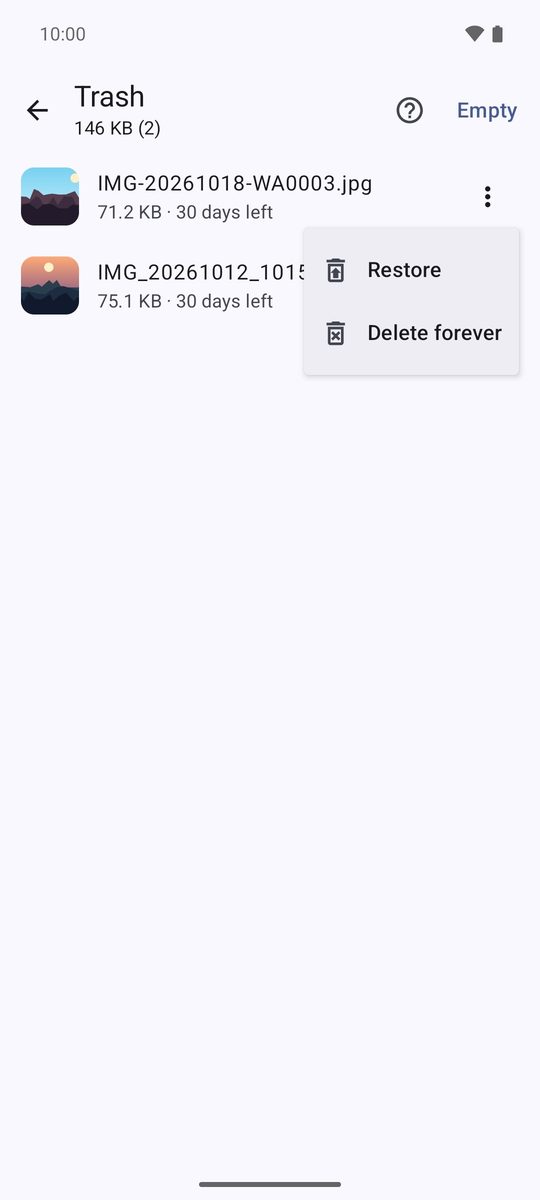
Deleted files wait in the Trash tile for 30 days (you can change it in settings). Tap ⋮ next to a file to Restore it to where it was, or Delete forever. Empty, at the top, empties it all at once.
Written for 1B Files 1.0 on Android 11 or later, with real screenshots and example files.