Chapter 4 · Guide · 1B Docs
Spreadsheets: Excel (XLSX), formulas and formatting
Excel workbooks open with their formats, charts and formulas. Formulas are calculated on the device, and you can edit any cell.
Move around a spreadsheet
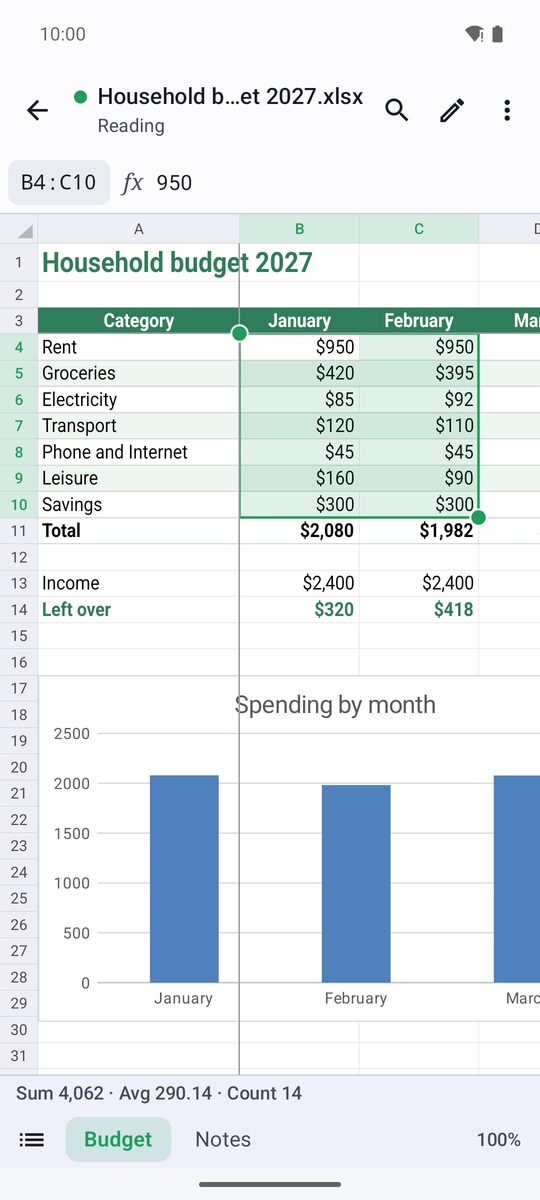
Drag to move around and pinch to zoom. Tap a cell to select it: its content appears in the bar at the top. When you select several cells, the bar at the bottom shows their sum, average and count.
The tabs at the bottom switch between sheets. The ⋮ menu has Go to cell, Zoom and Show formulas.
Edit cells
- Tap the pencil (Edit) to start editing.
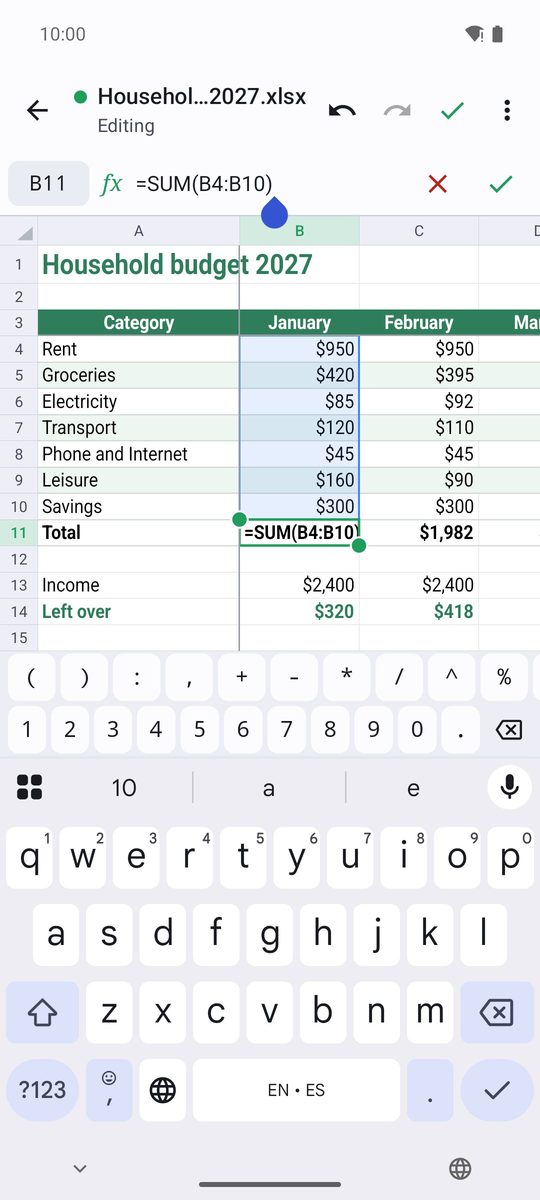
- Select a cell and type in the bar at the top (Type a value or =formula). Press Enter to confirm.
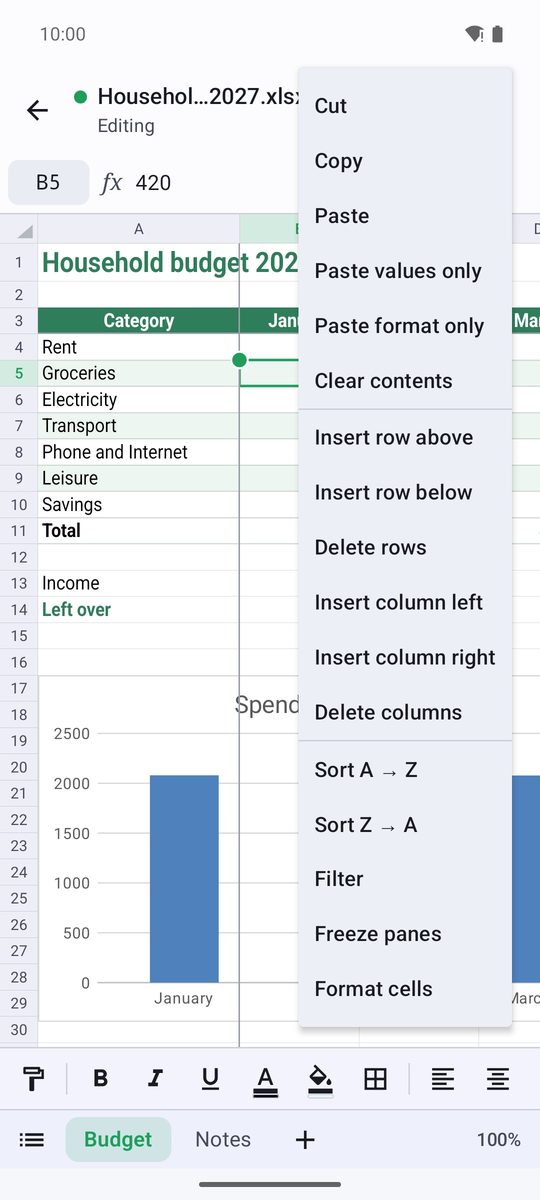
- Touch and hold a cell (or a row or column header) for Cut, Copy, Paste, Clear contents, inserting or deleting rows and columns, Fill down and more.
- Tap the check mark (Done) and save from the ⋮ menu.
Formulas and AutoSum
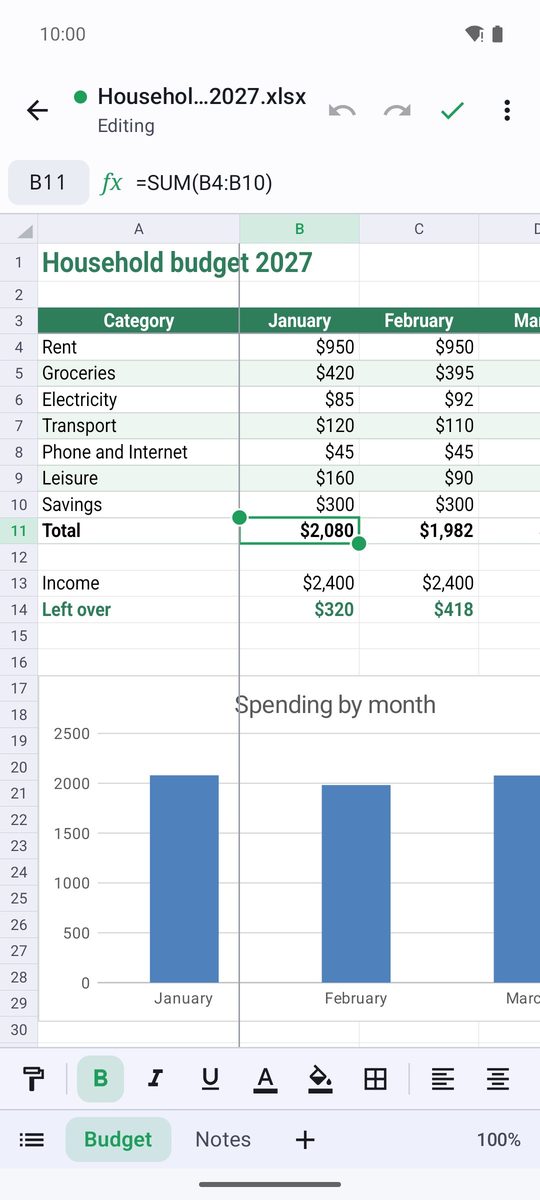
Start with = to write a formula, for example =SUM(B2:B9) or =IF(C2>100,"High","Low"). 1B Docs calculates more than 150 functions (sums, averages, lookups like VLOOKUP, dates, text…) and recalculates everything that depends on a cell when you change it.
The quickest way to add up a column: select the cell under the numbers and tap AutoSum in the format bar.
In languages that write numbers with a decimal comma, arguments are separated with a semicolon (;). In Spanish you can also use the Spanish function names, such as SUMA or SI.
Format cells
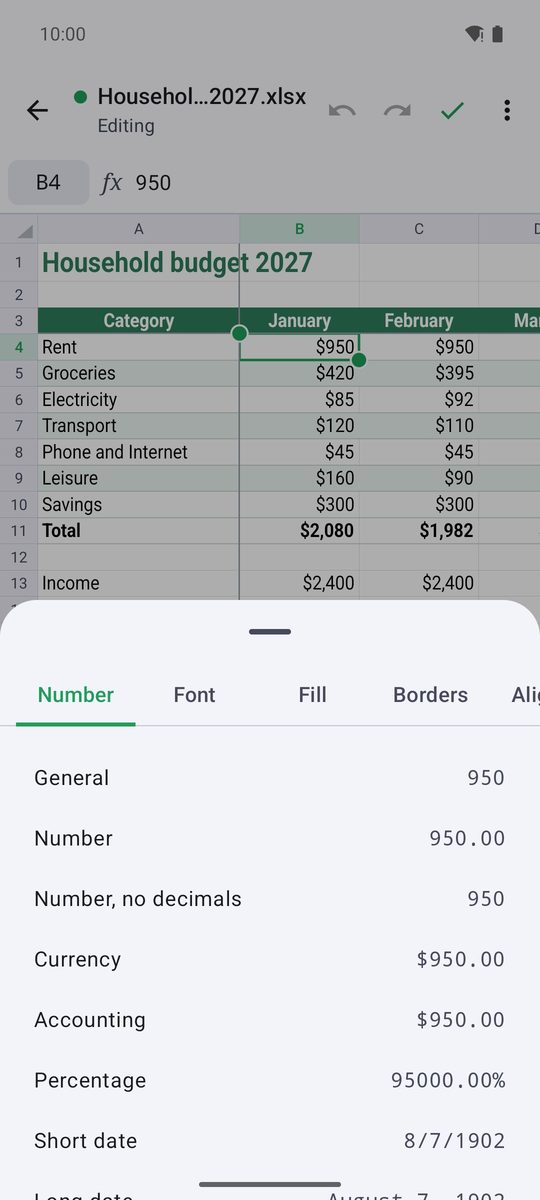
The format bar has Bold, Italic, Text colour, Fill colour, Borders, alignment, Wrap text, Merge cells, Currency format, Percent format and decimals. Format cells opens every option: Number, Font, Alignment, Borders and Fill.
Sort, filter and freeze
Select a column and tap Sort A → Z, or use Sort Z → A from the menu of the cell. Filter adds a button to each header to show only some values. Freeze panes keeps the rows above and the columns to the left of the selected cell in view while you scroll.
Sheets, CSV and old formats
In edit mode, touch and hold a sheet tab to Rename sheet, change its Tab colour, Hide sheet or Delete sheet; the + adds one (Add sheet).
XLSX files are saved as they are and CSV files keep their separator. XLS and ODS files open as a read-only copy: save them as XLSX to keep your changes. Export sheet as CSV in the ⋮ menu saves the current sheet as CSV.
Written for 1B Docs 1.0 on Android 8 or later, with real screenshots and invented example documents.